ENEnglish
 LTLietuviškai
 DEDeutsch
 FRFrançais
 RUРусский
 ESEspañol
 PLPolski
 ITItaliano
 UKУкраїнська
 CSČeština
 PTPortuguês
 JA日本語
JA日本語 LVLatviešu valoda
 ETEesti
 HUMagyar
 IDBahasa Indonesia
 TRTürkçe
 HIहिन्दी
 ELΕλληνικά
 ARالعربية
 THไทย
THไทย VITiếng Việt
 RORomână
 MSBahasa Melayu
 BNবাংলা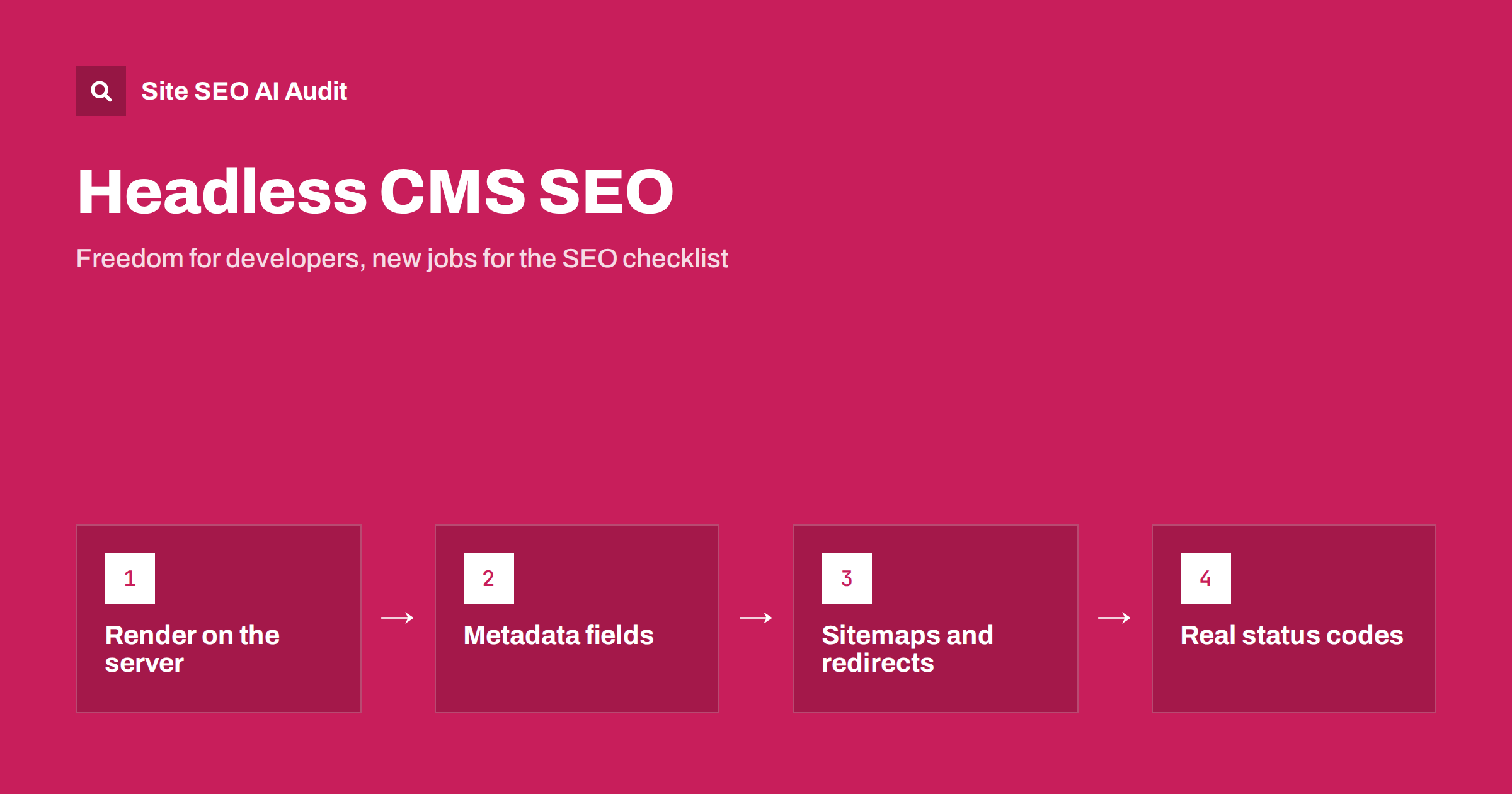
Short answer: A headless CMS stores content and delivers it through an API, while a separate front end builds the pages. That separation gives teams freedom, but it also means the SEO features that a traditional CMS provides automatically must be built deliberately. Make sure pages are rendered into complete HTML on the server or at build time, that every page has editable metadata, canonical and robots controls, that sitemaps, redirects and structured data are generated, and that missing pages return real 404 status codes. Test the live output as a crawler sees it.
In a traditional CMS such as WordPress, the system and its plugins decide many things for you: page titles, sitemaps, canonical tags, redirects, even the HTML structure. In a headless setup, the content editors work in one tool, and developers build a separate website or app that fetches the content. Nothing happens unless somebody builds it. The result can be a fast, flexible site with excellent SEO, or a site that looks perfect in a browser and is nearly empty to a crawler.
What “headless” changes for SEO
Headless does not harm SEO by itself. The risk is that nobody owns the details. In practice, the following responsibilities move from the CMS to the front-end code:
- Building the HTML that visitors and crawlers receive.
- Outputting title tags, meta descriptions, canonical URLs and robots directives from fields in the content model.
- Generating XML sitemaps and keeping them current.
- Managing URL structure, redirects and status codes.
- Adding structured data and hreflang for multilingual sites.
- Providing previews that show what the final page will look like.
The best moment to address them is before the build starts, when the content model is designed. Adding SEO fields afterwards means migrating content again.
Rendering: the most important decision
How the front end produces the HTML decides what crawlers see:
- Static generation. Pages are built in advance and served as plain HTML files. They are very fast and easy for crawlers. Updates need a rebuild, or a partial rebuild of changed pages.
- Server-side rendering. The server builds the HTML for each request. Good for content that changes often, as long as the server stays fast.
- Client-side rendering. The browser receives an almost empty page and builds the content with JavaScript. Crawlers that run scripts may see the content later, while others may not see it at all.
For content sites, shops and any page that should rank, prefer static or server-side rendering for the main content. Client-side rendering is acceptable for private dashboards and interactions after the page loads. Our guides to JavaScript SEO basics and JavaScript content and AI crawlers explain why this matters even more for AI crawlers, many of which run few or no scripts.
Design the content model with SEO in mind
Add fields for the things that editors must control, instead of generating everything from the headline:
- SEO title and meta description, with sensible defaults and length hints.
- Slug, editable, validated and unique.
- Canonical URL override, for the rare cases when it needs to differ.
- Robots controls, such as noindex for specific pages.
- Social sharing image, title and description, for link previews. See Open Graph tags setup.
- Alt text for every image as a required field.
- Author, publication date and last update date for articles.
- Language and translation links if the site is multilingual.
Show the editors how their fields appear in a search result, with a preview and character counts. Good tooling removes most metadata errors before they reach production.
URLs, redirects and status codes
Traditional systems hide a lot of routing logic that a custom front end must replace:
- Stable URLs. Decide the structure early and keep it consistent. Avoid changing it with every redesign. See SEO-friendly URL slugs.
- One version of each URL. Choose trailing slash or not, lowercase, https and one hostname, and redirect all others. See www and trailing slash consistency.
- Redirects managed by editors or developers. When a slug changes in the CMS, create a permanent redirect automatically or at least warn the editor. See 301 versus 302 redirects.
- Real 404 and 410 responses. A common fault of single-page applications is to display a “page not found” message while returning status 200. Crawlers then treat it as a valid page, which creates soft 404 errors. See how to fix soft 404 errors.
Sitemaps, robots.txt and internal links
Generate the XML sitemap from the content API so that it always reflects what is published, includes only canonical, indexable URLs and updates the last modified date only when the content really changes. See XML sitemap best practices. Also review:
- robots.txt is served at the root of every environment, and blocks staging sites. See how to fix an indexed staging site.
- Internal links are real anchor elements with href attributes, not click handlers that only a browser can follow. See internal linking strategy.
- Pagination and filters produce crawlable URLs only where you want them indexed.
Structured data, hreflang and images
Generate JSON-LD in the page template from the same data as the visible content, so the two cannot drift apart. Common types include Organization, Article, Product, BreadcrumbList and FAQPage where it fits the page. For multilingual sites, output hreflang links with return links from the translation relationships in the CMS. See hreflang on JavaScript and headless sites.
Images need attention too. Use an image service or pipeline that resizes, compresses and serves modern formats, adds width and height to avoid layout shift, and keeps the alt text from the CMS. See responsive images and WebP and AVIF formats.
Previews, staging and the publishing workflow
A frequent complaint from editors on headless sites is that they cannot see what they are publishing. Build a preview mode that renders draft content with the real templates. Add checks before publishing: required fields filled, a title and description present, a canonical URL valid. Keep the staging environment out of search results with authentication, not only with a robots rule.
Plan for cache and rebuild behaviour as well. If a fix to a page takes an hour to appear because the build is slow, editors will avoid making corrections. Make sure content updates trigger a rebuild or cache refresh of the affected pages and the sitemap.
Roles, ownership and a launch checklist
Headless projects involve developers, editors, designers and marketers, and SEO tasks fall between them. Agree on who is responsible for each area before launch: the content model and its SEO fields, the rendering approach, redirects, sitemap generation, structured data and monitoring. Write the requirements as acceptance criteria, so that “every page has a unique title and a canonical URL” becomes a test, not a hope.
A compact launch checklist can include:
- Main content, headings and links are visible in the HTML source of every template.
- Every public page has a title, meta description, canonical URL and correct robots directive.
- The old URLs from the previous site redirect with a permanent status to their new equivalents.
- The sitemap lists only indexable canonical pages and is referenced in robots.txt.
- Structured data validates on each template, and matches the visible page.
- Missing pages return 404, and removed pages return 404 or 410 or a redirect to a real replacement.
- Staging and preview environments are protected from indexing.
- Monitoring is in place for status codes, crawl errors and Core Web Vitals.
After launch, review Search Console weekly for the first month. Migrations to a headless setup often show a short dip while search engines re-crawl the new templates; a long decline usually points to a missing redirect, a rendering gap or a canonical error that the checklist should have caught.
Test the live output
Do not trust the browser view alone. After launch, and after every major release, check:
- View the page source and confirm the headline, text, links and metadata are present before scripts run.
- Use the URL Inspection tool to see the rendered HTML as the search engine receives it. See the URL Inspection guide.
- Crawl the site with a tool that does not run scripts, then with one that does, and compare the results.
- Check status codes for deleted pages, redirects and error pages.
- Review Core Web Vitals on real devices, since heavy front-end bundles can slow a page.
Site SEO AI Audit crawls your site like a search engine and finds content that needs JavaScript to appear, broken links, missing titles, canonical problems, redirect chains and structured data errors on every page. The first audit of up to 200 pages is free.
Related reading
The bottom line
A headless CMS can deliver excellent SEO, but only when the team builds the missing pieces on purpose. Render the main content into HTML, give editors real metadata controls, generate sitemaps, redirects and structured data, return true status codes and test what crawlers receive. Assign an owner for SEO requirements at the start of the project, not after launch.
FAQ
Is a headless CMS bad for SEO?
No. It is neutral. A well-built headless site can be faster and cleaner than a traditional one. Problems arise when rendering, metadata, sitemaps and redirects are left unbuilt.
Which rendering method is best for SEO?
Static generation or server-side rendering for pages that should rank, because the HTML is complete when it arrives. Client-side rendering is riskier for public content.
How do editors control meta titles in a headless CMS?
Through fields in the content model for the SEO title, description, canonical and social settings, with defaults and previews. Developers then output these fields in the page head.
Why does my headless site show soft 404 errors?
Often the front end shows a not-found message but returns status 200. Make the server return a real 404 or 410 status for missing pages.
Do I need a separate sitemap tool?
Not necessarily. You can generate the sitemap from the content API in your build or server code, as long as it lists only canonical, indexable URLs and stays up to date.