ENEnglish
 LTLietuviškai
 DEDeutsch
 FRFrançais
 RUРусский
 ESEspañol
 PLPolski
 ITItaliano
 UKУкраїнська
 CSČeština
 PTPortuguês
 JA日本語
JA日本語 LVLatviešu valoda
 ETEesti
 HUMagyar
 IDBahasa Indonesia
 TRTürkçe
 HIहिन्दी
 ELΕλληνικά
 ARالعربية
 THไทย
THไทย VITiếng Việt
 RORomână
 MSBahasa Melayu
 BNবাংলা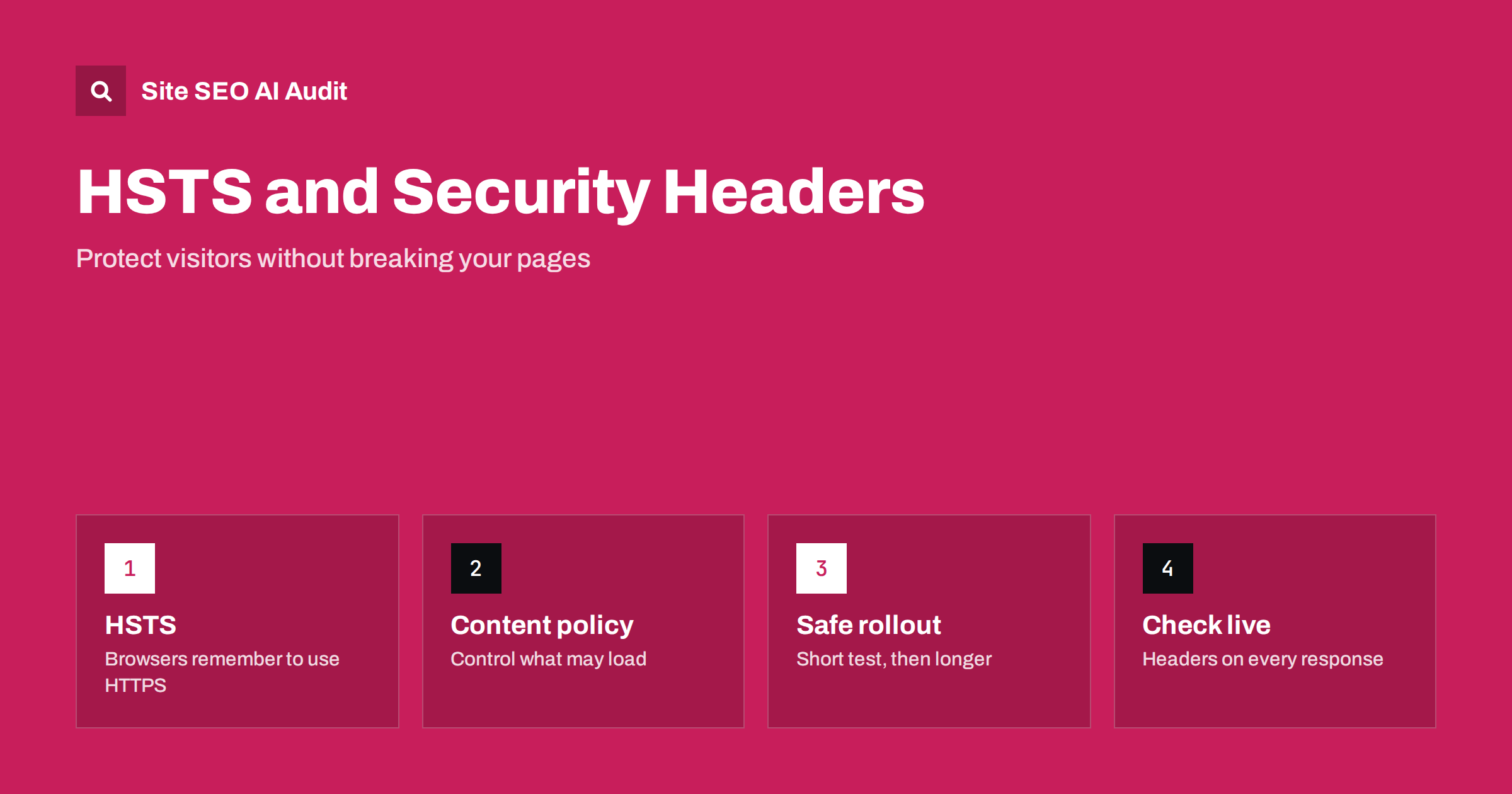
Short answer: Security headers are instructions your server sends with each page that tell browsers how to behave. HSTS forces browsers to use HTTPS, while other headers limit framing, scripts and referrer data. They are not ranking factors on their own, but a bad setup can break rendering, block resources or lock visitors out of a subdomain. Roll them out in small steps, test the live responses and keep your redirects clean.
Security headers sit in the part of a website that SEO people rarely open: the HTTP response. Every time a browser or crawler asks for a page, the server answers with a status code, the content and a set of headers. Some headers speak to crawlers, such as X-Robots-Tag. Others, such as Strict-Transport-Security, speak to browsers. This guide explains what the main security headers do, which ones relate to search, and how to add them without damaging your site.
Do security headers affect rankings?
Search engines have said for years that HTTPS is a lightweight signal, and a secure connection is now the normal baseline for any site. The security headers listed here are different: there is no evidence that adding them lifts rankings by itself. They matter for search in indirect ways:
- They protect visitors from downgrade attacks and malicious framing, which protects your reputation and conversions.
- They prevent some kinds of injected content from running on your pages.
- When configured wrongly, they can block your own scripts, fonts, images or embedded content, which changes what users and crawlers see.
So treat them as a quality and safety measure, and test them like any other change to the site. A small mistake can have a larger effect on SEO than the headers could ever bring.
HSTS: making HTTPS the only way in
HTTP Strict Transport Security tells a browser: “For the next period of time, only contact this site over HTTPS.” After the first secure visit, the browser upgrades any HTTP request on its own, before it leaves the device. A typical header looks like this:
Strict-Transport-Security: max-age=31536000; includeSubDomains
- max-age is the number of seconds the browser should remember the rule. 31536000 is one year.
- includeSubDomains applies the rule to every subdomain, so use it only when all of them support HTTPS.
- preload signals that you want the domain added to the browser preload list, so protection exists even on the first visit. Only add it when you are sure, because removal takes a long time.
HSTS only works over HTTPS, and it does not replace redirects. You still need every HTTP address to redirect to the HTTPS version with a permanent redirect, as described in our HTTP to HTTPS migration checklist. HSTS is a second layer that saves visitors from the first insecure request.
One side effect puzzles many people. In browser developer tools, an HSTS upgrade appears as a “307 Internal Redirect”. It is generated inside the browser, not by your server, and crawlers will not show it in their logs.
The other headers worth knowing
- Content-Security-Policy (CSP). Lists which sources may load scripts, styles, images, fonts and frames on your page. It is powerful and the easiest header to get wrong.
- X-Content-Type-Options: nosniff. Stops browsers from guessing a file type, which blocks a class of attacks. It is safe on almost every site, provided files are served with the correct type.
- Referrer-Policy. Controls how much of the previous address is shared when someone clicks a link. A common choice,
strict-origin-when-cross-origin, keeps analytics working while sharing less detail with other sites. - Permissions-Policy. Switches off browser features such as camera, microphone or location for your pages and embedded frames.
- X-Frame-Options or CSP frame-ancestors. Controls whether other sites can put your pages in a frame. This prevents clickjacking.
Each header answers one question about trust. You do not need all of them on day one. HSTS, nosniff, a referrer policy and a frame rule give strong protection for little risk, while CSP takes planning.
Where security headers can hurt SEO
Problems almost always come from a rule that is stricter than the site can handle:
- A CSP that blocks resources. If a policy forbids your own CSS, script or font host, the page may render without styling or content. Because search engines render pages, they can see a broken version too.
- includeSubDomains on a mixed estate. A forgotten subdomain without a valid certificate becomes unreachable in browsers that remember the rule.
- Long HSTS before the redirects are right. If a certificate expires or a redirect loops while a one-year rule is in force, visitors cannot click through the warning.
- Frame rules that block legitimate embeds. Widgets, previews and some tools that load your pages in a frame can stop working.
- Headers missing on error pages. Rules applied at one layer of the server may not cover redirects, 404 pages or files served by a CDN.
Many of these problems resemble issues that audits already flag, for example mixed content. If your page loads an HTTP image or script on an HTTPS page, a strict policy will block it. Start with our guide to finding and fixing mixed content before you tighten anything.
A safe rollout plan
- Prepare HTTPS. Confirm that every page, image, script and subdomain you use works over HTTPS, and that the certificate renews automatically.
- Clean the redirects. Each HTTP address should go to the final HTTPS address in one hop. See how to find and fix redirect chains.
- Start HSTS with a short lifetime. Use a few minutes or an hour, test the site, then raise it to a day, a week and finally a year.
- Add includeSubDomains only after an inventory. List all subdomains, including old mail, staging and tool hosts.
- Introduce CSP in report-only mode. The
Content-Security-Policy-Report-Onlyheader logs violations without blocking anything, so you can see what the policy would break. - Enforce one header at a time. Watch the site, then continue.
Keep a note of every change with a date. If rankings, crawling or conversions change afterwards, you can match the timeline against the log. Staging environments are a safe place to test, but make sure they stay out of the index, as explained in how to fix an indexed staging site.
Where to set the headers
The right place depends on the platform:
- Web server configuration. Apache, Nginx and similar servers can add headers for all responses, including static files.
- CDN or edge settings. Many CDNs let you add or override headers without touching the origin. Check that the CDN does not strip headers or cache a wrong version. See CDN and SEO setup choices.
- Application code or plugins. Content management systems and security plugins can add headers, though they may not cover static files or error pages.
- Hosting panels. Some hosts provide a switch for HSTS and other common headers.
Avoid sending the same header from two layers with different values. Browsers may combine or ignore duplicates, and the result is hard to debug.
How to check the result
After every change, request a few different types of address and read the headers: the home page, an inner page, a 404 address, a redirect, an image and a stylesheet. Browser developer tools show response headers in the network panel, and command-line tools can print them. Look for these points:
- The final HTTPS page returns status 200 and the headers you expect.
- The HTTP version redirects to HTTPS in one step.
- No console errors say that a resource was blocked by a policy.
- The page looks right in the URL inspection tool, which shows how a search engine renders it. See our URL Inspection guide.
Also repeat the check after redesigns, hosting changes or CDN changes, because headers are easy to lose when infrastructure moves. Our checklist for switching web hosts includes this step.
Site SEO AI Audit crawls every page of your site, flags redirect chains, mixed content, broken resources and pages that return wrong status codes, and ranks the fixes by how many points they add. The first audit of up to 200 pages is free.
Related reading
The bottom line
Security headers will not make a weak page rank, but they protect visitors and keep the site trustworthy. Start with clean HTTPS and redirects, add HSTS in stages, test any content policy in report-only mode, and verify the live responses after each change. Careful rollout is what keeps the security work from turning into an SEO problem.
الأسئلة الشائعة
Is HSTS a ranking factor?
No. HTTPS is a light signal, but HSTS is a browser instruction that improves security and removes the first insecure request. It helps users more than it helps rankings.
What max-age should I use for HSTS?
Begin with a short value such as one hour, test, and increase gradually. A common long-term value is one year, expressed as 31536000 seconds.
Can a Content-Security-Policy hurt my SEO?
Yes, if it blocks your own scripts, styles or fonts, because pages can render incompletely. Test the policy in report-only mode before enforcing it.
Should I add the preload directive?
Only if every subdomain supports HTTPS and you are ready to keep it that way, because leaving the preload list is slow. Many sites are well protected without it.
Why do I see a 307 redirect in my browser but not in my crawl?
The browser creates it locally when HSTS tells it to upgrade a request. The server never sees the insecure request, so server logs and crawlers do not show it.