ENEnglish
 LTLietuviškai
 DEDeutsch
 FRFrançais
 RUРусский
 ESEspañol
 PLPolski
 ITItaliano
 UKУкраїнська
 CSČeština
 PTPortuguês
 JA日本語
 LVLatviešu valoda
 ETEesti
 HUMagyar
 IDBahasa Indonesia
 TRTürkçe
 HIहिन्दी
 ELΕλληνικά
 ARالعربية
 THไทย
 VITiếng Việt
 RORomână
 MSBahasa Melayu
 BNবাংলা
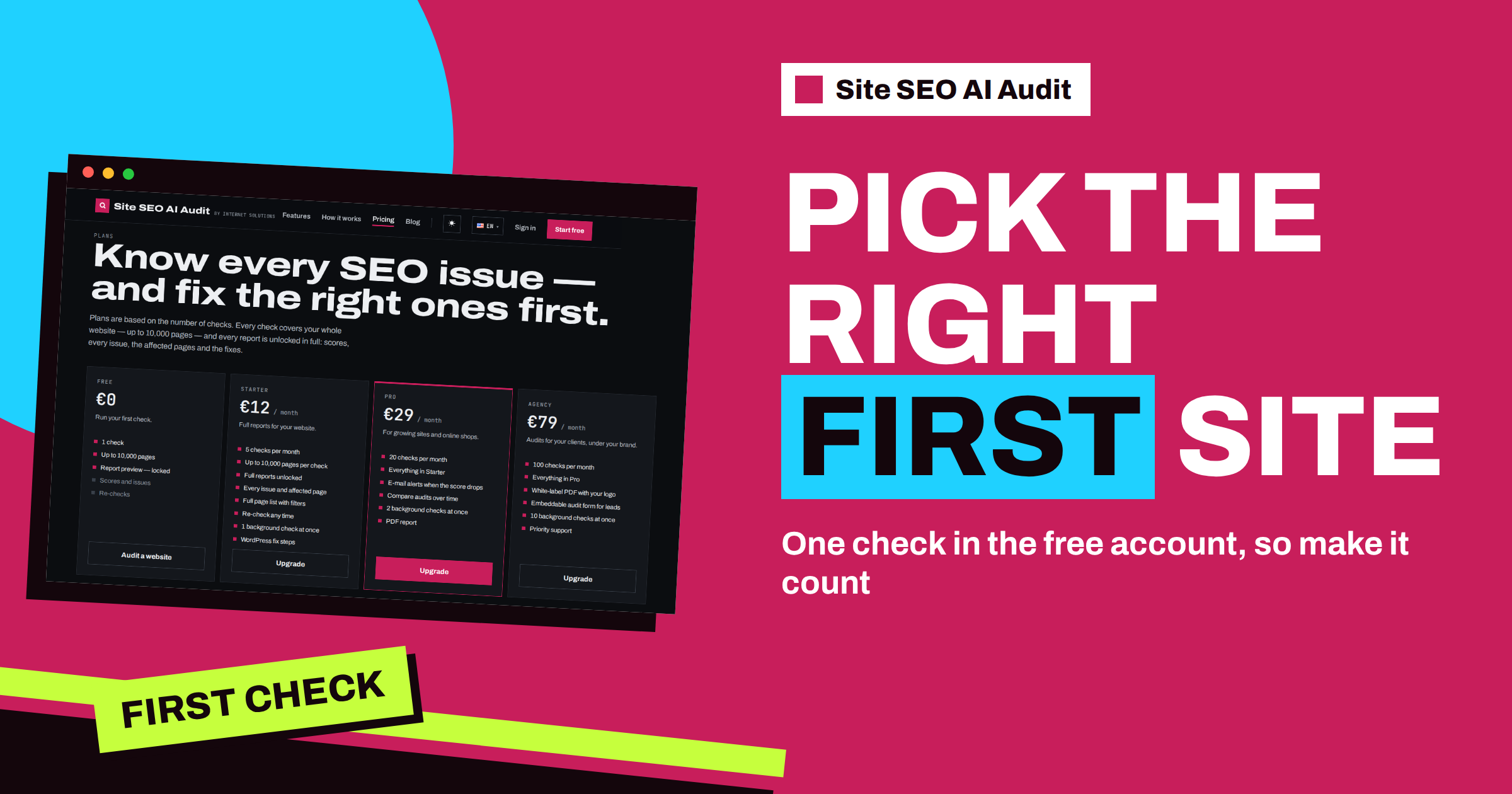
Short answer: A free Site SEO AI Audit account includes one check in total, covering up to 10,000 pages, with the report locked until you choose a plan. Use that check on the website that matters most to your business or your client, run it on the exact address visitors use, and run it after you have finished any planned changes, not before. Then you have a baseline that a paid plan can unlock and that later checks can be compared with.
With only one check available at the start, the question “which website?” deserves a minute of thought. A check spent on a test site or on a half-finished page is a check you cannot use again on the free plan. This article gives a short method for choosing, and explains what to prepare so that the first crawl gives a clear picture.
What the free account includes
The pricing page lists the free plan as one check in total, with up to 10,000 pages and a locked report preview. Scores, issues, affected pages and fixes are shown in full only on a plan: Starter gives 5 checks per month, Pro 20 and Agency 100. There are no re-checks on the free plan, which is why the first run is the one to plan.
The locked report still tells you something useful: the check ran, it found pages and issues, and your account keeps it. The article about the free account and the locked report describes what a plan unlocks when you decide to see everything.
One more thought before you start: write down the question you want the check to answer. It may be “why did traffic drop?”, “is the new theme safe for search?” or simply “what is the state of my website?”. A clear question makes the report easier to read, because you will know which area to open first and which findings to ignore for now.
Candidates for the first check
Most people have more than one website to choose from. Compare them with these questions:
- Which website earns money or leads? A shop, a booking site or a company website with a contact form matters more than a hobby blog.
- Which website changed recently? A redesign, a migration, a new theme or a new plugin often introduces the problems an audit finds.
- Which website has the most pages? Large websites hide more problems. Structure, sitemap and click depth become important, and the audit is built for up to 10,000 pages per check.
- Which website has a visible problem? If traffic dropped, pages disappeared from search or Search Console shows errors, start there.
- Which website do you answer for? If a client or a manager asks for “an SEO review”, use the check on their site.
If two websites tie, choose the larger and more important one. Smaller sites are easier to understand and usually need fewer checks to clean up.
Check the right address
A website can be reached through several addresses: with or without www, with http or https, and sometimes through an old domain that redirects. The crawler starts at the address you enter and follows internal links from there. Enter the version that visitors and search engines are meant to use, normally the https address with the host name from your sitemap.
If your website redirects another domain to the main one, enter the main one. That way the crawl starts where your visitors actually land.
Choose the moment
The best moment for the first check is when the website is in the state you want to be judged on. Three situations come up often:
- Before planned work. If you are about to redesign or migrate, a baseline is valuable, but you may not get a second check on the free plan. In that case it is better to start a paid plan for the project.
- After a launch. The first check after the changes finds what broke, such as redirects, canonicals and robots rules. This is the typical time to need the full report.
- On a quiet day. An ordinary website with no planned changes is a fine starting point, and the report becomes your baseline.
Whatever you choose, the point is the same: the first check should describe a website that you are prepared to act on. A check that finds ten things you already knew about is less useful than one that shows what you did not know.
Prepare your website for the crawl
A little preparation saves a wasted run:
- Make sure the website is reachable. A website behind a login, a maintenance page or a firewall that blocks unknown crawlers will give a poor result. SEOAuditBot follows robots.txt and makes about three requests per second.
- Remove temporary blocks. A “Disallow: /” left in robots.txt from a staging copy is reported as a critical finding, so you would learn about it, but your one check is better spent on the real state of the website.
- Check your sitemap address. The audit reads the XML sitemap and compares it with the crawl, so a working sitemap gives a more complete picture.
- Allow the crawler. If your hosting or a security plugin blocks bots, allow SEOAuditBot. The article on SEOAuditBot explains how to spot and allow it.
What to do with the result
When the check finishes, the report is saved in your account. You will see the number of pages and the locked scores, and a plan unlocks the issues and fixes. At this point there are two sensible paths. If the website is a one-off project, a month of Starter may be enough to read the report, fix the top issues and use a re-check. If you manage the website over time, look at how many checks you will need and choose accordingly, as described in the article on choosing a plan by checks per month.
Neither path is wrong. The only wrong move is leaving the locked report unread for months, because the website keeps changing and the report ages with it. Either way, write down the date and the website address. A later check on the same address is the one you can compare with the first.
If you have several websites of similar value
Sometimes there is no obvious winner: two company websites, a shop and a blog, or the websites of several clients. A simple scoring helps. Give each website one point for each of these facts: it brings in revenue or leads, it has more than a hundred pages, it changed in the last three months, it has a known problem, and you are the person who can fix it. The website with the most points goes first. The others can wait for a paid plan, where the allowance is counted per month and the report is unlocked from the start.
It also helps to think about what you want to learn. If the aim is to understand the product, choose the website whose problems you already partly know, so you can see whether the audit finds them. If the aim is to find problems, choose the website you know least about, for example one that was built by someone else years ago. Both are legitimate. The mistake is choosing without a reason.
What a first report usually teaches
Across very different websites the same kinds of findings tend to appear first: pages with the same title, missing meta descriptions, internal links that point to redirects, a sitemap that lists pages that no longer work, and robots rules that were set for a test and never changed. The audit also looks at areas that owners often forget, such as whether AI assistants are allowed in robots.txt, whether the content needs JavaScript to appear and whether language versions link to each other. Knowing this in advance lets you read the first report calmly: a long list does not mean disaster, because the findings are weighted by the share of pages they affect.
The score and the seven area scores, covered in the article on how the score is calculated, give you the shape of the problem before you read a single issue.
Mistakes to avoid
- Using the check on a test address. A staging copy rarely matches the live site, and robots rules on it are usually closed.
- Entering a sub-page. The crawl starts from the address you give. Start from the home page unless you have a reason to do otherwise.
- Running the check in the middle of a release. Half-finished redirects or templates produce findings you would have fixed anyway.
- Choosing a website you do not control. A report is only useful if you can act on it.
Related reading
- Free Account, Locked Report: What a Plan Unlocks
- Your First Site SEO AI Audit: A Step-by-Step Walkthrough
- How Many SEO Checks Do You Need? Choosing a Plan
The bottom line
Spend the one check on the website that matters most, on its main address, after your changes are done. That gives you a baseline you can unlock, fix and compare.
الأسئلة الشائعة
How many checks does a free account include?
One check in total, for up to 10,000 pages, with the report preview locked until you choose a plan.
Which address should I enter?
Enter the main address that visitors and search engines should use, normally the https version of the home page.
Can I re-check on the free plan?
No. Re-checks and comparison are available on paid plans.
Does the website need any code or setup?
No. The crawler reads your website from the outside, following robots.txt.
Should I check my website before or after changes?
After planned changes are finished, so the report shows the real state you want to be judged on.