ENEnglish
 LTLietuviškai
 DEDeutsch
 FRFrançais
 RUРусский
 ESEspañol
 PLPolski
 ITItaliano
 UKУкраїнська
 CSČeština
 PTPortuguês
 JA日本語
JA日本語 LVLatviešu valoda
 ETEesti
 HUMagyar
 IDBahasa Indonesia
 TRTürkçe
 HIहिन्दी
 ELΕλληνικά
 ARالعربية
 THไทย
THไทย VITiếng Việt
 RORomână
 MSBahasa Melayu
 BNবাংলা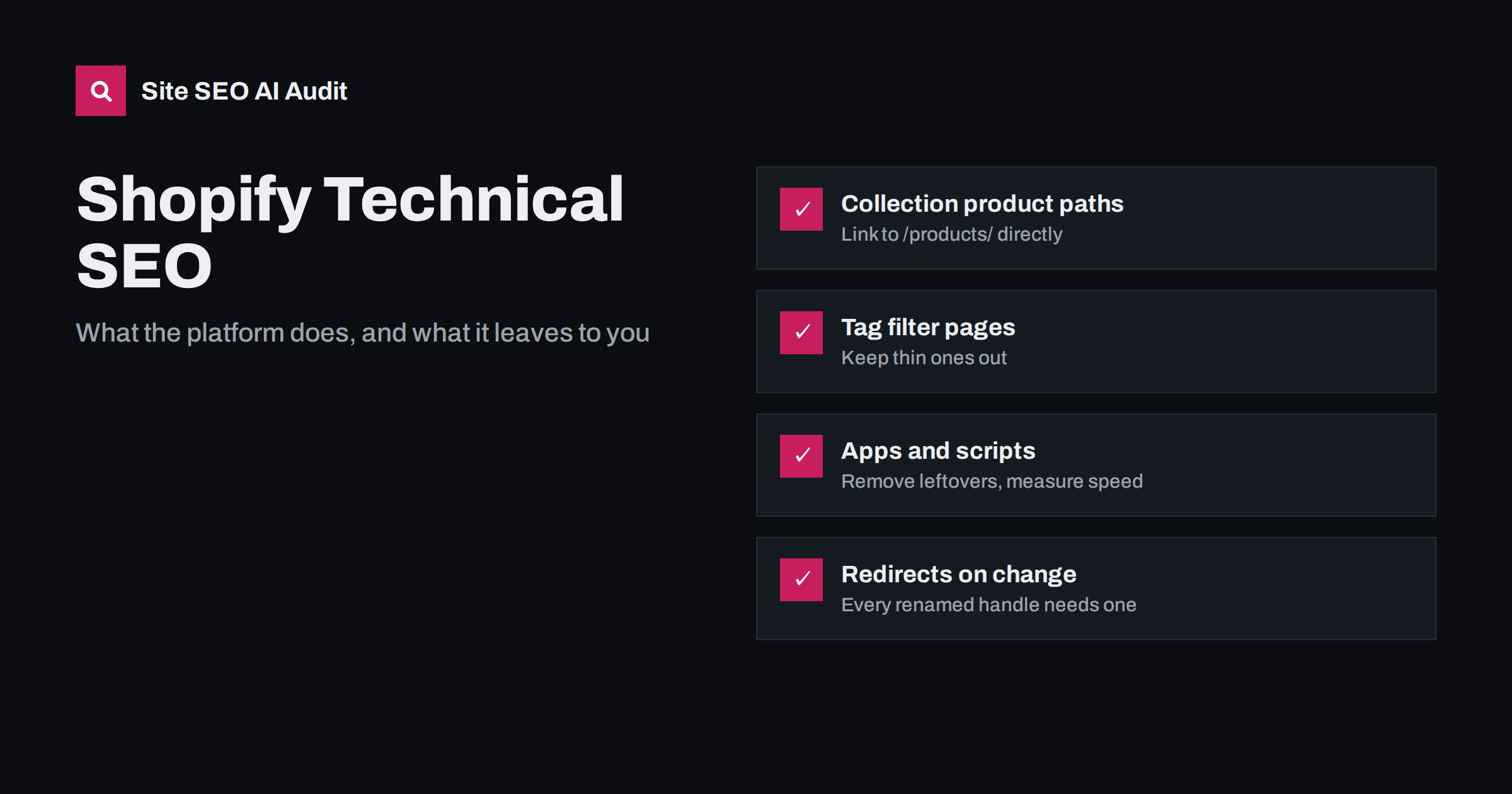
Short answer: Shopify takes care of many technical SEO basics: canonical tags, an XML sitemap, a default robots.txt and HTTPS. The typical problems come from its fixed URL structure and from themes and apps: product URLs nested inside collection paths, tag filter pages multiplying, variant parameters, heavy app scripts and missing redirects after handles change. Most of these can be fixed in the theme code, the robots.txt template, the redirect settings and a regular clean-up of apps.
Shopify is popular with small and growing stores because it removes much of the technical work. That is also why its SEO issues are easy to overlook: the store looks fine, products sell, and nobody checks how many URL versions of each product exist. This guide covers the problems that appear on most Shopify stores, what is fixed by the platform and what you control.
What Shopify handles for you
Out of the box, a Shopify store typically has:
- Canonical tags on products, collections, pages and blog posts, in most themes.
- An XML sitemap at
/sitemap.xml, generated automatically and split into child sitemaps for products, collections, pages and blogs. - A default robots.txt that blocks checkout, cart, account and internal search pages.
- HTTPS on the store domain.
- Editable titles and meta descriptions for products, collections, pages and posts.
This is a solid base. The problems start where your theme, your apps and your content decisions add things on top.
It also helps to know where the limits are. The automatic sitemap lists the published products, collections, pages and posts, and you cannot hand-edit it the way you can a file on your own server. Canonical tags come from the theme, so a poorly built or heavily customised theme can output them incorrectly or twice. And because hosting is managed for you, server-level settings such as response headers are mostly outside your control. In practice this means that on Shopify, the theme code and the apps are where technical SEO work actually happens.
The fixed URL structure
Shopify uses fixed prefixes: products live under /products/, collections under /collections/, standard pages under /pages/ and blog posts under /blogs/<blog-name>/. You cannot remove these prefixes or create a fully custom hierarchy. That is not a ranking problem in itself: clear, descriptive handles matter far more than the folder name. Focus on what you can control:
- Write short, descriptive handles such as
/products/merino-running-socks, not/products/copy-of-sock-2. Our guide to SEO-friendly URL slugs has the rules. - Avoid changing handles after launch unless there is a strong reason.
- Use collections and navigation to create the structure that the URLs do not show.
Products inside collection paths
The best-known Shopify issue: a product can be reached both at /products/merino-running-socks and at /collections/socks/products/merino-running-socks, and at one more path for every collection it belongs to. Shopify sets the canonical tag of the collection-aware versions to the plain /products/ URL, so search engines are told which one to index. But many themes link from collection pages to the collection-aware URLs, which means:
- search engines crawl several URLs for each product;
- your internal links point to non-canonical URLs, which weakens the canonical signal;
- analytics split the same product across several paths.
The fix is in the theme: in the product card or grid template, link to the product’s plain URL instead of the collection-aware one. In many Liquid themes this means removing the within: collection filter from the product link. Make the change in a duplicate theme first, test it and then publish. Our guide to canonical tags explains why links and canonicals should agree.
Tag pages, filters, sorting and variants
Collections can be filtered by product tags, which creates URLs such as /collections/socks/merino or combinations of tags. Filters, sorting and pagination add parameters such as ?sort_by=, ?filter. and ?page=2. Variants add ?variant= with a long number. On a store with many tags, this can produce thousands of thin, near-duplicate URLs.
- Decide which tag pages deserve to rank: some, such as “merino socks”, may match real searches. Give those a real title, description and introductory text, and link to them.
- Keep the rest out: combinations of tags and sort orders rarely deserve indexing. Use the robots.txt template or a noindex rule in the theme for the patterns you do not want crawled or indexed.
- Leave variant URLs canonicalised to the product, which is the default behaviour in most themes.
Pagination deserves a note as well. Large collections split into ?page=2, ?page=3 and so on. Those pages should stay crawlable, so that search engines can reach every product, but they rarely need to rank on their own. Make sure each product is linked from at least one crawlable page, and consider a sensible number of products per page so that important items are not buried deep in the pagination.
Our guides to faceted navigation and URL parameters explain the general approach.
Editing robots.txt on Shopify
Shopify lets you customise robots.txt through a robots.txt.liquid template in the theme. The default rules are sensible, so edit carefully:
- Add rules rather than replacing the default ones, so that checkout and account pages stay blocked.
- Do not block pages that carry a noindex you want search engines to see; blocked pages are not crawled, so the noindex is never read.
- Test changes with a few sample URLs before and after publishing.
Our robots.txt guide explains what to block and what to leave open in general.
Apps, scripts and speed
Apps are Shopify’s strength and one of its main speed risks. Reviews, chat, pop-ups, upsell widgets, tracking and page builders often add their own scripts and styles to every page. Typical problems:
- Too many scripts on every page, including pages where the app does nothing.
- Leftover code after an app is uninstalled, especially with older apps that edited theme files directly.
- Heavy page builders that replace the theme’s templates with slower markup.
- Large images uploaded at full camera size in product galleries and banners.
Review installed apps every few months, remove what you no longer use, and check the theme code for leftovers after removal. Our guide to third-party scripts explains how to measure their impact.
A simple test is to compare a product page and a collection page in a speed tool before and after disabling an app on a duplicate theme. If one app adds a large share of the page weight or delays the main image, look for a lighter alternative or ask whether the store really needs it. Real-user data in Search Console’s Core Web Vitals report shows whether changes made a difference for visitors, not only in lab tests.
Redirects, deleted products and out-of-stock items
When you change a product or collection handle, Shopify can create a redirect from the old URL, but only if that option is left on. Deleted products and collections do not redirect automatically. Before deleting or renaming:
- Decide where the old URL should lead: a replacement product, the parent collection, or nowhere if nothing relevant exists.
- Add the redirect in Shopify’s URL redirects settings, or import a list for larger changes.
- Update internal links and navigation to the new URL.
For products that are only temporarily unavailable, keeping the page live is usually better than deleting it. Our guide to out-of-stock and discontinued products covers the options.
Content, structured data and international stores
Technical fixes do not replace content. Many Shopify stores use thin collection pages with no introduction and product pages with only the supplier’s text. A short, useful collection introduction and original product descriptions help more than any setting; see category page SEO and product page SEO. Most themes output Product structured data, but it is worth validating, because apps and theme updates sometimes create duplicate or incomplete markup. For selling in several countries, Shopify’s markets features can create language or country subfolders with hreflang; check that the generated versions are really translated and that prices match each market, as explained in international ecommerce SEO.
Auditing a Shopify store
The same problems repeat across hundreds of product and collection pages, so they are easiest to see in a full crawl. Site SEO AI Audit crawls your store like a search engine and checks status codes, canonicals, redirects, links to redirects, duplicate titles and descriptions, structured data, page weight and speed on every page, then ranks the fixes by how many points each adds. The first audit of up to 200 pages is free.
Related reading
The bottom line
Shopify gives you a sound technical starting point, but it does not protect you from your theme and apps. Link to plain product URLs instead of collection paths, decide which tag and filter pages deserve indexing, extend robots.txt carefully, keep apps and scripts under control and add redirects whenever handles change or products are removed. Then put the effort where Shopify cannot help: original collection and product content.
FAQ
Can I remove /products/ and /collections/ from Shopify URLs?
No, these prefixes are fixed by the platform. They do not hurt rankings in themselves. Descriptive product and collection handles, good content and clean internal links matter much more.
Are collection product URLs duplicate content?
They are duplicate URLs, but Shopify points their canonical tags to the plain product URL. The remaining problem is internal links to the collection versions, which you can fix in the theme’s product card template.
Can I edit robots.txt on Shopify?
Yes, through the robots.txt.liquid theme template. Add your own rules on top of the defaults, keep checkout and account pages blocked and avoid blocking pages whose noindex tag search engines need to see.
Do Shopify apps slow down my store?
Often, yes. Many apps add scripts to every page, and some leave code behind after removal. Review apps regularly, remove unused ones and check the theme for leftover code.
Does Shopify redirect deleted products?
Not automatically. Shopify can create a redirect when you change a handle, but for deleted products and collections you need to add redirects yourself in the URL redirects settings.