 ENEnglish
 LTLietuviškai
 DEDeutsch
 FRFrançais
 RUРусский
 ESEspañol
 PLPolski
 ITItaliano
 UKУкраїнська
 CSČeština
 PTPortuguês
 JA日本語
JA日本語 LVLatviešu valoda
 ETEesti
 HUMagyar
 IDBahasa Indonesia
 TRTürkçe
 HIहिन्दी
 ELΕλληνικά
 ARالعربية
 THไทย
THไทย VITiếng Việt
 RORomână
 MSBahasa Melayu
 BNবাংলা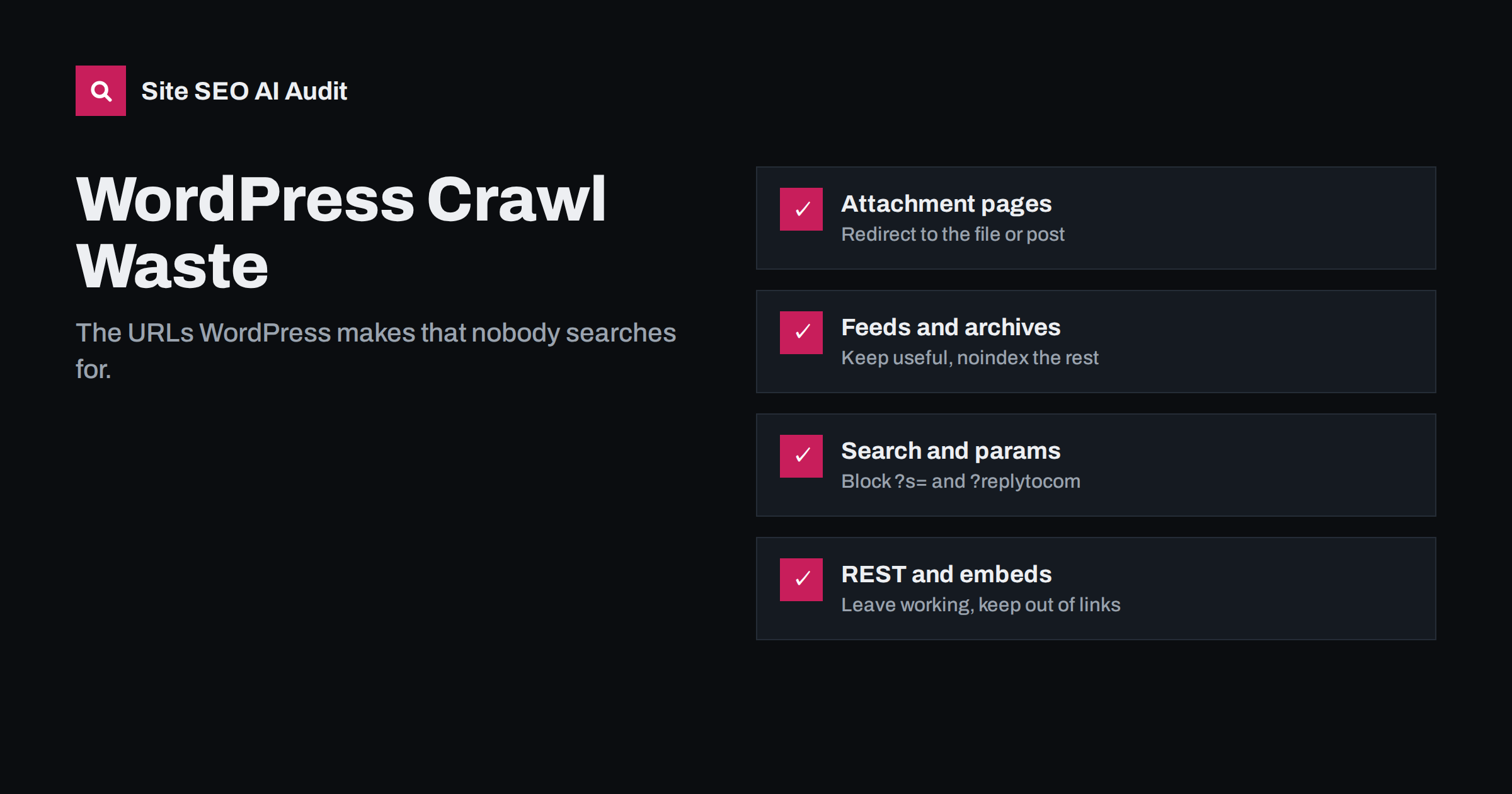
Short answer: besides your posts and pages, WordPress generates many extra URLs: attachment pages for every uploaded file, RSS feeds for posts, categories, tags and comments, date and author archives, internal search results, embed endpoints and parameter variants. Most have no value in search. Redirect attachment pages to the file or parent post, noindex or disable archives you do not use, keep internal search out of the index and the crawl, and make sure none of these URLs appear in your sitemap.
Why WordPress creates so many URLs
WordPress is built to be flexible, so it exposes content in many ways by default. A single blog post can be reachable directly, through its category archive, its tag archives, a date archive for the day, month and year, an author archive, several RSS feeds and, for every image in it, an attachment page. None of this is wrong in itself. The problem is that search engines have to discover, crawl and evaluate all of these URLs, and many of them are thin or duplicate.
On a small blog, the waste is modest. On a site with thousands of posts, tens of thousands of media files and many tags, the extra URLs can outnumber real content many times over, which dilutes crawling and fills Search Console with “Crawled – currently not indexed” and “Duplicate” statuses.
The goal is not to remove every extra URL. Some of them serve real purposes: the main feed, useful category pages, author pages on multi-author publications. The goal is to make a conscious decision for each URL type, keep the ones that help readers or search engines, and switch off or keep out of the index the ones that only exist because they were enabled by default. Most of these decisions are made once, in the SEO plugin and theme settings, and then apply to every future post automatically.
Attachment pages
Every file uploaded to the media library can get its own attachment page, a URL showing just the image or file with a title. These pages are almost always thin. In WordPress 6.4, attachment pages were disabled by default for new installations, and requests are redirected to the file itself. Older sites often still have them enabled.
- Check: open any image’s “attachment page” link from the media library. If it shows a page with your theme around a single image, attachment pages are active.
- Fix: most SEO plugins have an option to redirect attachment URLs to the file or to the parent post. Enable it, and check that the redirect is a 301.
- Clean up: make sure attachment URLs are not in your XML sitemap and are not linked from content, which happens when images are inserted with “link to attachment page”.
Feeds
WordPress publishes RSS feeds for the main blog, every category, every tag, every author, comments and even comments per post. The main feed is useful: feed readers, aggregators and some services rely on it. Most of the others are rarely used.
- Feeds are XML, not HTML, so they rarely rank, but they are crawled, and per-post comment feeds multiply the URL count.
- Keep the main post feed. Consider disabling comment feeds and per-post comment feeds if you do not use comments or they are rare. Some SEO and performance plugins offer this with one setting.
- Do not block feeds in robots.txt as a reflex; search engines use the main feed to discover new posts quickly.
- If feed URLs appear in search results, an
X-Robots-Tag: noindexheader on feeds is cleaner than blocking them.
Date, author and format archives
Date archives (/2026/, /2026/08/, /2026/08/15/) duplicate the main blog archive in slices by time. Author archives duplicate the blog on single-author sites. Post format archives rarely contain anything useful.
- Single-author sites: disable or noindex author archives, or redirect them to the about page.
- Date archives: noindex or disable them unless your content is genuinely organised by date, as on some news sites.
- Multi-author sites: author pages can be valuable if they have real bios and help readers; then keep them indexable.
Categories and tags deserve separate attention, because they can be useful landing pages when they have real content, but they also create thin archives when tags are used loosely.
Internal search results
WordPress search lives at /?s=term and, on some setups, /search/term/. Every search creates a URL. If links to search results leak onto the site, or spammers link to search URLs with odd terms, those pages can be crawled and occasionally indexed.
- Most SEO plugins add noindex to search results by default; check that it is there.
- Do not link to search result URLs in menus or content.
- Once search results are out of the index, blocking
/?s=and/search/in robots.txt saves crawling.
Parameters and other endpoints
| URL type | Example | What to do |
|---|---|---|
| Comment reply links | ?replytocom=123 |
Ensure replies use JavaScript links; noindex or block the parameter |
| Shortlinks | /?p=123 |
Redirects to the permalink; fine as long as it is a 301 |
| Embed endpoints | /post-name/embed/ |
Usually carry noindex already; do not link |
| REST API | /wp-json/ |
Needed by the editor and plugins; do not block globally |
| Paged comments | /comment-page-2/ |
Disable comment paging or keep comments on one page |
| Preview links | ?preview=true |
Only for logged-in users; should not be linked |
WooCommerce adds its own layer
Shops built on WooCommerce inherit all of the above and add a few URL types of their own:
- Add-to-cart links such as
?add-to-cart=123on category pages. Crawlers following them trigger cart actions and create pointless URLs. Block the parameter in robots.txt. - Sorting parameters like
?orderby=price, which duplicate every category in several orders. Canonicalise them to the clean category URL and consider blocking them on large shops. - Layered navigation filters such as
?filter_color=blue, which multiply fast when combined. Decide which filters deserve clean landing pages and keep the rest out of the crawl. - Product tags, often created in bulk by imports, producing thousands of thin tag archives.
- Cart, checkout and account pages, which WooCommerce and most SEO plugins already mark as noindex; confirm it and keep them out of the sitemap.
- Product variation URLs with attribute parameters, which should canonicalise to the main product.
On a shop with thousands of products, these URL types can easily be the majority of what crawlers see. Cleaning them up is often the single most effective technical change for a WooCommerce site’s crawl efficiency.
How to find the junk on your own site
- Crawl the site and group discovered URLs by pattern: attachments, feeds, date archives, author archives, tags, search, parameters.
- Compare the count of each group with the number of real posts and pages.
- Check the sitemap produced by your SEO plugin: which content types and taxonomies are included? Attachments, formats and empty taxonomies should not be.
- Check Search Console indexed pages and page indexing statuses filtered by these patterns.
- Look at server logs to see how much crawler activity these URLs attract.
A sensible default setup
- Attachment pages redirected to the file or parent post.
- Main feed on; comment feeds off if unused.
- Date archives off or noindexed on non-news sites.
- Author archives noindexed or redirected on single-author sites.
- Internal search noindexed and, once clean, blocked in robots.txt.
- Tags used deliberately, with descriptions, or noindexed when thin.
- Sitemap limited to posts, pages, products and the taxonomies you want indexed.
Apply changes one at a time and check the live site after each, especially redirects, because an overly broad rule can catch real content.
How Site SEO AI Audit helps
SEOAuditBot crawls WordPress sites like a search engine, so it finds the same attachment pages, archives and parameter URLs your links expose. The audit reports thin and duplicate pages, duplicate titles across archives, sitemap URLs that redirect or are noindexed, and orphan pages. On WordPress sites, each issue comes with the exact steps in wp-admin and your SEO plugin. You can run a free audit.
Related reading
- WordPress on-page SEO: settings and habits that matter
- Crawl budget explained: when it matters and how to save it
- URL parameters and duplicate content: a practical fix guide
- Thin content: how to find and fix low-value pages
The bottom line
WordPress creates far more URLs than most sites need. Redirect attachment pages, keep the main feed and trim the rest, switch off or noindex date and single-author archives, keep internal search out of the index, and make your sitemap list only content you want found. Crawl before and after to see the difference.
FAQ
Should I disable WordPress attachment pages?
Yes, for almost all sites. Attachment pages are thin and duplicate the image. Redirect them to the file or the parent post; WordPress 6.4 and later does this by default on new installations.
Should I block WordPress feeds in robots.txt?
No. The main feed helps search engines and readers discover new posts. If feed URLs appear in search results, use a noindex header, and disable feeds you do not need, such as comment feeds.
Are WordPress tag pages bad for SEO?
Not by definition. Tags with several related posts and a real description can be useful pages. Tags used once or twice create thin archives and are better noindexed or merged.
Should I noindex WordPress date archives?
On most business sites and blogs, yes, or disable them. They duplicate the main archive by date. News sites that organise content by date are an exception.
Is it safe to block /wp-json/ in robots.txt?
It is usually unnecessary and can cause problems, because the block editor and many plugins use the REST API. REST responses are rarely indexed; leave the path accessible and do not link to it.


