ENEnglish
 LTLietuviškai
 DEDeutsch
 FRFrançais
 RUРусский
 ESEspañol
 PLPolski
 ITItaliano
 UKУкраїнська
 CSČeština
 PTPortuguês
 JA日本語
JA日本語 LVLatviešu valoda
 ETEesti
 HUMagyar
 IDBahasa Indonesia
 TRTürkçe
 HIहिन्दी
 ELΕλληνικά
 ARالعربية
 THไทย
THไทย VITiếng Việt
 RORomână
 MSBahasa Melayu
 BNবাংলা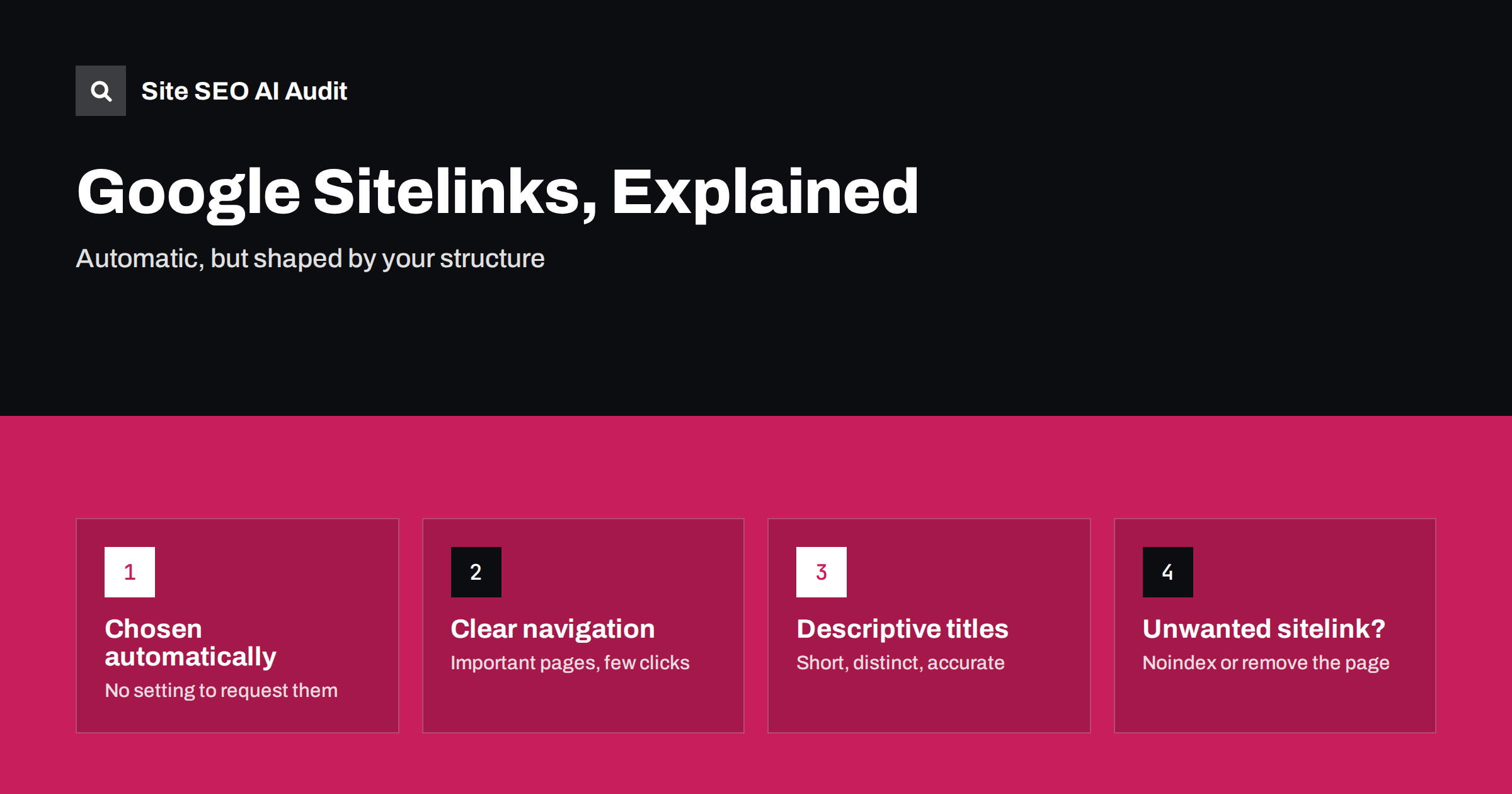
Short answer: Sitelinks are the extra links Google sometimes shows under a search result, usually for brand searches. Google generates them automatically, and there is no setting or markup to request them or choose them directly. You influence them through a clear site structure: important pages linked prominently in navigation, descriptive and distinct titles, consistent internal anchor text and no duplicate or junk pages. To get rid of an unwanted sitelink, remove the page from the index or make it less prominent.
When someone searches for your brand, a result with sitelinks takes up more space and lets people jump straight to the page they want: pricing, contact, login or a key product. Many site owners ask how to get them or how to change the ones Google picked. The honest answer is that you cannot control them directly, but you can make your site’s structure so clear that the right pages are the obvious choice.
What sitelinks are
Sitelinks are additional links to pages of the same site, shown under a main search result. Google’s sitelinks documentation describes them as links meant to help users navigate your site, shown only when Google thinks they will be useful. You will see them in a few forms:
- Expanded sitelinks under a brand result, often with a short description each, mainly for navigational searches.
- One-line sitelinks shown as a row of short links under an ordinary result, sometimes for non-brand queries too.
- Jump links to sections within a single page, based on headings and anchors; see table of contents and jump links.
Sitelinks used to come with a search box for some large sites. Google retired the sitelinks search box in 2024, so markup added only for that feature no longer does anything visible.
When Google shows sitelinks
Google decides per search, not per site. Two conditions make sitelinks more likely:
- The search is navigational. Someone types your brand or domain name and clearly wants your site. For generic searches, Google rarely shows the full expanded block.
- Google understands your site’s structure. It can see which pages are important and what each one is for, mostly from navigation, internal links and titles.
That is why a new site, or a site whose name is also a common word, may not get sitelinks for a while. Google first needs to be confident that a search for that name means your site, which comes with time, brand searches and a consistent identity. Our guide to the site name and favicon in Google covers related identity signals.
What influences which pages appear
Google does not publish a formula, but its guidance and common experience point to the same factors:
| Factor | Why it matters | What to do |
|---|---|---|
| Main navigation | Shows which pages you consider most important | Link key pages from the header menu in plain HTML |
| Internal links | Pages with many relevant internal links look central | Link important pages from related content, not only the menu |
| Click depth | Pages close to the home page are easier to find | Keep key pages within one or two clicks of the home page |
| Titles and headings | Sitelink labels are usually taken from them | Short, distinct, descriptive titles for each page |
| Anchor text | Consistent link text tells Google what a page is | Use the same clear anchor for the same page |
| Duplicates and junk | Near-identical pages confuse the choice | Canonicalise or noindex duplicates and thin utility pages |
Popularity plays a part too. Pages that searchers often visit after landing on your site, such as pricing or login, tend to appear when they are well linked.
How to make your structure sitelink-friendly
The work that helps sitelinks is the same work that helps users and crawlers in general:
- Keep a focused main menu. Five to eight clear top-level items work better than a mega menu with dozens of equal-looking links.
- Use real links. Navigation built with JavaScript click handlers instead of
<a href>links may not be understood. Our guide to JavaScript SEO basics explains why. - Give each important page a unique title. If five pages share the title “Services – Company”, Google has nothing good to show as a label.
- Use descriptive menu labels. “Pricing” and “Contact” are clearer than “Get started” and “Say hi”.
- Add breadcrumbs on deeper pages to reinforce the hierarchy; see breadcrumbs for SEO.
- Link key pages from the footer and from content where it makes sense, with consistent anchor text.
- Keep important pages shallow. Our article on click depth and site architecture shows how to measure it.
Why sitelink labels sometimes look wrong
Sitelink labels are generated, not copied exactly. Google often shortens page titles, uses a heading, or uses the anchor text of internal links. Common causes of odd labels:
- long titles with the brand name first, so the useful part is cut off;
- generic headings like “Welcome” or “Overview” at the top of the page;
- inconsistent anchor text, where the same page is linked as “Plans”, “Pricing” and “Buy now” in different places;
- titles that do not match the content, which Google then rewrites, as explained in why Google rewrites title tags.
Fix the source signals and wait for recrawling. Changes in labels usually appear after Google has revisited the pages and the pages linking to them.
How to remove an unwanted sitelink
Google once offered a tool in Search Console to demote individual sitelinks. It was removed years ago, and there is no replacement. If a page you do not want appears as a sitelink, such as an old promotion, a login page or a thin tag page, you have these options:
- Noindex the page if it does not need to be in search at all. Once Google recrawls it and drops it from the index, it cannot appear as a sitelink. Do not block it in robots.txt at the same time, or Google cannot see the noindex; see noindex vs robots.txt disallow.
- Remove or redirect the page if it is outdated, with a 404, 410 or a 301 to a relevant replacement.
- Make it less prominent by removing it from the main menu and reducing site-wide links to it, while strengthening the pages you would prefer.
- Use the Removals tool in Search Console for a quick, temporary hide while a permanent fix takes effect.
Expect changes to take days or weeks. Sitelinks reflect Google’s current understanding of your site, and that updates as it recrawls.
Things that do not create sitelinks
A few common myths are worth clearing up:
- No structured data type requests sitelinks. Breadcrumb and Organization markup help Google understand your site, but they do not switch sitelinks on.
- XML sitemaps do not choose them. A sitemap helps discovery; it does not rank pages for sitelink selection.
- Paying for ads does not affect organic sitelinks. Ad sitelinks are a separate feature you set in the ads account.
- More pages does not mean more sitelinks. A clear site with twenty pages often gets better sitelinks than a messy one with thousands.
How to check your sitelinks
Sitelinks are not reported separately in Search Console, so checking them takes a little manual work:
- Search for your brand name and your domain name in a private browser window, on desktop and on mobile. Results differ by device and location.
- Note which pages appear as sitelinks and how their labels read.
- Compare them with the pages you consider most important. Are pricing, contact and your main product or service pages among them?
- For any wrong page or odd label, look at its title, H1, menu label and the anchor text of links pointing to it.
- In the Search Console performance report, filter by your brand query and look at which pages get clicks. That shows which destinations searchers actually want.
Repeat the check after major navigation changes or a redesign, because these are the moments when sitelinks most often change.
Find the structure problems that block good sitelinks
Duplicate titles, missing H1s, deep pages and broken internal links are the usual reasons Google cannot work out which pages matter. Site SEO AI Audit crawls your site like a search engine and checks titles, headings, internal links, canonicals and indexability on every page, then lists the issues by how many points each fix adds, so you can clean up the structure behind your sitelinks. The first audit of up to 200 pages is free; paid plans add re-audits to confirm the changes.
Related reading
The bottom line
You cannot order sitelinks, but you can earn sensible ones. Keep a focused navigation, give each important page a distinct title, link to key pages consistently and keep duplicates and junk out of the index. When an unwanted page shows up, noindex, remove or demote it in your own structure, and give Google time to recrawl.
FAQ
How do I get sitelinks for my website?
You cannot request them. Google shows sitelinks automatically when it understands your site’s structure and the search is clearly for your site. A clear navigation, distinct page titles, good internal linking and a recognisable brand make them more likely.
Can I choose which pages appear as sitelinks?
Not directly. You can only influence the choice by making the pages you want prominent in navigation and internal links, and by removing or noindexing pages you do not want. Google makes the final selection.
Can I still demote a sitelink in Search Console?
No. The sitelink demotion feature was removed from Search Console years ago. To remove an unwanted sitelink, noindex or remove the page, or reduce its prominence in your site structure.
Why does my site not have sitelinks yet?
Common reasons are a new site, a brand name that is also a common word, few brand searches, or an unclear structure with duplicate titles. Sitelinks usually appear as Google becomes confident about your brand and site layout.
Does structured data help with sitelinks?
Not directly. Breadcrumb and Organization markup help Google understand your site and brand, which can support good sitelinks indirectly, but there is no markup that turns sitelinks on.