ENEnglish
 LTLietuviškai
 DEDeutsch
 FRFrançais
 RUРусский
 ESEspañol
 PLPolski
 ITItaliano
 UKУкраїнська
 CSČeština
 PTPortuguês
 JA日本語
JA日本語 LVLatviešu valoda
 ETEesti
 HUMagyar
 IDBahasa Indonesia
 TRTürkçe
 HIहिन्दी
 ELΕλληνικά
 ARالعربية
 THไทย
THไทย VITiếng Việt
 RORomână
 MSBahasa Melayu
 BNবাংলা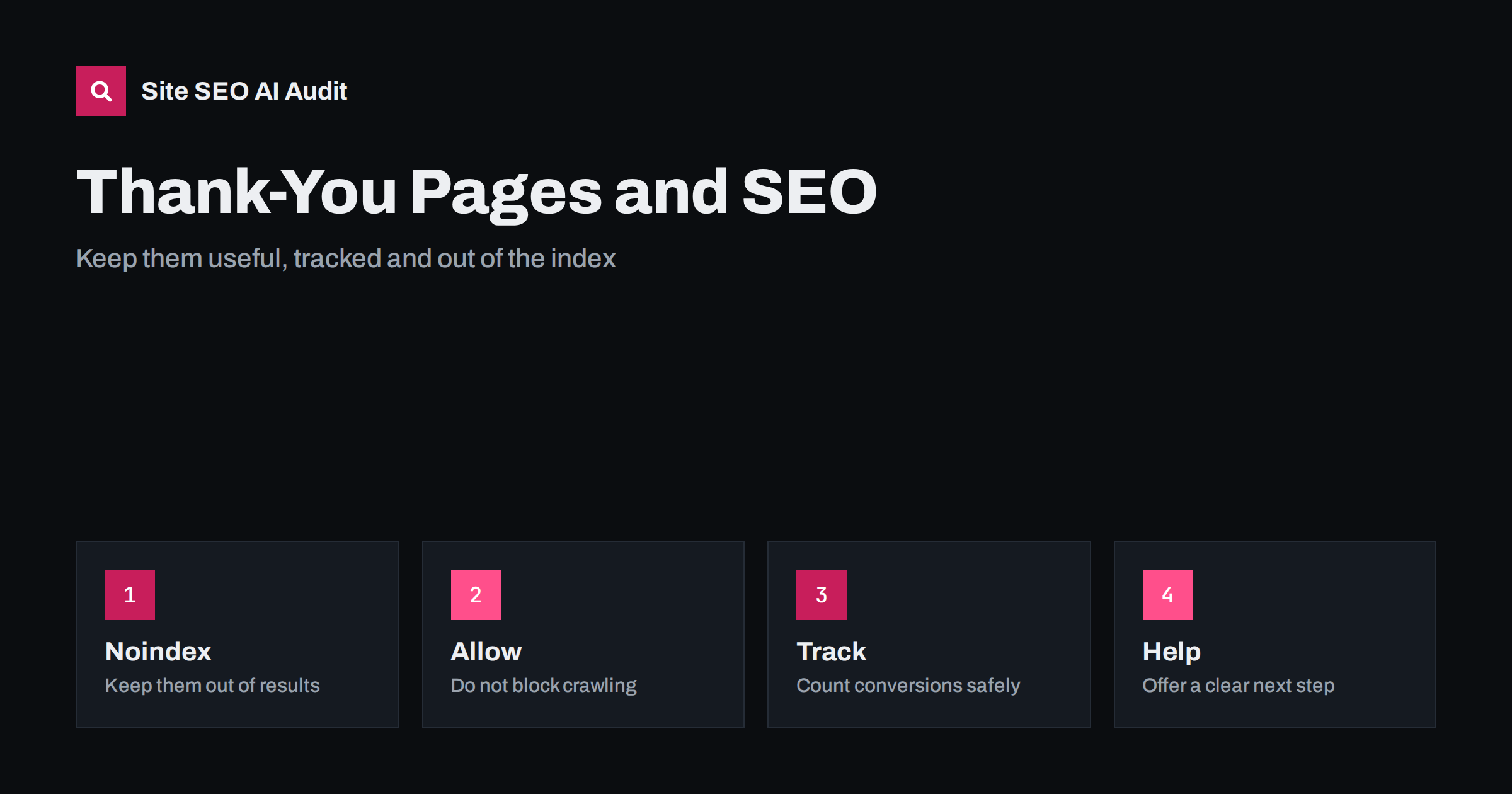
Short answer: Thank-you and confirmation pages usually have no value in search results, so mark them noindex, leave them crawlable so that the tag can be read, avoid linking to them from menus or sitemaps, and keep conversion tracking working with events or a page view that fires after a real submission. Make the page useful to the visitor by confirming what happened and offering a clear next step.
Every form, order and sign-up ends somewhere. That final page, often called a thank-you page, is easy to forget during an SEO project, yet it affects several things: how many thin pages the search engine finds, how reliably you measure results, and how helpful the experience feels to a new customer. This guide explains the choices in plain language. It relates closely to index bloat cleanup and thin content fixes, since unmanaged confirmation pages are a common source of both.
Why these pages should not be indexed
A confirmation page has a single purpose, which is to tell one visitor that their action worked. It rarely contains information that a searcher wants, and if it appears in results, people may land on it without having completed anything. That is confusing, and it can also expose details, such as an order summary or a download link, to people who should not see them. A large set of near identical pages also counts as thin content on your site. For these reasons, the standard practice is to keep thank-you pages out of the index.
Use a noindex tag, and let crawlers read it
The reliable way to keep a page out of results is a robots meta tag with the noindex value, or the same instruction in an HTTP header. A rule in robots.txt that blocks the page is a poor substitute, since a blocked page cannot be fetched and the tag will never be read; the address may still appear in results if other pages link to it. This difference is explained in the guide to noindex and robots disallow. Leave the page crawlable, add the tag, and let search engines drop it from the index over time.
Do not link to the page or list it in sitemaps
A confirmation page should be reached only after the action. Do not add it to menus, footers or related links, and do not put it in your XML sitemap, which is a list of pages you want indexed. If the page appears in a sitemap and also carries a noindex tag, search tools report a conflict. Check that your content system does not add form result pages to the sitemap automatically. When visitors need to return to a confirmation, for example to see an order again, provide it through a logged-in account page, not an open address.
Keep conversion tracking accurate
Many sites measure conversions by counting visits to the thank-you page. This works, but it has weak points: people reload the page, bookmark it or reach it from an email link, and the count rises without real conversions. A more reliable approach is to fire a conversion event when the submission succeeds, for example from the form code or the server response, and to use the page view only as a backup. Make sure that the noindex tag does not stop the tracking script from running, since noindex affects search engines, not analytics. The article on tracking AI referral traffic in GA4 shows how to keep source information in your reports.
Avoid duplicate and test submissions
Thank-you pages that include order numbers or names in the address create many unique addresses. If they are linked anywhere or shared by email, search engines may find them. Prefer a fixed address with the details stored in the session, or protect the page so that only the visitor who completed the action can see it. Test submissions from the team can also inflate your numbers, so exclude internal traffic and use a separate test form where possible. Remove old test pages and check that no staging copies of your forms are public.
Make the page useful for people
A thank-you page is a moment when the visitor is attentive and positive. Confirm what happened in clear words: what was submitted, what will happen next and when. Give contact details for questions. Then offer one or two helpful next steps, such as reading a getting-started guide, following an account on social media or exploring related products. Avoid a wall of promotions or a maze of links. A short, friendly and accurate page builds trust and reduces support requests, which is a better use of the space than extra navigation.
Special cases
If the thank-you page also serves as a download page, think about whether the file should be public. Files that are meant only for those who signed up should be protected, not merely hidden behind an unlinked address. For newsletters with a double opt-in, the first page confirms the request and a later one confirms the subscription; both should be noindex. For payment pages operated by an outside provider, the final page may be on another domain, so check how conversions are reported back. Pages that return people to your site after payment need the same care.
Audit what is already indexed
Use the page indexing report in Search Console to look for addresses with words such as thank, confirmation, success, complete or order in them. A site search with a site: query and the same words can show leftovers, as described in the guide to search operators. If you find indexed confirmation pages, add noindex, wait for them to be recrawled and then check that they disappear. Do not block them in robots.txt before they have dropped out, since that prevents the tag from being read. Check again after redesigns, form plugin updates and platform changes.
A good rule is to treat every page created by a user action as private until proven otherwise. Search results should lead people to pages made for reading, and the pages made for confirming should be reached only by the person who acted. This rule also covers account pages, saved carts, password resets, preference centres and unsubscribe confirmations. Each should carry a noindex instruction, avoid being listed in sitemaps and show no private details in the address.
Document the rule for your team and for any agency that builds forms. A simple checklist, with noindex, no sitemap entry, no menu link, working tracking event and a useful message, takes a minute to review for each new form. When a new campaign launches, the person who creates the landing page can use the checklist and avoid leaving a trail of indexable thin pages behind.
Consider a typical case. A small company has a contact form that sends visitors to a page called thanks. Over three years, a developer copied the form to six landing pages, each with its own thank-you page, and a marketing plugin added two more. A site search shows five of them in the index, ranked above some real service pages for a few odd queries, and one includes a downloadable price list that was meant only for people who requested it. The fix is simple: add noindex to all eight, protect the download, remove the pages from the sitemap and replace page view counting with one reliable conversion event. The cleanup takes an afternoon, and it prevents the same mistake from returning.
Another case concerns online shops. Order confirmation pages contain names, addresses and items, so they must never be public. Most platforms protect them with a unique token, but custom builds sometimes use predictable numbers in the address, which allows others to guess them. If your shop was custom built, ask the developer how confirmation addresses are generated and whether they can be guessed. This is a privacy risk first and an SEO issue second, and it is worth checking even if the pages are not indexed.
Finally, think about measurement beyond the final page. Many conversions happen after several visits, so a thank-you page view shows only the last step. Use it as one signal among others, such as the first source of the visit, the pages viewed before the form and the time between visits. If your reports show a sudden jump or fall in conversions, check whether the thank-you page changed, was blocked, lost its tracking script or began returning an error, since such changes are a common cause of misleading data.
Site SEO AI Audit crawls your site and checks noindex tags, status codes, sitemaps, thin pages, titles, canonical tags and broken links, so you can see which low-value pages are open to search engines. It does not set up analytics events or test your forms. The first audit of up to 200 pages is free; larger sites can see the pricing page.
Related reading
The bottom line
Add noindex to confirmation pages, keep them crawlable, leave them out of menus and sitemaps, track conversions with events, and give visitors a clear confirmation and next step.
FAQ
Should a thank-you page be noindex?
Yes, in almost every case. It has no value as a search result and may show private details.
Does noindex stop Google Analytics from tracking the page?
No. Noindex only affects search engines, so your tracking scripts still run normally.
Can I block thank-you pages in robots.txt instead?
It is not advised, because a blocked page cannot show its noindex tag and may still appear in results.
How do I stop people reloading the page and inflating conversions?
Use an event that fires once after a real submission, and protect the page so it only works after the action.
Do I need a thank-you page at all?
Not always. A message shown on the same page can work, but a separate page makes tracking easier.