ENEnglish
 LTLietuviškai
 DEDeutsch
 FRFrançais
 RUРусский
 ESEspañol
 PLPolski
 ITItaliano
 UKУкраїнська
 CSČeština
 PTPortuguês
 JA日本語
JA日本語 LVLatviešu valoda
 ETEesti
 HUMagyar
 IDBahasa Indonesia
 TRTürkçe
 HIहिन्दी
 ELΕλληνικά
 ARالعربية
 THไทย
THไทย VITiếng Việt
 RORomână
 MSBahasa Melayu
 BNবাংলা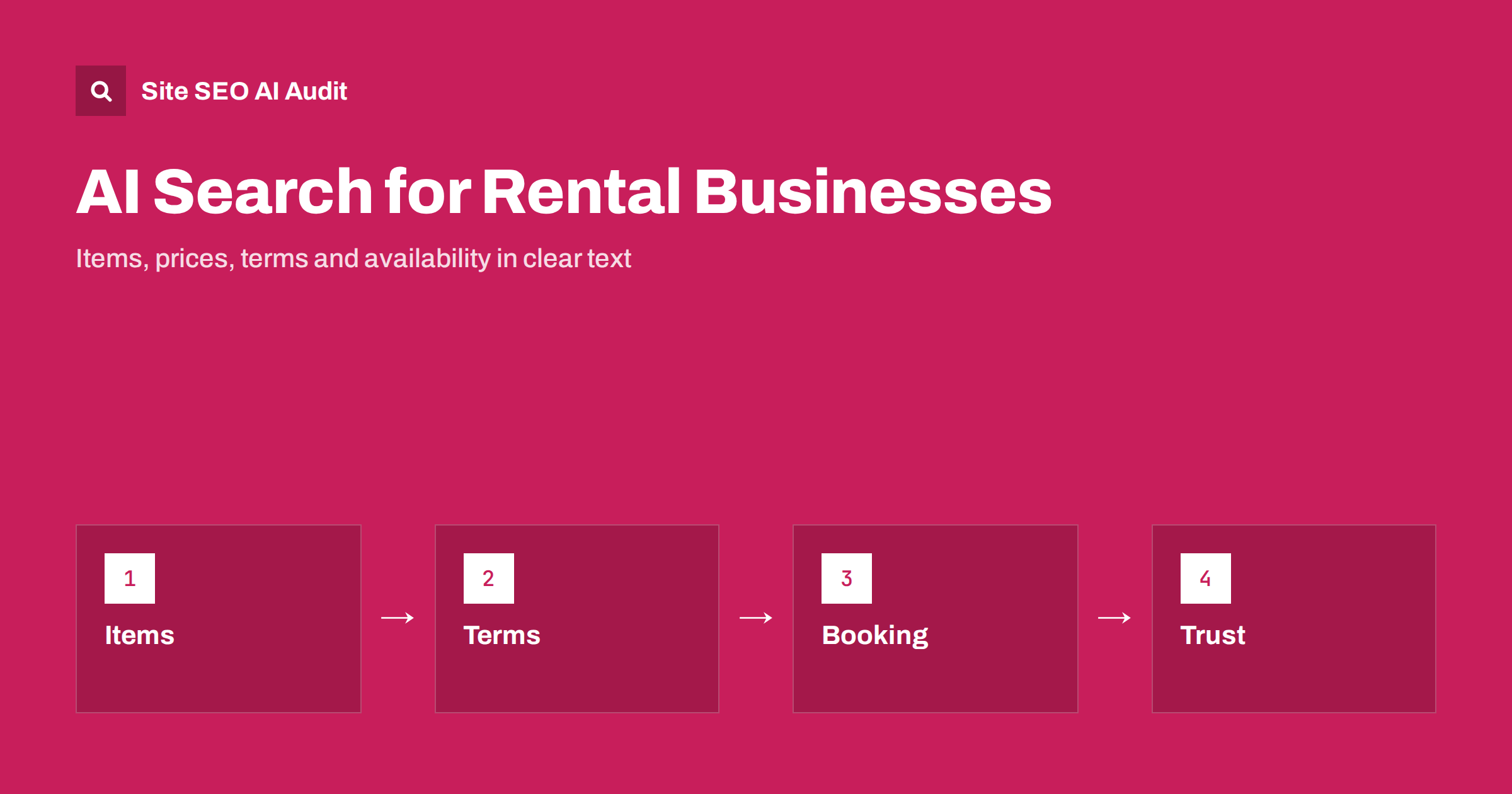
Short answer: Rental and equipment hire businesses appear in AI answers when their websites state what can be hired, for how long, at what price, under which conditions and where. Give each item or category its own page with specifications, rates, deposit, insurance, delivery and pickup details, explain the booking and cancellation process, publish safety and usage guidance, show real reviews and keep the details identical across the site, maps and directories. Pages that say only call us for prices give assistants nothing to quote.
People who need a rental are usually in a hurry and have a specific problem: a van for a house move on Saturday, a pressure washer for a weekend, a marquee for a wedding, a scooter for a week on holiday, a projector for a conference. They ask assistants who rents what nearby, how much it costs, what is included, whether a deposit is needed and how to book. The answers come from pages that state the facts plainly. Rental companies have strong local intent and a lot of practical knowledge, but many websites show only photos and a phone number. This guide describes what to publish so that both people and assistants can find and trust you. For the underlying mechanics, see how AI search engines work.
Know what renters ask
Questions fall into a few groups. Availability questions ask whether an item can be hired on certain dates, in a certain place and in a certain quantity. Price questions ask about the daily, weekend or weekly rate, extra charges and what the total will be. Suitability questions ask which size or model fits a job, such as the right tool for a task or the right vehicle for a load. Condition questions ask about deposits, insurance, damage, fuel, cleaning, late returns and licences. Process questions ask how to book, collect, return or cancel. Collect them from phone calls, emails, chat logs and the search queries that reach the site, group them by topic and write a page for each group. The principle is the same as in service page SEO: one page for one clear job.
Create a page for every item or category
List the things you hire as pages that can be read without a form. Make a page for each category, such as vehicles, garden tools, building equipment, party furniture or sports gear, and a page for each major item or model. Include a description, what it is used for, size, power, capacity, weight, age restrictions, the accessories that are included or optional, the typical jobs it suits and the ones it does not. Give photos with descriptive alt text, and add a short list of what to check before hiring. Show the rates in text, in an HTML table when they vary by duration, with the conditions under which they apply, and the date of the last update. Avoid putting prices only in images or in a downloadable file. Similar principles apply to product pages, see the product page SEO guide.
State terms, deposits and insurance clearly
Terms are the main source of surprise in hiring, so explain them openly. Publish a page that covers the minimum and maximum hire period, how a day is counted, the deposit and how it is returned, the identity and licence requirements, the insurance options and what they cover, who pays for damage, loss and cleaning, rules for fuel and mileage, late return charges and cancellation or change rules. Use plain language and examples, and put the key points on each item page in a short summary with a link to the full terms. Make sure the text on the website matches the contract, and date it, because an old term quoted by an assistant can lead to disputes. Do not promise things that you cannot deliver in busy periods. Honest terms also reduce support calls.
Explain booking, delivery and pickup
Describe the full process from request to return. Say how to check availability and book, what information is needed, how and when payment is taken, when and where an item is collected, whether you deliver and install it, the delivery area and charges, what happens at return and how inspections work. Add opening hours for collection and return, including weekends and holidays, and out-of-hours options. If you use an online booking system, keep a text description of the steps next to it, because a widget that loads after the page opens cannot be read by crawlers. If you serve several towns, create a page for each with real local details instead of copying one page and changing the name, as warned in location pages and SEO.
Publish guidance that helps renters choose and use safely
Renters often lack experience with the equipment. Write guides that help them choose and use it safely: how to choose the right size of van or trailer, how much power a generator needs, how to use a tool step by step, how to prepare a surface, how to set up a tent or stage, what to wear and what not to do. Begin with a short answer, give steps and cautions and link to the relevant item pages. For safety-critical equipment, rely on manufacturer instructions and recognised standards, state who may operate it and when training or a licence is required. Show the author or the team that wrote it and the date of the last review. Guides like this are the type of content that assistants quote, see how to write content that AI answers quote.
Be accurate about availability and seasons
Availability changes daily and seasonally. Do not publish a stock status that you cannot keep current, since an outdated yes or no is worse than none. Say instead how to check, such as an availability calendar or a call, and describe typical busy periods, such as summer weekends, holidays or moving season, with a suggestion on how early to book. Keep seasonal pages on one stable address and refresh them each year, following seasonal pages and SEO. When an item is retired, keep its page for a while, explain the status and point to the replacement, using the logic in out-of-stock and discontinued products.
Strengthen local signals and trust
Rental searches are local. Make sure your business name, address, phone number, opening hours and service area are the same on the website, the map profile and directories, and keep the profile and the website aligned. Describe the areas you serve, with the places you deliver to and the distances. Show company details, licences, insurance and memberships. Collect reviews from real customers and show them, including useful details such as the item hired and how the pickup went, and respond to complaints politely. Do not copy reviews from other sites and do not mark up ratings that visitors cannot see. Local guidance is in AI search for local businesses, and the role of reputation in reviews and reputation in AI recommendations.
Use structured data and allow crawlers
Mark up the business with local business data, including name, address, contact details, opening hours and links to official profiles, and mark up item pages with product or offer data only when the visible page shows the same name, description and price. Mark up FAQ content only if the questions and answers are visible. Test the markup after each change. Check robots.txt, firewall and bot-protection rules to make sure the crawlers you want can reach the pages, as described in AI crawlers and robots.txt, and print the main text in the HTML. Each month, ask a fixed list of renter questions, such as who hires a named item nearby and what the terms are, record whether you are named and whether the facts are right, and fix errors at the source. For guidance, see structured data and AI search.
Site SEO AI Audit crawls your site, checks status codes, titles, structured data, orphan pages, speed and AI crawler rules, and lists the fixes ranked by the points they add. The first audit of up to 200 pages is free; larger sites can see the pricing page.
Related reading
- AI Search for Home Services
- AI Search for Events, Weddings and Creatives
- AI Search for Car Dealers and Auto Services
- Pricing Page SEO
The bottom line
Rental businesses are cited when they publish what renters need in plain text: items, rates, terms, deposits, delivery, booking steps and safety guidance. Keep the details current and consistent, mark them up truthfully, allow the right crawlers and review the answers every month.
KKK
Should I publish my rental prices?
Yes, if you can keep them current. Show rates by duration with the conditions, and state the date of the last update. If rates vary a lot, give ranges and explain what changes them.
How do I show availability without a live system?
Explain how to check, such as a calendar or a phone call, and describe busy periods and how early to book. Avoid stock statements that you cannot keep accurate.
Do I need a page for every item?
For major items and models, yes. Smaller items can be grouped by category, with a list that shows the key details and rates in text.
What terms should I state publicly?
Hire periods, deposits, insurance, damage and cleaning rules, late returns, cancellation, identity and licence requirements, and delivery or pickup rules.
Can an online booking widget replace text pages?
No. Crawlers often cannot read the widget, so keep the main facts in text on the page and use the widget for the booking itself.