ENEnglish
 LTLietuviškai
 DEDeutsch
 FRFrançais
 RUРусский
 ESEspañol
 PLPolski
 ITItaliano
 UKУкраїнська
 CSČeština
 PTPortuguês
 JA日本語
JA日本語 LVLatviešu valoda
 ETEesti
 HUMagyar
 IDBahasa Indonesia
 TRTürkçe
 HIहिन्दी
 ELΕλληνικά
 ARالعربية
 THไทย
THไทย VITiếng Việt
 RORomână
 MSBahasa Melayu
 BNবাংলা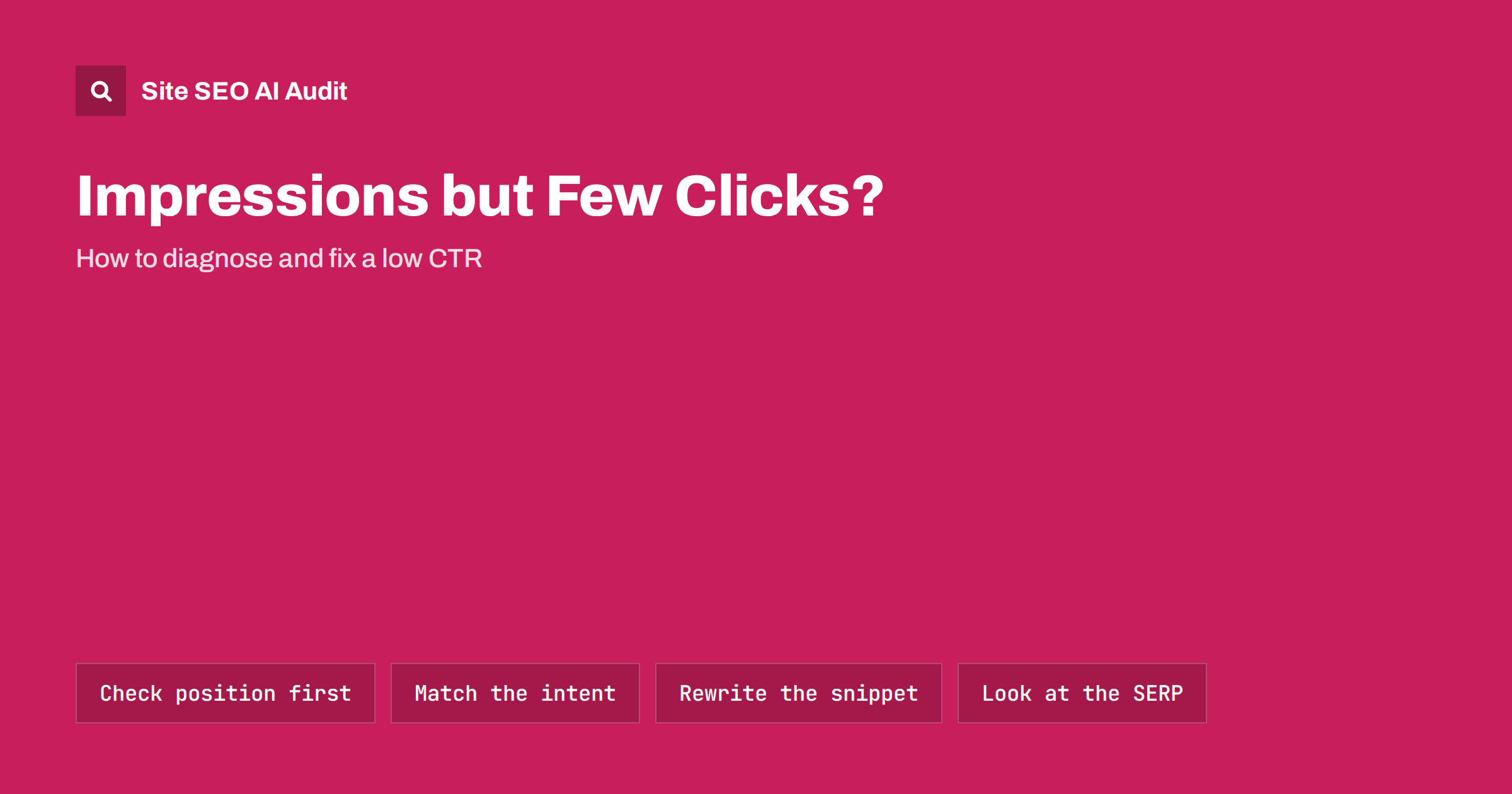
Short answer: A page with many impressions but few clicks is usually in one of four situations: it ranks too low for people to scroll to it, it ranks for queries it does not really answer, its title and description do not make the click worth it, or the results page is full of features that answer the question before anyone clicks. Search Console shows which one applies when you look at CTR together with position and the actual queries. Fix the cause that applies, not just the meta description.
Click-through rate is one of the most misread numbers in Search Console. A 1% CTR can be perfectly normal for a page in position 12, and a 20% CTR can be poor for a brand search in position 1. Before rewriting anything, find out why the clicks are missing. This guide walks through the diagnosis and the fixes that tend to work.
What CTR measures and why it misleads
In the Search Console performance report, CTR is clicks divided by impressions. An impression is counted when your result appears on a results page the user loaded, even if they never scrolled to it. That has consequences:
- Position dominates CTR. Results near the top get most clicks. A page averaging position 9 will have a low CTR no matter how good the snippet is.
- Averages hide mixtures. A page may rank first for a small query and twentieth for a big one. The average position and CTR then describe neither.
- Query type matters. Brand and navigational searches get high CTR; broad informational searches with many search features get lower CTR.
- New pages fluctuate. Google tests pages in different positions at first, so early CTR is noisy.
So “low CTR” only means something when you compare a page with what is normal for its position and query type, ideally on your own site.
Step 1: Find the pages worth looking at
Open the performance report, select clicks, impressions, CTR and position, choose the last three months and switch to the Pages tab. Then:
- Sort by impressions and look at the top 50 pages.
- Mark pages with an average position between 1 and 10 and a CTR clearly below other pages at similar positions on your site.
- Ignore pages with very few impressions; the numbers are too small to judge.
- For each marked page, click it and switch to the Queries tab to see what it actually ranks for.
The queries tab is where most of the diagnosis happens. If you are new to the report, our Search Console setup guide explains the basics.
Step 2: Identify which of the four causes applies
Most low-CTR pages fall into one of these patterns. The table shows how to recognise each one in the data.
| Cause | What you see in Search Console | Main fix |
|---|---|---|
| Ranking too low | Most impressions come from positions 8–20 | Improve the content and internal links to move up |
| Intent mismatch | Top queries are only loosely related to the page | Refocus the page or create a better page for those queries |
| Weak snippet | Good positions for relevant queries, CTR still low | Rewrite title and description, check the shown snippet |
| Crowded results page | Good positions, relevant queries, answer shown in the results | Target the click-worthy part of the topic, accept some loss |
Pages can have more than one cause, but one is usually dominant. Look at the queries with the most impressions first, because they decide the average.
Fixing a ranking problem
If most impressions come from page two or the bottom of page one, a better snippet will not change much. The page needs to rank higher:
- compare it with the pages above it and cover what they cover better, with more specific and current information;
- add internal links from related, well-linked pages using descriptive anchor text; see our internal linking strategy;
- check that it is not competing with another page of yours for the same query, a common cause of stuck positions explained in keyword cannibalization;
- fix technical basics such as slow loading, missing headings or a weak title that does not contain the main topic.
Fixing an intent mismatch
Sometimes a page earns impressions for queries it does not really answer. A guide to choosing running shoes may appear for “running shoes sale”, but people searching that want a shop, not an article. They see your title and skip it. That is not a snippet problem. You have three options:
- Accept it if those queries are not valuable to you. The impressions cost nothing.
- Create a separate page that matches the other intent, if it fits your business, and link to it from the original.
- Refocus the page if the mismatched queries are actually the ones you want, which usually means changing its format, not just its words.
Our guide to matching search intent shows how to read the results page to see what format Google expects.
Fixing a weak snippet
When the page ranks well for queries it genuinely answers and CTR is still low, the snippet is the likely problem. Search the main query yourself in a private window and look at your result next to the others. Ask:
- Does the title say what the page offers? A vague title like “Our Guide” loses to “How to Fix a Leaking Tap in 5 Steps”. See how to write title tags.
- Is the useful part cut off? Long titles lose their end. Put the topic first and the brand last.
- Did Google rewrite the title? If the shown title differs from yours, your title may not match the page; see why Google rewrites titles.
- Is the description generic or missing? A specific description that previews the answer and its format earns more clicks. Our meta description guide has examples.
- Is the date old? For topics where freshness matters, a result showing a date from several years ago is easy to skip. Update the content if it is genuinely outdated, not just the date.
- Do competitors show more? Ratings, prices, images or sitelinks make other results bigger. Check whether valid structured data could support similar features for you.
Change one page at a time, note the date and compare four weeks before and after, at similar average positions.
When the results page takes the clicks
For some queries, the results page itself answers the question: a definition box, a calculator, an AI overview, a map pack, a list of videos. Users get what they need without clicking. Our article on zero-click search covers this in depth. A few things still help:
- make the title promise something the summary cannot give: a full checklist, a template, a comparison, local detail or a worked example;
- structure the page so it can be the cited source in the feature, with a short direct answer near the top;
- measure success by conversions and brand searches, not only clicks, for those queries.
Accept that some informational queries will have low CTR. That is the market, not a fault in your page.
Mistakes to avoid
- Clickbait titles. They may raise CTR briefly, but users who bounce back to the results do not help you, and Google may rewrite misleading titles.
- Changing many pages at once. You will not know what worked.
- Judging after a few days. Snippet changes need recrawling and then several weeks of data.
- Ignoring device differences. Mobile and desktop results look different; check CTR by device in the report.
- Chasing CTR on pages that do not matter. Prioritise pages that lead to enquiries, sales or sign-ups.
Find snippet problems across the whole site
Search Console tells you which pages get few clicks; it does not list the missing descriptions, duplicate titles and over-long titles behind them. Site SEO AI Audit crawls every page and checks titles, descriptions, H1s, duplicates and structured data, then ranks the fixes by how many pages each issue affects, so you can clean up snippets site-wide before tuning individual pages. Start with a free audit of up to 200 pages; larger sites get a preliminary report of the first 200 pages and can move to a full audit.
Related reading
- How to fix duplicate title tags and meta descriptions
- Featured snippets: how to structure content to win them
- How to prioritize SEO fixes
The bottom line
Low CTR is a symptom with several causes. Check position first, then the queries the page ranks for, then the snippet, then the results page. Improve rankings when the page is too low, fix intent when the queries do not match, rewrite titles and descriptions when the snippet is weak, and accept some loss where search features answer the question. Change one thing at a time and measure over weeks.
KKK
What is a good click-through rate in Google?
There is no single good number, because CTR depends on position, query type and the features on the results page. Compare each page with your own pages at similar positions and for similar query types rather than with a general benchmark.
Why does my page have high impressions and low clicks?
Usually because it ranks too low to be seen, ranks for queries it does not answer, shows a weak title or description, or appears on a results page where search features answer the question. The Queries tab in Search Console shows which applies.
Will a better meta description improve CTR?
It can, when the page already ranks well for relevant queries and the shown snippet is weak. It will not help much if the page ranks on page two or the queries do not match the page.
How long should I wait to measure a title change?
Wait until Google has recrawled the page and shows the new title, then compare at least four weeks of data with the four weeks before, at similar average positions. Seasonal topics need a year-over-year comparison.
Does CTR affect rankings?
Google does not confirm CTR as a direct ranking factor, and the relationship is debated. Treat CTR as a measure of how well your result attracts the right visitors, and focus on relevance and usefulness.