 ENEnglish
 LTLietuviškai
 DEDeutsch
 FRFrançais
 RUРусский
 ESEspañol
 PLPolski
 ITItaliano
 UKУкраїнська
 CSČeština
 PTPortuguês
 JA日本語
JA日本語 LVLatviešu valoda
 ETEesti
 HUMagyar
 IDBahasa Indonesia
 TRTürkçe
 HIहिन्दी
 ELΕλληνικά
 ARالعربية
 THไทย
THไทย VITiếng Việt
 RORomână
 MSBahasa Melayu
 BNবাংলা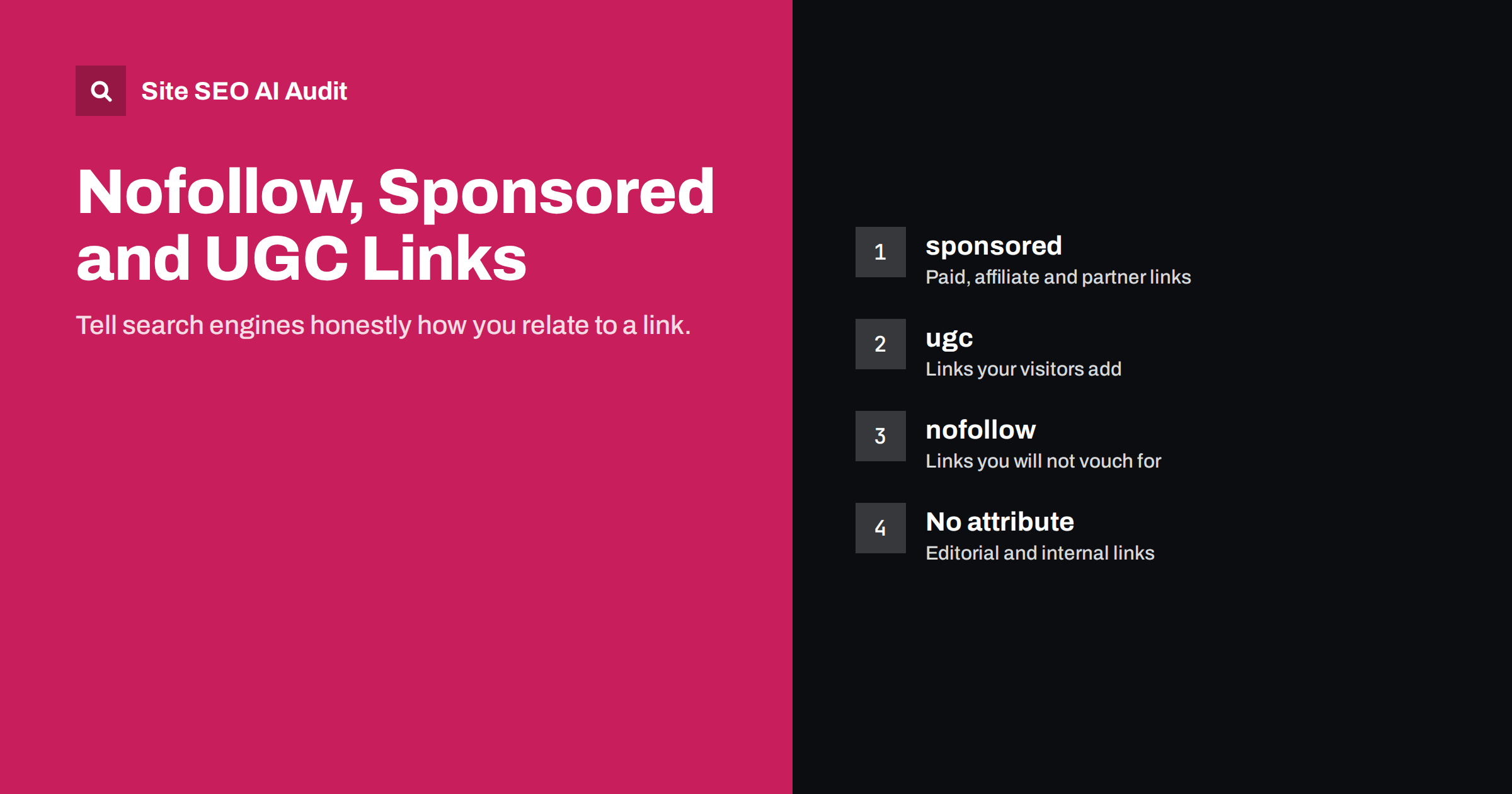
Short answer: The rel attributes nofollow, sponsored and ugc tell search engines how you relate to a link. Use sponsored for paid or affiliate links, ugc for links added by users in comments and forums, and nofollow for other links you do not want to vouch for. Normal editorial links, including almost all internal links, need no attribute at all. Search engines treat these values as hints, not strict commands.
What link attributes are
A link in HTML can carry a rel attribute that describes the relationship between your page and the page you link to. Three values matter for SEO:
rel="sponsored": the link is an advertisement, a paid placement, a sponsorship or an affiliate link.rel="ugc": the link is user-generated content, such as a link in a blog comment, forum post or review written by a visitor.rel="nofollow": you do not want to endorse the linked page or pass ranking signals to it, and neither of the other two describes the situation better.
A link without any of these values is a normal link. It says, in effect, “I am linking to this because it is relevant or useful”. That is the right default for editorial links.
The values can be combined, for example rel="ugc nofollow", which is useful for older systems that only recognize nofollow.
A short history, and why it matters now
For many years there was only nofollow. It was introduced to fight comment spam: if links in comments passed no ranking value, spammers would have less reason to post them. Over time it was also used for paid links, which search engine guidelines require to be marked so they do not pass ranking signals.
In 2019 Google introduced the more specific sponsored and ugc values and, at the same time, changed how all three are treated. They became hints rather than directives. Search engines may still choose to crawl a nofollowed link or consider it in some way. Google describes the details in its guide to qualifying outbound links.
The practical result is that these attributes are mainly about honesty: telling search engines which links are paid or unvetted, so your editorial links keep their meaning.
When to use each attribute
| Link type | Attribute | Example |
|---|---|---|
| Link you chose because it helps readers | None | A citation to an official guide in your article |
| Internal link to your own page | None | A link from a blog post to a service page |
| Affiliate link that earns commission | sponsored | Product recommendations with tracking links |
| Paid placement or sponsored post | sponsored | A partner’s link in an article they paid for |
| Link in a visitor’s comment or forum post | ugc | A commenter’s website link |
| Link you must include but do not vouch for | nofollow | A link to a page you are criticizing |
| Links in widgets you distribute to other sites | nofollow or sponsored | “Powered by” links in a free plugin or badge |
Internal links: almost never nofollow
One of the most common mistakes found in site audits is nofollow on internal links. It often comes from old advice about “PageRank sculpting”: the idea that you could steer ranking value towards important pages by nofollowing links to unimportant ones, such as the login page or terms and conditions. Search engines changed how they handle this long ago, and the tactic no longer works as intended. Nofollowing an internal link does not redistribute its value to other links; it mostly just weakens the signal to the linked page.
Internal nofollow also appears by accident:
- A theme or plugin adds nofollow to all links in a menu, footer or widget.
- A page builder sets nofollow as the default on buttons.
- Links copied from another site carry their attributes with them.
- A security or SEO plugin adds nofollow to every link that opens in a new tab.
If you do not want a page to appear in search, nofollowing links to it is the wrong tool. Use a noindex tag on the page itself. If you simply want a page to receive less emphasis, link to it less prominently.
External links: when to add an attribute
Linking out to good sources is normal and helpful. It shows readers where facts come from and helps them go deeper. There is no need to nofollow every external link, and doing so can look as though you do not trust any of your own sources.
Add an attribute when:
- Money or value changed hands for the link, including free products given for review, affiliate commissions and paid guest posts. Use sponsored.
- Someone else wrote the link on your site, such as a commenter or forum member. Use ugc. Most comment systems add it automatically.
- You link to something you do not endorse, such as a scam you are warning readers about. Nofollow is reasonable.
Also check that external links still work and still point to what they did. A link to a reputable page that has since changed owner and content is worse than no link.
Links opening in a new tab: a separate question
Many sites add target="_blank" to external links so they open in a new tab. For security, such links should also carry rel="noopener", which stops the new page from accessing the original through the browser. Modern browsers apply this behaviour by default, but adding it explicitly does no harm.
Do not confuse noopener and noreferrer with nofollow. They control browser behaviour and referrer information, not how search engines treat the link. A link can have rel="noopener" and still be a normal, followed link.
User-generated content and spam
If your site accepts comments, reviews, forum posts or user profiles with website fields, spammers will try to use them for links. The ugc attribute removes much of the incentive, but moderation is still needed:
- Mark all links in user content with ugc (or ugc nofollow).
- Hold first comments from new users for approval.
- Use spam filtering for comments and forms.
- Consider removing the website field from comment forms if it attracts mostly spam.
- For trusted, long-standing community members, some sites remove the attribute from their links; do this only with genuine trust.
Setting attributes in WordPress and other editors
You rarely need to write the attribute by hand. Most editors and plugins handle it, but it helps to know where:
- WordPress block editor: the link settings let you open links in a new tab. Many SEO plugins add extra toggles for nofollow and sponsored in the same link dialog. For a one-off link you can also switch the block to HTML and add the attribute directly.
- Affiliate link plugins: link management plugins usually offer a global setting that adds sponsored or nofollow to every managed link. Check it is switched on, because a single setting covers hundreds of posts.
- Comment systems: WordPress comments add ugc and nofollow to commenter links by default. Third-party comment and forum systems have their own settings; check the output on a live page rather than assuming.
- Page builders and themes: buttons, menus and footer widgets sometimes add nofollow by default. Look in the element’s link options and in the theme’s footer or menu settings.
After changing a setting, view the source of a sample page and search for rel= to confirm what is actually output. Plugins sometimes stack attributes or override each other, and the rendered page is the only reliable answer.
How to audit link attributes on your site
Link attributes are invisible when you browse, so they are easy to get wrong without noticing. A crawl that lists every link with its attributes shows the patterns:
- Internal links with nofollow. Find where they come from (menu, footer, plugin, page builder) and remove the attribute at the source.
- Affiliate and sponsored links without sponsored or nofollow. Check review and recommendation posts in particular.
- Comment and forum links without ugc or nofollow. Check the settings of your comment or forum system.
- Broken and redirected external links. Update or remove them.
Site SEO AI Audit reports nofollow links as part of its links area, alongside broken internal and external links, links to redirects, weakly linked pages and empty anchors. Each issue is weighted by how many pages it affects, so a site-wide menu with nofollow stands out immediately. You can start with a free audit.
Related reading
- Internal Linking Strategy: A Step-by-Step Guide for SEO
- Anchor Text Best Practices for Internal and External Links
- Broken Links: How to Find and Fix Them Across Your Site
The bottom line
Use sponsored for paid and affiliate links, ugc for links your visitors add, and nofollow for other links you will not vouch for. Leave normal editorial links and internal links without attributes. Remove accidental internal nofollow from menus, footers and page builders, use noindex rather than nofollow to keep pages out of search, and audit link attributes site-wide from time to time.
KKK
Should I nofollow all external links?
No. Normal links to helpful, relevant sources should be left as they are. Use attributes only for paid, affiliate or user-generated links, or links you do not want to endorse.
Is nofollow on internal links bad?
It is usually a mistake. It weakens the signal to your own pages and no longer redistributes value to other links. To keep a page out of search, use noindex on that page instead.
Do I have to use sponsored instead of nofollow for affiliate links?
Either is acceptable for marking paid links, but sponsored is more precise and is the recommended value. You can combine them as rel=”sponsored nofollow” if you like.
Do nofollow links help SEO at all?
Search engines treat nofollow as a hint, so such links may be considered in some cases, but you should not count on them passing ranking value. They can still bring visitors, which is valuable in itself.
Is noopener the same as nofollow?
No. Noopener is a browser security setting for links that open in a new tab. It does not affect how search engines treat the link.


