ENEnglish
 LTLietuviškai
 DEDeutsch
 FRFrançais
 RUРусский
 ESEspañol
 PLPolski
 ITItaliano
 UKУкраїнська
 CSČeština
 PTPortuguês
 JA日本語
JA日本語 LVLatviešu valoda
 ETEesti
 HUMagyar
 IDBahasa Indonesia
 TRTürkçe
 HIहिन्दी
 ELΕλληνικά
 ARالعربية
 THไทย
THไทย VITiếng Việt
 RORomână
 MSBahasa Melayu
 BNবাংলা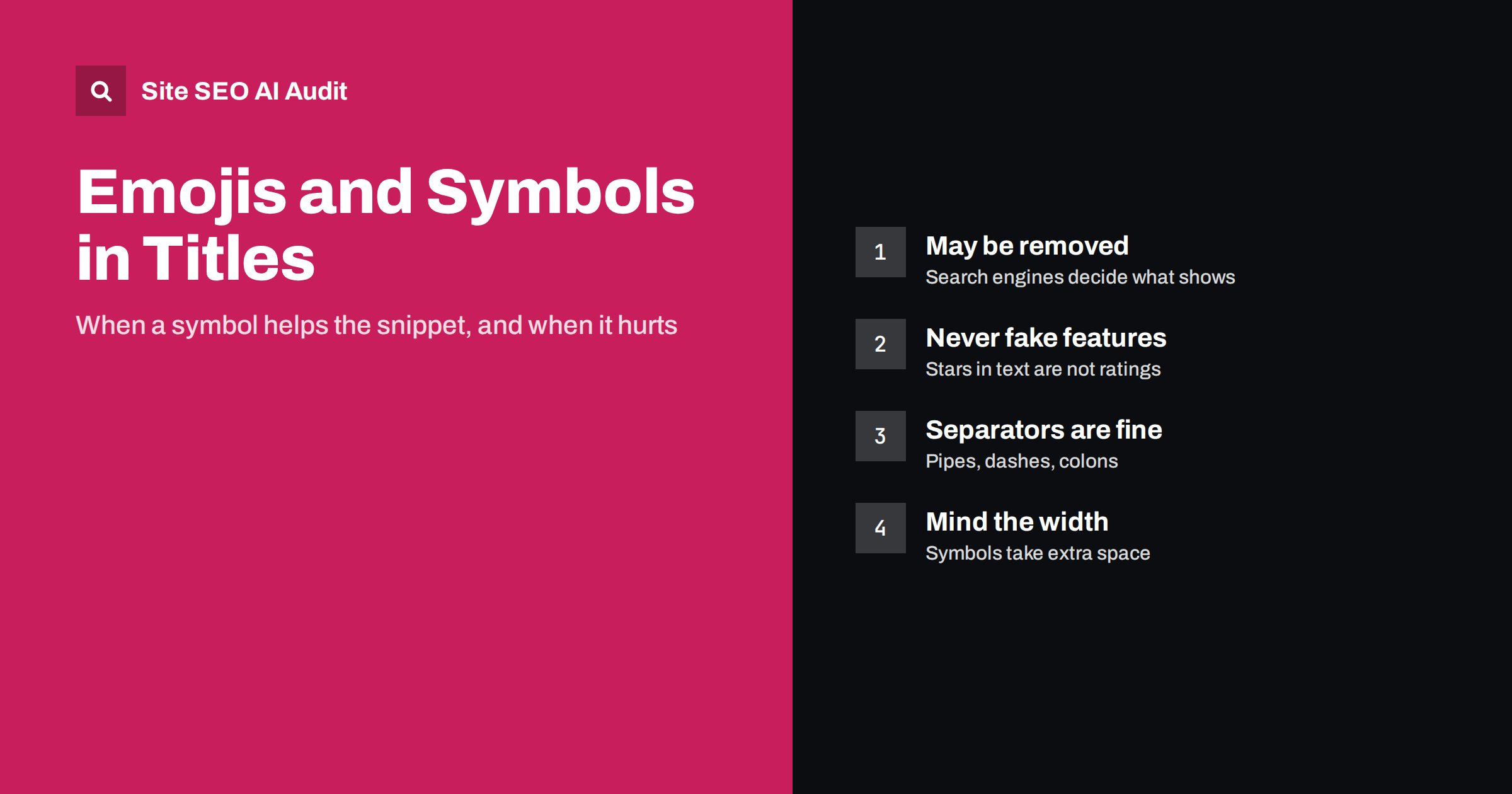
Short answer: You can use emojis and special symbols in title tags and meta descriptions, and search engines sometimes display them, but there is no guarantee. Google may show them, rewrite them or remove them, especially when they look misleading or excessive. Simple separators such as a pipe, dash or colon are safe and common. A single relevant symbol in a meta description can be fine for some brands, while symbols that imitate search features, such as star ratings or checkmarks suggesting verification, should be avoided. Symbols never improve rankings by themselves.
Every few years, emojis in search snippets become a trend. A checkmark here, a rocket there, a row of stars before the brand name. The idea is simple: in a page full of plain blue titles, a symbol catches the eye and might earn more clicks. Sometimes it does. Often the symbol is not displayed at all, or the title is rewritten, and occasionally the snippet looks cheap enough to lose clicks. This guide explains what is known, where symbols help and where they do not.
Do search engines show emojis in results?
Search engines decide what appears in the snippet. Google has shown emojis in titles and descriptions at some times and filtered them at others, and today it may display them when they seem relevant and appropriate, while removing them in other cases. Google’s guidance on title links explains that it can generate a different title when the one you write is unhelpful, for example because it is overly long, repetitive or stuffed with boilerplate.
In practice this means:
- an emoji in your title tag may or may not appear in search results;
- a title that relies on emojis to make sense may be replaced;
- behaviour differs between search engines, devices and even individual queries.
Treat symbols as a small optional decoration, never as the core of the title. If the title still works perfectly without the symbol, you are safe either way. Our article on why Google rewrites title tags explains the wider logic.
Separators and punctuation: the safe symbols
Most “symbols” in titles are not emojis but separators between the page topic and the brand name. These are widely used and display normally:
- Pipe:
Running Shoes for Women | Example Store - Dash or en dash:
Running Shoes for Women – Example Store - Colon:
Running Shoes: How to Choose the Right Pair
There is no meaningful SEO difference between a pipe and a dash; choose one and use it consistently across the site. Avoid long chains of separators, such as Shoes | Running | Women | Sale | Brand, which look like keyword lists and are a common reason for rewrites. Our title tag writing guide covers structure and length.
Symbols that imitate search features
Some symbols try to make a normal result look like a rich result or a trusted source. These are the ones to avoid:
- Star characters such as ★★★★★ in a title or description. They are not review stars and do not count as ratings. Real review stars in results come from valid structured data and the search engine’s own rules.
- Checkmarks suggesting verification next to the brand name, implying an official or verified status that search engines do not give.
- Arrows and “click here” symbols pointing at the result.
- Fake prices, stock or delivery claims written with symbols, especially when they are not accurate.
Such snippets can mislead users and are the kind of thing search engines tend to filter. Even when they are shown, they often make a result look less trustworthy, not more.
When an emoji can help
There are cases where a symbol is reasonable, particularly in meta descriptions, which are less prominent than titles and more conversational:
- Brands with a casual, playful voice whose site and social media already use emojis.
- Consumer topics such as recipes, travel or events, where a single relevant symbol fits the content.
- Short lists in descriptions, where a simple checkmark before two or three benefits reads naturally.
Keep it to one or two symbols, make sure each is relevant to the content and never put a symbol where a word is needed for the meaning. For B2B, financial, medical and legal pages, plain text is almost always the better choice. The main job of a meta description is still to summarise the page and invite the click; our guide to writing meta descriptions covers that.
Width, truncation and encoding
Search results truncate titles by width in pixels rather than by a fixed character count. Emojis and many symbols are wider than ordinary letters, so a title with symbols may be cut off earlier than the same title without them. If you use a symbol, check the most important words still fit near the start.
Encoding also matters. Your pages should be served as UTF-8, so that emojis, accented letters and symbols such as ™ and ® display correctly. If you see broken characters such as é or question marks in your titles, the problem is usually an encoding mismatch between the database, the template and the HTTP header, not the symbol itself. HTML entities such as & for an ampersand are fine in titles; search engines display them as the character.
Symbols in other places: social previews and AI answers
Titles and descriptions travel beyond search results. Social networks and messaging apps show them in link previews, usually from Open Graph tags; our guide to Open Graph tags explains how to control them separately if you want a more playful tone there. AI answers usually rewrite and summarise sources in their own words, so symbols in your title rarely appear in an AI response. They do no harm there, but they do not help either.
Screen readers also read many emojis aloud by name, so a title such as “🚀 Fast Hosting 🚀” may be announced as “rocket Fast Hosting rocket”. That is one more reason to use symbols sparingly and never in place of words, a point also made in our guide to alt text and accessibility.
Brand names and product names with symbols
Some symbols are part of a name rather than decoration: a brand written with a plus sign or an ampersand, a product model with a slash, or a company whose logo includes a symbol. In these cases:
- Use the name as people search for it. If customers type “A and B” rather than “A&B”, make sure the plain version also appears somewhere in the page text.
- Keep typographic symbols that carry meaning, such as the plus in a product tier or the degree sign in a technical specification.
- Drop purely decorative characters that appear only in the logo, such as stars, hearts or arrows.
- Stay consistent between the title, the H1, structured data and business profiles, so the name is recognised as the same entity everywhere.
Search engines generally ignore or normalise many punctuation characters when matching queries, so a symbol in a name rarely blocks a match, but plain wording in the text makes it certain.
How to test symbols safely
If you want to try symbols, treat it as a small experiment rather than a site-wide change:
- Choose a few pages with stable traffic and impressions, rather than your most important ones.
- Change only the title or description, nothing else on the page, and note the date.
- Check how the snippet actually appears by searching for the page after it has been recrawled; the URL Inspection tool can request a recrawl.
- Compare click-through rate in Search Console over several weeks, against the same period before.
- Roll back if the symbol is not displayed, the title is rewritten or clicks do not improve.
Seasonal changes and ranking movements can easily hide or exaggerate the effect, so do not draw conclusions from a few days of data.
Checking titles and descriptions across the site
Symbols are a detail; missing, duplicate and badly sized titles and descriptions are the problems that usually matter more. Site SEO AI Audit crawls your site like a search engine and checks titles, descriptions and H1 headings on every page, along with duplicates across pages, then ranks the fixes by how many pages each issue affects. The first audit of up to 200 pages is free.
Related reading
The bottom line
Emojis and symbols are optional decoration, not an SEO technique. Search engines may show, rewrite or remove them, so write titles and descriptions that work perfectly without them. Use simple separators freely, avoid symbols that imitate ratings, verification or other search features, keep any emoji relevant and rare, and test changes on a few pages before applying them widely.
FAQ
Do emojis in title tags help rankings?
No. Emojis are not a ranking factor. At most, a displayed emoji might influence how many people click a result, and even that effect is uncertain and varies by audience and topic.
Will Google show the emoji I put in my title?
Maybe. Google sometimes displays emojis and sometimes removes them or rewrites the title. Write a title that works without the emoji, so the result looks good in either case.
Can I add star symbols to show my rating?
You should not. Star characters in a title or description are not review ratings and can look misleading. Real rating stars come from valid review structured data and the search engine’s own eligibility rules.
Is a pipe or a dash better as a title separator?
There is no meaningful SEO difference. Both are common and display normally. Choose one and use it consistently, and avoid long chains of separators that look like keyword lists.
Are trademark symbols allowed in titles?
Yes, symbols such as ™ and ® display correctly when the page uses UTF-8. They add little for search, so use them only where your brand guidelines require it.