ENEnglish
 LTLietuviškai
 DEDeutsch
 FRFrançais
 RUРусский
 ESEspañol
 PLPolski
 ITItaliano
 UKУкраїнська
 CSČeština
 PTPortuguês
 JA日本語
JA日本語 LVLatviešu valoda
 ETEesti
 HUMagyar
 IDBahasa Indonesia
 TRTürkçe
 HIहिन्दी
 ELΕλληνικά
 ARالعربية
 THไทย
THไทย VITiếng Việt
 RORomână
 MSBahasa Melayu
 BNবাংলা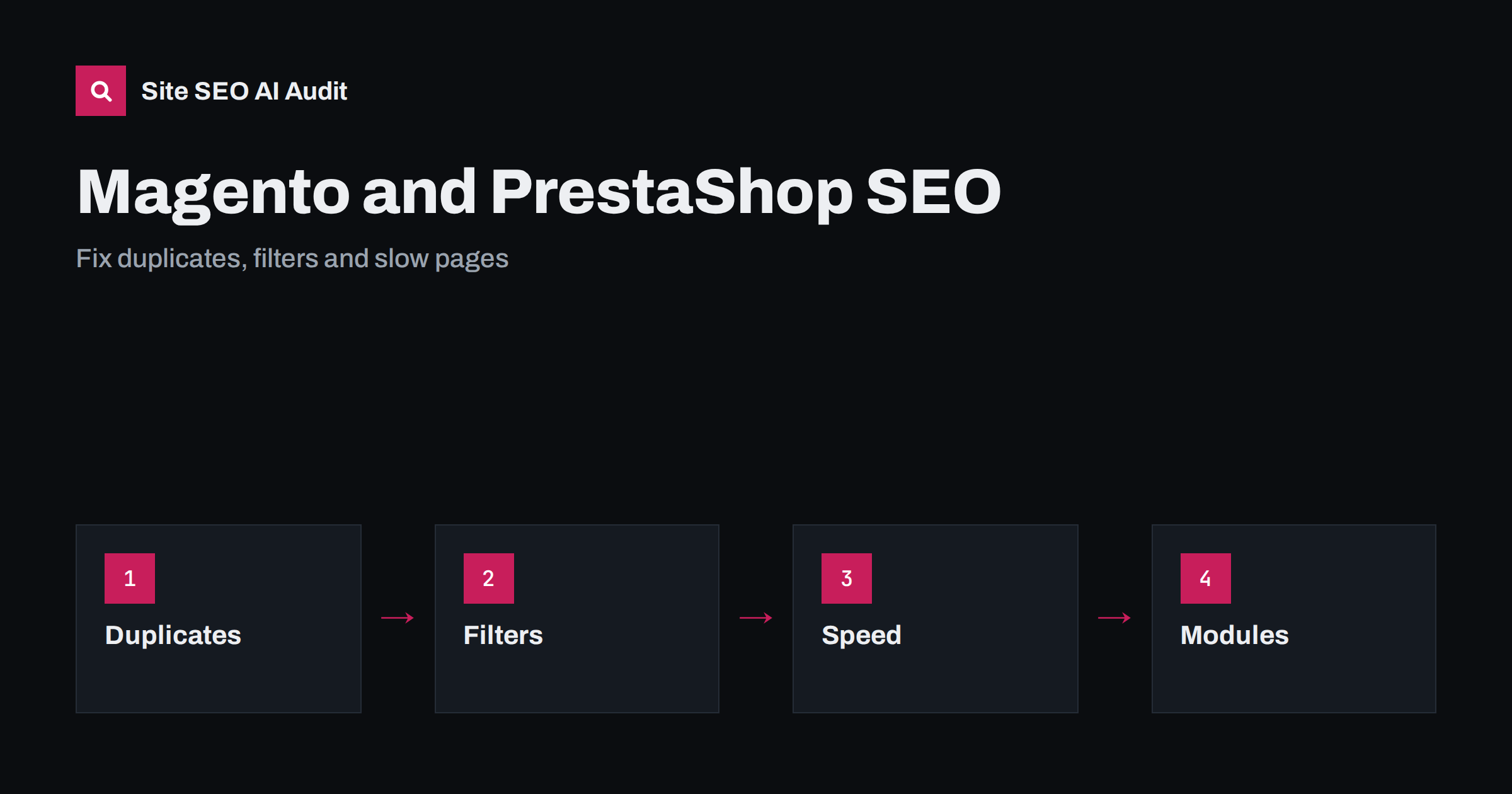
Short answer: Magento (now sold as Adobe Commerce and as the open-source edition) and PrestaShop are powerful shop platforms, and both can rank well when configured carefully. Their common SEO problems are the same: several URLs for one product or category, filter and sort parameters that create endless crawlable pages, thin or duplicated product descriptions copied from suppliers, slow pages caused by heavy themes and modules, and multilingual setups with missing or wrong hreflang. The fix is a short list of settings and checks: one canonical address per page, controlled faceted navigation, unique content for important products and categories, a proper cache and image setup, a clean sitemap and tested modules. Settings and names change between versions, so always confirm them in your own admin and documentation.
Both platforms are flexible, which is exactly why shops built on them differ so much. A shop with a few hundred products, one language and a well-chosen theme can be technically excellent. A shop with tens of thousands of products, several languages, layered navigation and many modules can generate millions of crawlable addresses, most of them useless. Search engines then spend their effort on filters and parameters instead of your best pages, and rankings suffer. This guide walks through the areas where we see problems most often, in order of impact. General principles for shops are in the product page SEO guide and the category page SEO guide; this article adds what is specific to these two systems.
One address per product and category
Out of the box, a product can often be reached by more than one address: through a category path, without a category, with an identifier, or with tracking parameters. Both platforms offer options for how product URLs are built, whether category paths are included and how canonical tags are output. Choose one pattern, preferably a short and stable address, and make sure every other variant carries a canonical tag pointing to it or redirects to it. Check the settings that control canonical links for products and categories, test a sample of products by viewing the source, and confirm that trailing slashes, uppercase letters and the www version resolve consistently. When you change the URL pattern on a live shop, create redirects from the old addresses or you will lose rankings. See canonical tags explained and www and trailing slash consistency.
Layered navigation and faceted filters
Layered navigation lets shoppers filter by price, brand, colour, size and more, and it is the biggest source of crawl waste. Each combination can create a new address, and with several filters the number grows into the millions. Decide which filter pages deserve to be indexed, such as a popular brand within a category with real search demand, and block or canonicalise the rest. Options include noindex on filter combinations, canonical tags pointing to the unfiltered category, robots rules for parameters and, in some setups, rendering filters without crawlable links. Do not rely on one measure alone; test what a crawler actually finds. Sorting, page size and session parameters should never produce indexable pages. The full approach is in the faceted navigation guide and URL parameters and duplicate content.
Pagination and category content
Category pages with many products are split into pages. Each paginated page should have a self-referencing canonical, a unique enough title that notes the page number and plain links to the next and previous pages so crawlers can reach deep products. Do not canonicalise all pages to the first page, which hides products, and do not noindex everything beyond page one if those products are reachable only through pagination. Put the descriptive text for a category on the first page and keep it useful: how to choose, what the range includes and links to important subcategories. A category with only a product grid and no text has little to rank on. See pagination SEO best practices.
Product descriptions, supplier content and variants
Many shops import descriptions from manufacturers, which means hundreds of competitors show identical text. Start by rewriting descriptions for your best sellers and highest-margin products, adding specifications, comparisons, usage advice and answers to common questions. For configurable products, decide how variants are handled: one page with selectable options is usually better than a separate indexable page per size or colour, unless a variant has distinct demand. Out-of-stock products need a policy: keep the page and offer alternatives if it will return, redirect to a close replacement if it will not, and avoid soft errors. The guidance is in manufacturer product descriptions and out-of-stock product pages.
Speed, caching and hosting
Speed is often where these platforms fall behind, especially with heavy themes, many modules and unoptimised images. Enable full-page caching and the built-in cache layers, use a content delivery network, serve images in modern formats at the right dimensions, minify and defer scripts where it is safe to do so, and remove modules you no longer use. Server response time depends on hosting resources, database health and PHP configuration, so measure it before blaming the theme. Test category pages, product pages and the checkout separately, because they load different components. Use field data from real users alongside lab tests. Practical steps are in server response time and Core Web Vitals explained.
Modules, themes and updates
Every module is a risk for speed, security and SEO. Install only what you need, choose well-maintained extensions, and test each one on a staging copy before it reaches the live shop. SEO modules can help with meta templates, redirects, sitemaps and structured data, but two modules doing the same job often conflict and output duplicate tags. After any update to the platform, theme or a module, recheck titles, canonicals, structured data and robots meta tags on a sample of pages. Keep the platform on a supported version, since old versions bring security and performance problems that hurt both visitors and rankings. A staging copy must be blocked from crawlers; see what to do when a staging site is indexed.
Sitemaps, structured data and multilingual shops
Generate an XML sitemap that lists only indexable, canonical addresses with a correct last modified date, and exclude filter pages, cart, checkout and account pages. Add Product structured data with price, currency, availability and reviews that match the visible page, plus breadcrumb markup. For multilingual and multi-country shops, which both platforms support, give each language its own address, output hreflang with return links and translate titles, descriptions and URL slugs. Mixed-language pages, where the template is translated but product text is not, are common and should be fixed or excluded. See international e-commerce SEO and the product schema guide.
Internal search deserves attention too. Search result pages are rarely worth indexing, because they can be created without limit and often show thin lists, so keep them out of the index while using the search data to learn what customers want and which categories are missing. Likewise, review the breadcrumb trail, the main menu and the footer: shops often hide deep categories from the menu, leaving them reachable only through filters, which makes them hard to crawl. Make sure that every important category and product is reachable within a few clicks through ordinary links, and use the audit to find orphan products that no page links to. A tidy internal structure also helps visitors find items without relying on search.
Compared with other platforms
If you are choosing a platform rather than fixing one, remember that the underlying SEO principles are the same on all of them. A plugin-based system such as WooCommerce is lighter to run for small catalogues, as described in the WooCommerce SEO guide, while Magento and PrestaShop suit larger catalogues and complex requirements but need more careful configuration and hosting. Migration between platforms is a high-risk project that requires a full redirect map. Decide on business needs first, and use SEO as a checklist of requirements the platform must meet rather than as the reason to choose one.
Checklist and audit
- One canonical address per product and category, with redirects for old patterns.
- Faceted filters, sorting and session parameters controlled.
- Paginated categories with self-referencing canonicals and crawlable links.
- Unique descriptions for the products that matter most.
- Full-page caching, CDN, optimised images and few modules.
- Clean sitemap, valid Product markup and correct hreflang.
Site SEO AI Audit crawls your shop, finds duplicate titles, canonical conflicts, redirect chains, orphan pages and heavy pages, and ranks the fixes by the points each adds. The first audit of up to 200 pages is free; for large catalogues see the pricing page.
Related reading
- Faceted Navigation SEO
- URL Parameters and Duplicate Content
- WooCommerce SEO Guide
- International E-commerce SEO
The bottom line
Magento and PrestaShop reward careful configuration. Give every page one address, control filters and parameters, write unique content for key products and categories, keep pages fast with caching and fewer modules, and test after every update. Fix these basics and the platform is not the limit.
FAQ
Why do shops on these platforms have so many duplicate URLs?
Products can be reached through category paths, parameters and filters. Without canonical tags and parameter rules each variant becomes a separate crawlable page.
Should filter pages be indexed?
Only combinations with real search demand and unique value. Index a small, chosen set and canonicalise or noindex the rest so crawlers focus on important pages.
Do SEO modules solve these problems?
They can help with templates, redirects, sitemaps and markup, but they need correct configuration, and two modules with the same job often conflict.
How can I speed up a slow shop?
Enable full-page caching, use a CDN, optimise images, remove unused modules, defer scripts and check hosting and database performance. Measure with real user data.
Is it safe to change URL patterns on a live shop?
Only with a complete redirect map from old to new addresses, tested on staging. Without redirects you lose links, rankings and customers.