ENEnglish
 LTLietuviškai
 DEDeutsch
 FRFrançais
 RUРусский
 ESEspañol
 PLPolski
 ITItaliano
 UKУкраїнська
 CSČeština
 PTPortuguês
 JA日本語
JA日本語 LVLatviešu valoda
 ETEesti
 HUMagyar
 IDBahasa Indonesia
 TRTürkçe
 HIहिन्दी
 ELΕλληνικά
 ARالعربية
 THไทย
THไทย VITiếng Việt
 RORomână
 MSBahasa Melayu
 BNবাংলা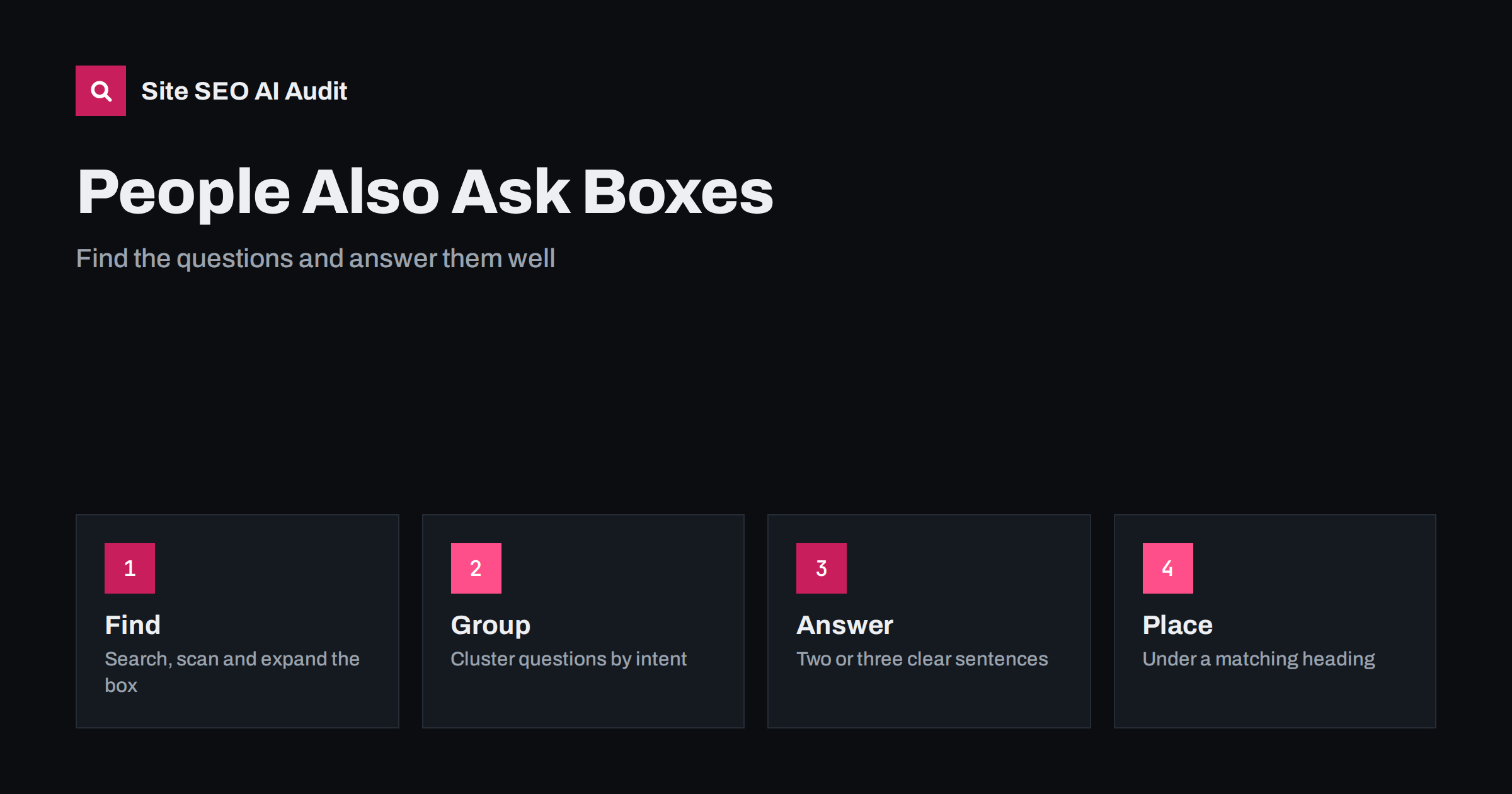
Short answer: People Also Ask is a search results feature that lists related questions and expands each one with a short answer taken from a web page. You cannot buy or switch on a place in it, but you can improve your chances by finding the questions around your topic, grouping them by intent, answering each one in two or three clear sentences under a matching heading and linking those answers into a well-structured page.
Type a question into a search engine and you will often see a box titled People Also Ask. It lists related questions, and each one opens to reveal a short answer, a source page and sometimes more questions. For site owners the feature is useful in two ways. It shows what real people wonder next, which is a free source of topic ideas, and it provides a visible place where a well-written answer can bring your page into view. This guide explains how to collect the questions, how to decide which ones deserve a place on your page, how to write answers that are easy to quote and how to track the result without chasing guarantees.
What People Also Ask is and is not
The box is generated automatically from searches and from content that search systems find helpful. The questions and the order change by query, country, device and over time, and the list can grow as you open items. Appearing in it is not a contract and cannot be controlled; no markup guarantees it. What you can do is publish pages that answer the same questions clearly and are easy to extract from.
The feature is related to featured snippets and to AI-generated summaries, which share the same preference for direct, well-structured answers. See featured snippets optimisation for the closest relative, and zero-click search for the wider effect of answers shown on the results page. A short answer in the box may satisfy some searchers without a click, but it also brings brand visibility and curious readers who want more.
How to find the questions
You do not need special tools to start. Use a mix of sources and record what you find.
- The box itself. Search your main topic in a private browser window, note the visible questions and expand a few to reveal more. Repeat with variations of the query.
- Autocomplete suggestions. Type your topic followed by question words such as how, why, can, does, is and what, and note the suggestions.
- Related searches at the bottom of the results page.
- Search Console. Filter queries for question words to see what people already use to find you. The Performance report is explained in the Performance report guide.
- Customer questions. Support emails, sales calls, chat logs and comments are rich sources, written in the customer’s own words.
- Competitor pages. Look at the headings and FAQ sections of pages that already appear.
Keyword tools can add volume data, but treat the numbers cautiously for long, specific questions, because many have low or unreported volume. These questions are often the easiest to win; see long-tail keywords.
Group questions by intent
Raw lists of questions are not a plan. Sort them into groups by what the person wants: a definition, a comparison, a how-to, a cost, a problem to fix or a decision. Questions in the same group often belong on the same page, while different intents usually need different pages. For example, what is a canonical tag, how do I add one and why is my canonical ignored are three related questions at three stages. The first two can sit on a guide page, while the third may deserve a troubleshooting article.
Check what already ranks for each group. If the results are mostly short explainers, a long guide may not match intent; if they are thorough guides, a thin answer will not compete. The principles of intent are covered in the search intent guide. Also look for gaps between your current pages and the questions people ask; the method in content gap analysis helps with this.
Write answers that can be quoted
A good answer is short, direct and complete on its own. Follow a simple pattern:
- Use the question as a heading, or a close, natural version of it, at H2 or H3 level.
- Answer straight away in the first sentence, then add one or two sentences with the most useful detail or condition. Two to four sentences is usually enough.
- Then expand. After the short answer, add steps, examples, exceptions or a table for readers who want depth.
- Be precise. Define terms, name the conditions under which the answer holds and avoid vague phrases.
- Be honest. If the answer is “it depends”, say what it depends on.
This is the same pattern that works for opening paragraphs, described in answer-first introductions, and for AI systems that extract passages, as in writing content AI answers can quote. Keep each answer independent of the text around it. Avoid starting with “As mentioned above”, because an extracted answer loses that context.
Structure the page so answers are easy to find
Place answers under clear headings, in the order a reader would ask the questions. A solid heading hierarchy helps search systems identify where an answer starts and ends; see heading structure for SEO. Use lists for steps and tables for comparisons only where they fit. Keep paragraphs short. If you have many related questions, collect the smaller ones in a FAQ section at the end of the page, as described in FAQ sections that AI answers can use, and keep the questions that carry the main intent in the body.
FAQ structured data is allowed, but Google limited the display of FAQ rich results in 2023 to a small set of well-known authoritative sites, so do not add it expecting visual changes. It can still describe the visible questions to machines when the markup matches the text exactly.
Link answers into your site
A single answer is more useful when it is connected. Link from the short answer to a deeper guide on the same topic, and link between related question pages with descriptive anchor text. Build topic clusters where a main page covers the subject and supporting pages cover the sub-questions; see topic clusters and pillar pages. This helps readers follow their curiosity and helps search engines understand how the questions relate. AI systems also split a prompt into several related searches, which is described in query fan-out in AI search, so pages that cover the cluster have more chances to be used.
A short worked example
Suppose you run a site about hosting and your topic is moving a website. A search shows related questions such as how long does it take to move a website, will moving hosts hurt SEO and can I move a website without downtime. You group the first and third together as a practical how-to and the second as a risk question. On your guide page you add a heading for each, give a three-sentence answer under it, and link the risk answer to a detailed article about switching web hosts without losing rankings. The page now offers direct answers for each question, and a route to depth for readers who need it.
Mistakes to avoid
- Padding the page with dozens of questions that you answer in one vague sentence each. Fewer, better answers win.
- Copying questions and answers from competitors. Add your own experience, examples and data.
- Hiding answers in tabs or images, where they are harder to read and extract.
- Writing answers that depend on the surrounding page.
- Stuffing question words into every heading. Headings should be natural.
- Ignoring the rest of the page. A short answer is a doorway, so the page behind it must be useful.
Measure the effect honestly
There is no official report that lists your appearances in the box. Instead, watch Search Console for impressions and clicks on question-style queries, and check a sample of target questions manually from time to time, noting that results vary by location and personalisation. Look at engagement on the page: whether readers continue past the short answer. Treat presence in the box as a bonus, and judge the work by whether the page answers the question better than before. A crawl helps with the supporting basics: titles, headings, indexing and internal links. Site SEO AI Audit checks those across your whole site, and the first audit of up to 200 pages is free. The pricing page shows how to re-check after you restructure pages.
Related reading
- Featured Snippets: How to Optimize for Position Zero
- FAQ Sections That AI Answers Can Use
- Answer-First Introductions: Open With the Point
- Search Intent: How to Match Your Page to What People Want
The bottom line
People Also Ask is a window into what searchers want to know next. Collect the questions, group them by intent, write short and precise answers under matching headings and connect them into a clear structure. You cannot force a place in the box, but pages that answer real questions well tend to serve both readers and search systems.
FAQ
Can I add markup to appear in People Also Ask?
No markup guarantees it. Clear questions, short direct answers and a good page structure give you the best chance.
How long should an answer be?
Two to four sentences for the short answer, followed by as much detail as the reader needs.
Should every question get its own page?
Only when the intent is different enough. Closely related questions often work better as sections of one strong page.
Does the box reduce clicks to my site?
Sometimes a short answer is enough for the searcher. Still, being shown builds visibility, and readers with deeper needs click through.
Do the questions change?
Yes. They vary by query, location, device and time, so review them periodically.