ENEnglish
 LTLietuviškai
 DEDeutsch
 FRFrançais
 RUРусский
 ESEspañol
 PLPolski
 ITItaliano
 UKУкраїнська
 CSČeština
 PTPortuguês
 JA日本語
JA日本語 LVLatviešu valoda
 ETEesti
 HUMagyar
 IDBahasa Indonesia
 TRTürkçe
 HIहिन्दी
 ELΕλληνικά
 ARالعربية
 THไทย
THไทย VITiếng Việt
 RORomână
 MSBahasa Melayu
 BNবাংলা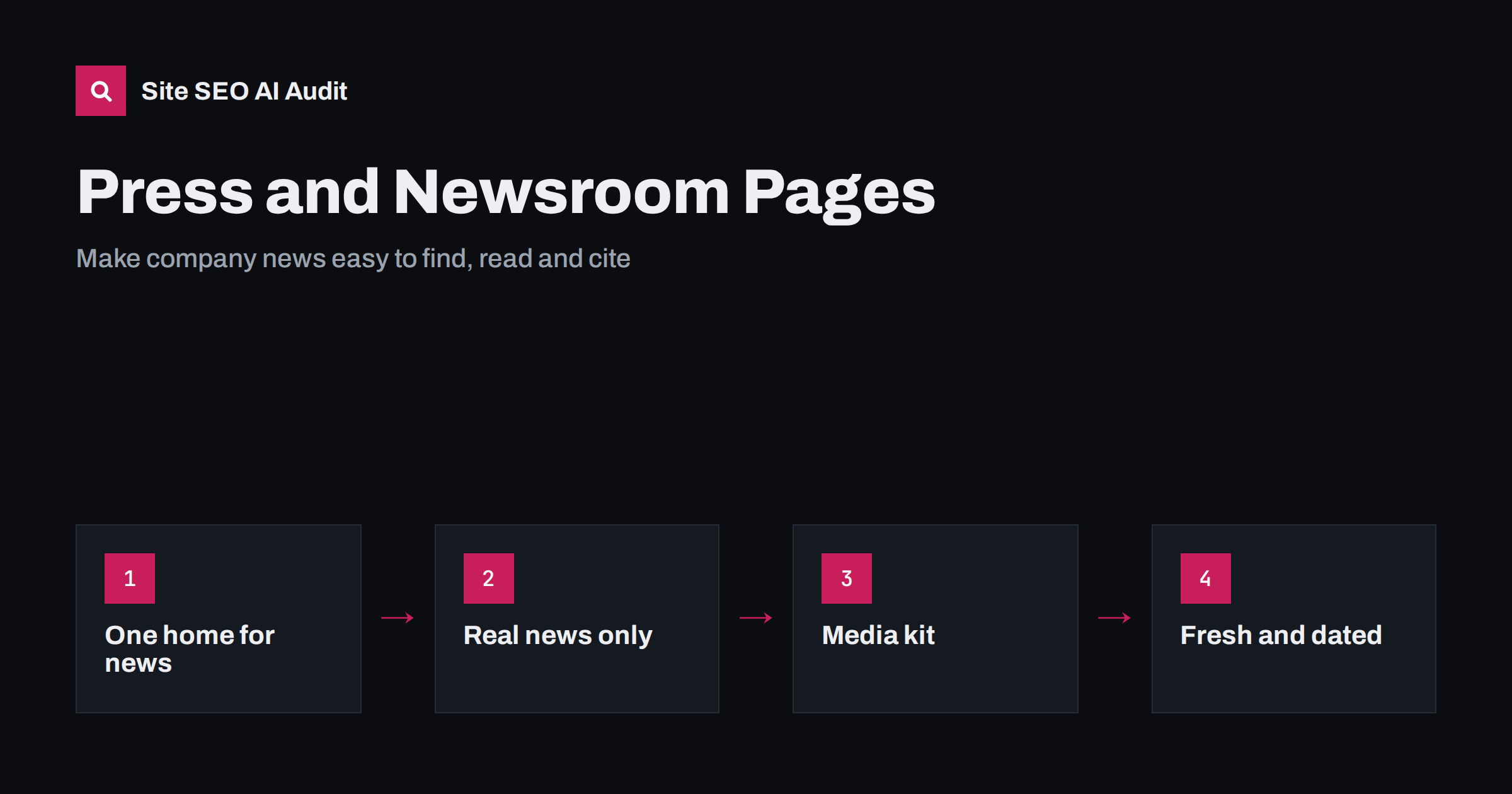
Short answer: A press or newsroom page works for SEO when it is a real resource for journalists and readers: a hub that lists dated announcements, a media kit with logos, photos and verified facts, and a named contact. Each press release should have its own indexable page with a clear title, a summary in the first paragraph and useful detail. Avoid publishing keyword-stuffed releases, leaving the section outdated or hiding everything in PDFs. A tidy newsroom also gives AI assistants accurate facts to quote about your company.
Many company websites have a “Press” section that has not changed in two years. A few old announcements, a broken link to a logo pack and a generic email address. That is a missed opportunity. Journalists, bloggers, partners and increasingly AI assistants look for a reliable source of facts about a company, and the newsroom is the place designed for it.
What a newsroom is for
Search engine optimisation is a side benefit. The main purposes of a newsroom are:
- Help the press cover you accurately by providing facts, images and contacts in one place.
- Record official announcements with dates, so that anyone can verify what happened and when.
- Show momentum and credibility to customers, partners and recruits who check how active a company is.
- Supply quotable facts to search engines and AI assistants, which look for clear and consistent statements about a brand.
When the section serves these purposes, the SEO results follow. When it is written for links only, it tends to fail at both. If you are working on trust signals more widely, see our guide to E-E-A-T and AI search.
Structure the newsroom as a hub
A simple, durable structure usually works best:
- A newsroom landing page with a short introduction, the latest announcements, media contacts and a link to the media kit.
- One page per announcement at a stable URL, such as /press/product-launch-name/, not just entries in a scrolling list.
- An archive with pagination or year filters, linked in plain HTML so that crawlers can reach older items.
- A media kit page with downloadable assets and a text version of key facts.
Keep the section reachable from the main navigation or the footer, and link new releases from related product or company pages. Our advice on click depth and site architecture explains why important pages should never sit many clicks from the homepage.
Write releases that earn their place
A press release is only worth publishing if it contains news. A hiring announcement, a new product, a research finding, a partnership, a major award or a notable change in service qualify. A rewritten sales pitch does not.
For each release:
- Lead with the news. The first paragraph should say who did what, when and why it matters. Journalists and AI summaries both rely on it.
- Write a clear, honest title. Avoid hype. It should still make sense when shown alone in a search result. See the title tag writing guide.
- Add specifics: figures, names, quotes with the speaker’s role and a link to more detail on your own site.
- Show the date and the author or contact on the page.
- Add a short “About” paragraph that stays consistent across releases.
Use real HTML text, not a PDF or an image of a document. PDFs can be indexed, but HTML pages are easier to read on mobile, link to and update.
Handle syndication and duplicates
Press releases are often distributed through other sites or wire services, so the same text may appear in several places. This is normal, but you should keep control:
- Publish the release on your own site first, if possible.
- Ask partners who republish it to link to the original, and use a canonical tag where they agree.
- Do not expect copied releases on third-party sites to carry SEO value. Their main use is reach.
- Avoid releasing the same text with only a few words changed for different regions.
The mechanics are explained in content syndication and AI search and in our guide to canonical tags.
Build a useful media kit
A good media kit saves journalists time and ensures that your brand is represented correctly. Include:
- Logos in common formats and with simple usage rules.
- Photos of products, premises or team members, with captions and credits, and descriptive file names and alt text.
- A fact sheet in plain text: legal name, founding year, location, what the company does, size, and key milestones, all checked for accuracy.
- Executive bios where relevant, with roles and short descriptions.
- A named media contact with an email address and, if possible, a phone number for urgent requests.
Duplicate the essential facts as text on the page, not only inside a downloadable file. That makes them quotable and lets AI assistants read them. For images, see our image alt text guide.
Structured data and technical points
Keep the technical side modest and correct:
- Use a unique title and description for the newsroom hub and for each release.
- Consider Article or NewsArticle structured data on release pages, with headline, date, author or publisher and image, and make sure it matches visible content. See structured data for AI search.
- Add Organization markup on the homepage so the company name, logo and profiles are clear. Our guide to Organization schema shows how.
- Keep release pages indexable and include them in the XML sitemap. A noindex by mistake is a frequent problem on newsroom templates.
- Make sure the dates are accurate. Do not change the date of an old release to look fresh.
Keep it current and honest
An outdated newsroom does harm. A page that says “Latest news: March 2022” tells visitors the company is inactive or careless. Review the section regularly:
- Update contact details whenever a person leaves.
- Remove or archive releases that are wrong or misleading, and mark corrections clearly.
- Check that downloads and links still work.
- If there is no news, say less. A smaller, current section is better than a large stale one.
Never publish claims you cannot support. Journalists check, and false statements quoted by AI assistants are hard to retract. This is also why consistent facts across the site matter, as discussed in what to do when AI gets your business wrong.
Examples of what to publish, and what to skip
If you are unsure whether something belongs in the newsroom, use this simple test: would a journalist or a customer find it useful, and could you defend every statement in it?
- Good candidates: a new product or service with real differences, research that you carried out, new locations, leadership changes, major partnerships, certifications or awards you actually received, and statements about events that affect your customers.
- Weak candidates: minor website updates, generic “we are excited” posts, repeated seasonal discounts and articles that really belong on the blog.
- Do not publish: unverified claims, private data, or anything that you would not want quoted back to you in a year.
Where the line between news and content is unclear, choose the blog for educational material and the newsroom for official announcements. Linking the two helps: a release about a study can link to the full article, and the article can link back to the release. This also keeps your blog free of promotional material.
Think about the people who will use the page. A local newspaper wants a clear summary, a quote and a photo it may use. A trade publication wants numbers and context. A partner wants to confirm dates. A prospective employee wants to see whether the company grows. One well-organised section can serve all of them if each release states who, what, when, where and why in the first lines, and if the contact details are easy to find at the top and bottom of every page.
Check the newsroom with an audit
Newsroom sections often hide small technical faults: missing descriptions, broken download links, pages that are not in the sitemap or old releases that are orphaned. Site SEO AI Audit crawls your site like a search engine and finds broken links, orphan pages, missing titles and descriptions, and structured data errors, then ranks fixes by points gained. The first audit of up to 200 pages is free.
Related reading
The bottom line
A newsroom is worth building when it is a source of facts people can rely on. Give it a clear hub, one indexable page per announcement, a practical media kit and a real contact. Write releases that contain actual news, keep dates and facts accurate, and review the section regularly so that it never looks abandoned.
FAQ
Do press releases help SEO?
Not directly in the way people used to hope. Releases on your own site can rank for your brand and news topics, and good coverage brings visibility and mentions. Distribution links alone rarely carry much value.
Should press releases be PDFs or web pages?
Web pages are better. They are easier to read on mobile, link to and update. You can offer a PDF download as an extra, but the main version should be HTML.
How often should I publish press releases?
Only when there is real news. A few well-written, accurate releases a year are better than frequent empty ones. Keep the newsroom current, even if it is small.
Do I need a newsroom if I am a small business?
Not always a large one. A single press page with a short fact sheet, logo, photos and a contact can still help journalists and give AI assistants correct information.
Should I use NewsArticle markup on press releases?
It can be appropriate, as long as the markup matches the visible page and includes valid headline, date and publisher details. It is not required, and it does not replace a clear, well-written page.