ENEnglish
 LTLietuviškai
 DEDeutsch
 FRFrançais
 RUРусский
 ESEspañol
 PLPolski
 ITItaliano
 UKУкраїнська
 CSČeština
 PTPortuguês
 JA日本語
 LVLatviešu valoda
 ETEesti
 HUMagyar
 IDBahasa Indonesia
 TRTürkçe
 HIहिन्दी
 ELΕλληνικά
 ARالعربية
 THไทย
 VITiếng Việt
 RORomână
 MSBahasa Melayu
 BNবাংলা
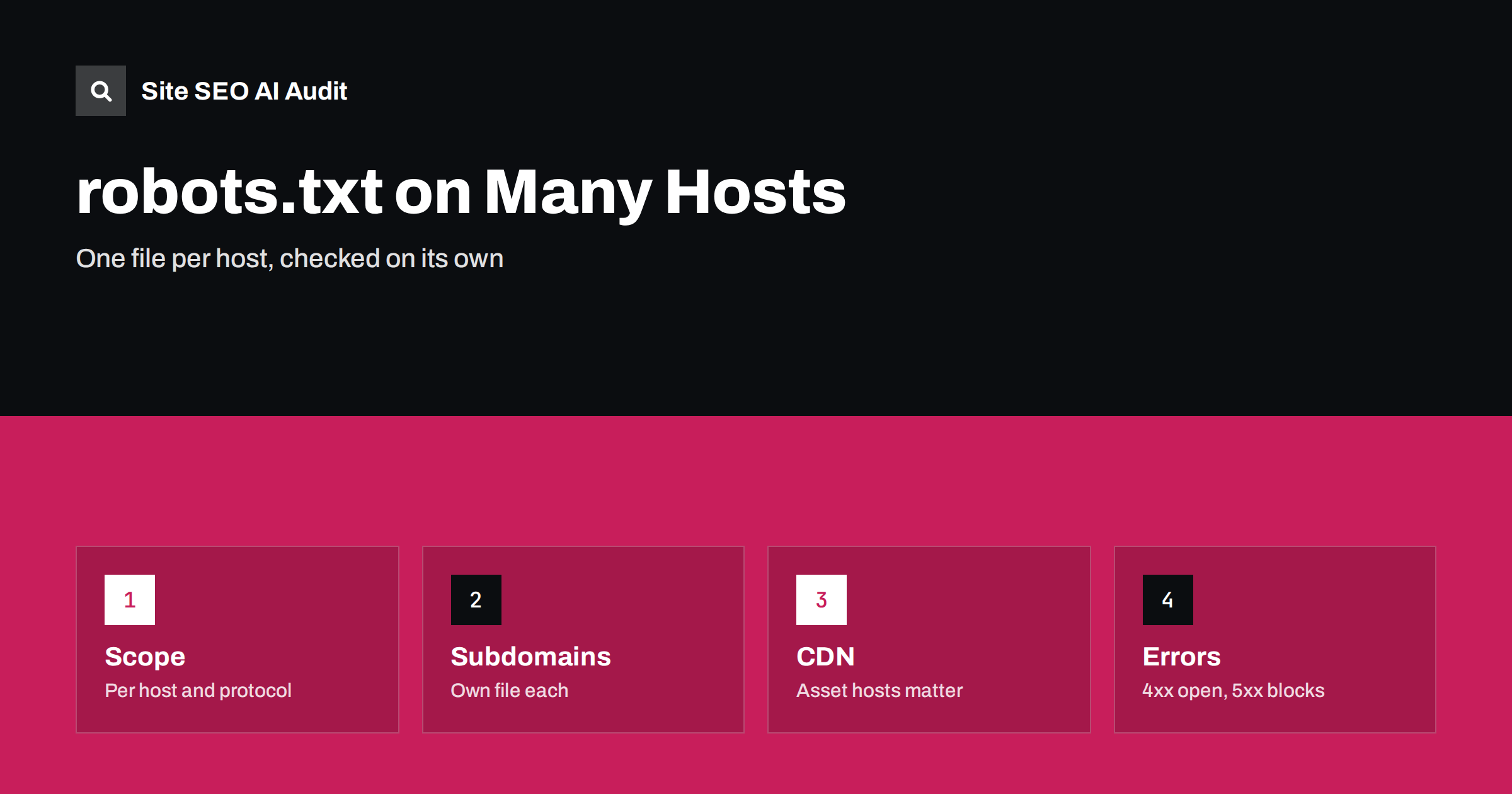
Short answer: A robots.txt file applies only to the host, protocol and port from which it is served. The file at example.com does not govern blog.example.com, a separate CDN domain or the http version of the same site. Each of these needs its own file, or a deliberate decision that none is needed. Check every host that serves pages or resources that search engines need, and make sure that each robots.txt returns the right status code.
Many sites grow into a family of hosts: a main site, a blog, a shop, a help centre, a staging copy, a static asset domain and country domains. Each was set up by a different team, and rules written for the main site are assumed to cover them all. They do not. This guide explains the scope of robots.txt, what happens with subdomains and CDNs, how to treat staging and international setups and which errors cause trouble. The basics are in the robots.txt guide.
The scope of a robots.txt file
The robots exclusion standard says that the file must be placed at the root of the host, and that its rules apply to that host only. In practice, the scope is defined by the protocol, the host name and the port. A file at the https version of the main host applies to addresses on that host and protocol. The www and non-www hosts are different hosts, and so are http and https versions. Google treats redirects for the file in a particular way, following a limited number of hops, but the safest approach is to serve the right file from each host without redirects.
The file also does not apply to other paths on a different host that your pages link to. If the main site embeds images or scripts from another host, the rules of that host decide whether crawlers may fetch them. That difference matters for rendering, as the next sections explain.
Subdomains need their own file
Blog, shop, support and app subdomains each need a file at their own root if you want to control crawling there. Without one, the host has no rules and crawlers may fetch everything the host serves, so a rule such as disallowing a folder on the main host does not protect the same folder on the blog. Check that the file on each subdomain does what you want, and that you did not leave a staging disallow-all rule from a launch.
Search Console treats hosts separately unless you use a domain property, which covers all subdomains and protocols in one view. The domain property is useful for monitoring, and the robots.txt report in Search Console lets you check the files that Google has fetched for the hosts in a property. If your hosts are managed by different teams, give one person the job of keeping a list of hosts and their purposes. The same applies to the sitemap lines that each file declares. Subdomain strategy is discussed in the guide to blog subdomains and subfolders.
CDNs and asset domains
If images, scripts and style files are served from a separate domain, the robots.txt of that domain controls whether crawlers can fetch them. A blanket disallow on an asset domain can stop Google from loading the resources it needs to render your pages, which may lead it to misunderstand the layout or miss content that scripts add. It can also prevent images from appearing in image search. Make sure that asset hosts allow crawling of the files that matter for rendering and indexing, and block only what you truly want hidden.
Some CDN setups add their own robots.txt to the asset hostname by default, and some security services block unknown crawlers entirely. Test by fetching a resource from the asset host as a crawler would, and use the URL inspection tool to see whether any resources are reported as blocked. The link between rendering and robots is covered in the guide to JavaScript SEO basics, and the CDN side in the guide to CDN SEO setup.
Staging, test and preview hosts
Non-production hosts should not be indexed, and a disallow-all robots.txt is the first line of defence. But it is not enough alone. A blocked address can still appear in results with no description if it is linked from elsewhere. A better approach is to protect staging with a password or an IP restriction, which stops everyone, and to add a disallow rule as an extra signal. If you prefer to rely on noindex tags, remember that crawlers must be able to read the page to see them, which conflicts with a disallow. The difference is explained in the guide to noindex and disallow.
Watch for the opposite mistake as well: copying the staging robots.txt to production at launch, which blocks the whole site. Add a check to your release steps that verifies the production file after every deployment. The guide on fixing an indexed staging site explains what to do if the problem has already happened.
Multiple domains and country sites
If you run several domains, such as country domains, each domain has its own file. Rules that make sense in one country may not in another, and a shared template can spread an error to all of them. Keep a short, consistent base for all domains, and add specific rules where needed. Declare the sitemap location in each file, using the full address. A sitemap line can point to a different host, which is allowed when the file belongs to the same site owner, but keep each domain’s sitemap on its own host where practical.
For language versions on one host, a single file covers all of them, so do not block paths of the languages you want indexed. If you use separate domains for markets, and you block one, the hreflang annotations from other versions that point to it will not work. The interplay is described in the guide to hreflang conflicts with noindex and robots.txt.
Status codes and what they mean
How a crawler interprets the file depends on the response. If the file returns a success status, its rules apply. If it returns a 4xx client error such as 404, Google treats it as if there is no file and crawls without restriction. If it returns a 5xx server error, Google treats it as a temporary full block and stops crawling the host for a time, and if the error persists for a long period it may use the last known good copy or behave as if there are no rules. The result of a flaky server on the file can therefore be a pause in crawling. Check these responses with a fetch tool and monitor them, using the guide to HTTP status codes as a reference.
Other technical points include the size limit, which for Google is 500 kibibytes, after which extra rules are ignored, the need for a plain text file with a common text encoding and the fact that rules are case-sensitive in paths. Keep the file short and readable, comment it and keep it in version control so that changes are tracked.
Different rules for different crawlers
Rules can target specific crawlers by name. Remember that each host’s file has its own groups, and that a crawler follows the most specific group that matches its name. If you want to allow or block AI crawlers on one host and not another, set it in each file. The choices are explained in the guide to AI crawlers and robots.txt. Remember also that robots.txt is a request and not a security measure, since well-behaved crawlers follow it and others may not.
Build a simple inventory. List every host your organisation runs that serves public content, with its purpose, its owner, the address of its robots.txt, the expected rules and the sitemap it declares. Review the list when a new host is added, and compare it with the hosts that appear in your crawl and in Search Console. A host that is not in the inventory is a risk, because nobody checks its file.
Here is a short example. A retailer blocked the folder of internal search results on its main site, but the same URLs were also reachable on a regional subdomain with no file. Thousands of low-value addresses were crawled and indexed there. Adding a matching robots.txt, with the same rule and a sitemap line, to the subdomain stopped the growth and the addresses faded out. A second case came from a company that disallowed everything on its asset domain after a security review. A month later its pages showed layout problems in the inspection tool because styles could not be fetched, and the team had to reopen the asset host.
A good habit is to treat the file as code. Changes go through review, are tested on a copy and are deployed with the rest of the site. After each change, fetch the live file from each host and confirm both the content and the status code. These steps take minutes and prevent the most damaging mistakes.
Site SEO AI Audit crawls your site politely, following robots.txt, and checks the file along with status codes, noindex tags, canonicals, sitemap and AI crawler rules in robots.txt for the host you audit, so you can spot blocked or conflicting rules. It audits one site at a time and does not inventory your other hosts. The first audit of up to 200 pages is free, and the pricing page covers larger sites.
Related reading
The bottom line
Treat robots.txt as one file per host and protocol, keep an inventory of all hosts including CDNs and staging, and verify content and status code after every change.
GYIK
Does the main domain’s robots.txt cover subdomains?
No. Each subdomain, protocol and port needs its own file at its root.
Should I block my CDN domain?
Generally not. Blocking assets can stop rendering and image indexing. Block only what you want hidden.
What happens if robots.txt returns a 404?
Google treats it as no restrictions. A 5xx error is treated as a temporary block on crawling.
Is a disallow-all file enough for staging?
No. Use a password or IP restriction, with disallow as an extra signal, and check it is not copied to production.
Can one robots.txt list sitemaps for other hosts?
Yes, a sitemap line may use another host of the same owner, but keeping each host’s sitemap on itself is tidier.