 ENEnglish
 LTLietuviškai
 DEDeutsch
 FRFrançais
 RUРусский
 ESEspañol
 PLPolski
 ITItaliano
 UKУкраїнська
 CSČeština
 PTPortuguês
 JA日本語
JA日本語 LVLatviešu valoda
 ETEesti
 HUMagyar
 IDBahasa Indonesia
 TRTürkçe
 HIहिन्दी
 ELΕλληνικά
 ARالعربية
 THไทย
THไทย VITiếng Việt
 RORomână
 MSBahasa Melayu
 BNবাংলা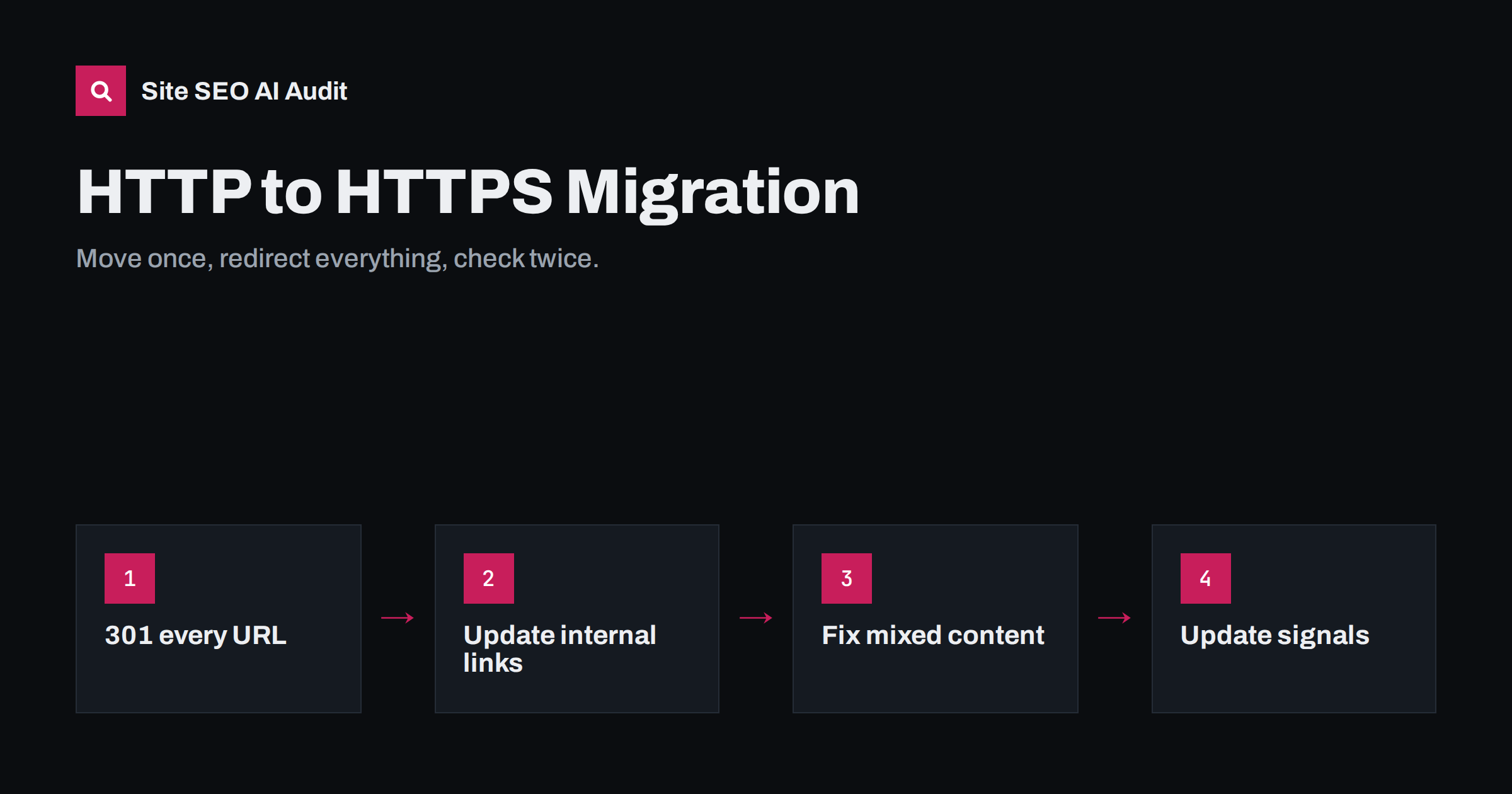
Short answer: an HTTPS migration keeps its search visibility when every HTTP URL redirects with a 301 in one hop to the same path on HTTPS, and every other signal points to HTTPS too: canonicals, internal links, sitemaps, hreflang and structured data. Fix mixed content so no resource loads over HTTP, add the HTTPS property in Search Console, and monitor crawl errors and indexing for a few weeks after the switch.
Why HTTPS matters for SEO
HTTPS encrypts the connection between a visitor and your site. Google confirmed HTTPS as a lightweight ranking signal back in 2014, and today browsers label HTTP pages as “Not secure”, which affects trust and conversions far more than the ranking signal itself. HTTPS is also required for many modern browser features and for HTTP/2 and HTTP/3 in practice, which help performance.
From an SEO perspective, a move to HTTPS is technically a site migration: every URL changes, because the protocol is part of the URL. Done carefully, it is one of the safest migrations. Done carelessly, it can split signals between two versions of the site for months.
Before the move: preparation
- Get a valid certificate that covers every host you use, including www and non-www, and any subdomains. Free automated certificates are widely available through most hosts and CDNs.
- Crawl the current HTTP site and save the full URL list, status codes, canonicals and internal link counts. You will compare against it later.
- Export key data: top landing pages from analytics and Search Console, and pages with the most backlinks.
- Set up HTTPS on a test host or test path and browse key templates to find mixed content before launch.
- Decide on the final host, www or non-www. If you are changing both protocol and host, do both in the same redirect to avoid chains.
- Check third-party resources: fonts, scripts, embeds, payment widgets and ad tags must all be available over HTTPS.
Redirects: the core of the migration
The redirect rules decide whether signals move cleanly. Requirements:
- Use 301 (or 308) redirects, not 302. The move is permanent.
- Redirect every URL to the same path on HTTPS, keeping query strings.
http://example.com/services/?ref=1should go tohttps://example.com/services/?ref=1, not to the home page. - One hop only. An HTTP non-www request should go straight to the final HTTPS host, not through an intermediate HTTPS non-www step.
- Cover every host and subdomain that served content over HTTP.
- Redirect at the server or CDN level, not with JavaScript or meta refresh.
On Apache, a typical rule in the virtual host or .htaccess checks whether the request is not HTTPS and returns a 301 to the HTTPS version of the same host and path. On nginx, a separate server block listening on port 80 returns 301 https://$host$request_uri, adjusted to your final host. Behind a CDN or load balancer, make sure the application knows the visitor is on HTTPS, or you risk redirect loops.
Update every signal to HTTPS
Redirects handle old links; everything you control should point directly to HTTPS so that search engines see one consistent version:
- Canonical tags must use HTTPS URLs. A canonical pointing to HTTP now points to a redirect, which is a conflicting signal.
- Internal links in menus, footers, templates and content should use HTTPS or relative URLs. On WordPress, update the WordPress Address and Site Address in Settings, General, then replace old HTTP URLs in the database with a proper search-and-replace tool that handles serialised data. Always take a backup first.
- XML sitemaps should list only HTTPS URLs.
- hreflang annotations on multilingual sites must reference HTTPS URLs on all language versions.
- Structured data and Open Graph tags should use HTTPS URLs for pages, logos and images.
- robots.txt on HTTPS should contain the rules you want and a Sitemap line with the HTTPS sitemap URL.
- Hard-coded URLs in theme files, custom fields, widgets and page builder content often survive a database replace. Search for
http://with your domain in the code and content.
Fix mixed content
Mixed content happens when an HTTPS page loads resources such as images, scripts, stylesheets, fonts or iframes over HTTP. Browsers block active mixed content like scripts outright, and may upgrade or block images, so pages can break or lose the padlock. MDN’s mixed content guide explains the rules in detail.
To find and fix it:
- Open key templates with the browser developer console and look for mixed content warnings.
- Crawl the HTTPS site and extract every resource URL that starts with
http://. - Update resource URLs in templates, content and CSS to HTTPS or protocol-independent paths.
- For external resources that do not support HTTPS, replace them or host them yourself.
- Consider the
Content-Security-Policy: upgrade-insecure-requestsheader as a safety net, but do not rely on it instead of fixing URLs.
Search Console and analytics
- Add the HTTPS version as a property in Search Console, or use a domain property that covers all protocols and hosts.
- Submit the HTTPS sitemap in the new property.
- Do not use the Change of Address tool for a protocol-only move; it is for moving to a different domain.
- Update analytics settings so the default URL and any filters use HTTPS.
- Update external profiles and ads: business listings, social profiles, ad destination URLs and e-mail templates.
After launch: the verification checklist
Run these checks on the day of the switch and again a week later:
| Check | How | Expected result |
|---|---|---|
| HTTP home page variants | curl -sIL on HTTP www and non-www |
One 301 to the final HTTPS URL |
| Deep URL redirect | Test old URLs from your saved list | 301 to the same path on HTTPS |
| Internal links | Crawl the HTTPS site | No links to HTTP URLs |
| Canonicals | Crawl and extract canonicals | All HTTPS, self-referencing on indexable pages |
| Peta situs | Download and fetch every URL | All HTTPS, all 200 |
| Mixed content | Crawl resources and browser console | No HTTP resources |
| Certificate | Browser and SSL test tools | Valid for all hosts, full chain served |
| Search Console | Page indexing and crawl stats | HTTPS URLs being indexed, no error spike |
Expect some fluctuation for a few weeks while search engines recrawl the site and swap HTTP URLs for HTTPS in their index. With clean redirects and consistent signals, most sites see little or no lasting change.
In Search Console, compare the two properties over time. Impressions and clicks should gradually move from the HTTP property to the HTTPS one, with the total staying roughly stable. If the HTTP property keeps showing many indexed pages weeks later, look for a missing redirect rule, HTTP canonicals or an old sitemap that is still being fetched. Server logs are useful here too: search engine requests to HTTP URLs should all receive a 301, and their number should fall steadily as crawlers update their records.
HSTS: the final step
HTTP Strict Transport Security (HSTS) is a header that tells browsers to always use HTTPS for your domain, even if someone types or clicks an HTTP link. It removes the redirect hop for returning visitors and protects against downgrade attacks. Enable it once you are sure HTTPS works everywhere, start with a short max-age, and increase it once stable. Be careful with the includeSubDomains option if any subdomain still needs HTTP.
Common HTTPS migration mistakes
- 302 redirects instead of 301.
- Redirecting all HTTP URLs to the HTTPS home page.
- Canonicals and sitemaps still pointing to HTTP.
- Redirect chains via an intermediate host.
- Mixed content breaking forms, sliders or checkout.
- Certificate covering www but not non-www, or the other way around.
- Redirect loops behind a CDN that talks to the origin over HTTP.
- Forgetting subdomains, image hosts or old landing pages.
How Site SEO AI Audit helps after an HTTPS move
A post-migration crawl shows whether the move is complete. SEOAuditBot reports redirect chains, internal links pointing to redirected URLs, canonicals pointing to redirected pages and sitemap URLs that redirect, all common leftovers of an HTTPS switch. Each finding lists the affected pages, and WordPress sites get the exact steps in wp-admin and the SEO plugin. You can run a free audit right after the switch to catch what was missed.
Related reading
- 301 vs 302 redirects: which one to use and when
- Redirect chains and loops: how to find and fix them
- Canonical tags explained: how to set them and fix errors
The bottom line
An HTTPS migration is simple in principle: one permanent redirect per URL, in one hop, and every signal pointing to HTTPS. The risk lies in the leftovers: old canonicals, internal links, sitemaps, hard-coded resources and chains. Prepare with a crawl, switch, then crawl again and fix what the comparison shows.
FAQ
Will moving to HTTPS affect my rankings?
With clean 301 redirects and consistent signals, most sites see only short-term fluctuation while search engines recrawl. Problems usually come from chains, wrong redirect types, or canonicals and sitemaps left on HTTP.
Should I use the Change of Address tool for HTTPS?
No. The Change of Address tool in Search Console is for moving to a different domain. For a protocol change on the same domain, redirects and consistent signals are enough.
Do I need to update internal links if redirects work?
Yes. Internal links to HTTP URLs force an extra redirect hop for every visitor and crawler, and they send mixed signals about the preferred version. Update them to HTTPS or relative URLs.
What is mixed content?
Mixed content is when an HTTPS page loads images, scripts, styles or other resources over HTTP. Browsers may block those resources, which can break parts of the page and remove the secure padlock.
How long should I keep HTTP to HTTPS redirects?
Permanently. Old HTTP links exist in bookmarks, other websites and printed materials, and the redirect costs almost nothing to keep. HSTS can reduce how often returning visitors need it.


