 ENEnglish
 LTLietuviškai
 DEDeutsch
 FRFrançais
 RUРусский
 ESEspañol
 PLPolski
 ITItaliano
 UKУкраїнська
 CSČeština
 PTPortuguês
 JA日本語
JA日本語 LVLatviešu valoda
 ETEesti
 HUMagyar
 IDBahasa Indonesia
 TRTürkçe
 HIहिन्दी
 ELΕλληνικά
 ARالعربية
 THไทย
THไทย VITiếng Việt
 RORomână
 MSBahasa Melayu
 BNবাংলা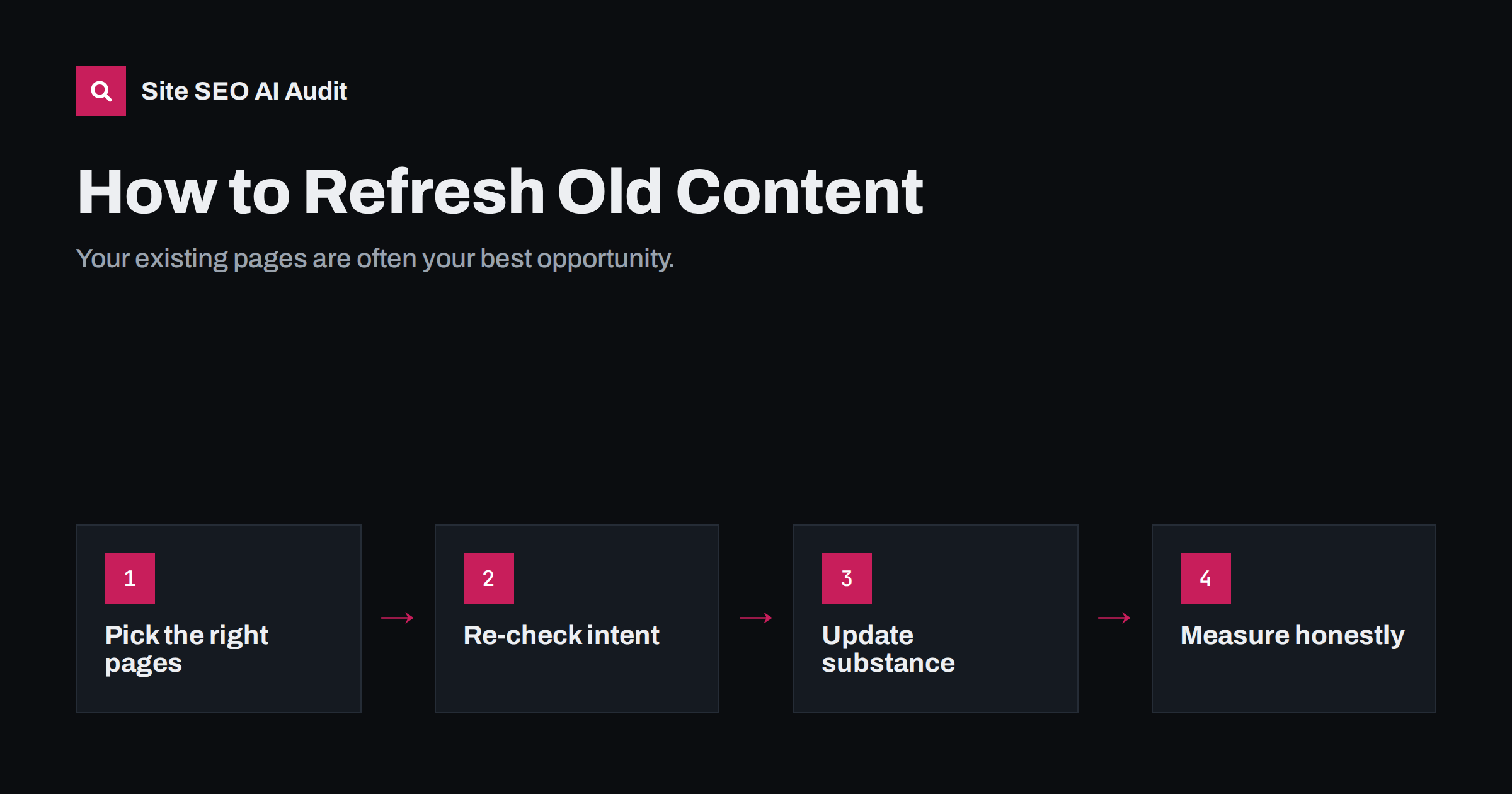
Short answer: Refreshing old content means updating existing pages so they are accurate, complete and better than what currently ranks, instead of publishing something new. Start with pages that already get impressions but have slipped, or that rank just below the top results. Update facts and examples, fill gaps compared with current results, improve the title and structure, add internal links, and change the visible date only when the update is real.
Why updating beats publishing, more often than you think
Most websites that have published for a few years have more value locked in old pages than they realize. Those pages already have a URL that search engines know, some history, maybe a few external links and internal links from other pages. A new article starts from zero on all of those counts.
Content also decays. Facts go out of date, screenshots show old interfaces, prices change, tools disappear, and competitors publish more thorough answers. A page that ranked well three years ago can slide slowly without anything being “wrong” with it, simply because the world moved on and better answers appeared.
Refreshing is therefore one of the most efficient on-page activities available. It improves pages that already have a foothold, removes outdated information that erodes trust, and often reduces the number of overlapping pages on your site.
Which pages to refresh first
Do not refresh everything. Choose pages where an update is likely to make a difference. Good candidates are:
- Pages that lost traffic. In Google Search Console, compare clicks over the last three months with the same period a year earlier and sort by the biggest drops.
- Pages ranking just below the top. Queries where a page sits in positions 5 to 20 are often within reach of a meaningful improvement.
- Pages with many impressions and a low click-through rate. The page is being seen but not chosen, which often points to a weak or outdated title.
- Pages with outdated facts. Anything that mentions years, prices, versions, laws, statistics or product features.
- Important commercial pages. Service, category and product pages that drive revenue deserve regular reviews regardless of traffic trends.
- Pages that overlap. Several old posts on the same topic are candidates for merging into one refreshed page.
A simple spreadsheet with URL, clicks now, clicks a year ago, main query, average position and last updated date is usually enough to choose the first ten pages.
Step 1: re-check the search intent
Before editing, search the main query again and look at what ranks today. Intent shifts over time. A query that used to show long guides may now show short answers, videos, tools or product pages. If the type of result has changed, a refresh that only updates facts will not be enough; the page may need a different format or angle.
Note what the current top results cover that your page does not, and what they all miss. The first list shows gaps to fill; the second shows where you can add something distinctive.
Also look at the questions in the “People also ask” box and the related searches at the bottom of the results. They change over time as well, and they are a reliable list of what readers want to know next. An article about setting up a newsletter written a few years ago might never mention deliverability or privacy consent, both of which readers now ask about routinely. Adding short, direct sections on those questions is often the quickest way to make an old page complete again.
Step 2: update the substance
This is the part that matters most, and the part that superficial refreshes skip.
- Correct outdated information. Facts, figures, prices, product names, laws, software steps and screenshots.
- Fill gaps. Add the sections and questions current results cover and your page does not, if they genuinely help the reader.
- Add specifics. Replace vague statements with concrete steps, examples and trade-offs from real experience.
- Remove what no longer helps. Dead tools, obsolete tactics and padding make the page longer but not better.
- Check every link. External links rot over time; replace broken ones or remove them. Update internal links that go through redirects.
- Add what only you know. Your own data, customer questions, mistakes you have seen, photos of real work. This is what makes a refreshed page stand out from a dozen similar ones, and it is the part competitors cannot copy.
- Answer the question sooner. Many older articles open with long introductions. Move the direct answer to the first paragraph.
Step 3: improve the on-page elements
With the content updated, revisit the elements that frame it:
- Title tag. Is it still specific and compelling compared with the current results? Does it contain a year that is now wrong? Pages with many impressions and few clicks often gain the most from a better title.
- Meta description. Rewrite it to reflect what the updated page now offers.
- H1 and headings. Make sure the headings describe the new structure and include the questions people ask.
- Images. Replace outdated screenshots, compress heavy images, and write alt text for any that lack it.
- URL. Keep it. Changing the URL during a refresh throws away the history you are trying to build on. The exception is a URL with a year in it that now looks stale; if you change it, redirect the old one.
Step 4: strengthen internal links
An updated page deserves attention from the rest of your site. Find newer articles that mention the topic and add contextual links to the refreshed page. Link from the refreshed page to your newer related content too, since old pages often link only to what existed when they were written. If you merged several old posts into this page, update every internal link that pointed to the old URLs.
Step 5: handle dates honestly
Many sites show a “last updated” date, and it is tempting to change it after every small edit. Do not. Changing the date without changing the substance misleads readers, and search engines are aware of the tactic. Update the visible date when you have made a meaningful change: corrected facts, new sections, rewritten advice. Keep the original publication date as well if your template shows both.
If your page includes structured data with a dateModified field, it should match the visible date and change only when the content does.
Refresh, merge or remove?
| Situation | Best action |
|---|---|
| Page targets a real search and is basically sound but dated | Refresh in place |
| Several old pages cover the same topic | Merge into the strongest URL and redirect the others |
| The topic is still relevant but the page is thin | Rewrite substantially on the same URL |
| The topic no longer matters to your audience or business | Remove; redirect if it has links or traffic |
| Page is useful for visitors but not as a search result | Keep, consider noindex |
A content refresh programme often ends up reducing the number of pages on a site. That is usually a good sign: fewer, stronger pages are easier to maintain and tend to perform better than many weak ones.
Measuring the result
Give search engines time to recrawl and reassess the page, usually a few weeks. Then compare the same period before and after: impressions, clicks, average position for the main query and the click-through rate. Keep a simple log of which pages you refreshed and when, so you can tell refreshes apart from seasonal changes. Not every refresh will move rankings; the ones that do tell you what your audience and search engines value.
A site-wide audit is a good starting point for a refresh programme, because it shows which pages have missing or duplicate titles, thin content, broken links or missing alt text. Site SEO AI Audit crawls every page, ranks fixes by how many points they add and lets you re-audit after each round of changes on the paid plans. See the pricing page, or start with a free first audit.
Related reading
- Thin Content: How to Find and Fix Low-Value Pages
- Keyword Cannibalization: How to Spot It and Fix It
- Search Intent: How to Match Your Page to What Searchers Want
- How to Write Title Tags: Length, Wording and Examples
The bottom line
Your existing pages are often your best opportunity. Pick the ones that have slipped, sit just below the top results or contain outdated information. Re-check intent, update the substance, improve the title and structure, add internal links, and change the date only when the update is real. Merge overlapping pages, remove those that no longer serve anyone, and measure the result over a few weeks before judging it.
FAQ
How often should I refresh old content?
There is no fixed schedule. Review important pages at least once a year, and pages on fast-changing topics more often. Let traffic drops and outdated facts tell you where to start.
Does changing the date help rankings?
Changing the date without changing the content does not make a page better and misleads readers. Update the visible date only after a meaningful update. The improvement in content is what can help.
Should I change the URL when I update a post?
Usually not. Keeping the URL preserves its history and links. If the URL contains an outdated year and you decide to change it, set up a 301 redirect from the old address.
How long does it take to see results from a refresh?
Search engines need to recrawl the page first, which can take days to weeks. Compare performance over several weeks rather than days, and remember that results are not guaranteed.
Is it better to update an old post or write a new one?
If an existing page already targets the topic, updating it is usually better, since it keeps the URL’s history and avoids two pages competing. Write a new page only when the intent or angle is genuinely different.


