 ENEnglish
 LTLietuviškai
 DEDeutsch
 FRFrançais
 RUРусский
 ESEspañol
 PLPolski
 ITItaliano
 UKУкраїнська
 CSČeština
 PTPortuguês
 JA日本語
JA日本語 LVLatviešu valoda
 ETEesti
 HUMagyar
 IDBahasa Indonesia
 TRTürkçe
 HIहिन्दी
 ELΕλληνικά
 ARالعربية
 THไทย
THไทย VITiếng Việt
 RORomână
 MSBahasa Melayu
 BNবাংলা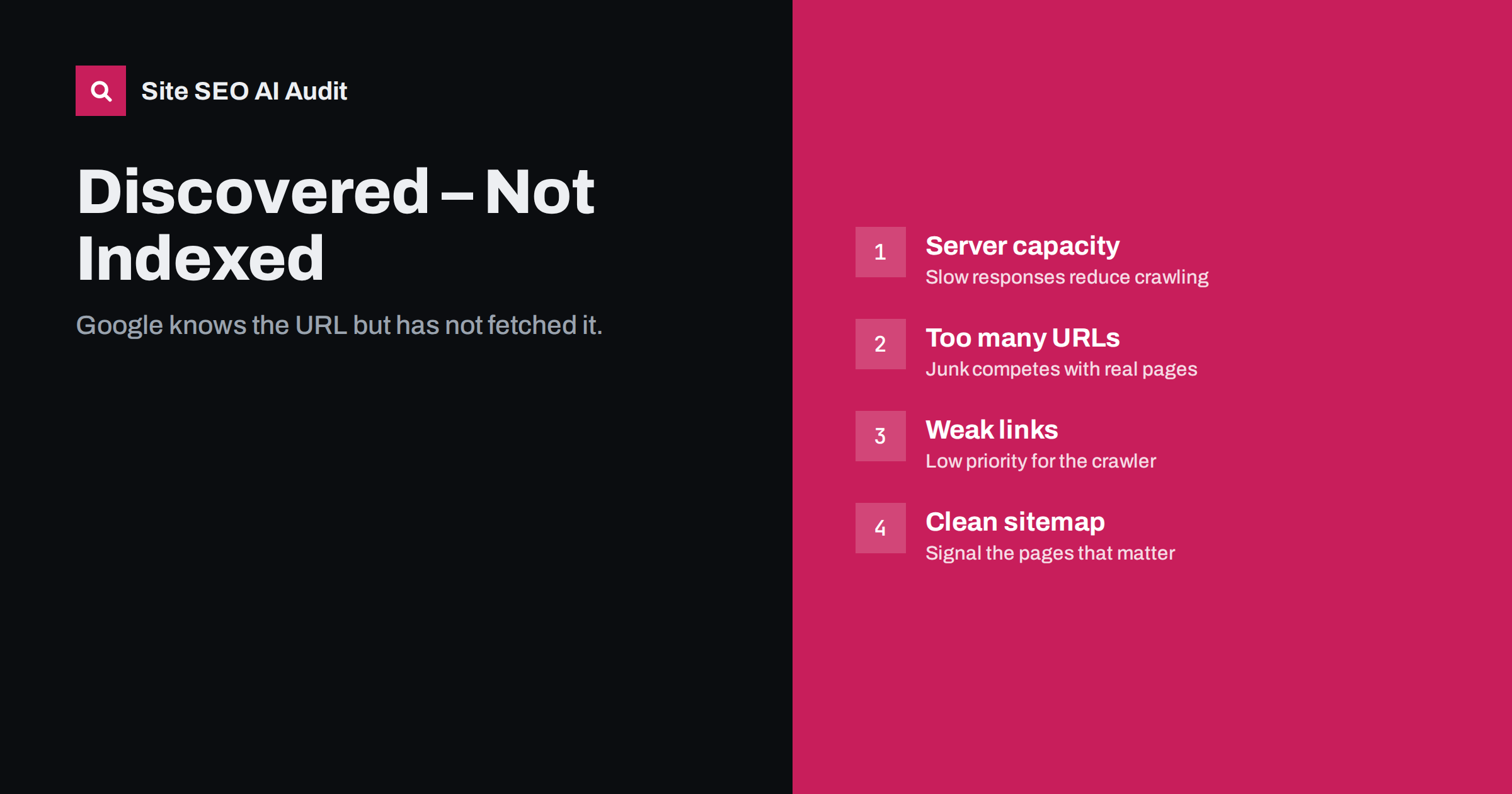
Short answer: “Discovered – currently not indexed” means Google has found the URL, usually through a link or sitemap, but has not crawled it yet. Google typically postpones crawling when it expects the site cannot handle more requests or when the URL looks like low priority. Fix it by speeding up and stabilising your server, cutting the number of low-value URLs you expose, and linking your important pages more strongly.
What the status means
Search Console’s page indexing report places URLs with this status among the “not indexed” reasons. Google knows the address exists but has not fetched it, so it cannot have judged its content yet. Google’s documentation notes that a common reason is that crawling the URL was expected to overload the site, so the crawl was rescheduled, and that is why the “last crawl” date is empty for these URLs.
That makes it a different problem from “Crawled – currently not indexed”. There, Google read the page and decided not to index it. Here, it has not even read it. The fix therefore focuses on crawl priority and capacity rather than on the page content alone, although quality of the site overall does influence how eager Google is to crawl more of it.
When it is normal and when it is a problem
Every site that publishes new content has some URLs in this state for a short time. A new article may be discovered from your sitemap in the morning and crawled later that day or week. That is normal.
It becomes a problem when:
- the number of URLs in this status keeps growing week after week;
- important pages, such as new products, service pages or main articles, stay there for weeks;
- most of your new content lands there rather than being crawled;
- it contains huge numbers of URLs you did not know existed, such as filter or parameter combinations.
The last case is especially informative. If Google has discovered hundreds of thousands of parameter URLs, that is a sign your site exposes far more URLs than it has real pages.
Cause 1: the server cannot keep up
Google adapts crawl rate to how your server responds. If responses are slow, time out or return 5xx errors, it crawls less, and newly discovered URLs wait in line. Check:
- Crawl stats in Search Console (Settings, Crawl stats): average response time, number of requests per day and the share of server errors.
- Server response time on your templates, especially uncached pages like new products or search-heavy categories.
- Hosting limits: shared hosting, CPU caps and rate limiting in firewalls or CDNs can all throttle crawlers.
Page caching, database optimisation, a better hosting plan and removing heavy plugins often do more for this status than any SEO setting.
Cause 2: too many URLs compete for attention
If your site exposes many more URLs than it has useful pages, Google has to choose what to crawl, and your important pages share the queue with junk. Common sources of URL inflation:
- faceted navigation with crawlable links for every filter combination;
- sort, view and pagination parameters;
- session IDs or tracking parameters in internal links;
- calendars, internal search results and other endless spaces;
- auto-generated tag, author or attachment pages.
Reduce the supply: block crawl traps in robots.txt, stop linking to useless parameter URLs, remove session IDs from URLs, and noindex or remove thin auto-generated pages. The goal is a site where most discovered URLs are worth crawling.
Cause 3: the URL looks unimportant
Google prioritises URLs that seem important. A page discovered only through the sitemap, with no internal links, or linked only from a deep pagination page, gets low priority. So does a page on a section of the site that has historically produced low-value content. To raise priority:
- link new important pages from the home page, main categories or hub pages when they are published;
- add contextual links from related, already indexed pages;
- keep click depth low for key content;
- make sure links are real HTML links, not JavaScript click handlers.
Cause 4: site-wide quality signals
If Google has crawled many pages on a site and found a lot of thin or duplicate content, it tends to become less eager to crawl more URLs from similar patterns. For example, if thousands of crawled product variant pages turned out to be near-identical, newly discovered variants may simply wait. Improving or pruning the existing low-value pages can raise crawl demand for the whole site over time.
How to diagnose your site
- Export the URL list from the report and group it by URL pattern.
- Identify junk patterns: parameters, filters, internal search, feeds. These need reducing, not indexing.
- Identify important patterns: products, articles, categories. Check how they are linked and how deep they sit.
- Review crawl stats for response time trends and error spikes around the time the count started growing.
- Check server logs to see which URL patterns Googlebot actually spends its requests on.
- Crawl the site yourself to count how many unique URLs your internal links expose compared with the number of real pages.
| Signal | Likely cause | First fix |
|---|---|---|
| Rising response time in crawl stats | Server capacity | Caching, hosting, slow queries |
| Many parameter or filter URLs listed | URL inflation | Block traps, stop linking parameters |
| Important pages only in sitemap | Weak internal links | Link from categories and hubs |
| New content always waits weeks | Low crawl demand | Prune thin pages, strengthen quality |
| Spikes of 5xx or 429 responses | Errors or rate limiting | Fix errors, allow verified crawlers |
A typical pattern in online shops
To make this concrete, here is a pattern that audits of online shops show again and again. It is an illustration, not a specific site.
A shop has a few thousand products in a few dozen categories. Each category page has filters for brand, colour, size and price, and every filter option is a normal link that adds a parameter. Sorting options add another parameter, and the filters can be combined in any order. The result is that internal links expose hundreds of thousands of unique URLs, almost all of them showing a slightly different selection of the same products.
Google discovers these URLs through the links, crawls a portion, finds that most are near-duplicates, and starts deferring the rest. Meanwhile, the shop adds new products each week. They are linked from page one of their category and listed in the sitemap, but they now sit in the same queue as a mountain of filter URLs. In Search Console, the “Discovered – currently not indexed” count grows into the hundreds of thousands, and new products take much longer to appear in search.
The fix is rarely about the products themselves. It is about the filters: keeping a small number of valuable filtered pages crawlable with clean URLs, making the rest non-crawlable or blocked by pattern, and linking new products from places crawlers visit often, such as the home page and “new arrivals” blocks.
Practical fixes in order
- Stabilise the server. Fix 5xx errors, make sure firewalls do not throttle verified search engine crawlers, and bring response times down with caching.
- Cut URL inflation. Block crawl traps, clean up parameters and remove links to junk URLs.
- Clean the sitemap. List only canonical, indexable pages with accurate lastmod dates, so Google’s attention goes where it should.
- Strengthen internal linking to important pages, especially new ones.
- Improve or prune low-quality sections that drag down crawl demand.
- Use URL Inspection for a few key pages to request crawling once the above is in place.
Expect improvements over weeks, not days. Crawl scheduling adapts gradually to changes in server performance and site quality.
How Site SEO AI Audit helps
An audit crawl shows the structure that Google discovers. SEOAuditBot follows your internal links and sitemap, reports orphan pages, deep pages and weakly linked pages, and measures server response time on every page it fetches. It also shows redirect chains, broken links and duplicate URLs that inflate the number of addresses crawlers must handle. Each issue is listed with its affected pages and weighted by how much of the site it touches. Plans for larger sites are on the pricing page.
Related reading
- Crawled – currently not indexed: causes and real fixes
- Crawl budget explained: when it matters and how to save it
- Click depth in SEO: why buried pages struggle to rank
The bottom line
“Discovered – currently not indexed” is a waiting list. Google knows the URLs but has not prioritised crawling them. Make your server fast and reliable, stop exposing URLs that are not worth crawling, and link the pages that matter clearly. Then allow a few weeks for crawling to catch up.
FAQ
Why does Google discover pages but not crawl them?
Usually because it expects crawling more would overload your server, or because the URLs look low priority compared with the rest of the queue. Large numbers of low-value URLs on the site make both problems worse.
Will requesting indexing fix it?
For a few important URLs, requesting indexing through URL Inspection can get them crawled sooner. It does not solve the underlying cause, and it is not practical for large numbers of pages.
Does this status affect small sites?
Small sites see it briefly for new pages, which is normal. If it persists on a small site, check server reliability, hosting limits and whether the pages are linked from anywhere other than the sitemap.
Can a slow server really stop pages from being crawled?
Yes. Google reduces its crawl rate when a site responds slowly or with errors, to avoid causing harm. Fewer requests mean newly discovered URLs wait longer in the queue.
Should I remove URLs in this status from my sitemap?
Remove them only if they should not be indexed at all. Important pages should stay in the sitemap; the fix for them is better internal links and a faster server, not hiding them.


