ENEnglish
 LTLietuviškai
 DEDeutsch
 FRFrançais
 RUРусский
 ESEspañol
 PLPolski
 ITItaliano
 UKУкраїнська
 CSČeština
 PTPortuguês
 JA日本語
JA日本語 LVLatviešu valoda
 ETEesti
 HUMagyar
 IDBahasa Indonesia
 TRTürkçe
 HIहिन्दी
 ELΕλληνικά
 ARالعربية
 THไทย
THไทย VITiếng Việt
 RORomână
 MSBahasa Melayu
 BNবাংলা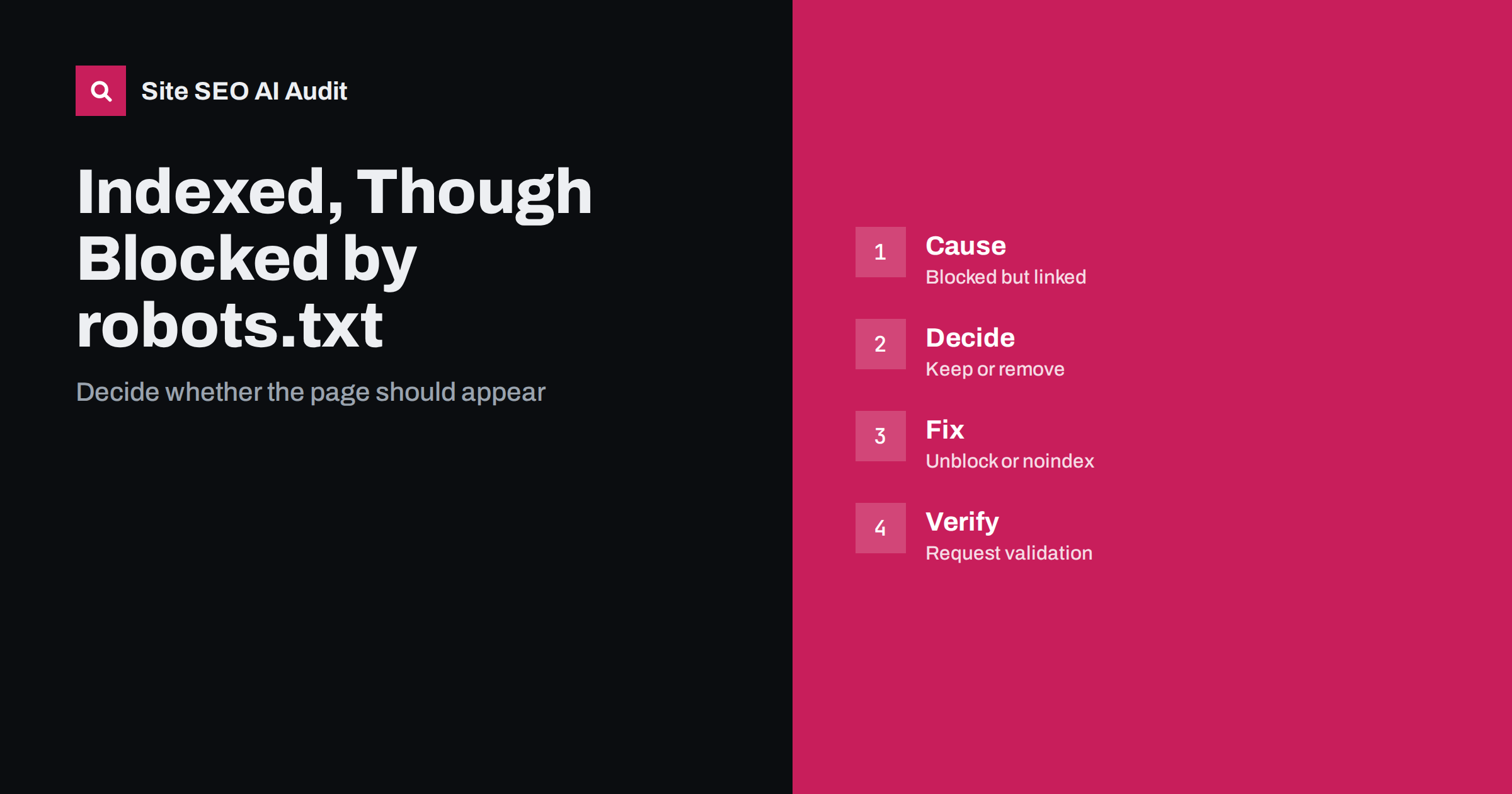
Short answer: “Indexed, though blocked by robots.txt” means Google found links to a page, added its address to the index and could not read the page because your robots.txt file forbids crawling. It is not a crawl error but a conflict. If you want the page in search, remove the block. If you do not, allow crawling and add a noindex rule so Google can see it, or remove the page properly. Blocking alone does not keep an address out of the index.
This status appears in the page indexing report of Search Console and confuses many site owners, because it seems to contradict itself. How can a page be indexed if Google is not allowed to open it? The answer is that robots.txt controls crawling, not indexing. This guide explains why the status appears, how to decide what to do and how to confirm the fix. It builds on the difference between noindex and disallow.
Why a blocked page can still be indexed
Search engines discover addresses by following links, from your own pages, from sitemaps and from other websites. When an address is found, it can be added to the index even if the crawler never reads the page. Google then knows the address, the anchor text of links pointing to it and little else. Such a result usually appears in search with no description or with a generic note that no information is available because of the robots.txt file. The page content never gets evaluated, but the address can still show up for searches that match its links or its address.
Decide whether the page should be in search
Do not start with a fix; start with a decision. Open the list of affected addresses and sort them into three groups. The first group is pages you want in search that were blocked by mistake, for example a new section covered by an old rule. The second group is pages that should stay private or out of results, such as internal search pages, filtered lists, account pages or test areas. The third group is files and parameters that have no value as search results. Each group has a different action, and applying the same fix to all of them is the usual mistake.
If you want the page indexed: remove the block
Find the rule that matches the address. Check the file for broad patterns, wildcards at the end of a folder name and rules left from a staging period. Remove or narrow the rule, save the file and check that the live file at the root of the site shows the change. Use the testing tools in Search Console or a header and file check to confirm the address is now allowed. Then make sure the page is useful, linked from your site and included in the sitemap. For the syntax and the usual traps, see the robots.txt guide.
If you want it out of search: allow crawling and add noindex
This is the part that surprises people. To keep a page out of the index, Google must be able to read a noindex instruction on the page or in its header. If robots.txt blocks the page, the crawler never sees the instruction, and the address can stay indexed. So first remove the disallow rule for those addresses, add a noindex robots meta tag or an equivalent header, and wait until Google has recrawled the pages and dropped them. Only after they have disappeared may you decide whether to block crawling again, and often it is better not to.
If the page should not exist: remove it properly
For pages that were deleted, return a not found or gone status so that the address drops out. For pages that moved, use a permanent redirect to the new address. In both cases the crawler must be able to reach the old address to see the status code, so do not block it. For urgent cases such as private data or a leaked draft, use the removal tool in Search Console to hide the address temporarily while you fix the cause, and protect sensitive pages with a login rather than with robots.txt. More options are in how to remove a page from Google.
Handle common patterns on real sites
On shops, the status often appears for filter and sort addresses that you blocked to save crawl effort but that are still linked from category pages. The better solution is to stop linking to them where you can, use canonical tags and control parameters, and decide whether crawling them is harmful at all. On blogs, the cause is often a plugin that created archive or attachment pages, which are then blocked by a broad rule. On sites with a staging history, a leftover disallow rule may block a real folder. Compare the affected list with your sitemap: pages in the sitemap that are blocked are almost always mistakes.
Confirm the fix in Search Console
After changing the file or the pages, open the report entry for this status and start the validation. Google rechecks the addresses over time, which can take days or weeks, and the number should fall. If it does not, inspect one address with the URL inspection tool to see whether the live version is crawlable and what the page returns. Watch for new additions as well: a developer, plugin or hosting change can bring the rule back. Keep a short note of why each rule exists, so future editors do not remove the wrong one. Our guide to the page indexing report explains the other statuses.
A short checklist before you close the case
Work through the same few questions for every affected group of addresses. Is the page valuable, and does it belong in search? Is it linked from your own site, and should it be? Is it listed in the sitemap, and should it be? Does a rule in robots.txt match it, and which rule exactly? Does the page carry a noindex instruction that the crawler can actually read? Is there a better long-term fix, such as removing internal links, using a canonical tag or deleting the page? Writing the answers in a small table turns a confusing report into a list of decisions, and it gives you a record to show a client or a colleague.
Be patient with the results. Even after the correct fix, old addresses may stay listed for a while, and the report may keep showing them until Google has recrawled each one. Avoid repeating the change or flipping the rule back and forth, because that restarts the waiting. Instead, note the date of the change, check a sample of addresses with the inspection tool after a week and again after a month, and look at the trend in the report rather than at single entries.
It also helps to review the file regularly, as a rule that was sensible a year ago can block a new section today. Keep the file small, comment each rule with its reason and test any change on a copy before it reaches the live site. If several people edit the site, agree who owns the file and require a review for every change, because one extra line can hide an entire folder from crawlers. When you add a new section, check the live file in the same release, so the first crawl of that section is not blocked by an old pattern.
One more caution concerns AI crawlers and other bots. Rules written for them sit in the same file, and a broad rule can have effects you did not intend on search crawlers. Write each group of rules for a named crawler, avoid mixing purposes and re-test after every edit. If you are unsure which crawlers visit, the server logs will show who requests the blocked addresses and how often, which tells you whether the rule is actually doing the job you wrote it for.
Site SEO AI Audit crawls your site and checks robots.txt rules, noindex tags, canonicals, sitemaps, status codes and links, so you can see which pages are blocked, which of them are listed in your sitemap and which carry conflicting instructions. It does not read your Search Console data or remove pages from Google for you. The first audit of up to 200 pages is free; larger sites can see the pricing page.
Related reading
- Crawled, Currently Not Indexed: What to Do
- Sitemap Errors in Search Console
- URL Inspection Tool: A Practical Guide
The bottom line
Decide whether each page should be in search. Remove the block for pages you want; for pages you do not want, allow crawling and add noindex, or remove them properly, then validate in Search Console.
FAQ
Is this status an error I must fix?
Not always. It is a warning of a conflict. If the pages are meant to be private or unimportant, you only need to ensure they are not harmful in search results.
Does robots.txt keep a page out of Google?
No. It stops crawling, not indexing. A blocked address with links pointing to it can still be listed without a description.
Why does the result show no description?
Google could not read the page, so it has no text to show. It may display only the address or a note about the robots.txt file.
Can I use noindex inside robots.txt?
No. Google does not support a noindex rule in robots.txt. Use a robots meta tag or an HTTP header on a page that crawlers can reach.
How long until the status goes away?
It depends on how often Google recrawls the pages. Expect days to weeks, and longer for large or rarely crawled sites.