ENEnglish
 LTLietuviškai
 DEDeutsch
 FRFrançais
 RUРусский
 ESEspañol
 PLPolski
 ITItaliano
 UKУкраїнська
 CSČeština
 PTPortuguês
 JA日本語
JA日本語 LVLatviešu valoda
 ETEesti
 HUMagyar
 IDBahasa Indonesia
 TRTürkçe
 HIहिन्दी
 ELΕλληνικά
 ARالعربية
 THไทย
THไทย VITiếng Việt
 RORomână
 MSBahasa Melayu
 BNবাংলা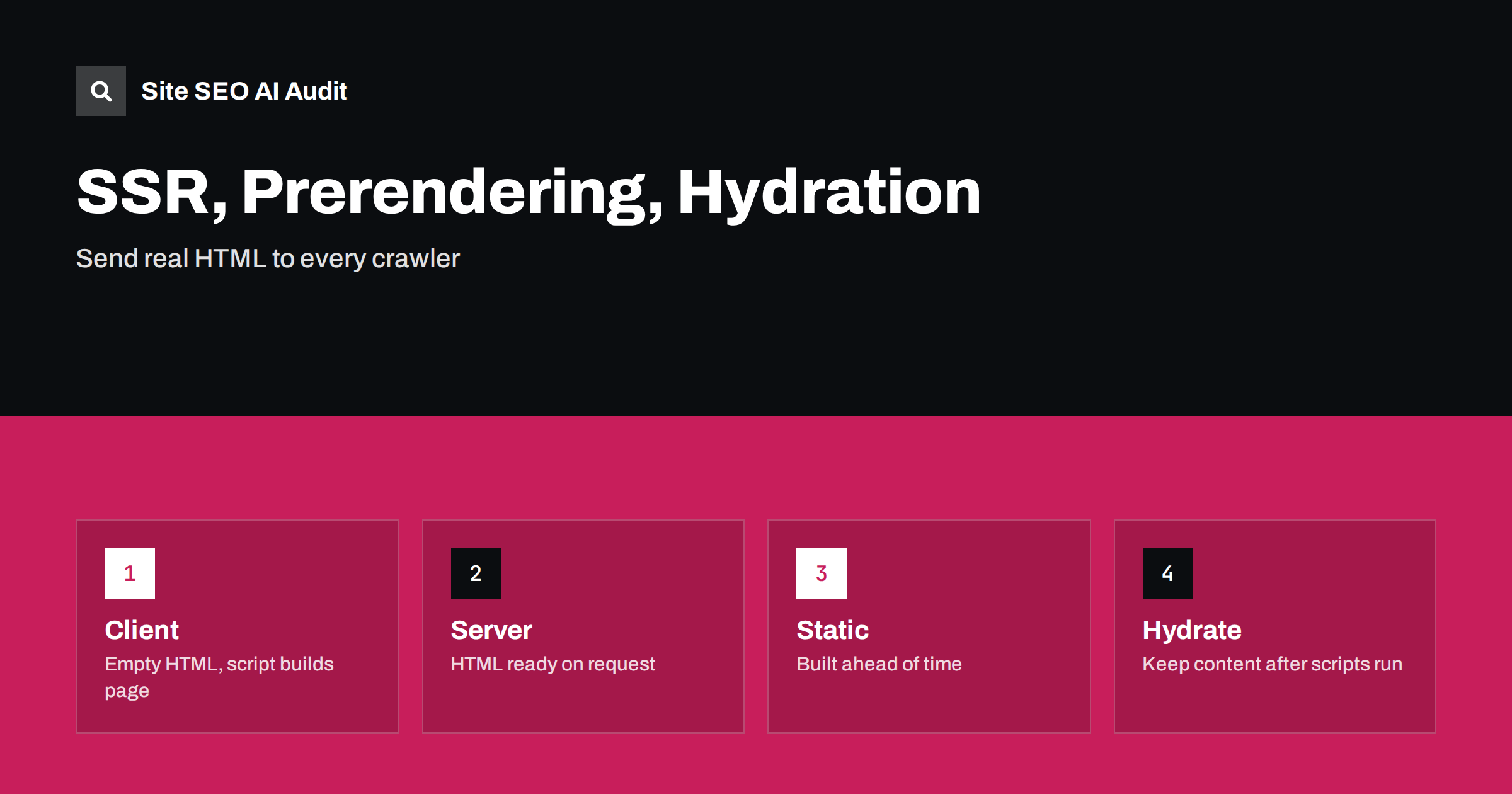
Short answer: For pages that must be found in search or read by AI crawlers, send the main content in the first HTML response. Server-side rendering builds the HTML for each request, static generation builds it ahead of time, and prerendering does so for a set of pages. Client-side rendering alone leaves the HTML nearly empty and relies on the crawler to run scripts. Hydration then makes the page interactive, and it must not change or remove the content.
Modern sites are often built with frameworks that run in the browser. This allows rich interaction, but it raises a question that matters for search: when the crawler requests a page, does it receive the content, or an empty shell and a script? Google can render JavaScript, but it does so in a second step that takes time and resources, and many other crawlers, including those of AI services, may not run scripts at all. This guide explains the main approaches in plain words and helps you choose. It extends the JavaScript SEO basics.
Client-side rendering
In client-side rendering, the server sends a small HTML file with a script, and the browser builds the page by running the script and fetching data. For visitors on fast devices this works well after the first load. For search, the content appears only after rendering. Google may render the page later and index it, but other crawlers may see only the shell. Delays, errors in scripts and blocked resources can leave pages empty. If you rely on this approach for public content, test carefully and consider the alternatives below.
Server-side rendering
With server-side rendering, the server builds the full HTML for each request, including the text, headings, links and metadata, and sends it to the browser. Visitors and crawlers see content at once. The browser then loads scripts to add interaction. This approach suits pages with frequently changing data, such as listings and search results, and it gives crawlers what they need without rendering. The costs are server load and complexity: each request needs processing, so caching and a fast backend are important. Frameworks such as the one discussed in the Next.js SEO guide support this out of the box.
Static generation
Static generation builds pages ahead of time, usually when you deploy, and serves them as plain files. It is the fastest and simplest option for content that changes rarely, such as articles, documentation and marketing pages, and it is cheap to host and easy to cache. The drawback is that updates require a rebuild, which can take long for very large sites. Some frameworks offer incremental regeneration, which rebuilds a page after a set time or on request. The guide to static site generators and SEO covers practical points.
Prerendering and dynamic rendering
Prerendering produces HTML snapshots of pages from a client-side application, either at build time or through a service, and serves them to visitors or crawlers. A related approach, dynamic rendering, sends crawlers a rendered version and users the normal version. Google has described dynamic rendering as a workaround and not a long-term solution, since it adds complexity and risks differences between the versions. If you must use it, make sure the content is the same for everyone, and plan to move to server-side or static rendering when you can. Never use it to show crawlers different content, which counts as cloaking.
What hydration is and where it goes wrong
Hydration is the step in which the browser attaches scripts to HTML that was already sent, making buttons and forms work. Problems arise when the script produces something different from the server HTML. The page may flicker, content may be replaced or removed, or links may change. If key content exists in the server HTML but disappears after hydration, search engines that render the page may see less than you intended. Keep the server and browser output identical, load data on the server where possible, and avoid hiding content behind scripts that run only after interaction.
Choosing for each kind of page
You do not need one approach for the whole site. Marketing pages and articles suit static generation. Product pages and listings with changing prices suit server-side rendering or incremental regeneration. Account areas and tools that need no indexing can use client-side rendering. Choose by asking: must this page be found in search, how often does it change, and how personal is it? Public pages that must be found should have their main content in the HTML. The guide to headless CMS SEO shows how content from a separate system can be rendered.
Check metadata and links, not only text
The first HTML response should also hold the title, meta description, canonical tag, robots directives, hreflang annotations and structured data. Metadata that is added by scripts after loading can be missed or used inconsistently. Navigation should use real links with address attributes, not clickable elements with scripts, so that crawlers can follow them. Status codes should be correct: a missing page should return a not found status from the server, not a success code with an error message drawn by a script. The guide to hreflang on JavaScript sites describes common failures.
Test what crawlers receive
Request the page without running scripts and read the raw HTML: does it contain the heading, the text, the links and the metadata? Then use the URL Inspection tool to see the rendered version, and compare. Test with a crawler that does not render JavaScript, since this approximates how many AI crawlers see the page, a point discussed in the guide to JavaScript content and AI crawlers. Check performance too: server rendering can improve the time to first content, while heavy hydration can delay interaction. Keep a list of page types with the rendering method and the test result.
Plan migrations carefully. Moving from client-side to server-side rendering changes how the site works and can reveal old problems, such as links that never worked for crawlers and metadata that was never present. Test on a staging site that is blocked from search, compare the raw HTML of key pages before and after, and keep addresses unchanged. After launch, watch indexing reports, crawl errors and traffic. The migration checklist in the site migration guide applies even when the domain does not change.
Do not forget caching. Server-rendered pages benefit greatly from a cache at the edge, which lets repeated requests be served without rebuilding the page. Set cache times that match how often content changes, and make sure that personal data is never cached for others. A well-cached server-rendered page can be as fast as a static one, and it avoids the delays that make crawlers reduce their visits to slow sites.
Keep the team aligned. Developers choose frameworks for reasons of productivity, and search needs are easy to forget. Add a short requirement to the project: public pages must contain their main content, title, description and links in the initial HTML, and must return correct status codes. Test the requirement in every release, in the same way as other quality checks. With this rule in place, teams can use modern tools without losing visibility.
A short example shows how the choice plays out. A small company has a marketing site and a customer portal, both built with the same framework in client-side mode. Search results for the marketing site show titles but no snippets, and an AI assistant cannot summarise any of its pages. The team switches the marketing pages to static generation, keeping the portal as it is, because the portal is private. After the change, the raw HTML of each marketing page contains the headline, the text, the links and the metadata. Within weeks, snippets appear, and the pages are loaded faster. The portal needed no change because no one needs to find it in search.
Another example is an online shop with thousands of products whose prices and stock change several times a day. Static generation of every page after each change is impractical, so the shop uses server-side rendering with a short cache. Visitors and crawlers get complete HTML, and the cache keeps the server load low. Product data is loaded on the server, so the page does not need extra requests after loading. The team monitors the time to first byte and sets an alert when it grows, since a slow server reduces both sales and crawling.
Teams sometimes ask whether they need to care about crawlers that do not run scripts. The answer depends on your goals. If you want visibility in AI answers and in smaller search engines, social previews and link checkers, then the raw HTML matters, because these tools often read it without rendering. If your audience is only reached through Google and through direct visits, the risk is lower but still real, since rendering can fail. Delivering content in the first response is a low-cost insurance for all cases.
Site SEO AI Audit crawls your site and checks titles, descriptions, headings, status codes, canonical tags, hreflang, structured data, broken links and AI crawler access on the pages it fetches, which shows whether the main elements are present in what a crawler receives. It does not choose your rendering method or profile your scripts. The first audit of up to 200 pages is free; larger sites can see the pricing page.
Related reading
The bottom line
Put the main content, metadata and links in the first HTML response for every public page, choose static or server rendering by how often content changes, and make hydration preserve what the server sent.
FAQ
Can Google index client-side rendered pages?
Often yes, after a delayed rendering step, but it is slower and less reliable, and other crawlers may not render at all.
Is server-side rendering always better for SEO?
It is safer for public pages, but static generation is simpler for content that rarely changes.
What is hydration?
It is the step in which scripts make already delivered HTML interactive.
Is dynamic rendering still recommended?
Google calls it a workaround. Prefer server or static rendering for the long term.
How can I see what a crawler gets?
Fetch the raw HTML without scripts and compare it with the rendered result in the inspection tool.