 ENEnglish
 LTLietuviškai
 DEDeutsch
 FRFrançais
 RUРусский
 ESEspañol
 PLPolski
 ITItaliano
 UKУкраїнська
 CSČeština
 PTPortuguês
 JA日本語
JA日本語 LVLatviešu valoda
 ETEesti
 HUMagyar
 IDBahasa Indonesia
 TRTürkçe
 HIहिन्दी
 ELΕλληνικά
 ARالعربية
 THไทย
THไทย VITiếng Việt
 RORomână
 MSBahasa Melayu
 BNবাংলা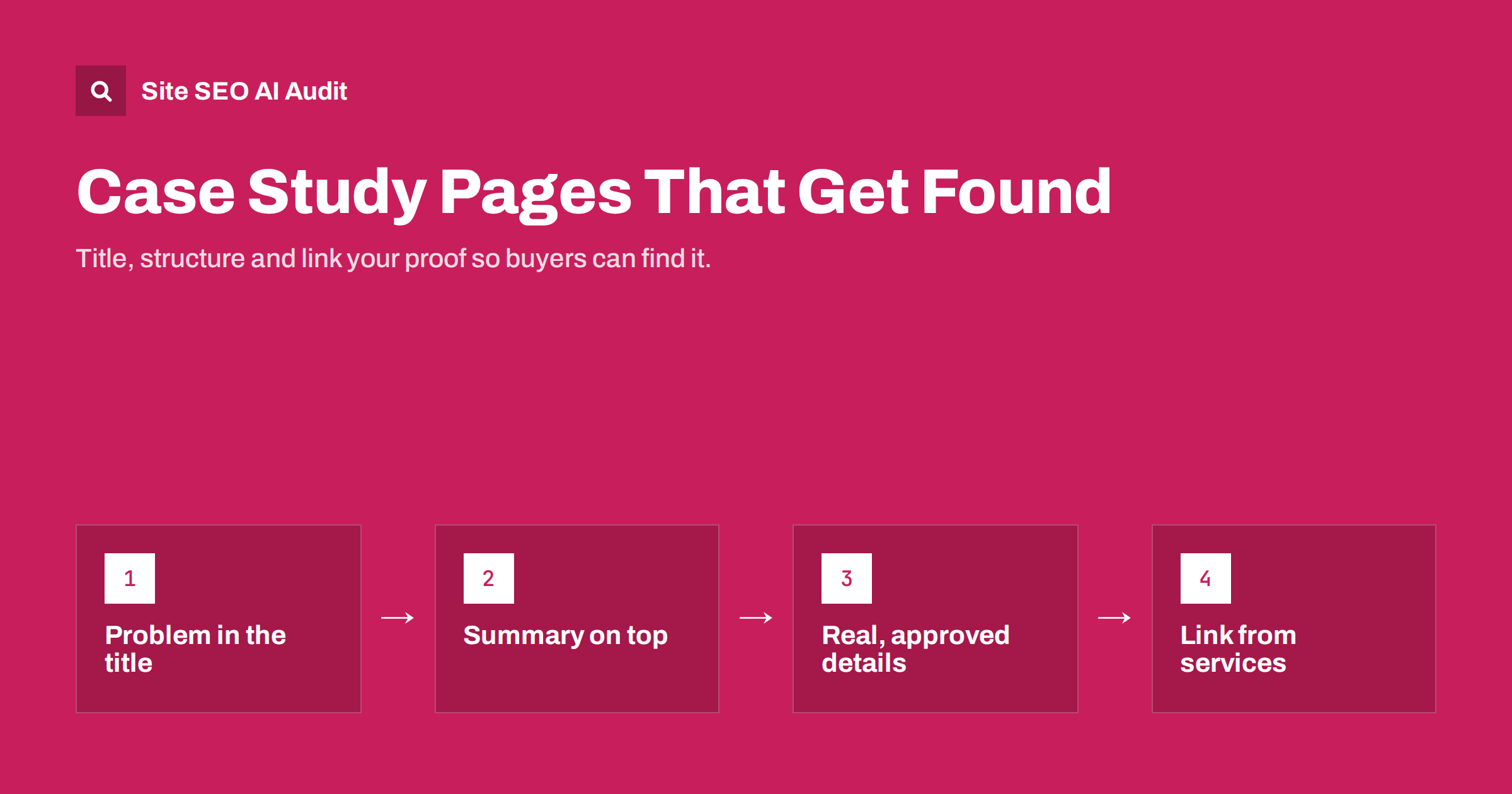
Short answer: Most case study pages are titled with a client’s name and written like a press release, so nobody searches for them. To make them findable, name the problem and the result in the title, put a short results summary at the top, describe the situation, approach and outcome with specific details, and link each case study from the related service or product pages. Use only real, approved numbers and quotes. A good case study also serves as first-hand evidence that search engines and AI answers increasingly value.
Why case studies rarely rank
Case studies are often the strongest sales pages a business has. They show that a product or service works for real customers. Yet in search they tend to underperform, for predictable reasons:
- Titles nobody searches for. “How we helped Company X” means nothing to someone who has never heard of Company X.
- Thin content. A logo, three bullet points and a quote are not enough for a search engine to understand what problem was solved.
- Isolation. Case studies sit in a separate “Work” or “Customers” section and are rarely linked from the pages where buyers look for proof.
- Content in PDFs or images. Many are published as downloadable PDFs or designed slides, so the text is not in the page.
- Gated access. A form in front of the case study means search engines and most visitors never see it.
Each of these is fixable without turning the case study into an SEO exercise. The changes make the page more useful for buyers too.
Who searches for case studies
It helps to know what people actually type. Case study searches tend to fall into three groups:
- Explicit case study searches, such as “CRM migration case study” or “[industry] website redesign example”. These people are researching and comparing.
- Problem searches, such as “how to reduce cart abandonment for furniture stores”. A case study that explains how a specific business solved exactly this can rank for such queries when it is written around the problem.
- Brand and vendor research, such as “[your brand] reviews” or “[your brand] results”, where a buyer is checking you before a decision.
The first two groups are why the problem, industry and result should be visible in the title and headings. For the third, a clear, well-structured case study library helps visitors who already know your name.
Titles and URLs that match searches
Write the title around the reader’s problem and the outcome, and treat the client name as a supporting detail:
- Weak: “Acme Ltd case study”
- Better: “Reducing checkout errors for a furniture retailer: case study”
- Also good: “How a regional clinic cut no-shows with SMS reminders”
If you have client permission to publish a concrete, verified result, it belongs in the title too. Never round up or invent numbers to make a title more attractive; one incorrect figure can undermine every other page on the site.
Keep the URL short and descriptive, for example /case-studies/furniture-checkout-errors/. The H1 can be the same as the title or slightly longer. The meta description should summarise the problem, the approach and the outcome in one or two sentences.
A structure that works for readers and search
A reliable structure for a case study page:
- Summary box at the top. Client type, industry, problem, what was done and the main result, in three to five lines. Busy readers, and systems that summarise pages, often read only this.
- The situation. What the client faced, in concrete terms: which process, which numbers, which constraints. This section is where the page matches problem searches.
- Why it mattered. The cost of the problem, if the client agrees to share it.
- The approach. What was done, step by step, including what did not work at first. Specifics show real experience and are what competitors cannot copy.
- The results. Measured outcomes with the time frame and how they were measured. If results are qualitative, say so honestly.
- Client quote. A real quote, approved by the person, with name and role if they agree.
- What others can learn. A short section with transferable lessons, which makes the page useful even for readers in a different situation.
- Next step. A link to the relevant service or product page and a way to get in touch.
Use descriptive H2 headings for these sections, such as “The problem: 12% of orders failed at checkout” rather than just “Challenge”. That gives the page more topical detail for search engines and makes the story easy to scan.
Honesty, permission and anonymous cases
Case studies are evidence, so their credibility matters more than their polish:
- Get written approval from the client for the text, numbers, quotes, logo and screenshots before publishing.
- State the time frame and baseline for every number. “Organic traffic doubled” means little without “from March to September, compared with the same period last year”.
- Separate your contribution from other factors, such as seasonality or a parallel campaign, when they played a role.
- Anonymous case studies are fine when clients cannot be named. Describe the client type specifically (“a 40-person B2B software company in logistics”) and keep the details real. Do not invent a composite client and present it as one real case.
- Update or retire outdated cases. A case study about a product version you no longer sell should be updated, clearly dated or removed.
This kind of first-hand, verifiable detail is exactly what separates useful content from generic text, as discussed in E-E-A-T and AI search and in what AI answers cite.
Images, PDFs and gating
- Put the full text on the HTML page. If you also offer a designed PDF, make it an optional download, not the only version.
- Use screenshots and charts to support the text, not replace it. Give them descriptive alt text and captions that state what they show. Our guide on image file names and captions explains the details.
- Do not gate case studies. Buyers want proof before they give contact details. If you need lead capture, offer something extra, such as a detailed template or a consultation, next to the open case study.
- Logos alone are not content. A wall of client logos is useful social proof, but each logo should link to a real case study if one exists.
Link case studies where buyers look
Internal links are what turn a case study library from an archive into sales support. Link each case study from:
- The service or product page it demonstrates, near the claims it proves.
- Industry or solution pages for the client’s sector.
- Blog articles about the same problem.
- Other case studies with a similar problem or industry.
And link back from the case study to the service page and related guides. Use descriptive anchors like “see how we reduced checkout errors for a furniture retailer” instead of “read more”. Our guide to service page SEO shows where proof fits on a service page, and the internal linking strategy guide covers the method.
A case study index page can be organised by industry, service and problem, with short summaries rather than just logos. That makes the index useful for visitors and gives every case study a crawlable link.
Common mistakes on case study pages
- Every page uses the same template title. “Case study | Brand” repeated across dozens of pages gives search engines nothing to distinguish them.
- Results without context. Percentages without a baseline, time frame or measurement method are hard to believe.
- Only praise, no process. A page full of adjectives about a great partnership says little about what was actually done.
- No date. Readers cannot tell whether the story is from last year or ten years ago. Show when the project took place.
- Dead ends. The page ends without a link to the service, related cases or a contact option.
Checking your case study pages
Case study sections often collect technical and on-page issues because they are built once and forgotten: duplicate titles from a template (“Case study – Company”), missing meta descriptions, several H1s, images without alt text, thin pages and links to PDFs that no longer exist. Site SEO AI Audit crawls every page and reports these issues with the affected URLs, weighted by how many pages they affect, and it flags weakly linked and orphan pages, which is where forgotten case studies usually end up. You can run the first audit free.
Related reading
- Landing page SEO: how to build landing pages that can rank
- Thin content: how to find and fix low-value pages
- About page SEO: what to include to build trust
The bottom line
A case study ranks and persuades when it is written around the reader’s problem, not around your client’s name. Put the problem and outcome in the title, start with a short summary, tell the story with real, approved details, keep the full text on the page and link it from the service pages where buyers need proof. Accuracy matters more than polish: one invented number costs more trust than a modest honest result.
DUK
Should the client’s name be in the case study title?
It can be, if the client is well known and agrees. For most businesses, the problem, industry and outcome are more useful in the title, because that is what searchers type.
How long should a case study be?
Long enough to explain the situation, approach and results with specific details, often 600 to 1,500 words. A page with only a logo and a quote is usually too thin to rank or convince.
Can I publish anonymous case studies?
Yes. Describe the client type precisely and keep every detail real. Do not combine several clients into one invented case and present it as a single real story.
Should case studies be PDFs or web pages?
Web pages first. The full text should be in HTML so search engines and readers can access it. A designed PDF can be an optional extra download.
Is there special schema markup for case studies?
There is no dedicated case study rich result. Standard Article markup from your CMS is enough; the content and internal links matter far more.


