ENEnglish
 LTLietuviškai
 DEDeutsch
 FRFrançais
 RUРусский
 ESEspañol
 PLPolski
 ITItaliano
 UKУкраїнська
 CSČeština
 PTPortuguês
 JA日本語
JA日本語 LVLatviešu valoda
 ETEesti
 HUMagyar
 IDBahasa Indonesia
 TRTürkçe
 HIहिन्दी
 ELΕλληνικά
 ARالعربية
 THไทย
THไทย VITiếng Việt
 RORomână
 MSBahasa Melayu
 BNবাংলা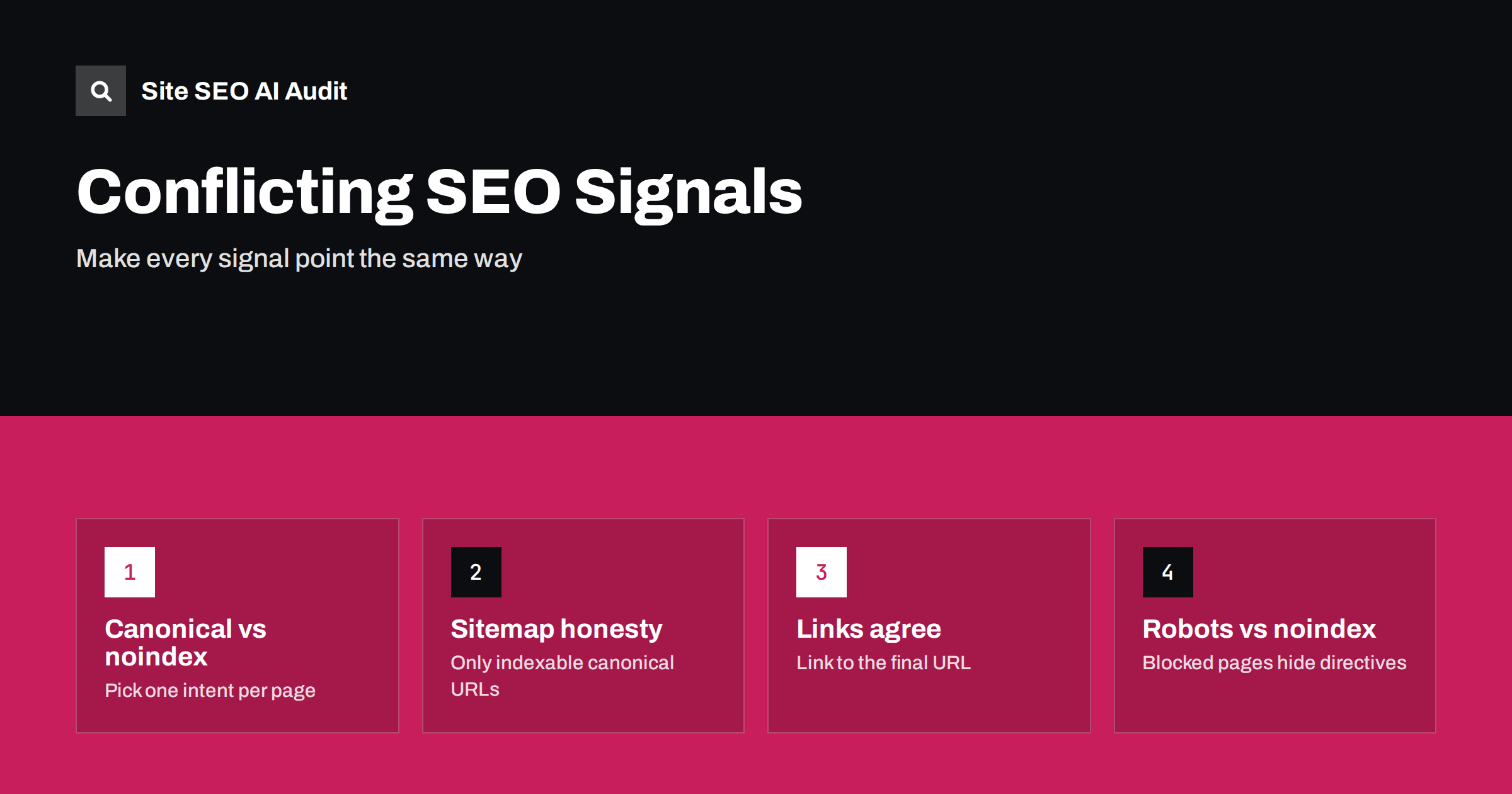
Short answer: Search engines decide what to index and which URL to show by combining several signals: canonical tags, noindex directives, redirects, sitemaps, internal links and hreflang. When those signals disagree, for example a canonical pointing to a noindexed page or a sitemap listing redirected URLs, search engines have to guess, and the result may not be what you intended. The fix is to decide one intent per URL (index it, consolidate it or exclude it) and then make every signal say the same thing.
Most indexing problems on established sites are not caused by a single broken tag. They come from contradictions that build up over years: a plugin adds canonicals, a developer adds noindex to a section, the sitemap generator keeps listing old URLs, and the menu still links to a version that now redirects. Each signal on its own looks reasonable. Together they tell search engines several different stories about the same page.
The signals search engines combine
Google’s guidance on consolidating duplicate URLs describes canonicalisation as a choice based on several signals, some stronger than others. The main ones are:
- Redirects: a strong signal that the target URL should replace the old one.
- Canonical tags: a strong hint about which of several similar URLs is preferred.
- Sitemap inclusion: a weaker hint that a URL is important and canonical.
- Internal links: which version of a URL your own pages link to.
- Noindex: a directive that a page should not appear in search results at all.
- robots.txt: controls crawling, not indexing, and can stop search engines from seeing the other signals on a page.
- hreflang: declares language and country alternates, which should be canonical, indexable pages.
The same documentation advises against specifying different canonical URLs for the same page through different methods. That is the core principle of this article.
Canonical and noindex on the same page
A canonical tag says “this page is a copy, index that one instead”. A noindex says “do not index this page”. Used together on one URL, they send mixed messages, especially when the canonical points elsewhere. Search engines may treat the noindex as applying to the canonical target as well, or simply ignore one of the two.
Decide what you want:
- The page is a duplicate of another page: use a canonical to the original, without noindex.
- The page should not be in search at all: use noindex, and either a self-referencing canonical or none.
The worst variation is a canonical pointing to a page that is itself noindexed. That tells search engines to consolidate into a URL that must not be indexed, and often neither page ends up in results. Our guide to canonical tags covers the basic rules.
Sitemaps that contradict the pages
A sitemap should list the URLs you want indexed, in their canonical form. Common contradictions:
- Noindexed URLs in the sitemap: you ask search engines to crawl a page and then tell them not to index it.
- Non-canonical URLs: parameter versions, HTTP versions or old paths that canonicalise elsewhere.
- Redirected URLs: the sitemap still lists the old address after a migration.
- Error pages: URLs that now return 404 or 410.
- URLs blocked by robots.txt: listed for crawling but disallowed at the same time.
Each of these weakens the sitemap as a signal. Search Console’s sitemap and indexing reports usually show them, and our guides to XML sitemap best practices and sitemap errors explain how to clean them up.
Internal links that point to the wrong version
If the canonical for a page is /shoes/running/ but your menu, breadcrumbs and product grids all link to /shoes/running/?sort=popular or to an old URL that redirects, your own site is voting for a different version than the canonical tag. Internal links are one of the signals search engines weigh when choosing a canonical.
- Link to the final, canonical URL everywhere: navigation, content, footers and structured data.
- Update links after redirects, instead of relying on the redirect forever.
- Keep URL format consistent: one protocol, one host, one trailing-slash style.
Our guide to www, trailing slashes and case covers the formatting side, and redirect chains explains why linking to redirecting URLs also wastes crawling.
robots.txt that hides your directives
A page blocked in robots.txt is not crawled, so search engines cannot see its noindex tag, its canonical or its redirect. That produces some of the most confusing results:
- A page with noindex is also disallowed in robots.txt. Search engines never read the noindex, and the URL can stay indexed without content if other pages link to it.
- A duplicate with a canonical tag is blocked. The canonical is invisible, so the duplicate cannot be consolidated properly.
- An old URL redirects, but the old path is disallowed. The redirect is never followed.
If you want a page out of the index, let it be crawled and use noindex, or remove it. Our article on noindex vs disallow explains when each tool fits.
hreflang and redirects in the mix
Hreflang annotations should point only to canonical, indexable pages that return 200. If an hreflang target redirects, is noindexed or canonicalises to another language version, the annotation is ignored or the whole cluster becomes unreliable. Our guide to hreflang conflicts with noindex, robots.txt and redirects covers this case for multilingual sites. The same principle applies to redirects in general: a URL that redirects should not also carry a canonical tag pointing somewhere else, appear in the sitemap or be linked from the menu.
A table of common conflicts
| Conflict | What happens | Fix |
|---|---|---|
| Canonical to a noindexed page | Neither page may be indexed | Canonical only to indexable pages |
| Canonical plus noindex on one URL | Mixed intent, unpredictable | Choose one |
| Noindexed URL in sitemap | Weaker sitemap signal | Remove it from the sitemap |
| Canonical to a redirected URL | Signals split across hops | Canonical to the final URL |
| Noindex on a URL blocked in robots.txt | Noindex is never seen | Allow crawling or remove the page |
| Internal links to non-canonical URLs | Search engines may choose another canonical | Link to the canonical URL |
Where conflicts usually come from
Conflicting signals are rarely added on purpose. They tend to appear when several tools or people control the same pages:
- Two plugins doing the same job: an SEO plugin and a theme or e-commerce plugin both output canonical tags or robots meta tags, sometimes with different values.
- Settings changed in one place only: a section is set to noindex in the CMS, but the sitemap generator was configured separately and keeps listing it.
- Server rules added on top of page tags: an X-Robots-Tag header from the server or CDN says one thing, the HTML meta tag another.
- Migrations and redesigns: new URLs go live, but canonicals, hreflang and internal links in old content still reference the previous structure.
- Staging settings carried over: a site-wide noindex or a restrictive robots.txt from the development environment survives launch on some templates.
When you find a conflict, trace it back to the setting that produces it before fixing anything by hand. Changing one page leaves the other hundred untouched, while fixing the template, plugin option or server rule solves the whole group. After changes, view the page source and the HTTP headers of a few sample URLs to confirm that only one value of each signal remains.
How to find conflicts on your site
- Check the Page indexing report in Search Console, especially “Duplicate, Google chose different canonical than user” and “Excluded by noindex tag”. Our guide to the Page indexing report explains each status.
- Inspect sample URLs to compare your declared canonical with the one Google selected.
- Crawl the site and compare, for every URL, the status code, canonical, robots directives and whether it appears in the sitemap and in internal links.
- Review templates, not single pages: conflicts usually come from a template or plugin setting and repeat across hundreds of URLs.
Site SEO AI Audit does the crawl part for you: it checks status codes, robots.txt, noindex, canonicals, sitemaps, redirect chains and links to redirects on every page, and the score weighs each issue by how many pages it affects, so template-wide conflicts rise to the top of the fix list. The first audit of up to 200 pages is free.
Related reading
The bottom line
Search engines trust signals that agree. For every URL, decide whether it should be indexed, consolidated into another page or excluded, then align the canonical, robots directives, sitemap, internal links, redirects and hreflang with that decision. Most conflicts come from templates and plugins, so fix them at the source and they disappear across the whole site at once.
DUK
Can I use noindex and a canonical tag together?
It is best not to combine them on one page. A canonical asks search engines to consolidate into another URL, while noindex asks them not to index the page at all. Choose the one that matches your intent.
Should noindexed pages be in the XML sitemap?
No. A sitemap should list only canonical URLs you want indexed. Including noindexed pages sends contradictory signals and makes the sitemap less useful as a hint.
Why did Google choose a different canonical than mine?
Usually because other signals disagree with your canonical tag, such as internal links, sitemap entries or redirects pointing to another version, or because the pages are not as similar as you think. Align the signals and check again.
Does robots.txt remove pages from Google?
No. robots.txt stops crawling, not indexing. A blocked URL can stay indexed if other pages link to it, and search engines cannot see a noindex tag on a page they are not allowed to crawl.
Is a canonical tag a directive or a hint?
Google treats it as a strong hint. It usually follows the canonical when the pages are duplicates and other signals agree, but it may choose a different URL when signals conflict.