ENEnglish
 LTLietuviškai
 DEDeutsch
 FRFrançais
 RUРусский
 ESEspañol
 PLPolski
 ITItaliano
 UKУкраїнська
 CSČeština
 PTPortuguês
 JA日本語
JA日本語 LVLatviešu valoda
 ETEesti
 HUMagyar
 IDBahasa Indonesia
 TRTürkçe
 HIहिन्दी
 ELΕλληνικά
 ARالعربية
 THไทย
THไทย VITiếng Việt
 RORomână
 MSBahasa Melayu
 BNবাংলা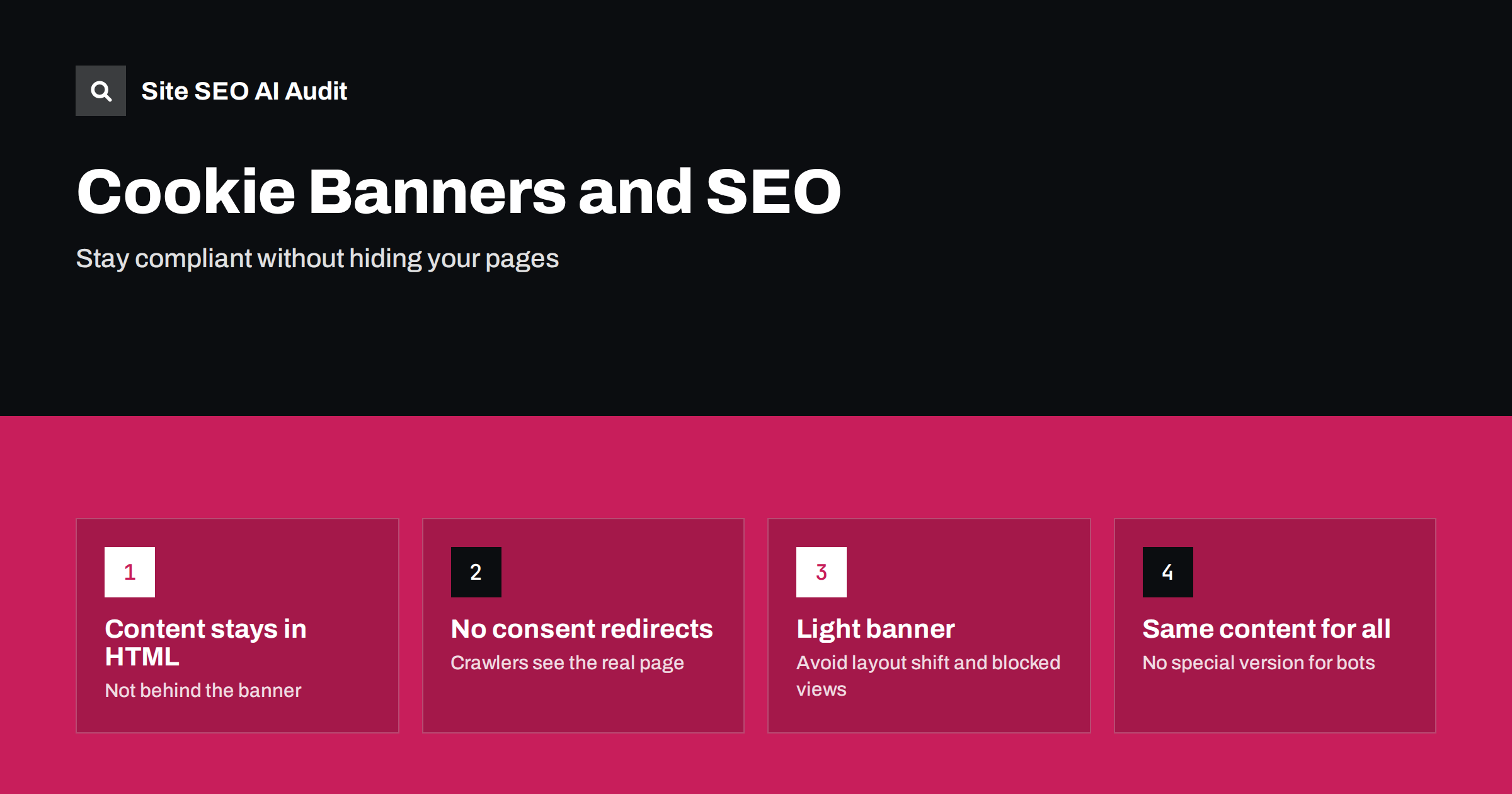
Short answer: A cookie consent banner does not harm SEO by itself, but a badly built one can. Problems appear when the banner covers the whole page, redirects visitors to a separate consent page, blocks the main content until someone clicks, loads slowly or shifts the layout. Search crawlers do not click “accept”, so the page content must be present in the HTML and reachable without interacting with the banner. Keep the banner small, load it without delaying the page, and show the same content to crawlers and users.
Consent banners are now a normal part of the web, driven by privacy rules in many countries. Site owners add them quickly, often through a script from a consent platform, and rarely check what the page looks like to a search engine afterwards. Most banners are harmless. A few quietly damage crawling, speed or usability. This guide shows what to check.
How crawlers deal with banners
Search crawlers load a page, run its scripts, and read what appears. They do not behave like a person who answers a pop-up. In practice:
- They do not click “accept all” or “reject all”.
- They usually start without stored cookies, as a new visitor would.
- They can read text that is in the HTML even if a banner is visually on top of it.
- They may fail to see content that your script only inserts after consent is given.
So the question is whether your main content is present and readable without any consent action. For most sites using a standard banner overlay, it is. For sites that wait for consent before they load anything, it is not. Our guide to JavaScript content and AI crawlers explains why scripts that decide what to render are a risk, particularly for AI crawlers that run fewer scripts.
Common banner problems
- Content only loads after consent. Some setups postpone parts of the page, such as embedded videos or widgets, until the visitor agrees. That is fine for third-party tools, but not for your main text, headings and links.
- Redirect to a consent page. If every first visit is sent to a separate consent URL, crawlers may index that page or fail to reach the real one.
- A full-screen wall. A banner that covers the whole viewport and cannot be dismissed is an intrusive interstitial. It frustrates users and may affect how the page is evaluated. See our article on pop-ups and interstitials.
- Layout shift. A banner that pushes the page down after it loads increases Cumulative Layout Shift. See how to fix layout shift.
- Slow loading. A heavy consent script that blocks rendering delays the first paint and the largest element. See render-blocking resources.
- Snippets that show banner text. If the banner is the first text in the HTML, search results may use it as a description instead of your content.
Never show different content to bots
It may be tempting to hide the banner from crawlers by detecting their user agent. That can look like cloaking if you serve different content, and it is unnecessary. The safer rule is simple: the page that a crawler receives should contain the same main content as the page a user sees. The banner may differ in how it appears, but the content must not.
The same applies to location. If you show the banner only to visitors from certain countries, make sure that your content remains identical everywhere and that you do not block crawlers coming from other regions. Our article on geo-blocking and Googlebot describes the risks of region-based rules.
Keep the banner out of the way
A well-designed banner satisfies the legal need and stays out of the way of the page:
- Place it at the bottom or as a compact box, and reserve its space in the layout, so that nothing jumps when it appears.
- Keep the page usable while it is visible. Visitors should be able to read the content and scroll.
- Give clear options, including declining, with the same visual weight where the rules require it.
- Do not trap the keyboard or block screen readers. A banner should also be accessible, as explained in accessibility and SEO.
- Remember the choice, so returning visitors do not see it on every page.
Check the HTML order too. If possible, place the banner markup after the main content in the source, or mark it so it is not treated as the page’s main text.
Performance of consent scripts
Consent tools are third-party scripts, and they often load other scripts. To limit the impact:
- Load the banner script asynchronously, and avoid blocking the page.
- Keep the banner’s own styling small and inline where possible.
- Delay analytics, advertising and other non-essential scripts until consent is given, which also reduces the initial load.
- Measure the result with real-user data, not only on your fast office connection.
Our article on third-party scripts and speed covers how to measure what each script costs. Note that waiting for consent affects what your analytics can record, so traffic numbers may fall after you add a banner. That is a measurement change, not necessarily a ranking change.
Test it like a crawler
Before and after adding or changing a banner, check:
- View the HTML source. Is your main text there, without needing a click?
- Use the URL Inspection tool in Search Console to see the rendered page and the screenshot Google receives. See the URL Inspection guide.
- Open a private window from a few countries or with a VPN, if your banner behaves differently by region.
- Check mobile. A banner that covers half of a phone screen is a common problem.
- Watch your reports for changes in indexed pages, Core Web Vitals and snippets after the change.
- Embedded videos and maps. Many consent tools replace embeds with a placeholder until the visitor agrees. That is acceptable, but give the placeholder a text description and, for important videos, add a transcript or a summary in the page itself so the content is not lost to crawlers.
- Single-page applications. If a framework renders the whole page in the browser, check that the consent script does not delay or break rendering. Server-side rendering or pre-rendering makes the main content available before any script runs.
- Region-based banners. If the banner appears only in some countries, the page behind it should be the same everywhere. Test from different locations to confirm.
- Multilingual sites. The banner text should follow the page language, and the consent choice should work across language versions so that visitors are not asked again after switching.
- Consent management platform updates. Vendors change their scripts. After an update, repeat the crawler test, because a new version may load differently.
Special cases: embeds, regions and single-page sites
Some setups need extra attention, because the consent logic interacts with how the page is built:
It also helps to document your setup for the team: which tool is used, which scripts wait for consent, and who is responsible for testing after changes. A short note in your project wiki prevents a new developer from adding a different tool on top of the first one, which often produces two banners, double scripts and slower pages.
Consent and SEO tracking
Privacy settings also influence what you can measure. When visitors decline, analytics tools may record less. Plan for it by using server-side data where appropriate, comparing trends rather than absolute numbers, and relying on Search Console, which reports search data without consent-based tracking on your site. It is a good reminder that SEO decisions should rest on several sources of evidence.
Site SEO AI Audit crawls your site like a search engine and checks speed, layout shift risks, indexing signals, titles and structured data on every page, so you can see how a new banner affects the results. The first audit of up to 200 pages is free.
Who should own the banner
Consent banners often fall between teams. Legal asks for the wording, marketing wants the data, developers install the script and nobody owns the effect on search. Name one owner who is responsible for testing every change, and agree on a few rules in advance: the banner must never hide the main content, must not delay the largest element on the page, and must be checked in a rendered crawl after each update. A short written rule set saves arguments later and keeps search visibility in the discussion whenever the privacy setup changes.
Related reading
The bottom line
You can comply with privacy rules and keep good SEO. Make sure the main content is in the HTML without any click, avoid redirecting first-time visitors, keep the banner small and fast, show the same content to everyone and test the page as a crawler would see it. Treat the banner as part of the page design, not as a last-minute script.
DUK
Do cookie banners hurt rankings?
Not by themselves. Problems arise when a banner blocks content, causes layout shift, slows the page or acts as a full-screen wall. A compact, fast banner with content in the HTML is usually safe.
Can Googlebot accept cookies?
No. Crawlers do not interact with consent prompts and normally start without cookies. Your page must be readable and complete without a consent click.
Is it cloaking to hide the banner from bots?
Hiding only the banner is not the problem, but detecting bots to serve different main content would be. The safest approach is to serve the same page to everyone and make the banner harmless.
Why did my traffic numbers drop after adding a banner?
Visitors who decline cookies may no longer appear in your analytics. Compare with Search Console data to see whether search clicks really changed.
Should the banner appear before or after the main content in the HTML?
Placing it after the main content, or making sure it is not the first text a crawler reads, helps prevent the banner wording from being used in snippets.