ENEnglish
 LTLietuviškai
 DEDeutsch
 FRFrançais
 RUРусский
 ESEspañol
 PLPolski
 ITItaliano
 UKУкраїнська
 CSČeština
 PTPortuguês
 JA日本語
JA日本語 LVLatviešu valoda
 ETEesti
 HUMagyar
 IDBahasa Indonesia
 TRTürkçe
 HIहिन्दी
 ELΕλληνικά
 ARالعربية
 THไทย
THไทย VITiếng Việt
 RORomână
 MSBahasa Melayu
 BNবাংলা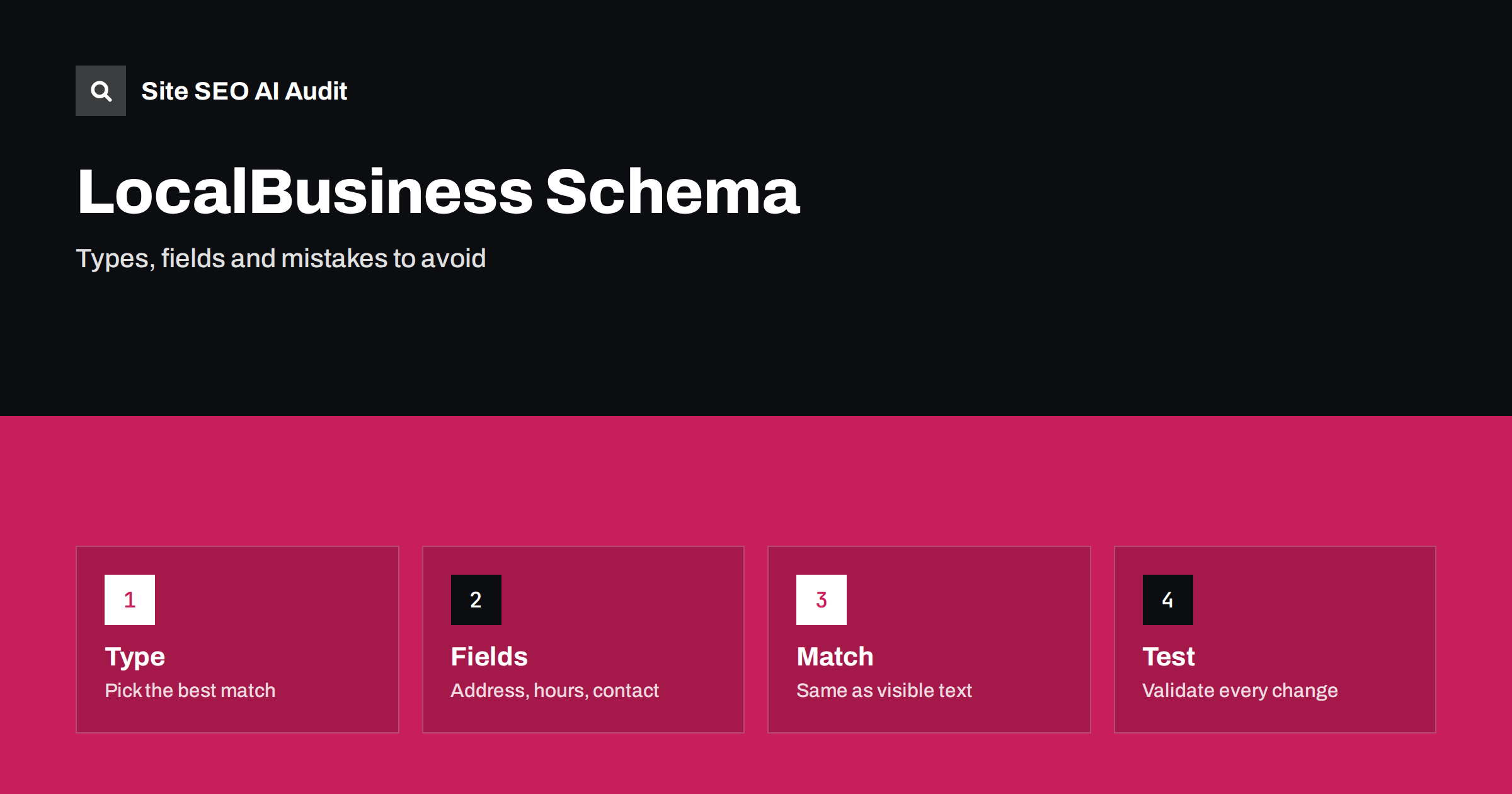
Short answer: LocalBusiness schema is structured data that describes a business with a physical location or service area: its name, address, phone number, opening hours, website and type. Use JSON-LD, choose the most specific type that fits, fill in only facts that are visible on the page, keep them identical to your other listings and test the result. It helps machines read your details, but it does not guarantee rankings or rich results.
If you run a restaurant, a dental practice, a hair salon or a plumbing company, many of your customers find you by searching near their home. Search engines and AI assistants read your site to decide who you are, where you are and when you are open. Structured data gives them those facts in a clean, labelled form. When done well, it reduces mistakes and supports local results. When done carelessly, it creates errors, conflicts and even warnings about misleading markup. This guide explains what LocalBusiness schema is, which type to choose, which fields to fill in and how to avoid the problems we see most often.
What LocalBusiness schema is
Schema.org is a shared vocabulary for describing things on the web. LocalBusiness is a type in that vocabulary for an organisation that serves customers at or around a place. It is a subtype of both Organization and Place, so it can carry company details and location details together. Most sites add it as a block of JSON-LD in the page. The block is invisible to visitors but readable by software. The format question is covered in JSON-LD vs Microdata vs RDFa; JSON-LD is the easiest to maintain.
It is useful to know what the markup does not do. It does not move a page up the results by itself, and it does not replace a Google Business Profile or other listings. It helps systems understand and verify your details, which matters for local searches and for AI answers; see an honest look at structured data in AI search.
Choose the most specific type
Schema.org has many subtypes of LocalBusiness. Instead of using the general type, choose the one that matches your business as closely as possible. Examples include Restaurant, CafeOrCoffeeShop, Dentist, Physician, HairSalon, BeautySalon, AutoRepair, Plumber, Electrician, RealEstateAgent, LegalService, AccountingService, Store, Florist, TravelAgency and HealthClub. If no subtype fits, use LocalBusiness itself. If your business has several roles, use the main one, and you can list more than one type where it is truly accurate. Check the vocabulary pages to confirm that the type you choose exists and is spelled correctly, because a wrong name is ignored.
Use a single, consistent identity. If your company is better described as an organisation without a customer-facing location, such as an online-only service, an Organization type is more honest; see organization schema.
The fields that matter most
A good block does not need dozens of fields. Focus on the facts that people and machines need:
- name: the business name exactly as customers know it.
- url: the canonical address of the page or site.
- address: a PostalAddress with street, locality, region, postal code and country.
- telephone: a number that is visible on the page, in international format if you serve visitors from abroad.
- openingHoursSpecification: the days and hours when you are open. Add special hours for holidays when they apply.
- geo: latitude and longitude for the location, if you know them accurately.
- image and logo: real pictures of the business, hosted on your own domain.
- priceRange: a simple indicator, only if it is meaningful for your sector.
- areaServed: the towns or regions you cover, for service-area businesses.
- sameAs: links to your official profiles on other platforms.
Add menus, accepted payment methods or the department structure only when these are clearly published on the page. Leave out any field if you do not have a true value. An empty or invented value is worse than a missing one.
Match the visible page exactly
The most important rule is that the markup must describe what visitors can see. If the structured data lists opening hours that appear nowhere on the page, or a phone number that differs from the footer, you create a conflict. Search engines may ignore the data, and in serious cases may treat it as misleading. Check each field against the visible text. Also keep the same details on the contact page, in the footer, on social profiles and in map listings. Local trust is largely a matter of consistency; the article on AI search for local businesses explains why.
Do not add review ratings to your own business markup by copying text from other sites, and do not mark up reviews that you wrote yourself. Self-serving review markup for local businesses is a known cause of problems; read review schema and star ratings before you add any rating fields.
One location, several locations and service areas
For a business with a single location, put the markup on the home page or on the contact page, and make sure the page is indexable. For a business with several branches, give each branch its own page with its own markup, address, hours and telephone number. Do not place all locations in one block on one page, and do not copy the same text to every page; the guide to location pages and duplicate city pages shows how to keep each page useful and different. A central page can list the branches and link to each one.
Service-area businesses, such as mobile groomers or plumbers who travel to customers, should avoid publishing a home address if they do not receive visitors. Use areaServed to describe the region and leave out the street address where it is private. If you operate in several countries, keep each country’s version consistent; see multi-country local SEO.
A simple example
A small bakery might include a block with the type Bakery, the name, the website address, the telephone number, a postal address, a list of opening hours for each day and a link to its official social profile. Nothing more is needed to start. Each value must be real, current and the same as the text on the page. When you change your hours, update both the text and the markup on the same day. Many content management systems and plugins generate the block from settings; if you use one, check the output rather than trusting the settings screen.
Common mistakes
- Using the generic type when a specific one exists, which hides useful detail.
- Different details in the markup and on the page, such as old hours or a former phone number.
- Duplicate blocks from a theme and a plugin, which list the business twice with different values.
- Marking up the same business on every page with wrong page-specific data, such as the home page address on a branch page.
- Invalid syntax, such as missing commas or quotation marks, which makes the whole block unreadable.
- Fake or copied reviews and ratings.
- Markup on pages blocked to crawlers, so nobody can read it.
The article on finding and fixing invalid schema shows how to track down errors.
Keep the markup alive
Structured data is not a one-time job. Businesses change: hours shift for the summer, a branch moves, a phone line closes, a new service starts. Build a small habit that ties the markup to your business processes. When someone updates the opening hours on the website, the same person should update the structured data, the map listing and the social profiles. If your site generates the markup from a settings page, put a reminder to check it at the start of each season and after every theme or plugin update.
Also think about who edits the site. In many small businesses, several people can change page text, but only one person knows that a hidden block of code exists. Write a short note in your documentation that lists where the markup lives, which plugin or template produces it and who is responsible. This avoids the situation where an old block stays on the site for years after a rebrand and keeps describing a business that no longer exists in that form.
Test, monitor and audit
After you add or edit the block, test the page with a validator, then check Search Console for structured data reports and errors. Re-test after theme and plugin updates, because they can change or remove markup silently. Keep an eye on the guide to technical SEO monitoring to catch breakage early. A site crawl can find pages where structured data is missing or invalid across the whole site. Site SEO AI Audit checks structured data as one of its seven areas, and the first audit of up to 200 pages is free. The pricing page shows how to re-check after changes.
Related reading
- AI Search for Local Businesses: What to Fix First
- Structured Data Errors: How to Find and Fix Invalid Schema
- Organization Schema: Telling AI Systems Who You Are
- Contact Page SEO: What to Include and What to Skip
The bottom line
LocalBusiness schema is a tidy way to state your name, address, hours and contact details for machines. Pick the most specific type, fill in only true fields, match the visible page, give each location its own page and test after every change. It supports good local SEO, but it works only when your real-world details are accurate everywhere.
DUK
Do I need LocalBusiness schema if I have a Google Business Profile?
It is still useful. The markup describes your own site’s details and lets machines compare them with your listings. Keep both consistent.
Which format should I use?
JSON-LD. It sits in one block, is easy to read and update, and is the format most tools and plugins produce.
Should I add opening hours to the markup?
Yes, if the hours are visible on the page and accurate. Update the markup whenever the visible hours change.
Can a business without a shop front use LocalBusiness?
Yes, if it serves customers in a defined area. Use areaServed, and leave out a private address.
Will LocalBusiness schema improve my ranking?
Not directly. It helps systems understand your details and avoid errors, which supports local visibility, but it is not a ranking switch.