ENEnglish
 LTLietuviškai
 DEDeutsch
 FRFrançais
 RUРусский
 ESEspañol
 PLPolski
 ITItaliano
 UKУкраїнська
 CSČeština
 PTPortuguês
 JA日本語
 LVLatviešu valoda
 ETEesti
 HUMagyar
 IDBahasa Indonesia
 TRTürkçe
 HIहिन्दी
 ELΕλληνικά
 ARالعربية
 THไทย
 VITiếng Việt
 RORomână
 MSBahasa Melayu
 BNবাংলা
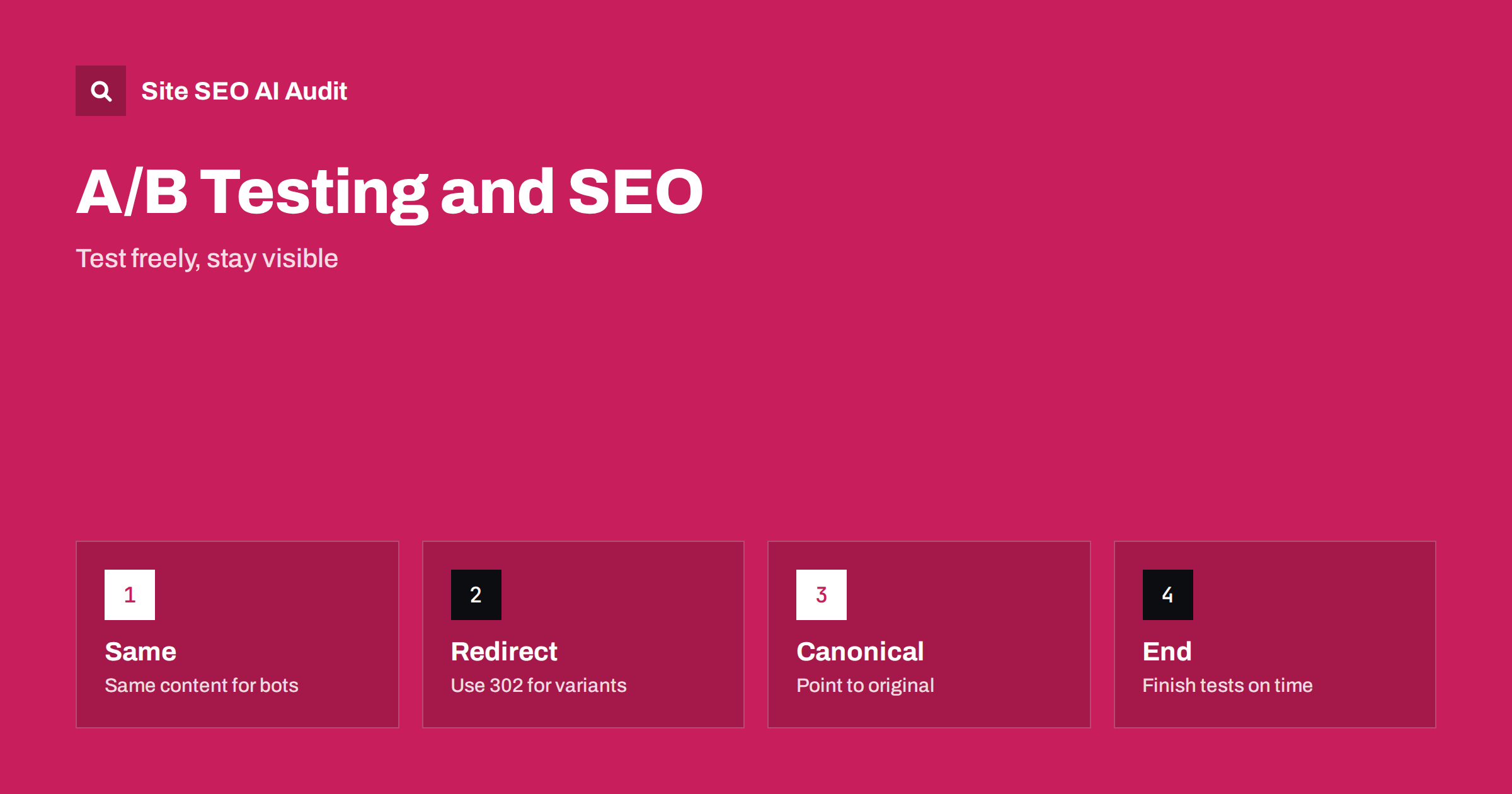
Short answer: A/B testing does not harm search visibility when it is done sensibly. Show search engines the same content that a typical visitor could see, do not hide variants from crawlers, use 302 redirects when a test sends people to another address, set a canonical tag on variant pages that points to the original and remove the test as soon as it ends. Problems arise from cloaking, permanent redirects for temporary tests and tests that never finish.
Conversion teams test headlines, layouts, prices and buttons, while SEO teams worry that testing will confuse crawlers. Both are right to care. A badly set up test can show different content to Googlebot than to users, leave variant addresses in the index or slow the page with extra scripts. A well set up test has almost no effect on search. This guide explains the rules from search engines, the common test types and the checks that keep both goals safe. For measuring SEO changes themselves, see the guide to SEO testing.
What search engines say
Google has published guidance on website testing. In short, testing is fine and does not harm rankings when you follow a few rules: do not cloak, use rel canonical for variant addresses, use 302 redirects and not 301 for test redirects, and run the experiment only as long as necessary. The guidance warns against showing a special version to Googlebot, since this is cloaking and can lead to a penalty. Treat search crawlers as ordinary visitors who might be assigned to any variant.
Crawlers do not take part in tests the way people do. They may see the control, a variant or both on different visits, and that is fine as long as the variants are similar in meaning. If a variant changes the topic of the page, rankings might move as the crawler sees different content. That is a reason to test presentation and wording, and to be careful when testing changes that alter the main content.
Avoid cloaking
Cloaking means showing different content to search engines and people in order to manipulate rankings. In testing, it can happen by accident: a rule that excludes bots from the experiment, so that they always see the control, is common and is usually harmless as long as users also see something similar. The danger is a rule that gives bots a version stuffed with keywords or that hides the experiment’s content from them to protect it. Do not tailor content to the crawler’s user agent. Let the testing tool treat crawlers like anyone else, or exclude them in a way that leaves them on the original page. The principles are discussed in the guide to cloaking and hidden text risks.
Choose the right test type
There are two common structures. In a split URL test, visitors are sent to different addresses, for example the original page and a new page with a different layout. In an on-page test, the address stays the same and a script changes the page for part of the audience. Each has its own SEO rules.
For split URL tests, use a temporary redirect (302 or 307) from the original to the variant address, because the original is the page you want to keep in the index. A 301 would tell search engines that the original is gone for good, and it could replace the original in results with the test page. Put a canonical tag on every variant that points to the original address, so the variants are treated as copies. Remove the redirect and the variant pages when the test ends. The redirect types are explained in the guide to 301 and 302 redirects.
For on-page tests, the main concern is how the change is made. Client-side tools use scripts to alter the page after it loads, which can cause flicker and can make crawlers that do not run scripts see the original only. That is acceptable for ordinary tests, because the original is what such crawlers should see. If your test changes titles, headings or main text and you want these changes judged for search, you must understand that crawlers might not see them, which affects the interpretation of results. The rendering issues are covered in the guide to JavaScript SEO basics.
Server-side tests
Server-side tests choose the variant before the page is sent, so the HTML already contains the change. They avoid flicker and are friendlier to speed. For search, the same rules apply: crawlers should be treated like visitors, variants should keep the same address if possible and the content should stay consistent in meaning. If you use cookies to keep a visitor in one variant, check that crawlers, which usually do not keep cookies, are not repeatedly shown a changing page in a way that confuses them. An approach that assigns a stable variant for crawler requests, such as always the control, is a common solution.
Speed and layout stability
Testing tools add scripts and often hide the page until the variant is chosen. This can slow the largest paint, cause layout shifts and increase blocking time. Since these are measurable signals, the cost of a heavy testing script can show up in Core Web Vitals. Load the tool efficiently, avoid hiding the page for long, set strict timeouts and prefer server-side tests for important templates. Compare field data before and during a test, using the guide to Core Web Vitals as a reference.
Test the effect on metrics as part of the test itself. If a variant wins on conversion but loses on speed, the net result for search and for slower visitors may be worse than it seems.
End tests on time
A test that runs for months becomes a de facto second version of the page. Define the sample size and the end date in advance, and stop when you have a clear result. Then implement the winner in the real template, remove the test code, delete the variant pages or redirect them to the original and take the canonical tags away if they are no longer needed. Leaving remnants behind produces duplicate content, stale redirects and confusion. Add a calendar reminder to review all running tests each month.
Keep a note of every test: date, pages, variants, result. This record supports the log described in the guide to an SEO changelog, and lets you tell later whether a traffic move came from a test.
Testing SEO changes is different
Classic A/B tests split visitors on the same page. SEO tests cannot do that, because search engines see one version of a page at a time. Instead, SEO experiments split groups of similar pages: some receive a change, others stay as controls, and you compare the trends over time. This needs enough pages with similar behaviour and a long enough period, and the results can be noisy. Do not mix up the two kinds of test. If a conversion test and an SEO change hit the same pages at the same time, you cannot say which caused a ranking or traffic shift. Stagger them, or keep clear records.
Personalisation and dynamic content
The same principles apply to personalisation. Content that changes by country, device or past behaviour should keep a stable core that is the same for everyone, especially the elements you want to rank for. Be careful with geographic changes, which can cause crawlers from one country to see a very different page from visitors elsewhere, a topic explained in the guide to locale-adaptive pages. When in doubt, keep the main text, headings, titles and structured data consistent, and personalise secondary elements such as banners and recommendations.
A practical checklist helps before you launch any test: confirm that crawlers are not served a special version; check that redirects, if used, are 302 and that variants have canonicals pointing to the original; make sure that the test script does not block rendering for long; set an end date and an owner; and record the test in your log. After the test, clean up. It takes minutes and avoids a lot of trouble.
Here is a short example. An online shop tested a new category layout by redirecting half of the visitors from the category page to a variant address. The developer used a 301 redirect, and a few weeks later search results began showing the variant address with a thin title. The team switched to a 302, added a canonical tag to the variant and ended the test after three weeks. The original address returned to the results. The shop learned the layout was better, applied it to the original template and deleted the variant pages, keeping the SEO value where it belonged.
A different team tested headlines on a popular article with a client-side tool. The tool changed the headline after load, and crawlers that did not run scripts always saw the original. The test was safe for search, but the team noticed that the winning headline was never seen by those crawlers, so rankings did not reflect it. After they chose the winner, they put it into the page in the server HTML, which finally aligned what visitors and crawlers saw.
Site SEO AI Audit crawls your pages and reports redirects and their types, canonical tags, titles, duplicate content, noindex, speed and content that needs JavaScript, which helps you check that test variants and leftovers do not damage the site. It does not run your experiments or choose winners. The first audit of up to 200 pages is free, and the pricing page lists plans for larger sites.
Related reading
The bottom line
Run A/B tests with the same content for crawlers and visitors, 302 redirects, canonical tags to the original and a firm end date, then clean up the variants.
BUJ
Does A/B testing hurt rankings?
Not when you avoid cloaking, use temporary redirects, set canonicals and end tests promptly.
Should I use 301 or 302 for a test redirect?
Use 302 or 307. A 301 says the original has moved permanently and can replace it in results.
Do variants need a canonical tag?
Yes, for split URL tests. Point each variant to the original address.
Can I exclude crawlers from tests?
You may leave them on the original, but never give them a special version meant to change rankings.
How long should a test run?
Only as long as needed for a clear result. Set the end date in advance and remove the test afterwards.