ENEnglish
 LTLietuviškai
 DEDeutsch
 FRFrançais
 RUРусский
 ESEspañol
 PLPolski
 ITItaliano
 UKУкраїнська
 CSČeština
 PTPortuguês
 JA日本語
JA日本語 LVLatviešu valoda
 ETEesti
 HUMagyar
 IDBahasa Indonesia
 TRTürkçe
 HIहिन्दी
 ELΕλληνικά
 ARالعربية
 THไทย
THไทย VITiếng Việt
 RORomână
 MSBahasa Melayu
 BNবাংলা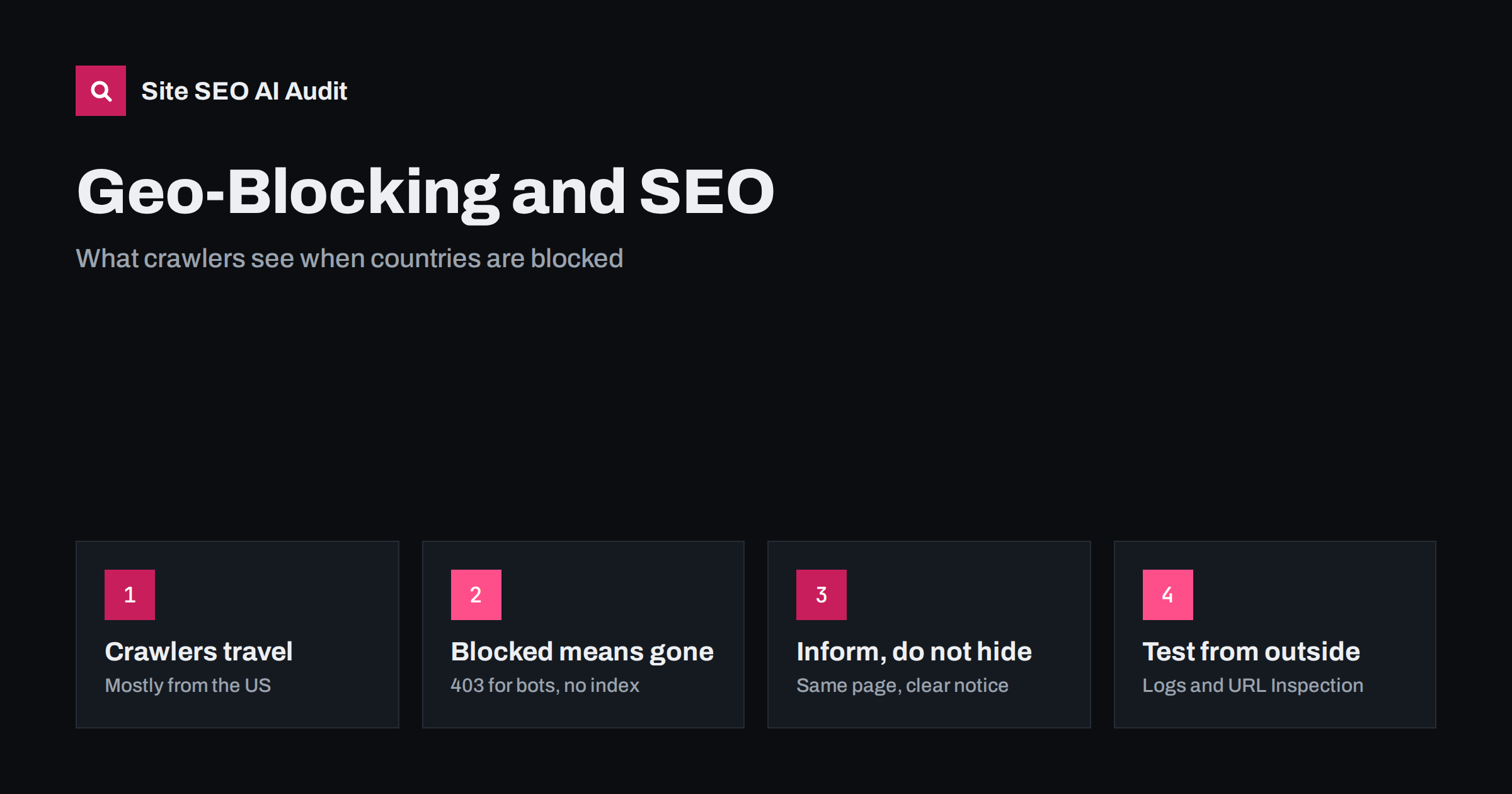
Short answer: Search engine crawlers do not visit your site from every country. Googlebot crawls mainly from IP addresses in the United States, and other crawlers have their own locations. If your site blocks, redirects or changes content based on the visitor’s country, crawlers may see an error, a different page or nothing at all, and those pages can drop out of search everywhere. Where you must restrict sales or content by country, keep the page accessible, show a clear notice about availability, restrict the purchase or the protected content itself, and test what crawlers actually receive.
There are good reasons to treat countries differently: licensing rules for media, legal restrictions on certain products, sanctions compliance, shipping limits, or simply protecting a site from attack traffic. The way it is implemented makes all the difference for search. A firewall rule that blocks “all traffic outside Europe” can quietly remove a European business from Google, because the crawler is not in Europe.
Where search engine crawlers come from
Google’s documentation on locale-adaptive pages states that Googlebot’s crawler IP addresses appear to be mostly based in the United States, and that Googlebot generally sends requests without setting a preferred language. Google does crawl from some other locations, but you cannot rely on it to see the version of a page meant for a particular country.
Other search engines and AI crawlers have their own infrastructure, often also concentrated in a few countries. The practical rule is the same for all of them: assume that the crawler is a visitor from a country you did not plan for, without cookies and without a language preference.
What different restrictions look like to a crawler
| Implementation | What the crawler sees | Likely SEO effect |
|---|---|---|
| Firewall blocks non-local IPs | Timeouts, 403 errors or a challenge page | Pages dropped from the index |
| Redirect by country to another site or version | Only the version for the crawler’s location | Other versions are not crawled or indexed |
| “Not available in your country” page with 200 | The same notice on every URL | Pages indexed as duplicates or soft 404s |
| Content changed by country on the same URL | One country’s version | Other versions invisible in search |
| Page accessible, purchase restricted by country | The full page with a notice | Page indexed normally |
Only the last approach keeps pages fully visible. The others all hide content from search, which may be exactly what you want for some content, but rarely for a whole site.
Firewalls and security tools
The most common accidental geo-block comes from security settings, not business decisions. Hosting providers, CDNs and security plugins often offer country blocking as a quick way to reduce attack traffic. Turning it on for “all countries except ours” also blocks the crawlers of search engines and AI systems that crawl from elsewhere.
If you use country blocking for security:
- exempt verified search engine crawlers, identified by reverse DNS lookup or by the IP ranges that search engines publish, not by user agent alone, which is easy to fake;
- exempt the AI search crawlers you want to allow, in the same verified way; our guide on whether your CDN or firewall blocks AI crawlers explains how to check;
- apply stricter rules to sensitive areas like login and admin pages, rather than to the whole site;
- watch the Crawl Stats report and server logs after any change; see our crawl stats guide.
Restricting sales or content by country
When the restriction is a business or legal need, the goal is usually to stop people in certain countries from buying or accessing something, not to hide that the page exists. A search-friendly approach:
- Keep product and information pages accessible from all countries, with the same content and a 200 status.
- Show availability clearly: “Ships to the EU and UK only” or “This service is available to residents of Canada.” Visitors from elsewhere understand at once.
- Restrict the action: disable the purchase button, checkout or sign-up for excluded countries, based on the shipping address or account details rather than only the IP address.
- Protect licensed content itself, such as a video stream or a download, while leaving the description page open.
Where the law requires that content is not shown at all in some countries, blocking may be unavoidable. Then accept that crawlers from those countries will not see it, and make sure the countries where your crawler traffic comes from are not among them, or take legal advice on how to handle crawlers.
Country redirects are a form of geo-blocking
Automatic redirects based on IP location have the same effect: a crawler from the United States is always sent to the US version, so the versions for other countries are never seen through the redirect. Our article on automatic language redirects explains the problem in detail. The safer pattern is:
- every country or language version has its own URL that works from anywhere;
- hreflang annotations tell search engines which version is for which audience; see how to target a specific country;
- visitors who seem to be in another country see a suggestion banner, such as “Visit our UK site?”, rather than a forced redirect.
Rate limits and bot challenges
Not every problem is a country rule. Many security setups combine location with other signals: requests from data centres, many requests in a short time, or clients that do not run JavaScript. Search engine crawlers match all three. They come from data-centre networks, they request many pages in a row and they often do not complete JavaScript challenges. A visitor in your own country passes these checks easily, while the crawler receives a 429 “too many requests” response or an interactive challenge page.
A short burst of 429 or 503 responses tells crawlers to slow down, which is harmless. Weeks of them lead to fewer pages crawled and, eventually, pages dropping out of the index. If you need rate limits, set them generously for verified crawlers, and never serve an interactive challenge with a 200 status, because the crawler may index the challenge page instead of your content. Check the Crawl Stats report for the share of responses that were errors, and compare it with the dates of security changes.
Sanctions, compliance and legal blocks
Some businesses must block access from certain countries for legal reasons, such as sanctions or gambling and financial regulations. These blocks usually affect only a small number of countries, and the main search engine crawlers do not operate from them, so search visibility elsewhere is normally unaffected. Problems arise when compliance tools block broad regions or large cloud and data-centre networks, which can include crawler IP addresses. Review such rules with the people responsible for compliance, and test crawler access after every change.
How to test what crawlers see
- Use the URL Inspection tool in Search Console and run a live test. It shows the status code, the rendered HTML and a screenshot as Google’s crawler receives them.
- Check server and firewall logs for requests from verified crawlers and the responses they got. A rise in 403, 429 or 5xx responses after a security change is a warning sign.
- Test from other countries with a VPN or a remote testing service, especially from the United States, and see whether pages load normally.
- Watch the Page indexing report for sudden increases in blocked or server-error pages.
- Search for your pages after changes, and check whether important pages are still indexed and show the right content.
If you see crawler requests being blocked, fix the rule first, then request recrawling of the most important pages. Pages that were dropped usually return once crawlers can reach them again, but it takes time.
Check crawlability from the outside
Geo-blocking problems usually show up as status codes, challenge pages or identical “not available” pages across many URLs. Site SEO AI Audit crawls your site the way a search engine does, with its own crawler, SEOAuditBot, and checks status codes, robots.txt, noindex, duplicate content and redirects on every page, plus AI crawlers in robots.txt. It cannot replicate every country’s view, so use it alongside URL Inspection and your logs. The first audit of up to 200 pages is free; paid plans add scheduled audits that help catch a new blocking rule early.
Related reading
- Locale-adaptive pages: why one URL for all markets is risky
- Server location, CDNs and speed for international SEO
- Website downtime and SEO
The bottom line
Crawlers visit from a few places, mostly the United States for Google, and they see whatever your site shows visitors from there. Do not block or redirect whole sites by country unless you must. Keep pages accessible, explain availability on the page, restrict purchases or protected content instead, exempt verified crawlers from security geo-blocks and test what crawlers actually receive after every change.
BUJ
Where does Googlebot crawl from?
Mostly from IP addresses in the United States, according to Google’s own documentation, with some crawling from other locations. You should not rely on Googlebot seeing a version of your site that is shown only to visitors in a particular country.
Will blocking foreign countries hurt my SEO?
It can, badly, if the block includes the countries crawlers use. Blocked crawlers receive errors or challenges, and the affected pages can drop out of search results in every country, including your own.
How can I restrict sales by country without losing rankings?
Keep the product pages open to everyone, show a clear notice about where you sell or ship, and restrict checkout based on the delivery address or account details. Search engines can then index the pages normally.
Should I whitelist Googlebot in my firewall?
If you use country blocking or strict bot rules, yes, but verify crawlers by reverse DNS lookup or published IP ranges rather than by user agent, which anyone can fake. Many CDNs and security tools offer a verified bots option.
Is it cloaking to show crawlers a page that some countries cannot see?
Showing the same page that most visitors see is not cloaking. Problems arise when crawlers get content that users do not, such as a full page while users see a block. Keep what crawlers and typical users see the same.