 ENEnglish
 LTLietuviškai
 DEDeutsch
 FRFrançais
 RUРусский
 ESEspañol
 PLPolski
 ITItaliano
 UKУкраїнська
 CSČeština
 PTPortuguês
 JA日本語
JA日本語 LVLatviešu valoda
 ETEesti
 HUMagyar
 IDBahasa Indonesia
 TRTürkçe
 HIहिन्दी
 ELΕλληνικά
 ARالعربية
 THไทย
THไทย VITiếng Việt
 RORomână
 MSBahasa Melayu
 BNবাংলা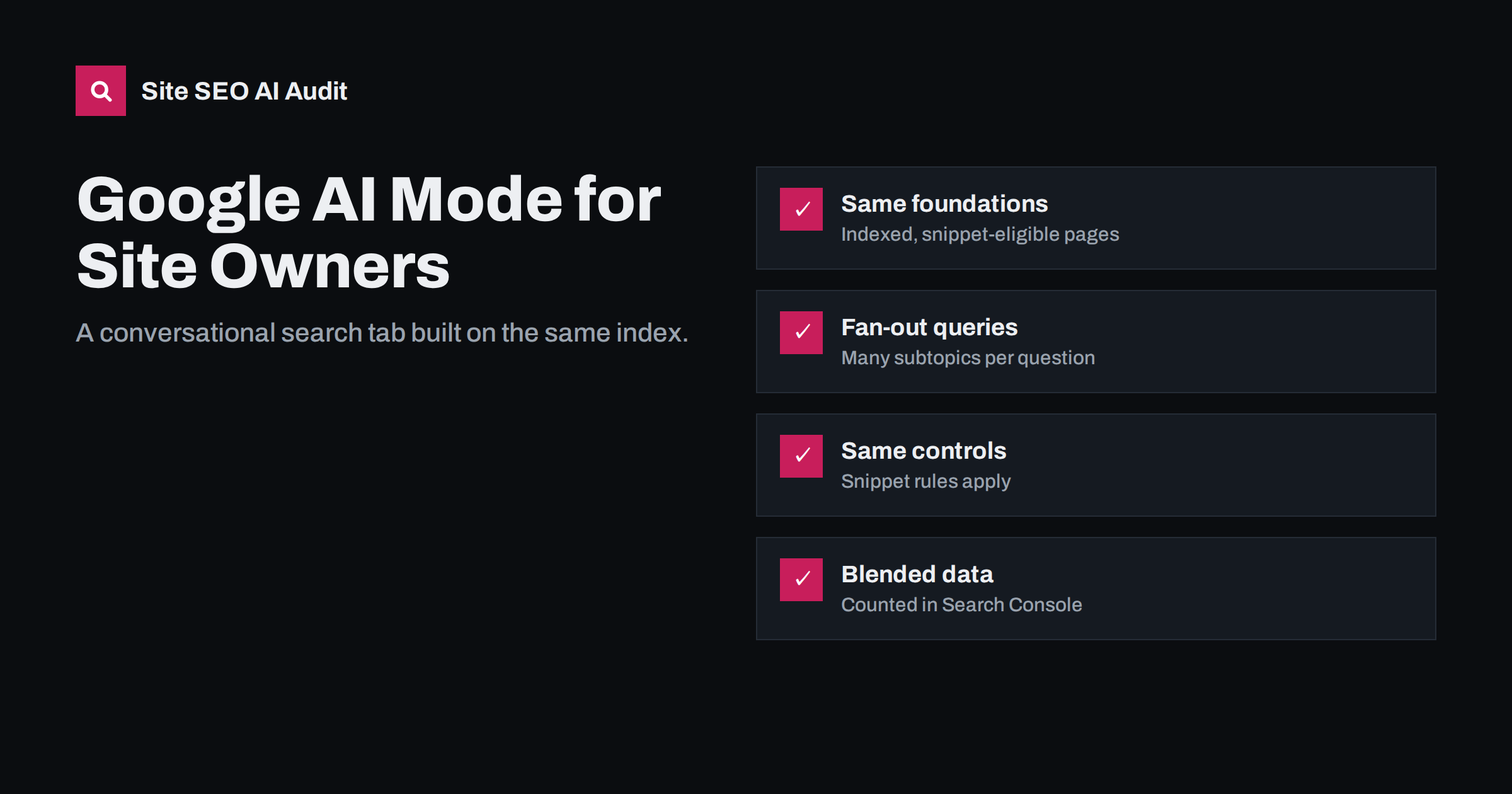
Short answer: Google AI Mode is a conversational search experience inside Google Search that answers complex questions with an AI-generated response and links to supporting web pages. It runs several related searches for each question, a technique Google calls query fan-out, and draws on pages already in Google’s index. There is no separate submission or special markup: the same crawling, indexing and snippet rules that govern Search and AI Overviews apply, and its clicks and impressions are counted in Search Console’s Web search data.
What AI Mode is
Google introduced AI Mode in 2025, first in the United States and then in more countries and languages. It appears as a separate mode in Google Search, alongside tabs such as Images or News, and it can also be reached from some AI Overviews. Instead of a page of links, the user gets a written answer with links embedded or listed beside it, and can ask follow-up questions in the same conversation.
AI Mode is designed for questions that would otherwise take several searches: comparisons, planning, multi-step how-tos, and questions with many conditions. Users tend to type longer, more detailed queries than in classic search, and they often continue with follow-ups that narrow the topic.
Availability, features and interface details continue to change. Check Google’s current documentation and announcements before relying on specifics for your market.
For many site owners, the practical question is simply whether AI Mode changes what they should do. In most cases the answer is no: it raises the value of thorough, well-structured content, but it does not require a separate strategy, separate pages or new technical files.
AI Mode vs AI Overviews
| Aspect | AI Overviews | AI Mode |
|---|---|---|
| Where it appears | At the top of some regular results pages | A separate, conversational mode in Search |
| Trigger | Shown automatically for some queries | Chosen by the user, or entered from an overview |
| Interaction | Single summary, with the regular results below | Ongoing conversation with follow-up questions |
| Typical queries | Informational questions | Complex, multi-part and exploratory questions |
| Sources | Pages from Google’s index | Pages from Google’s index, often a wider range |
| Controls for site owners | Search crawling, indexing and snippet rules | The same rules |
How AI Mode finds and links sources
Google has explained that AI Mode uses query fan-out: it breaks a question into subtopics and runs many searches at once, then combines the results into one answer. A question such as “plan a three-day cycling trip along the Baltic coast with bike rental and family-friendly stops” might trigger searches about routes, rental shops, accommodation, weather and attractions.
For site owners, this has three consequences:
- More chances to be retrieved. Your page may be found for a subtopic even if it does not match the full question.
- Passage-level relevance. Clear sections that answer specific subquestions are easier to select than long pages without structure.
- Broader source sets. Complex answers often link to a wider range of sites than a short overview, including specialist and local sources.
Google states that pages must be indexed and eligible to be shown with a snippet to appear as supporting links. As with AI Overviews, there is no special markup or file required.
Follow-up questions add another layer. After the first answer, users narrow down: “which of these is cheapest?”, “is it suitable for beginners?”, “what about in winter?”. Each follow-up can trigger new searches, so a page that covers the natural next questions has several opportunities to be used in one conversation.
What site owners can control
The controls are the same as for the rest of Google Search:
- Crawling: Googlebot must be allowed to fetch the page. Blocking Googlebot removes you from Search entirely over time.
- Indexing: noindex removes a page from Search, including AI Mode.
- Snippet controls:
nosnippet,max-snippetanddata-nosnippetlimit how your text can be used in AI Mode and AI Overviews, and in regular snippets too. - Google-Extended: does not affect AI Mode, because AI Mode is part of Search. It only covers Gemini products outside Search.
In practice, most businesses should leave these open and concentrate on making their pages useful sources.
If you already follow good SEO practice, you are largely prepared. The main addition is to check that nothing in your setup, such as a plugin setting or an old robots rule, restricts snippets or crawling by accident.
Content that fits AI Mode questions
Because AI Mode handles long, detailed questions, content that covers a topic thoroughly and clearly tends to fit well:
- Cover the subtopics. For a service page, answer the questions users ask next: cost, timing, requirements, alternatives, risks, location.
- Use descriptive headings that match those subquestions, so each section can be retrieved on its own.
- Be specific. Concrete facts such as prices, dimensions, opening hours, distances and conditions are what complex answers need.
- Offer original value. First-hand experience, local knowledge, data and practical detail make a page stand out among many generic sources.
- Keep facts current, with visible dates on content that changes.
Preparing for longer, conversational queries
AI Mode encourages people to describe their situation in full sentences. That changes the kind of queries you see and the kind of content that matches them. A practical way to prepare is to look at the long queries already appearing in your Search Console data and in your site search, and group them by the underlying need.
- Collect long queries. Filter Search Console for queries with many words, or containing phrases such as “for a”, “with”, “without”, “best way to” and “should I”.
- Group by situation. For example, “small team”, “tight budget”, “old house”, “first time”, “for children”.
- Check your coverage. For each situation, is there a page or section that addresses it directly, with specific advice?
- Fill the gaps by adding sections to existing pages where they fit, rather than creating many new thin pages.
- Review conversions. See which of these situations lead to enquiries or sales, and prioritise them.
This work helps well beyond AI Mode. The same detailed, situation-specific content performs well in AI Overviews, in other assistants and in classic long-tail search.
Measuring AI Mode traffic
Google has said that clicks, impressions and positions from AI Mode are included in Search Console’s Performance report under the Web search type, following the same counting rules as AI Overviews. There is no separate filter. In analytics, visits from AI Mode arrive from Google and are counted as organic search.
That means you infer AI Mode’s effect rather than reading it directly. Useful signals include longer, conversational queries appearing in Search Console, changes in click-through at stable positions, and manual checks of important questions in AI Mode to see which sources appear. Keep in mind that a click from AI Mode usually comes from a user who has already read a summary, so engagement and conversion rates matter more than raw visit counts.
It is also worth watching branded searches. Users who discover your business through a conversational answer often search for your name afterwards, and that demand shows up as branded impressions rather than as clicks from AI Mode itself.
What not to do
- Do not create separate “AI Mode pages”. There is no separate index; improve your existing pages.
- Do not block Googlebot or add site-wide nosnippet to avoid AI features unless you accept losing regular search visibility too.
- Do not chase every long query with a new thin page. Comprehensive, well-structured pages cover many variations better.
- Do not treat single checks as rankings. Answers vary between users and sessions.
How Site SEO AI Audit helps
AI Mode draws on pages Google has crawled and indexed, so the classic technical foundations decide whether you can appear at all. Site SEO AI Audit checks status codes, robots.txt, noindex, canonicals, sitemaps, redirects, headings, structured data and speed across your whole site, and its AI visibility area adds checks for AI crawlers, JavaScript-dependent content, and the structure and dates that AI answers quote. You can run a free audit to see where you stand.
Related reading
- Google AI Overviews: How Sources Are Chosen and How to Be One
- nosnippet, max-snippet and AI: Controlling What Gets Quoted
- How AI Search Engines Work: Retrieval, Ranking and Answers
- Semantic SEO: How to Cover a Topic, Not Just a Keyword
The bottom line
AI Mode is a new way to present Google Search, not a new index. Keep your pages crawlable, indexed and snippet-eligible, cover topics and their follow-up questions with clear sections and specific facts, and measure its effect through Search Console patterns and manual checks. The work that helps you in AI Mode is the same work that helps you across Search.
BUJ
Is AI Mode the same as AI Overviews?
No. AI Overviews appear at the top of some regular results, while AI Mode is a separate conversational mode for more complex questions. Both draw on Google’s index and follow the same site owner controls.
Can I opt out of AI Mode but stay in Google Search?
Not separately. Snippet controls such as nosnippet limit use in AI Mode but also affect regular snippets. Google-Extended does not apply, because AI Mode is part of Search.
Does AI Mode traffic appear in Search Console?
Yes. Google has said AI Mode clicks and impressions are included in the Web search data of the Performance report, without a separate filter.
Do I need special markup for AI Mode?
No. Google states there are no additional requirements. Pages must be indexed and eligible for a snippet, and good structure and content help them be selected.
Why do AI Mode answers link to different sites than regular results?
AI Mode runs several related searches for each question and combines results, so it can draw on pages that rank for subtopics rather than for the full query.


