ENEnglish
 LTLietuviškai
 DEDeutsch
 FRFrançais
 RUРусский
 ESEspañol
 PLPolski
 ITItaliano
 UKУкраїнська
 CSČeština
 PTPortuguês
 JA日本語
JA日本語 LVLatviešu valoda
 ETEesti
 HUMagyar
 IDBahasa Indonesia
 TRTürkçe
 HIहिन्दी
 ELΕλληνικά
 ARالعربية
 THไทย
THไทย VITiếng Việt
 RORomână
 MSBahasa Melayu
 BNবাংলা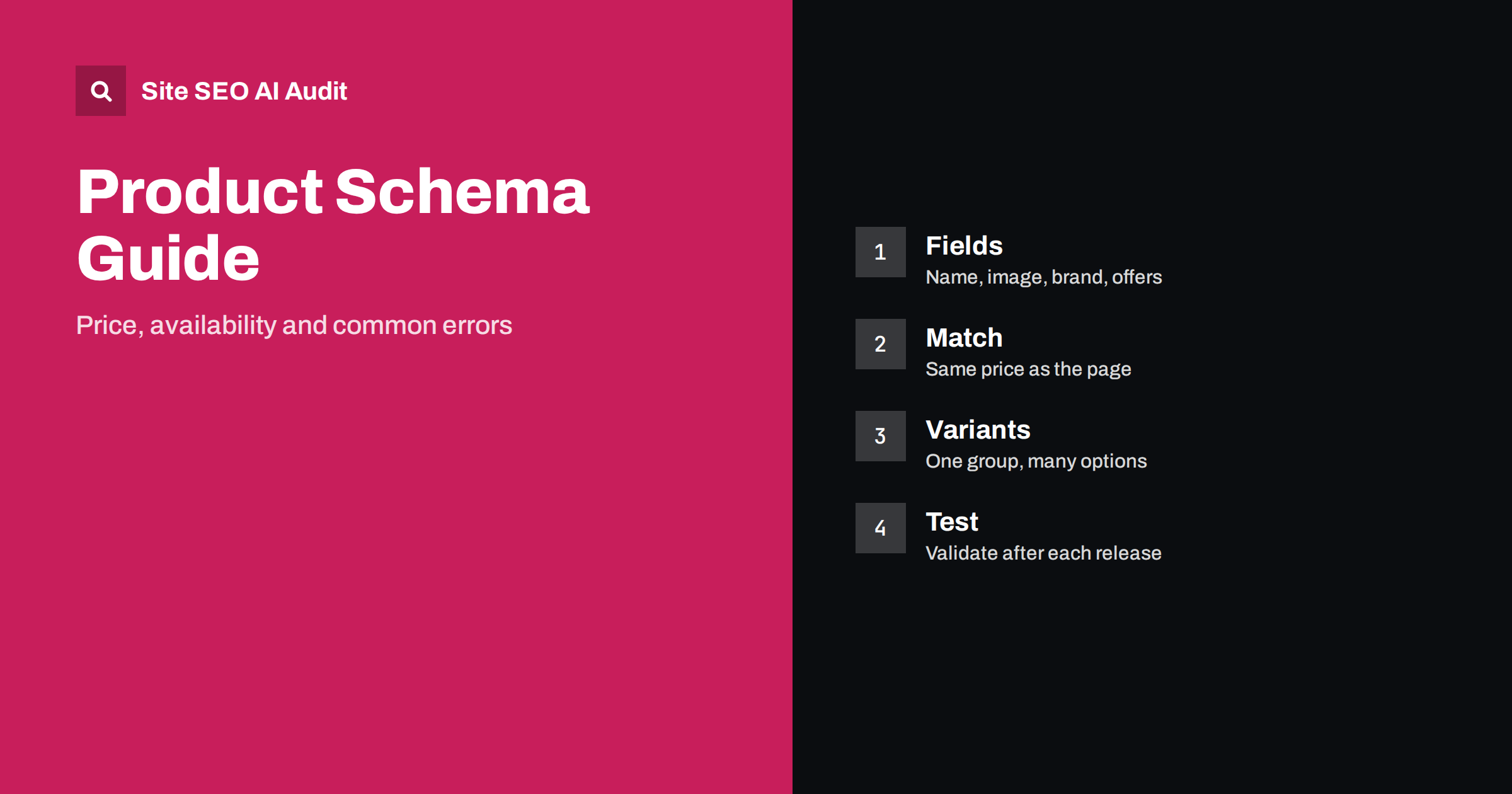
Short answer: Product schema is structured data that tells search engines and AI systems what a product is, what it costs and whether it is available. Add it as JSON-LD with the name, images, description, brand, identifiers and an offer that holds the price, currency and availability. Every value must match what visitors see on the page, and the markup must be tested after changes, because stale or mismatched data is the most common cause of errors.
An online shop lives on details: the right price, the right stock status, the right picture. Customers see these on the page, but machines need them in a labelled form. Product schema, based on the schema.org vocabulary, provides that form. When it is complete and accurate, search engines can show richer product results and shopping surfaces, and AI assistants can quote facts about your products with less guesswork. When it is wrong, you get warnings in Search Console, lost eligibility for some features or, worse, a mismatch between what a search result promised and what the customer finds. This guide explains the fields that matter, how to handle variants and prices, and how to avoid the mistakes that cause trouble.
What Product schema does and does not do
Product markup describes one product on one page. It is a statement of facts, not a ranking trick. Google uses it for features such as product snippets and merchant listings, depending on the page type and the data provided, and other systems read it as a clean source of attributes. The features that appear change over time, and eligibility depends on guidelines, so check the current documentation before relying on any specific display.
The markup does not replace good product copy, photos or reviews. It also does not make a thin page rank; see the product page SEO guide for the content that needs to be there. Think of it as the layer that removes ambiguity from content that already exists. The wider role of structured data in AI answers is covered in structured data and AI search.
The fields that matter most
A solid block does not need dozens of properties. Concentrate on a core set and make each one correct.
- name: the product name as shown on the page.
- image: one or more crawlable, high-quality images of the product itself, with absolute addresses.
- description: a plain-text description that matches the page.
- sku: your internal identifier, which helps tie the markup to your catalogue.
- brand: the brand of the product, as a Brand or Organization with a name.
- Global identifiers: GTIN, MPN or ISBN where they exist. These help systems match your product to the same item on other sites.
- offers: an Offer object with price, priceCurrency, availability and the URL of the product page.
Add other properties such as colour, size, material or condition only when they are visible and accurate. Skip any field for which you do not have a true value. An empty or invented value is worse than a missing one.
Getting offers right
The Offer object is where most mistakes happen. Pay attention to these details.
- Price: use a plain number with a period as the decimal separator and no currency symbol, thousands separator or text. The price must be the one a customer actually pays for the product on the page, including the correct rules for tax where your market requires it.
- Currency: use the three-letter ISO 4217 code, such as EUR, USD or GBP, and make sure it matches the currency shown on the page. Shops that serve several countries should read local currency prices and SEO.
- Availability: use the schema.org values such as InStock, OutOfStock, PreOrder or BackOrder, as full addresses from schema.org, and update them when stock changes.
- Price validity: if you state an end date for a promotion, keep it correct; an expired date makes the offer invalid.
- URL: point to the canonical address of the product.
Sale prices need care. Show the current price in the offer, and do not mark up a struck-through list price as the price. If a price differs by customer type, location or quantity, the markup should describe the default offer that every visitor can see.
Keep the markup in sync with the page
The single most important rule is consistency. The data in the markup must match the visible page. If the page shows 19.90 and the markup says 24.90, or the page says out of stock and the markup says in stock, search engines can ignore the data, flag the page or show wrong information in results. Customers who click on a price that is not real lose trust fast.
The most reliable way to keep them in sync is to generate both from the same source in your platform, not to maintain them separately. If your markup comes from a plugin or theme, check the output after every update. Dynamic stock and price systems, caching layers and currency switchers can all produce a rendered page that differs from the stored markup, so test the page the way a crawler receives it, as discussed in JavaScript SEO basics for scripts that fill in values after loading.
Variants: sizes, colours and options
Many products come in variants. The cleanest approach depends on how your site presents them. If each variant has its own page and its own address, give each page its own Product markup with its own price and availability. If all variants share one page with a selector, describe the product in a way that matches the visible default, and consider using the ProductGroup type with its variants, which Google supports for this purpose. Do not list prices for variants that the visitor cannot see on the page, and do not put markup for the whole size range on a single variant page.
Keep variant pages from competing with each other. Use canonical tags deliberately, so that near-identical pages do not dilute each other; see canonical tags explained. The platform guides for WooCommerce and Shopify show how popular systems handle variants by default.
Reviews and ratings
Review markup is the area where shops get into trouble. Only mark up ratings and reviews that real customers wrote on your page and that visitors can see. Do not copy reviews from other sites, do not invent a rating and do not use a review that you wrote yourself. The rules and risks are described in review schema and star ratings. If you have no genuine reviews yet, leave the fields out; the product markup works without them.
Out-of-stock and discontinued products
Product pages do not disappear when stock runs out. If the item is temporarily unavailable, keep the page, set the availability to OutOfStock and show alternatives or a back-in-stock option. If the product is gone for good, decide between a redirect to the closest replacement and a removal; the options are explained in out-of-stock product pages. Whatever you choose, make sure the markup reflects the real situation on the same day.
Common errors and warnings
- Missing required fields such as name, or an offer without price or currency.
- Invalid values, for example a price with a currency symbol or a comma used as the decimal separator.
- Mismatch with the visible page in price, availability or product name.
- Duplicate Product blocks generated by both a theme and a plugin, with conflicting values.
- Markup on category pages that lists many products as if each were the main item. Category pages need a different approach.
- Images that are blocked, tiny or not of the product.
- Fake or copied ratings.
The process for locating and correcting these is covered in how to find and fix invalid schema. Remember that warnings are optional improvements, while errors can make a page ineligible.
Test, monitor and scale
Validate a few sample products after the first implementation, then test again after each theme, plugin or platform update. In Search Console, watch the enhancement reports that apply to products and merchant listings for new errors. If you also submit a product feed to a shopping programme, make sure its data agrees with the markup, because systems compare them. Keep an eye on how AI shopping surfaces read your catalogue; the guide to product pages and AI shopping covers the data these systems value.
A crawl across the whole catalogue finds products with missing or broken markup far faster than manual checks. Site SEO AI Audit checks structured data across your pages, among seven areas, and ranks the fixes by how many points each adds. The first audit of up to 200 pages is free, and the pricing page shows how to re-check after changes.
Related reading
- Product Page SEO: What Every Product Page Needs
- Review Schema and Star Ratings: What Is Allowed
- Structured Data Errors: How to Find and Fix Invalid Schema
- Product Pages and AI Shopping: What Assistants Need
The bottom line
Product schema is a precise statement of what you sell, for how much and in what state. Include the core fields, make the offer correct, match the visible page, handle variants deliberately, keep reviews genuine and test after every change. Accurate markup will not carry a weak page, but it makes a good page far easier for machines to trust.
BUJ
Which format should I use for Product schema?
JSON-LD is the most common choice. It keeps the data in one block, which is easier to generate and maintain than inline attributes.
Do I need a price in the markup?
For most product features, yes. Include price and currency in the offer, and make sure they match the page.
Can I add Product schema to category pages?
Not as if the category were one product. Describe individual products on their own pages and use list markup carefully, if at all, on category pages.
What if my price changes often?
Generate the markup from the same source as the visible price, so both change together, and test the rendered page to be sure.
Does Product schema guarantee rich results?
No. It makes a page eligible for some features, but display depends on guidelines, quality and the search engine’s decisions.