ENEnglish
 LTLietuviškai
 DEDeutsch
 FRFrançais
 RUРусский
 ESEspañol
 PLPolski
 ITItaliano
 UKУкраїнська
 CSČeština
 PTPortuguês
 JA日本語
JA日本語 LVLatviešu valoda
 ETEesti
 HUMagyar
 IDBahasa Indonesia
 TRTürkçe
 HIहिन्दी
 ELΕλληνικά
 ARالعربية
 THไทย
THไทย VITiếng Việt
 RORomână
 MSBahasa Melayu
 BNবাংলা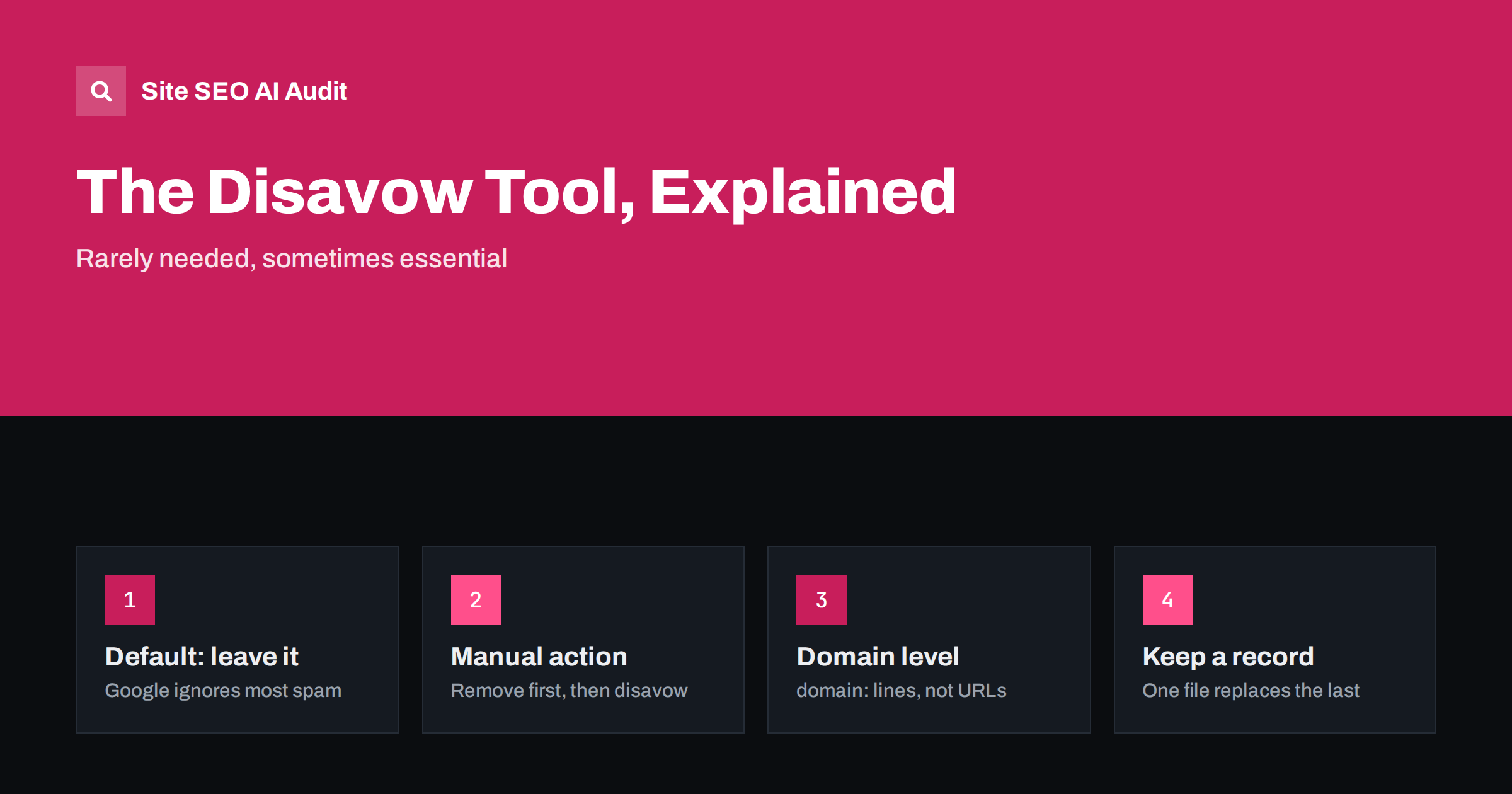
Short answer: The disavow tool asks Google to ignore specific links pointing to your site. Most websites never need it, because Google already ignores most spammy, random links on its own. Use it when you have a manual action for unnatural links, or when you know that a large number of paid or manipulative links were built to your site and could lead to one. Remove what you can first, disavow the rest at domain level, and never disavow links just because a tool labels them “toxic”. Disavowing good links can remove value your site actually had.
Few SEO tools are as misunderstood as the disavow file. Some agencies upload one for every client by routine, built from third-party “toxic link” scores. Some site owners panic when they see strange domains linking to them and disavow hundreds of them. In most of these cases the effort is wasted at best. This guide explains what the tool actually does, the few situations where it matters and how to use it without hurting yourself.
What the disavow tool does
The disavow tool is part of Google Search Console, available separately from the main interface. You upload a plain text file listing URLs or domains, and Google treats links from them as if they had a nofollow attribute: they no longer pass ranking signals to your site. Google’s help page on disavowing links describes it as an advanced feature that should be used with caution.
Some important limits:
- it does not remove links from the web; they still exist and can still send visitors;
- it is a suggestion that Google generally respects, not an instant switch;
- it takes effect gradually, as Google recrawls the linking pages;
- it works per property, and uploading a new file replaces the previous one completely;
- it applies to Google only; other search engines have their own approaches.
Why most sites do not need it
Every site that has existed for a while collects odd links: scraper sites that copy content, automatically generated directories, foreign-language pages that list thousands of domains, spammy comment links placed by bots. These are a normal part of the web. Google has said repeatedly that its systems identify and ignore most such links without any action from site owners.
That means a few strange links in your Search Console links report are not a reason to act. They do not cause penalties on their own, and disavowing them does not usually improve rankings. If your traffic dropped, the cause is far more likely to be an algorithm update, a technical problem or stronger competitors. Our article on technical SEO monitoring covers the more common causes of sudden drops.
When disavowing is the right step
There are two clear situations, and one grey area.
- You have a manual action for unnatural links to your site. The Manual Actions report in Search Console says so explicitly. Here the disavow file is part of the expected cleanup, together with removal requests. Review requests are made from the same report once the cleanup is done.
- You know links were bought or built in violation of Google’s policies. For example, a previous agency ran a link scheme, or someone bought large numbers of links on networks of sites created for selling links. Even without a manual action, disavowing these links can reduce the risk of one.
- The grey area: a large, obvious negative SEO attack. Thousands of links with spammy anchor texts appearing suddenly. Usually Google ignores these, but if they coincide with a manual action or you have strong reason to think they are not being ignored, disavowing them is a reasonable precaution.
If none of these applies, the safest choice is usually to do nothing.
Why “toxic link” scores are not a reason
Many SEO tools rate backlinks with a “toxicity” or “spam” score. These scores are the tool’s own estimate, not Google’s view. They often flag links that are harmless: low-authority but genuine local sites, foreign-language blogs, directories you joined years ago, or pages with many outbound links. Disavowing on the basis of such scores has two risks:
- you may remove genuine links that were helping your site, and rankings can drop as a result;
- you spend time on work that does not change anything, while the real problems remain.
Use these scores as a starting point for manual review, if at all. The question to ask about each link is not “is the score high?” but “was this link placed to manipulate rankings, by us or for us?”
How to find the links that matter
If you do need to disavow, start with good data:
- Export the Links report from Search Console: top linking sites and, via the export, the latest links.
- Add data from a backlink tool if you have one, since Search Console shows a sample rather than every link.
- Collect internal records: invoices from link vendors, agency reports, lists of guest posts or sponsored articles.
Then review by domain, not by individual URL. Patterns to look for include paid placements with exact-match commercial anchor text, networks of sites with the same template and no real audience, article directories and link farms, and sidebar or footer links sold across whole sites. Genuine mentions in news, blogs, forums and partner sites should stay, even if they are small.
How to build the disavow file
The file is a plain text file encoded in UTF-8, with one entry per line. The format is simple:
domain:example-spam-site.comdisavows every link from that domain and its subdomains;- a full URL, such as
https://example.com/page.html, disavows links from that single page; - lines starting with
#are comments and are ignored.
Prefer domain entries. Spam sites often link from many pages, archive pages and tag pages, and listing individual URLs misses the ones you have not seen yet. Keep the file under the size limits Google states in its help documentation, which are generous enough for almost any site.
Because each upload replaces the previous file, always keep a master copy. Add new entries to it and upload the full file again; uploading only the new entries would cancel everything you disavowed before. Use comments to note when and why entries were added, which helps anyone who manages the site later.
Removal first, especially with a manual action
For a manual action, Google expects to see an honest effort to remove unnatural links, not only a disavow file. For each problem domain:
- find a contact address or form;
- ask politely for the link to be removed or given a
rel="nofollow"orrel="sponsored"attribute; - record the date and the response, or the lack of one;
- disavow the domain if the link is still there after a reasonable time.
Mention the removal effort and the disavow file in your reconsideration request. For links you pay for in future, use rel="sponsored" from the start, as described in our guide to nofollow, sponsored and UGC links.
Mistakes that cause real damage
| Mistake | Consequence | Better approach |
|---|---|---|
| Disavowing all low-authority links | Genuine links lose their value | Disavow only manipulative links you can identify |
| Uploading only new entries | All earlier disavows are cancelled | Maintain one master file and upload it in full |
| Disavowing your own domains or partners | Legitimate internal or partner signals ignored | Review every domain before adding it |
| Expecting instant ranking changes | Wrong conclusions about cause and effect | Allow weeks to months for recrawling |
| Using disavow instead of fixing outbound paid links | Manual action for links from your site remains | Remove or mark paid outbound links yourself |
If you inherit a site with an old disavow file, download it before changing anything. A file that disavows large numbers of genuine sites may have been holding the site back; one that lists real spam should be kept.
Focus on the parts of SEO you control
For most sites, the time spent on disavowing would be better spent on the site itself: broken links, redirects, duplicate titles, thin pages, weak internal linking. Site SEO AI Audit crawls your own website and checks every page for broken internal and external links, links to redirects, nofollow, weakly linked pages and empty anchors, along with crawl, on-page and speed issues, ranked by how many pages each one affects. It does not analyse other sites’ links to you, so backlink review stays a separate task. The first audit of up to 200 pages is free; see the plans for larger sites and re-audits.
Related reading
The bottom line
The disavow tool is a precise instrument for a narrow problem. Leave it alone unless you have a manual action for unnatural links or know that manipulative links were built to your site. When you do use it, remove what you can, disavow the rest at domain level, maintain one master file and never disavow links only because a tool calls them toxic.
FAQ
Do I need to disavow spammy links to my site?
Usually not. Google ignores most random spammy links automatically. Disavowing is mainly for sites with a manual action for unnatural links or with known paid or manipulative links that could lead to one.
Can disavowing links hurt my rankings?
Yes, if you disavow genuine links that were helping your site. Those links stop passing value, which can lower rankings. Review each domain carefully and disavow only links placed to manipulate rankings.
How long does a disavow file take to work?
It takes effect gradually as Google recrawls the pages that contain the links, which can take weeks or months. There is no immediate ranking change, and none should be expected for links Google was already ignoring.
Should I disavow URLs or whole domains?
Domains, in most cases. Spam sites often link from many pages, and a domain entry covers all of them, including pages you have not found. Use single URLs only when the rest of the domain is a legitimate site.
What happens if I upload a new disavow file?
The new file replaces the previous one completely. Keep a master copy, add new entries to it and upload the whole file each time, otherwise earlier disavowed domains are no longer disavowed.