ENEnglish
 LTLietuviškai
 DEDeutsch
 FRFrançais
 RUРусский
 ESEspañol
 PLPolski
 ITItaliano
 UKУкраїнська
 CSČeština
 PTPortuguês
 JA日本語
JA日本語 LVLatviešu valoda
 ETEesti
 HUMagyar
 IDBahasa Indonesia
 TRTürkçe
 HIहिन्दी
 ELΕλληνικά
 ARالعربية
 THไทย
THไทย VITiếng Việt
 RORomână
 MSBahasa Melayu
 BNবাংলা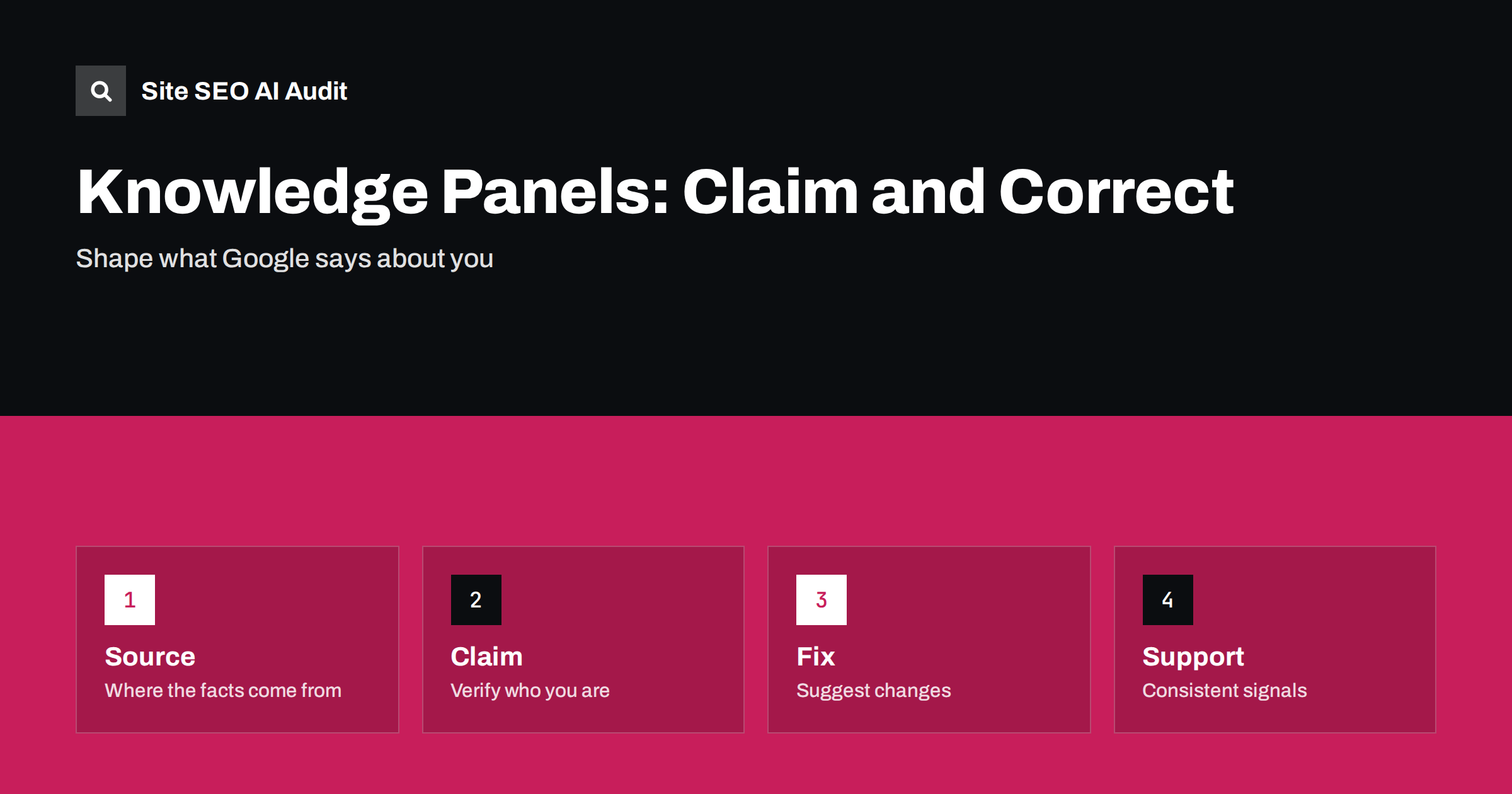
Short answer: A knowledge panel is an information box that Google may show for a brand, organization or person. You cannot create one on demand, because Google builds it from many sources, but you can influence it: publish clear facts on your own site, keep profiles consistent, add matching structured data, and, when a panel appears, use the verification option Google offers to claim it and suggest corrections. Expect changes to take time, and never rely on a single source.
When people search for your name, the first thing they may see is a box on the right of the results, or at the top on a phone, with a logo, a short description, an address, links and facts. That box shapes first impressions, and it often feeds answers in AI features too. If it is missing, incomplete or wrong, you lose trust at the moment someone is deciding whether to contact you. This guide explains where the information comes from, how claiming works and what to do about errors. It builds on entity SEO for AI search, which describes how systems recognise brands.
What a knowledge panel is and is not
A knowledge panel summarises what Google understands about an entity: a company, a public figure, a place, a work or an organization. It is different from a business profile on the map, which relates to a physical location and is managed by the owner. It is also different from a normal result, which points to a page. A panel draws facts from several places and shows them as if they were settled. There is no application form to get one, and nobody can pay for one. Whether an entity gets a panel depends on whether Google has enough reliable information to be confident about it.
Where the information comes from
The facts in a panel come from a mix of sources: your official website, structured databases and reference sites, public registries, business and map listings, news coverage and licensed data. Reference sources such as encyclopaedias and open data projects carry weight when they exist and are accurate, as discussed in Wikipedia and Wikidata for brands. When sources disagree, Google must choose, and the result may be a wrong logo, an old address or a confusing description. The best remedy is to make the true facts consistent in every place you control.
Prepare your own site first
Before you look for a panel, make sure your website says clearly who you are. Create an about page with the full legal or trading name, a short description, the founding year if you want it known, the address or service area, contact details and links to your official profiles. Link to this page from the main navigation or footer. Use a clean logo file and the same name everywhere. Add organization markup that matches the visible text, with identifiers that stay stable, as described in organization schema for AI systems. Make sure the home page is crawlable and returns a normal status code.
Align profiles and listings
List the places where your brand appears: social profiles, review sites, business directories, app stores, payment or marketplace profiles and press pages. Compare the name, description, address, phone number, website and logo. Fix differences, and link the profiles back to your site. Choose one official wording for the short description and use it widely. Where you manage a business profile for a location, keep it in line with the website, following the advice in keeping your business profile and website aligned. Consistency is not a trick; it simply removes the doubt that makes systems hesitate.
Find out whether you have a panel
Search for your brand name, your own name or the full company name in a private window, and try a few variants, such as the name with the city. Check on phone and desktop, and in the country that matters to you, because panels can differ by market and language. If a panel appears, look for the option to claim it, which is normally a link near the panel that mentions verifying or claiming. If none appears, do not pay anyone who promises to create one. Continue to build clear, consistent information and check again every few weeks.
Claim and verify the panel
If Google offers the claim option, follow the steps for the account you want to manage the panel. You will be asked to sign in and prove that you are the entity or an authorized representative, usually by using an official profile or an account that Google already links to your brand. Use an account that belongs to the organization, not a personal one that may be lost when someone leaves. Once verified, you can suggest changes to some fields and see more information about how people find the panel. Keep the details of who has access in your records.
Suggest corrections the right way
Wrong information is common: an old logo, a closed office, a mixed-up description. Use the suggestion option on the panel, state which fact is wrong and give a reliable source that shows the correct fact. A reliable source can be your own site, a registry or a news article. Fix the underlying sources too. If an outdated listing or a reference page contains the error, correct it there, or the panel may return to the old value. Be patient: reviews take time, and not every suggestion is accepted. If a panel confuses you with another entity of the same name, see brand name confusion in AI search.
Build signals that make the entity clear
Over time, other signals help. Earn mentions in reliable publications, keep a steady publishing record, collect real reviews and ensure the people behind the brand have visible author pages. Unlinked mentions also count as a signal for recognition, as explained in unlinked brand mentions and AI search. Avoid creating pages on reference sites that do not meet their rules, since promotional edits are removed and can harm your reputation. Concentrate on being notable for something real and make it easy to verify.
Track what the panel and AI features say about you every month. Take a screenshot, note the date and compare it with the previous month. Record your own search results for the brand name, since the order of pages beneath the panel also matters; your site, your main profiles and good coverage should occupy the first places. If something unwelcome ranks for your name, produce clearer pages of your own and ask the owner of the third-party page to correct it where that is possible.
Special cases need extra care. A person with a common name, a company with the same name as another business or a brand that shares a word with a famous one may find that the panel mixes facts from several entities. In that case, give your own entity a distinguishing detail that appears everywhere: the full name, the field you work in, the city or the founding year. Use the same detail in the page title of your about page, in your description and in your profile bios. Such details give systems a reason to separate you from the others. If you are a small local business, you may never receive a panel, and that is normal; a well-managed business profile and a clear website can serve you just as well.
Also decide who inside the organization owns this work. Panels and profiles often fall between marketing, legal and the web team, so no one notices when a fact goes out of date. Name one person, give them access to the verified account and ask them to review the main facts every quarter: the name, the logo, the address, the opening hours, the leadership and the links. When something changes, such as a new office or a rebrand, update the website first, then the profiles, then send a suggestion for the panel, in that order. A short checklist for these updates keeps the entity story consistent over years, which is what both readers and machines reward.
Site SEO AI Audit crawls your site and checks the technical basics that support a clear identity: status codes, indexing rules, canonicals, titles, structured data, Open Graph tags and the link structure of your about and contact pages. It cannot create or claim a knowledge panel, and no tool can promise one. The first audit of up to 200 pages is free; larger sites can see the pricing page.
Related reading
- About Page SEO
- Contact Page SEO
- Site Name and Favicon in Google Results
- Branded vs Non-Branded Search
The bottom line
You cannot order a knowledge panel, but you can earn a correct one: state clear facts on your site, keep profiles consistent, add matching markup, claim the panel when offered and correct errors with reliable sources.
FAQ
Can I create a knowledge panel for my business?
No. Google builds panels from many sources. You can make your facts clear and consistent so that a panel is more likely to appear and be correct.
How do I claim a knowledge panel?
If a panel shows an option to claim or verify it, sign in with an account tied to your brand and follow the verification steps.
Why does my panel show wrong information?
Sources may disagree or be outdated. Fix the facts on your site and listings, then send a suggestion with a reliable source.
How long do changes take to appear?
From a few days to several weeks, and some suggestions are not accepted. Keep sources consistent in the meantime.
Do knowledge panels affect AI answers?
The same facts and sources often inform other features, so accurate, consistent information helps in both, but there is no guarantee.