ENEnglish
 LTLietuviškai
 DEDeutsch
 FRFrançais
 RUРусский
 ESEspañol
 PLPolski
 ITItaliano
 UKУкраїнська
 CSČeština
 PTPortuguês
 JA日本語
 LVLatviešu valoda
 ETEesti
 HUMagyar
 IDBahasa Indonesia
 TRTürkçe
 HIहिन्दी
 ELΕλληνικά
 ARالعربية
 THไทย
 VITiếng Việt
 RORomână
 MSBahasa Melayu
 BNবাংলা
Short answer: Web developers and freelancers can use Site SEO AI Audit as a quality check for the sites they build. It needs no code on the website, crawls up to 10,000 pages per check, and returns a score, seven area scores and a fix list ranked by impact. Run a check before handover to catch blocked robots rules, broken links and missing titles, run another after each release to catch regressions, and share the report with the client as evidence of the work. Starter has five checks a month, Pro twenty and Agency a hundred.
Developers are often asked a question that has nothing to do with code: “Will Google find my new website?” A site can pass every functional test and still be invisible, because a staging rule blocks crawlers, a redesign broke old addresses or a script hides the text from anything that does not run JavaScript. These are exactly the problems an SEO audit finds, and they are cheaper to fix before launch than after traffic drops.
Why developers need an SEO check
Most SEO damage is caused by technical changes, not by writing. A new theme removes canonical tags. A migration changes addresses without redirects. A performance plugin breaks the sitemap. A deployment copies the staging robots.txt to production. The developer is the person who made the change, so the developer is the person who should confirm that search engines can still read the site. The article on SEO requirements for developers lists the technical basics, and an audit turns that list into a report for a real site.
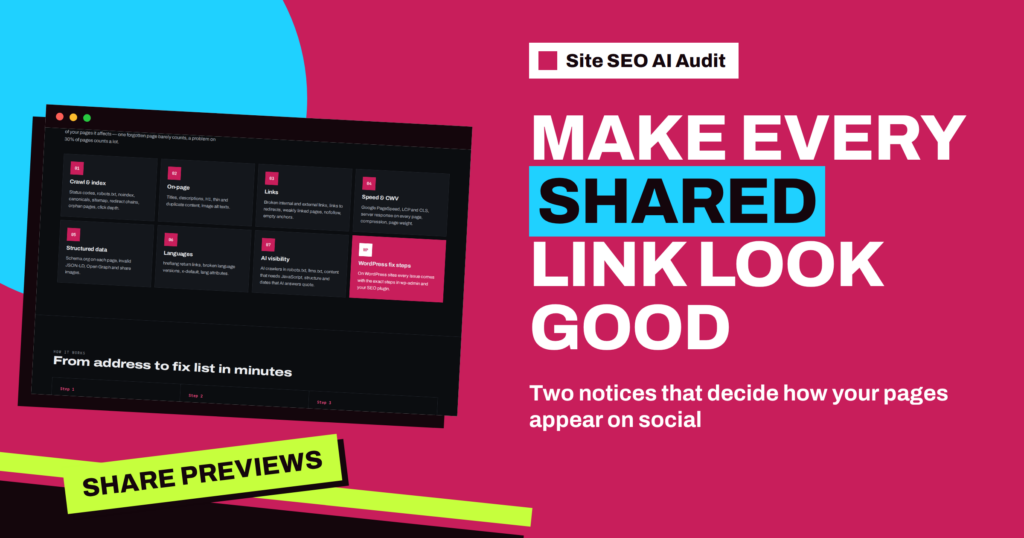
What the audit checks, in developer terms
- Crawl and index. Status codes, robots.txt, noindex, canonicals, the sitemap, redirect chains, orphan pages and click depth.
- On-page. Titles, descriptions, H1, thin and duplicate content, image alt text and favicon.
- Links. Broken internal and external links, links to redirects, weak pages, nofollow and empty anchors.
- Speed and Core Web Vitals. Google PageSpeed on mobile, LCP and CLS, server response, compression and page weight.
- Structured data. Schema.org pada setiap halaman, JSON-LD tidak sah, Open Graph dan imej perkongsian.
- Languages. hreflang return links, broken language versions, x-default and lang attributes.
- AI visibility. AI crawlers in robots.txt, llms.txt, content that needs JavaScript, and structure and dates.
Each finding has a severity, an explanation, the fix and the list of affected pages. On WordPress sites, the issue cards also give steps for wp-admin and the SEO plugin, which saves a developer from writing the instructions for a non-technical client.
Before launch: a handover check
- Run the check on the staging or the live address. The audit reads the site like a search engine and follows robots.txt, so a site that blocks crawlers will be reported as blocked. That is itself a useful warning.
- Clear every critical finding. Critical issues are blocked robots rules, 4xx and 5xx pages, broken canonicals and broken internal links.
- Look at JavaScript visibility. The audit has a warning for content that needs JavaScript to appear, because many AI crawlers do not run scripts. If you build with a client-side framework, this finding tells you whether the main text is present in the HTML.
- Check the redirects. Compare your redirect map with the redirect chains and links-to-redirects findings. The article on the redirect map for a migration shows how to plan one.
- Save the result. Note the score and area scores as the baseline.
After each release: a regression check
Run a check after every release that touches templates, plugins, redirects or server rules. Compare the area scores with the baseline and open the area that moved. A drop in Crawl and index after a deployment usually has a clear cause. The article on automated SEO tests for regressions explains how to build tests into a release process, and an audit is the wider check that catches what those tests do not cover.
Reading a report as a developer
Developers tend to read reports differently from marketers. Instead of going through findings one by one, look for causes. Ten findings that share one template are one task. A hundred pages with the same status code are one rule on the server. The page list shows status, indexability, click depth, internal links in, words and title length for every page, so you can sort and filter to see patterns quickly. Start with the area that moved or the critical findings, find the shared cause in a template, plugin or server rule, fix it at the source and verify with a new check. This is faster than editing pages, and it prevents the same flaw from reappearing in the next page you publish.
A second habit is to separate what you control from what the client controls. Titles, descriptions and thin content belong to the content owner. Status codes, redirects, canonicals, robots rules, speed and structured data usually belong to you. Splitting the fix list this way makes the conversation with the client short and clear: here is what I fixed, and here is what needs your text.
Common launch mistakes the audit catches
- The staging block goes live. A robots.txt rule that blocks every crawler, or a noindex setting, travels to production. The audit reports it as critical, and the overall score cannot go above 20 while it stays.
- Old addresses vanish. A new structure without redirects creates 4xx pages and broken internal links.
- Canonicals point to staging. Pages declare a preferred address on the wrong host name.
- Heavy pages and no compression. A server without gzip or Brotli sends pages several times larger than needed.
- Empty anchors and missing alt text. Icon links and image links without text are easy to forget in a new design.
None of these needs special tools to fix, but all of them are easy to miss when you are focused on a design that looks right.
Working with clients
- The fix list is ranked by impact. Each issue shows how many points the score gains if it is fixed, so you can agree on priorities in minutes.
- The report is readable by non-technical people. Each issue explains why it matters in plain words.
- Pro adds a PDF report. You can send the client a document instead of a login.
- Agency adds a white-label PDF with your logo, and an embeddable audit form for lead generation. The article on white-label reports for agencies describes it.
The handover checklist in the article on an SEO agency handover is a good partner for the same moment in a freelancer’s project, when the work is delivered and the client wants to know what has been done.
Choosing a plan
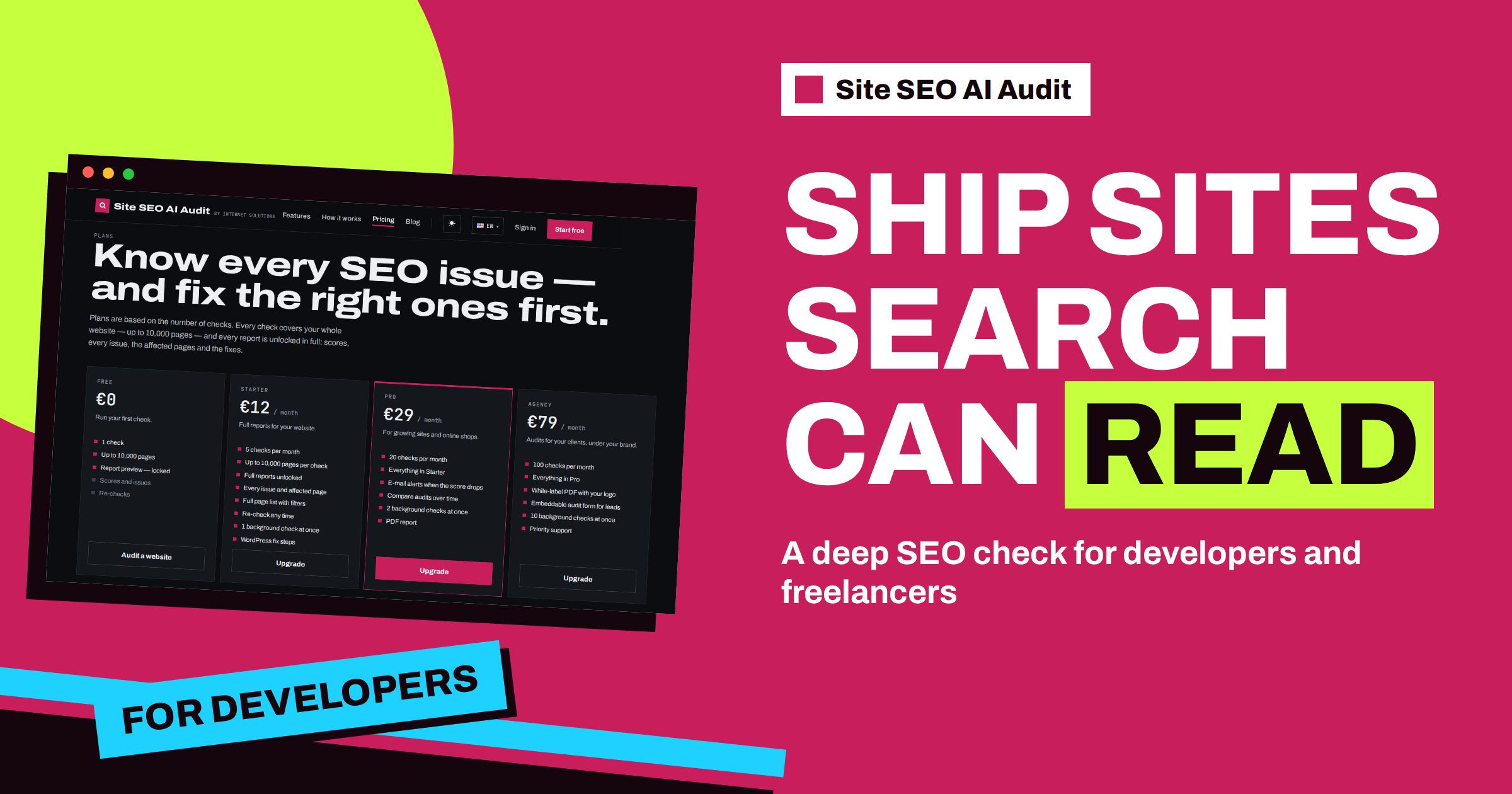
A free account runs one check and shows the report locked, which is enough to see how the tool works. Paid plans unlock the full report and differ by the number of checks per month, as the pricing page shows.
| Plan | Per month, excluding VAT | Checks per month | Background checks at once |
|---|---|---|---|
| Starter | €12 | 5 | 1 |
| Pro | €29 | 20 | 2 |
| Agency | €79 | 100 | 10 |
As a rule, a freelancer with a few clients fits Starter or Pro: one check before launch and one after each release adds up quickly. Someone who looks after many sites, or who wants to run an audit for every sales conversation, needs the Agency volume. Unused checks do not carry over to the next month.
If you maintain sites on a retainer, build the check into your routine: one after each release, and a standing one before each monthly report. The numbers then tell a story over time, and the client sees steady care instead of occasional emergencies. Keep a short log of scores and changes for each site, so that you can answer the question “what did you do for us this quarter?” in one minute.
A typical project
A freelancer rebuilds a small company website with 40 pages. Before launch, the check shows a critical finding for 12 old pages that return 4xx errors, a warning that the sitemap lists redirected addresses and a notice for missing Open Graph tags. The freelancer adds the redirects, regenerates the sitemap and enables the social tags. A second check shows a clean Crawl and index area and a higher overall score, and the freelancer sends the PDF to the client with a short note. Two weeks later, after a plugin update, a third check shows a new warning, which is fixed the same day. The client sees a developer who cares about results after delivery, and the freelancer has proof of it.
Related reading
- Technical SEO Audit Checklist: 40 Checks in the Right Order
- Why AI Crawlers Miss JavaScript Content and How to Fix It
- WordPress Fix Steps in Site SEO AI Audit Reports
The bottom line
Developers and freelancers can use Site SEO AI Audit as a final test for every site they deliver. Check before launch, check after releases, fix by impact and give the client a clear report.
FAQ
Do I need to install anything on the client’s website?
No. No code on the website is needed. The crawler reads the pages like a search engine.
How many pages can a check cover?
Up to 10,000 pages per check on every plan.
Can I send the client a PDF report?
Yes, on Pro and Agency. Agency adds a white-label PDF with your own logo.
Does the audit handle JavaScript-heavy sites?
It reports content that needs JavaScript to appear, because many AI crawlers do not run scripts, so you can see whether the main text is in the HTML.
How many checks do I get?
Starter has five checks per month, Pro twenty and Agency a hundred. A free account has one check in total and shows the report locked.