ENEnglish
 LTLietuviškai
 DEDeutsch
 FRFrançais
 RUРусский
 ESEspañol
 PLPolski
 ITItaliano
 UKУкраїнська
 CSČeština
 PTPortuguês
 JA日本語
JA日本語 LVLatviešu valoda
 ETEesti
 HUMagyar
 IDBahasa Indonesia
 TRTürkçe
 HIहिन्दी
 ELΕλληνικά
 ARالعربية
 THไทย
THไทย VITiếng Việt
 RORomână
 MSBahasa Melayu
 BNবাংলা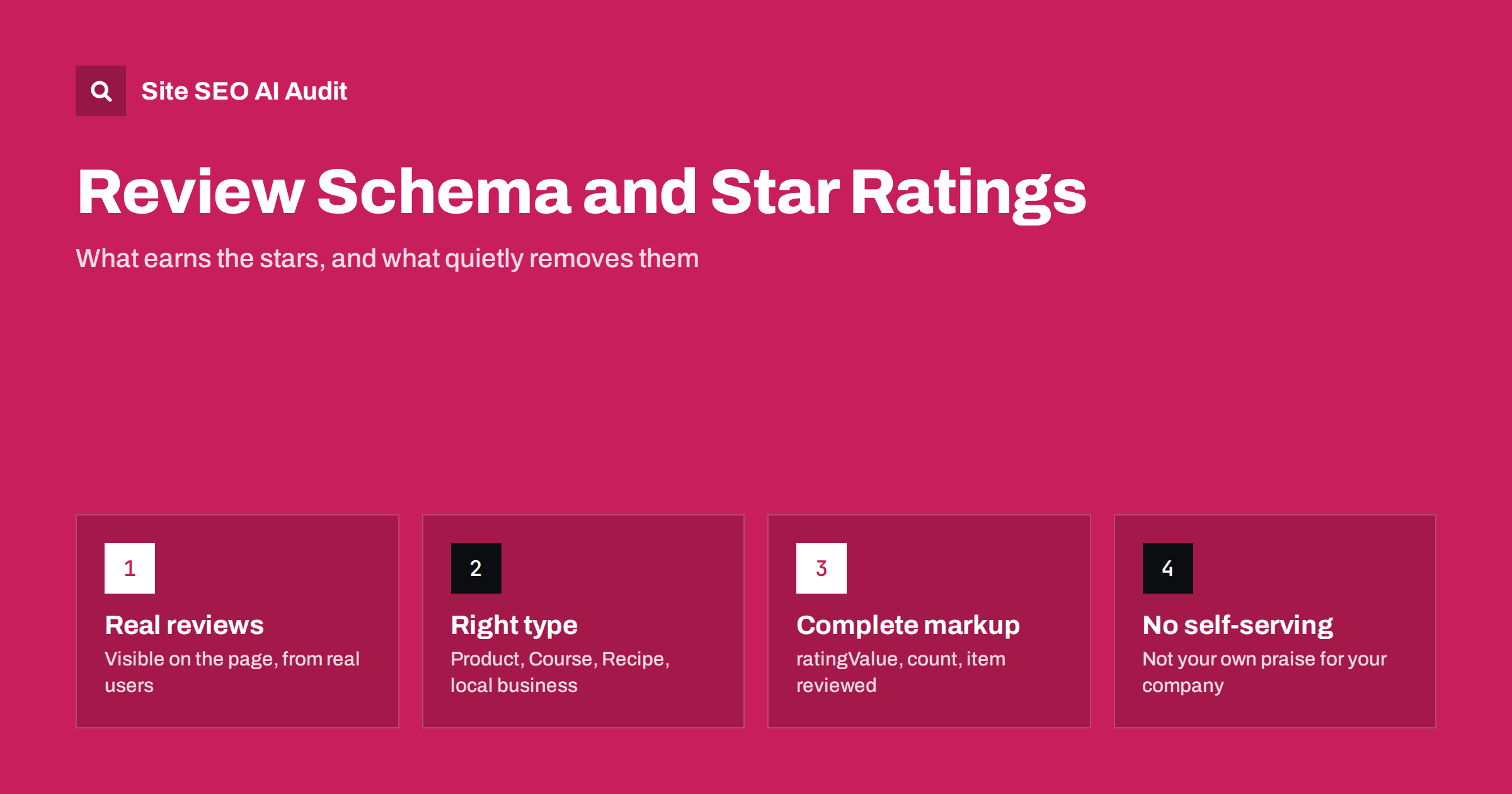
Short answer: Review markup lets a page describe ratings so that search engines may show stars next to the result. It works only for supported kinds of content, such as products, courses, recipes, software and local businesses, and only when the reviews are real, visible on the page and about the item itself. Ratings that you write about your own company, reviews that visitors cannot see, or a rating copied from another page are the usual reasons the stars never appear or are later removed. Mark up what users can read, keep the numbers accurate, and test the page.
Star ratings in search results are small, but they change how a result looks. A listing with stars stands out from plain blue links and tells a searcher that other people have already judged the item. That is why review markup is one of the most abused kinds of structured data, and why search engines apply strict rules to it. This guide explains how the markup works, when it is eligible and the mistakes that cost sites their stars.
What review markup describes
Two related ideas are often mixed up:
- Review: one person’s opinion of an item, with an author, a rating and usually some text.
- AggregateRating: a summary of many ratings, such as an average of 4.6 from 180 reviews.
Both are written in JSON-LD using the schema.org vocabulary, and both must be attached to the item being reviewed: a product, a course, a recipe, a software application or a business. A rating floating on its own, with no clear item, gives a search engine nothing to show. Our overview of structured data for AI search explains how this markup fits into the wider picture.
Which pages can earn stars
Search engines publish a list of content types that can show review stars, and it is deliberately limited. It has included products, recipes, courses, events, software applications, books, movies and local businesses, among others. Check the current documentation for the full list, because it changes over time.
The practical rules that matter most:
- The reviewed item must be the main subject of the page. A product page can show product stars. A blog post that merely mentions ten products usually cannot.
- The page must contain the reviews or the rating that you mark up. Markup describes visible content; it does not replace it.
- Eligibility is never guaranteed. Correct markup makes a page eligible. Whether stars appear depends on the search engine and the query.
If your pages are product pages, also read our guide to product page SEO, since the review block is only one part of what makes them work.
The self-serving review rule
The most important restriction is easy to miss. Reviews of a business or organisation that are written by that business, or placed on the business’s own site to describe the business itself, are treated as self-serving. Search engines generally do not show stars for them, even when the markup is valid.
That means a company homepage that says “We are rated 4.9 by our customers” in markup, with a rating about the organisation itself, is not a good use of review schema. Stars are intended for reviews of specific things that people can compare: a product, a course, a dish. If you run a local business, ratings in search usually come from third-party listings rather than your own page markup.
The same logic applies to reviews that you control or incentivise heavily. Markup does not make weak reviews more trustworthy. Our article on reviews and reputation in AI recommendations covers why genuine third-party feedback matters more every year.
Build the markup correctly
A product with a summary rating looks like this in JSON-LD:
{
  "@context": "https://schema.org",
  "@type": "Product",
  "name": "Trail Running Shoe 2",
  "aggregateRating": {
    "@type": "AggregateRating",
    "ratingValue": "4.6",
    "reviewCount": "180"
  }
}
The details that cause trouble:
- Match the visible numbers. If the page says 4.6 from 180 reviews, the markup must say the same. Marking up a higher figure is a policy violation.
- Use a consistent scale. The default scale is 1 to 5. If you use another scale, define the best and worst value.
- Include the reviewer name on individual reviews, and use a real name or handle, not the brand itself.
- Keep the dates and counts current. Stale totals copied into a template are a common error on large catalogues.
Google’s documentation on review snippets lists the required and recommended properties for each type. Always check against it, because the requirements differ slightly between item types.
Mistakes that remove the stars
Most losses of stars come from a short list of avoidable problems:
- Hidden reviews. The markup contains reviews that visitors cannot see, for example because they load only in another tab or are removed from the visible template.
- Copied ratings. One rating is repeated across many pages, such as a site-wide score shown on every product.
- Wrong type. A category page marked up as a single product, or an article marked up as a product review when it is a news piece.
- Fake or imported reviews. Reviews pulled from other sites without permission, or written by staff, break the guidelines and the trust of shoppers.
- Invalid or incomplete code. Missing required properties, rating values written with text, or broken JSON that no parser can read.
- Markup injected by a plugin on every page. The plugin may add ratings to pages that have no reviews at all.
Search engines can also take manual action against pages that abuse structured data. Even without a penalty, losing the stars after a template change is common, so it is worth checking after every redesign. Our guide to fixing structured data errors walks through the usual error messages.
Reviews on your own pages: practical advice
If you collect reviews yourself, a few habits keep the markup honest and useful:
- Let customers write reviews of products they actually bought, and publish negative ones too, within your stated moderation rules.
- Show the reviews in the page HTML, not only after a script call that crawlers may not wait for.
- Use a review tool that outputs valid markup, then confirm the numbers on the page match the code.
- Keep one reviewed item per page. For variants such as sizes and colours, decide whether reviews belong to the parent product.
Reviews also help readers directly. A summary of what customers liked and disliked can be quoted by AI answers, which often draw on review text when users ask whether a product is worth buying.
A short checklist before you add review markup
Run through these questions for every template that will output ratings. They catch most problems before the page goes live:
- Is the reviewed item the main subject of the page? If the page is a list of many items, markup for a single rating is probably wrong.
- Can a visitor see the rating and the reviews without clicking anything unusual? If not, reconsider the markup.
- Does every number in the code match a number on the page? Compare the average, the count and the scale.
- Were the reviews written by real customers of that item? If staff or partners wrote them, do not mark them up.
- Is there a process to update the figures when new reviews arrive, so that old totals do not linger?
It also helps to treat review code as part of your release process. When a developer changes the product template, add a quick check of one product page in a rich results test. A two-minute test is cheaper than weeks of lost stars that nobody notices. Store a few example URLs for each template type, so that anyone on the team can repeat the test.
Finally, think about what happens when a product has no reviews yet. The template should output no rating markup at all instead of a zero or an empty value. An empty AggregateRating is one of the most common sources of validation errors on new products, and it is easy to prevent with a simple condition in the template.
Testing and monitoring
Run a representative page through a rich results test before launch, then watch the enhancement reports in Search Console after the pages are crawled. If a page is eligible but shows no stars, that does not mean the markup is broken: the search engine simply decides when to show them. If a report shows errors, fix them at the template level so that all affected pages are corrected together. Our Search Console setup guide shows where these reports live.
Site SEO AI Audit crawls your site like a search engine and checks structured data on every page, including invalid JSON-LD, along with titles, links, speed and AI visibility, then ranks the fixes by how many points each adds. The first audit of up to 200 pages is free.
Related reading
The bottom line
Review schema is a way to describe real, visible opinions about a specific item, not a shortcut to stars. Use it on pages whose main subject is a supported item, keep the numbers identical to what visitors see, avoid ratings about your own organisation, and test after each template change. Honest reviews, shown clearly, protect both your search appearance and your customers’ trust.
FAQ
Why do my star ratings not show up even though the markup is valid?
Valid markup only makes a page eligible. Search engines decide whether to show stars, based on the query, the quality of the page and their own guidelines. Make sure the reviews are real, visible and about the item on the page.
Can I add review stars to my homepage for my own company?
Generally no. Reviews of an organisation written by that organisation or placed on its own site are considered self-serving, and stars are usually not shown for them.
Do I need both Review and AggregateRating?
No. A page with many reviews often uses AggregateRating for the summary and may list a few individual reviews. A page with a single review can use Review alone. What matters is that the markup matches visible content.
Are reviews from other websites allowed in my markup?
You should not mark up reviews that were written elsewhere and copied to your page without permission. Use reviews that your own customers submitted on your site, or follow the terms of a review platform that provides a compliant widget.
How often should I check my review markup?
After every template, plugin or theme change, and periodically through the enhancement reports in Search Console. Review code is easy to break by accident when a developer changes the product page layout.