ENEnglish
 LTLietuviškai
 DEDeutsch
 FRFrançais
 RUРусский
 ESEspañol
 PLPolski
 ITItaliano
 UKУкраїнська
 CSČeština
 PTPortuguês
 JA日本語
JA日本語 LVLatviešu valoda
 ETEesti
 HUMagyar
 IDBahasa Indonesia
 TRTürkçe
 HIहिन्दी
 ELΕλληνικά
 ARالعربية
 THไทย
THไทย VITiếng Việt
 RORomână
 MSBahasa Melayu
 BNবাংলা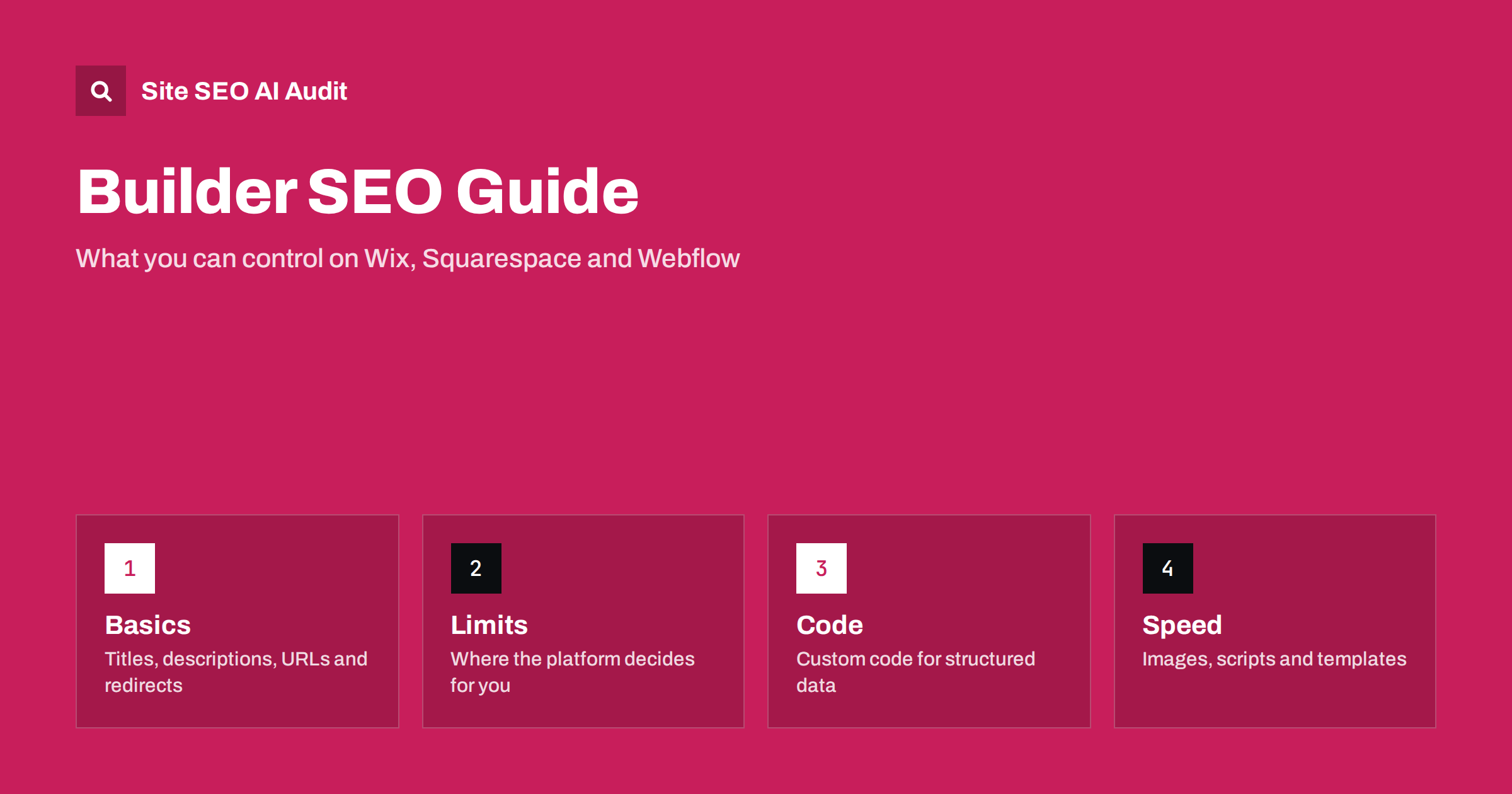
Short answer: Websites built on Wix, Squarespace or Webflow can rank as well as any other site, because search engines read the HTML they output, not the tool that produced it. The difference is control. Hosted builders decide some technical details for you, such as how URLs are formed, how the sitemap is generated, which scripts load and how much of the head you can edit, and the details differ by platform and sometimes by plan. Your job is to confirm that the essentials are in place: unique titles and descriptions, clean URLs, correct redirects, a working sitemap, canonical tags, fast pages and structured data. Where the builder blocks a setting, you work around it with custom code, a different template or, if the limit hurts, a migration.
Many small businesses and freelancers choose a builder because it is quick and needs no developer. That is a good reason, and it does not hurt SEO by itself. Problems appear later: a template that loads heavy scripts, duplicate pages created by blog tags or collections, a redirect you cannot create on your plan, or structured data that the builder does not support. This guide lists what to check on any hosted builder, what usually works and where the limits tend to be, so that you can decide whether the platform fits your goals. Features change often, so always confirm current behaviour in the builder’s own help pages and in your live site rather than relying on a list of what a platform could do years ago. A general audit routine is in the technical SEO audit checklist.
Titles, descriptions and headings
All three builders let you set a page title and meta description for each page, and you should write both by hand. The risk is the default: if you leave the fields empty, the builder may fill them with the page name or the site name, which produces duplicate or weak titles across many pages. Set the site-wide pattern once, then override it on every page that matters. Headings need attention too. Some templates use a heading element for the site logo or for decorative text, so the page may have no real H1 or several. Open the page source or the outline view and confirm that each page has one H1 describing its topic and that sections use H2 and H3 in order. Do not choose heading levels for their font size; change the style instead. Guidance on writing these elements is in the title tag guide and the heading structure guide.
URLs, slugs and redirects
Look at how the builder forms URLs. Most allow editing the slug of a page, but many add fixed prefixes for blog posts, collections or products, and some limit how deep you can nest. Short, descriptive, lowercase slugs are best; avoid changing them once a page has links and rankings. When you do rename or delete pages, you need permanent redirects from the old address to the new one. Builders usually provide a redirect manager, and the number of rules or the ability to import in bulk can depend on the plan. Use permanent redirects, not temporary ones, and avoid chains. If you plan a redesign or move to another platform, build the redirect map first, as described in the site migration checklist, and read 301 vs 302 redirects before you create rules.
Sitemaps, robots.txt and indexing
A hosted builder normally generates an XML sitemap automatically and submits nothing by itself, so add the sitemap address in Google Search Console and Bing Webmaster Tools and check the coverage report. Confirm that the sitemap lists only pages you want indexed: members-only pages, thank-you pages, search result pages and utility pages should be excluded or marked noindex where the platform allows it. Some builders let you edit robots.txt, others generate it and give only page-level controls. If you cannot edit the file, use the page-level noindex setting instead of trying to block with robots rules. Never rely on a password-protected area to be ignored; test what the crawler can actually reach. The basics are explained in XML sitemap best practices and the robots.txt guide.
Canonical tags and duplicate content
Builders generally add canonical tags automatically, which is useful, but blogs and stores can still create duplicates through tag pages, category pages, pagination, archive views and product collections that show the same items under several addresses. Check a few templates by viewing the source and reading the canonical link, and compare it with the address in the browser. If two pages show nearly the same content, decide which one should rank and either merge them, noindex the weaker one or make sure the canonical points to the right address. Printed or filtered variants should also resolve to one preferred version. Details on how canonicals behave are in canonical tags explained.
Structured data and custom code
Builders often add basic structured data for products, articles or local business details, but coverage and quality vary. Test the pages with a rich results validator and compare what you find with the content on the page. If something is missing, most platforms allow custom code in the page head or in an embed block, where you can add JSON-LD. Keep the markup consistent with visible content and update it when the page changes. Be careful with scripts pasted from third parties, since each one adds weight and a point of failure. When you add structured data by hand, use the format recommended in JSON-LD vs microdata and fix reported errors using the structured data errors guide.
Speed and mobile experience
Template choice has a large effect on speed. Heavy animations, large background videos, many fonts and stacked third-party widgets slow pages, particularly on phones. Compress images before upload even if the builder resizes them, set dimensions to avoid layout shifts, remove unused apps and embeds, and test real pages with the PageSpeed and Core Web Vitals reports rather than the template demo. Mobile-first indexing means that the phone version is the one evaluated, so check that menus, forms and tap targets work on a small screen and that content is not hidden on mobile. See Core Web Vitals explained and the mobile-first indexing checklist.
Multilingual sites and AI visibility
Language support is where builders differ most. Check whether translated pages get their own crawlable URLs, whether hreflang annotations are generated and whether you can translate titles, descriptions and slugs. A language switch that changes text with scripts on one address gives search engines nothing to index. If you serve several languages, choose a structure that produces separate addresses, as covered in the hreflang tags guide. For AI search, confirm that important content is present in the HTML rather than loaded after the page renders, and that robots rules do not block the crawlers you want. A short, factual page that answers a question clearly is easy for an assistant to quote on any platform.
When to stay and when to move
Stay if the builder lets you control titles, URLs, redirects, sitemaps, canonicals and structured data, and your pages are fast. Consider moving if you hit a hard limit that affects revenue: no way to create the redirects you need, no separate URLs for languages, no control over crawling, or poor speed that you cannot fix. Moving is a project with risk, so plan it with a full URL list and redirects, as in the website redesign SEO guide. Do not move simply because of a rumour that builders rank badly; fix the page-level issues first and measure the effect.
Checklist and audit
- Unique title, description and one H1 on every important page.
- Readable slugs and a redirect for every changed or deleted address.
- Sitemap submitted, with only indexable pages listed.
- Canonical tags correct on blog, tag and product pages.
- Valid structured data, added with custom code where needed.
- Fast templates, compressed images and few third-party scripts.
Site SEO AI Audit crawls your published site like a search engine, whichever builder produced it, and scores about 50 checks per page across seven areas, ranking fixes by the points they add. The first audit of up to 200 pages is free, and larger sites can see the pricing page.
Related reading
- Technical SEO Audit Checklist
- Canonical Tags Explained
- Website Redesign SEO
- XML Sitemap Best Practices
The bottom line
A website builder is not an SEO problem, but it sets the limits of what you can change. Check titles, URLs, redirects, sitemaps, canonicals, structured data and speed on your live pages, work around gaps with custom code where the platform allows it, and move only when a limit blocks something that matters.
FAQ
Can a site built on Wix, Squarespace or Webflow rank on Google?
Yes. Search engines evaluate the page output, not the tool. Good content, correct technical settings and fast pages matter far more than which builder you use.
What is the most common SEO mistake on website builders?
Leaving titles and descriptions at their defaults, so many pages share the same text, and publishing heavy templates that load slowly on phones.
Can I add structured data on a builder?
Usually yes. Many platforms add basic markup themselves and allow custom code in the head or an embed block where you can add JSON-LD. Validate it after publishing.
Do I need redirects when I rename a page?
Yes. Create a permanent redirect from the old address to the new one so that links and rankings carry over and visitors do not reach an error page.
Should I leave my builder for better SEO?
Only if a hard limit blocks something important, such as redirects, separate language URLs or speed. Fix page-level issues first and measure the result before deciding.