 ENEnglish
 LTLietuviškai
 DEDeutsch
 FRFrançais
 RUРусский
 ESEspañol
 PLPolski
 ITItaliano
 UKУкраїнська
 CSČeština
 PTPortuguês
 JA日本語
JA日本語 LVLatviešu valoda
 ETEesti
 HUMagyar
 IDBahasa Indonesia
 TRTürkçe
 HIहिन्दी
 ELΕλληνικά
 ARالعربية
 THไทย
THไทย VITiếng Việt
 RORomână
 MSBahasa Melayu
 BNবাংলা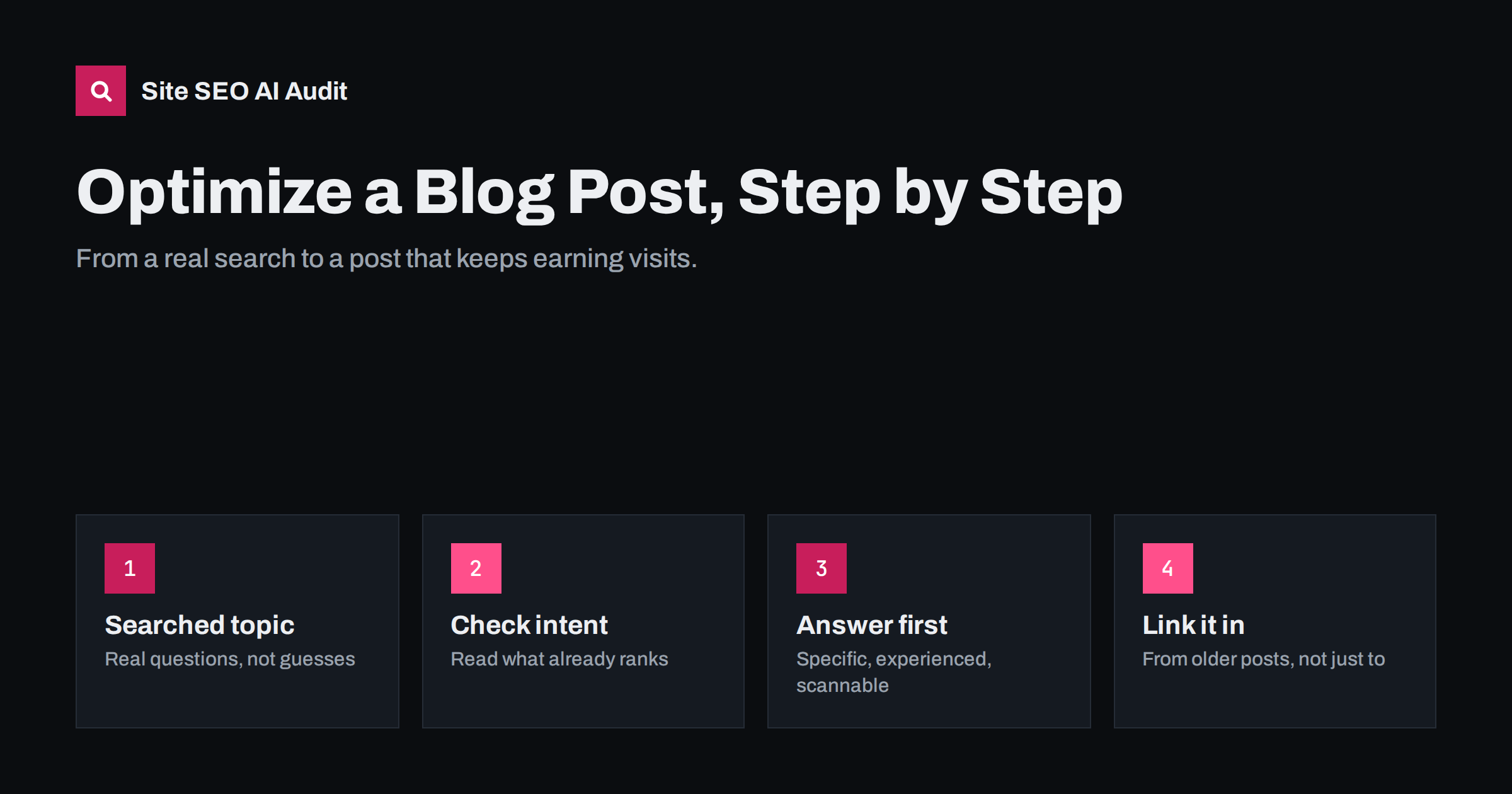
Short answer: To optimize a blog post for search, choose one question or topic people actually search for, check what already ranks to understand the intent, then write a post that answers it directly at the top and more completely than the alternatives. Give it a specific title tag, one clear H1, descriptive subheadings, a short slug, images with alt text, a meta description, and links to and from related posts. Publish, then update it when facts change.
Step 1: choose a topic people search for
Many blog posts fail before a word is written, because nobody searches for the topic in the way it is framed. “Our thoughts on the future of content” may be interesting to the team, but it matches few real searches. “How to write a meta description” matches many.
Good sources of topics that people search for:
- Customer questions. What do people ask your sales and support teams, in their own words?
- Search Console. Queries that already bring impressions to your site but have no dedicated page.
- Search suggestions and “People also ask”. Type your main topics into a search engine and note the questions it suggests.
- Forums and communities where your audience discusses problems.
- Keyword tools, used as a rough guide to relative demand rather than exact numbers.
Pick topics where you have genuine knowledge to share and where the post can naturally lead readers towards what your business offers. A plumbing company writing about low boiler pressure is well placed; the same company writing about celebrity homes is not.
Step 2: check the intent and the competition
Before writing, search the main phrase and read the top results. Note:
- What type of content ranks: step-by-step guides, lists, explanations, videos, tools?
- How deep the best results go, and what questions they all cover.
- What they miss, get wrong, or explain poorly.
- Whether the results are recent, which suggests freshness matters for this topic.
Your post should be the same type of answer as the results that satisfy searchers, but better: clearer, more specific, more current, or based on experience the others lack. Also check your own site. If you already have a post on the topic, update it instead of writing a second one that will compete with it.
Step 3: outline around the reader’s questions
A good outline turns the searcher’s needs into sections. Start with the main question, then list the follow-up questions in the order a reader would have them. For a post on “how to clean suede shoes”, the outline might be:
- Short answer: the basic method in two or three sentences.
- What you need.
- Step-by-step cleaning.
- Removing water stains.
- Removing salt marks.
- What not to do.
- How to protect suede afterwards.
- FAQ: can suede go in the washing machine, and so on.
Each item becomes an H2 or H3. Reading the headings alone should tell someone what the post covers.
Step 4: write the post
Answer first
Put the direct answer in the opening paragraph. Readers who only need the basics can leave satisfied; those who want more will keep reading. Long introductions about why the topic matters are the most common reason readers bounce.
Be specific
Replace general statements with steps, examples, numbers you can support and honest trade-offs. “Use a suede brush, working in one direction, then lightly back and forth to lift the nap” is useful. “Clean your shoes carefully” is not.
Show experience
Include what only someone who has done the work would know: common mistakes, what surprised you, what you would do differently, photos of real results. This is what distinguishes a post from the many generic articles on the same topic.
Write for scanning
Short paragraphs, descriptive subheadings, lists for steps, a table if you compare options, and bold only for key phrases.
Let the length follow the topic
A simple question may need 600 words; a complete guide may need 2,500. Do not pad to reach a number, and do not cut useful detail to hit one.
Step 5: set the on-page elements
| Element | What to do |
|---|---|
| Title tag | Main topic near the start, specific angle, roughly 50 to 60 characters |
| H1 | The post headline, close in meaning to the title tag |
| Slug | Short, lowercase, hyphenated; no dates or stop words: /clean-suede-shoes/ |
| Meta description | One or two sentences on what the post delivers, 120 to 160 characters |
| Subheadings | Descriptive H2s and H3s, in order, some phrased as questions |
| Images | Useful images, compressed, with descriptive alt text and file names |
| Category and tags | One relevant category; a few existing tags rather than new ones |
| Author | A real author name with a short bio showing relevant experience |
Step 6: link it into the site
New posts start with no internal links pointing to them, which makes them harder for search engines to find and judge. Before and after publishing:
- Link from the new post to two to five related posts and, where relevant, to a service, product or category page.
- Add links to the new post from older related posts. This is the step most people skip, and it matters as much as the links out.
- If you have a hub page for the topic, add the post to it.
- Use descriptive anchor text, such as “how to remove salt marks from suede”, not “this post”.
Step 7: publish, check and maintain
After publishing, check the live page rather than the editor preview: the title and description in the page source, that the page is indexable, that images load, that links work and that it reads well on a phone. If the post is important, you can ask Google to crawl it through the URL Inspection tool in Search Console.
Then maintain it. Revisit important posts when facts, tools or prices change, when traffic drops, or when better results appear. Update the substance first and the visible date only when you have made a meaningful change.
A site-wide audit catches the problems that creep into blogs over time: duplicate titles, missing descriptions, thin tag pages, images without alt text and broken links. Site SEO AI Audit checks these on every post and page, ranks fixes by impact and, on WordPress, shows exactly where to change each one. You can run a free first audit.
WordPress settings that help every post
Many blogs run on WordPress, and a few one-time settings make every future post easier to optimize:
- Permalinks. Under Settings, then Permalinks, choose “Post name” so slugs look like
/clean-suede-shoes/. Change this only on a new site; on an established blog it changes every URL. - SEO plugin templates. Set a sensible default title pattern for posts, usually the post title followed by the site name, and a default for categories and tags. This prevents duplicate or empty titles when an author forgets to set one.
- Tag and archive indexing. Decide whether tag, author and date archives should be indexed. On most small blogs, date archives add nothing and author archives duplicate the main blog list.
- Image handling. Make sure uploads are resized to sensible dimensions and that the media library prompts for alt text.
- Author profiles. Fill in each author’s display name and biography so posts show a real person with relevant experience.
Once these are set, each new post only needs its own title, description, slug, headings, images and links, which is a checklist an author can complete in a few minutes. Review the settings after changing theme or SEO plugin, since both can reset or override them.
Common blog SEO mistakes
- Writing about topics nobody searches for, with no other purpose such as newsletters or sales support.
- Several posts on the same topic competing with each other.
- Long introductions before the answer.
- Titles that are clever but do not say what the post is about.
- Creating a new tag for every post, producing hundreds of thin tag pages.
- Never linking new posts from older ones.
- Publishing and never updating.
Related reading
- On-Page SEO Checklist: What to Check on Every Page
- Search Intent: How to Match Your Page to What Searchers Want
- How to Refresh Old Content: A Practical Update Process
- Readability and SEO: How to Write Pages People Finish
The bottom line
An optimized blog post starts with a real search and a clear understanding of intent, answers the question directly and specifically, and is set up with a precise title, clean slug, clear headings, described images and a helpful meta description. Link it from older posts as well as to them, check the live page after publishing, and keep it current. That process does more than any plugin score.
FAQ
How long should a blog post be for SEO?
As long as it takes to answer the question well. Simple questions may need a few hundred words, complete guides a few thousand. Length is a result of coverage, not a ranking target.
How many keywords should a blog post target?
One main topic, with its close variants and related questions. If you want to target two unrelated phrases, you probably need two posts.
Should I use tags on blog posts?
Use a small, maintained set of tags, and only when they help readers browse. Creating a new tag for every post produces many thin tag pages. Categories often do the job better.
How often should I publish blog posts?
Consistency and quality matter more than frequency. A useful post every two weeks beats daily thin posts. Also budget time for updating existing posts, which is often more valuable than writing new ones.
Do blog posts help my service pages rank?
They can, by attracting visitors researching problems and linking them to the relevant service with descriptive anchor text. That strengthens the service page’s internal links and brings in readers who may become customers.


