ENEnglish
 LTLietuviškai
 DEDeutsch
 FRFrançais
 RUРусский
 ESEspañol
 PLPolski
 ITItaliano
 UKУкраїнська
 CSČeština
 PTPortuguês
 JA日本語
 LVLatviešu valoda
 ETEesti
 HUMagyar
 IDBahasa Indonesia
 TRTürkçe
 HIहिन्दी
 ELΕλληνικά
 ARالعربية
 THไทย
 VITiếng Việt
 RORomână
 MSBahasa Melayu
 BNবাংলা
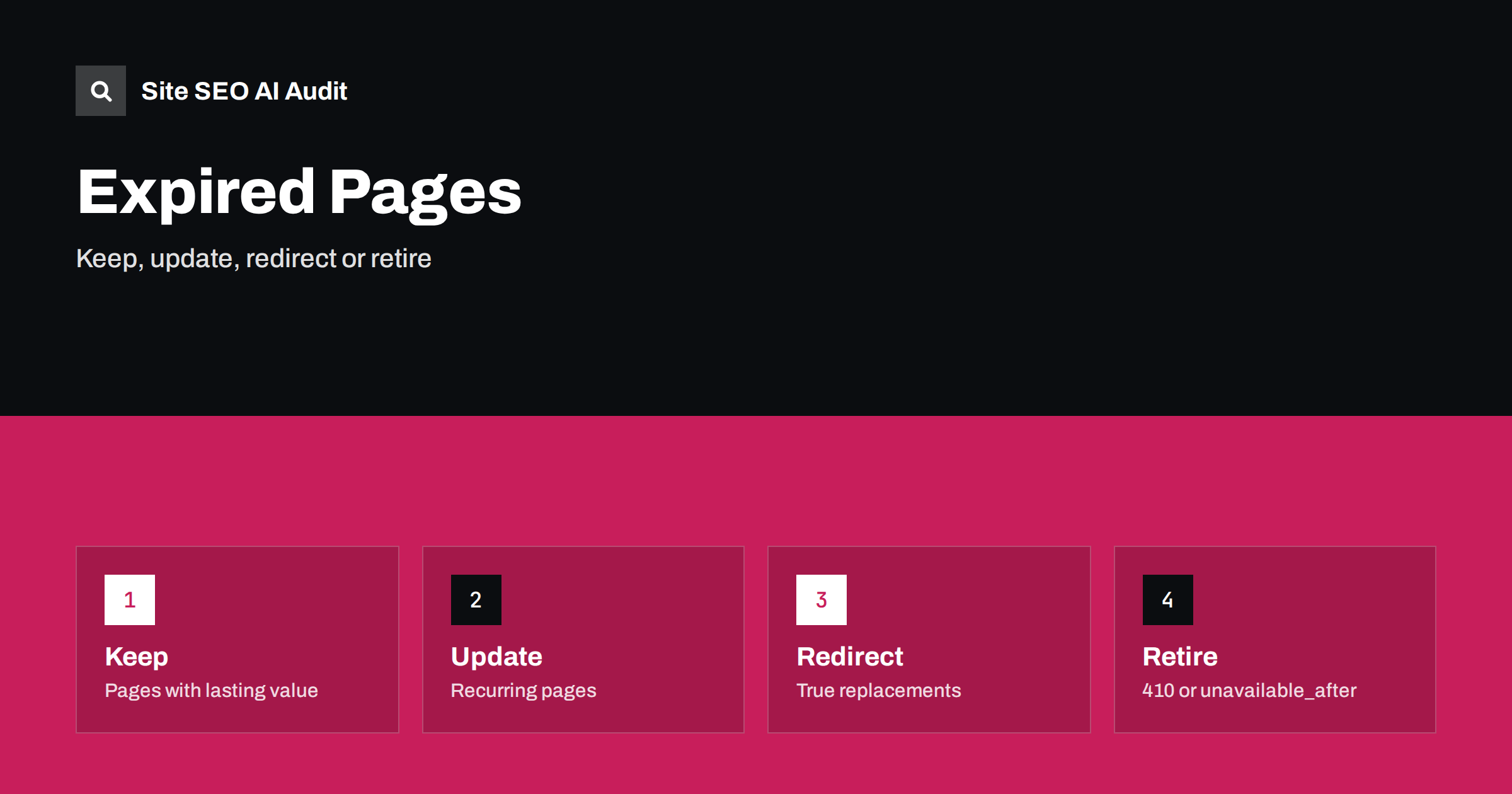
Short answer: A page that expires should not simply be left to decay. Decide for each type of page whether it keeps lasting value and should stay with a clear note, whether it recurs and should be updated under the same address, whether it has a real replacement and deserves a redirect, or whether it has no future and should return a 410 or 404 status. The unavailable_after robots rule can tell Google when to stop showing a page, but it is optional and not a replacement for a clear status code.
Every site has content with an end date: a conference, a sale, a job vacancy, a competition, a product that is discontinued, a notice about a service change. When the date passes, the page does not disappear on its own. It remains in search results, in links and in the memory of AI assistants, and visitors who arrive are disappointed or misled. The opposite mistake is also common: deleting everything the moment it expires and losing links, history and useful information. This guide gives a practical way to choose, so that expiring content causes neither confusion nor waste. Related questions about removal are covered in the guide to 410 and 404 status codes.
Sort expiring pages into four groups
Not all expired content is equal. A short sort makes the decision easy. Group one is pages with lasting value even after the date, such as a report of a past event, a case study of a campaign or an archive of news. Group two is pages that recur, such as an annual conference, a yearly sale or a seasonal guide. Group three is pages that were replaced by something equivalent, such as an old model of a product or an old version of a policy. Group four is pages with no lasting use, such as a single job vacancy that has been filled or a one-day offer.
Write the group next to each content type in your editorial plan, so that the answer is known before the page is published. The effort is small compared with cleaning up hundreds of dead pages later, and it fits with the principles in the guide to content pruning.
Keep pages that still help, and say what changed
If a page has lasting value, keep it, mark the status at the top and make the next step clear. A past event page can say that the event took place on a given date, link to the recording, the slides or a summary, and point to the next edition if one exists. A closed competition can show the winners and the rules. Remove the sales language, such as register now, which is no longer true. A clear note protects visitors and gives search engines and assistants an accurate summary of the page.
Update the title and the description as well, so that the snippet matches reality. A result that still says tickets available for an event that has finished harms trust. Update structured data too. Event markup with a past date and a status that still says scheduled is a mistake that search engines may flag. The guidance for event pages is in the guide to event pages.
Reuse the same address for recurring content
For content that returns, keep one permanent URL and refresh it each time. A page called the annual sale or the summer conference builds links and history over the years, while a new URL for every edition starts from zero and leaves a trail of old pages. Update the dates, the program, the prices and the text, and keep the archive of earlier editions on separate pages if they have value. Avoid putting the year in the URL when the page is meant to recur, as discussed in the guide to years in title tags and the seasonal approach in the guide to seasonal pages.
Between editions, the page should not look abandoned. State when the next edition is expected, offer a way to be notified and keep the key facts about the previous one. This keeps the page useful during the quiet months.
Redirect only when there is a true replacement
When a page has a close successor, such as a new model of the same product or the new version of a policy, a permanent redirect from the old address to the new one is usually the right answer. It passes visitors on and keeps links working. The redirect must lead to a page that serves the same need. Sending every expired page to the home page or to a general category is treated like a soft error and confuses users, as described in the guide to soft 404 errors. For the choice between permanent and temporary redirects, see the guide to 301 and 302 redirects.
If there is no replacement, do not invent one. A page about a discontinued item can stay with a note and links to alternatives, which is often better than a redirect, a point developed in the guide to out-of-stock product pages.
Use 410 or 404 for pages with no future
When a page has no lasting value and no replacement, return a status that says so. A 410 status tells crawlers that the page is gone on purpose, and a 404 says that it was not found. Both lead to removal from the index over time, and search engines may treat 410 slightly faster, though you should not count on a fixed speed. Make sure the server really returns the status, not a friendly page with a 200 code. A helpful error page can still suggest related content, following the guide to custom 404 pages.
Before removing a page, check whether it has valuable links or steady traffic. If it does, a note or a redirect may preserve more value than an error. Also remove the page from internal links, menus and sitemaps, so that the site does not keep pointing at errors.
What unavailable_after does and does not do
The unavailable_after rule is a robots meta tag or header value that carries a date and time. Google documents it as a way to ask that a page stop appearing in search results after that moment. The page stays on your server and remains reachable by direct link; only the search listing is affected. The date must be in a recognised format, and it is better to include a time zone. Other search engines and AI systems may not honour the rule, so treat it as a helpful hint for one engine and not as a universal switch.
The rule fits content that you know in advance will end, such as a limited offer with a fixed date. It does not replace the cleanup work: you still need to decide what the page shows afterwards, whether it should return a different status and whether internal links should be removed. Do not combine it with a noindex rule on the same page without understanding the effect; see the guide to snippet controls and the guide to noindex and robots.txt. Test the tag on a few pages and confirm the result in Search Console before using it widely.
Handle jobs, offers and campaigns
Job listings often expire within weeks. Mark filled positions clearly, remove them from the listing page and from the sitemap, and decide whether to keep a short archive or return a 410 status. Structured data for job postings should be removed or updated when the position closes, as search features rely on accurate information. More on this is in the guide to careers pages.
For sales and promotions, reuse the permanent address and swap the content, as described for recurring pages. For one-off campaigns, a short note and a link to current offers works better than a dead page. In busy seasons, plan the end of each campaign in advance, using ideas from the guide to peak season SEO.
Plan for AI citations and external links
Assistants and other sites may keep linking to an expired page for a long time. If the old address returns an error, the visitor lands on nothing and the citation loses value. A short, accurate status note or a relevant redirect keeps the visit useful. When you change addresses, remember that stable addresses help citations, as explained in the guide to URL changes and AI citations. Keep a simple register of expired pages and the action taken, so that the decision is visible and can be reviewed.
Site SEO AI Audit crawls your website and reports status codes, soft 404 signs, redirect chains, links to redirects, noindex tags, broken links and sitemap issues, so you can find expired pages that are still linked or still listed. It does not decide what to do with each page. The first audit of up to 200 pages is free, and larger sites can see the pricing page.
Related reading
The bottom line
Decide at publishing time what happens at the end, and let each page tell the truth.
FAQ
Should I delete a page after an event ends?
Not always. If the page has lasting value, keep it and mark it as past with a link to the recap or the next edition.
Is unavailable_after enough to remove a page?
No. It only asks a search engine to stop showing the page after a date, and not every engine honours it. Plan the final state of the page as well.
Can I redirect all expired pages to the home page?
It is not recommended. Redirect only to a page that truly replaces the old one, otherwise use a 410 or 404 status.
What is better for a removed page, 404 or 410?
Both lead to removal. A 410 states that the removal is intentional, while a 404 only says that the page was not found.
How do I find expired pages on my site?
Crawl the site, review pages with dates in the past in the CMS and check Search Console for pages that show errors or soft 404 signs.