ENEnglish
 LTLietuviškai
 DEDeutsch
 FRFrançais
 RUРусский
 ESEspañol
 PLPolski
 ITItaliano
 UKУкраїнська
 CSČeština
 PTPortuguês
 JA日本語
JA日本語 LVLatviešu valoda
 ETEesti
 HUMagyar
 IDBahasa Indonesia
 TRTürkçe
 HIहिन्दी
 ELΕλληνικά
 ARالعربية
 THไทย
THไทย VITiếng Việt
 RORomână
 MSBahasa Melayu
 BNবাংলা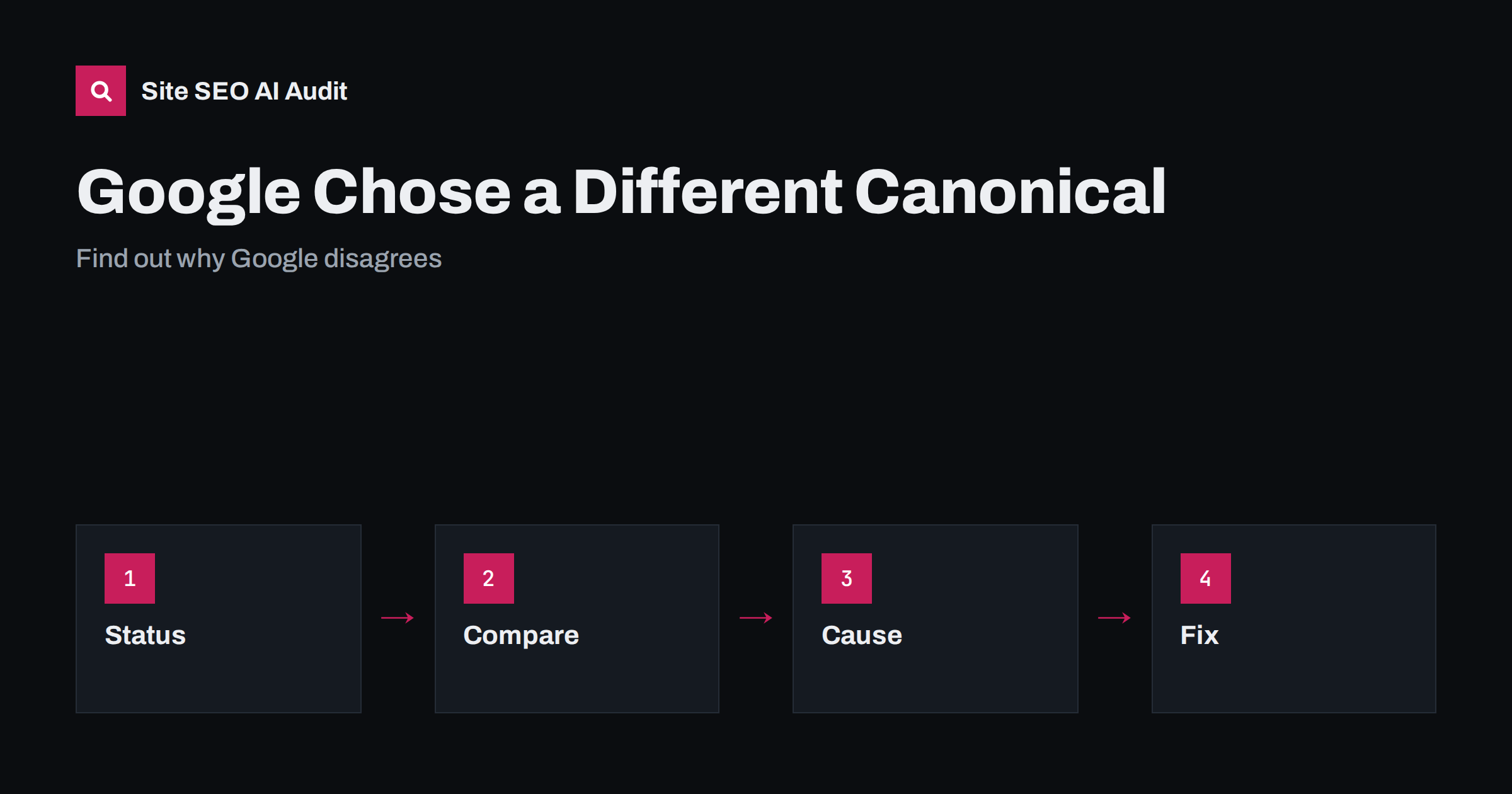
Short answer: This status means you declared one address as the canonical version of a page, but Google picked another address from a group of similar pages. A canonical tag is a hint, not a command. Google decides by comparing many signals: redirects, internal links, sitemaps, content and the tag itself. To fix the status, find the address Google chose, check whether your signals disagree with each other and make every one of them point to the version you want.
The report entry is called “Duplicate, Google chose different canonical than user”. It is one of the more confusing messages in Search Console, because it sounds like an order was disobeyed. In most cases the page is not broken. Google has decided that two addresses are close enough to be treated as one and that another one is the better representative. This guide shows how to read the message, how to inspect it and how to correct the cause when it matters. The basics are in the canonical tags guide.
What the status really says
Search engines group pages with the same or very similar content and select one address to show in results. You can suggest your preference with a canonical tag. If other signals strongly favour a different address, Google may override your suggestion. The status appears when the address you named is not the one in the index. It does not mean that your page is penalised. It means that the page will probably not appear on its own, because another version stands in for it.
Find which address Google picked
Open the URL inspection tool for the affected address and look at the section about the canonical. It shows the canonical declared by the page and the one selected by Google. If the two differ, you have the pair to investigate. Open both addresses in a browser and compare them. Are they the same page with different parameters, a printable version, a copy under another host name, or two pages that really have similar text? What you find tells you whether Google is right, wrong or simply working from conflicting information.
Check whether Google’s choice is actually better
Sometimes the chosen address is the more sensible one. It may be the version that more pages link to, the one in your sitemap, the one that loads without parameters, or the one that was your main address before a recent change. If you cannot give a good reason why your preferred version should win, consider accepting the choice and updating your canonical tag to match. Fighting a correct decision wastes effort and may leave your signals contradictory.
Look for conflicting signals
Google weighs several signals together. Check them one by one. Do internal links point to your preferred address or to another version? Does the sitemap list the preferred address? Do redirects send visitors to it? Is the canonical tag the same in the raw page and in the rendered page, or does a script change it? Do the content, the title and the headings differ clearly between the two addresses? Is the preferred page served on the correct protocol and host name? A single disagreement is often enough to tip the decision, and a page that links to itself with a different form of the address is a classic example. The wider pattern is explained in conflicting SEO signals.
Deal with near-duplicate pages
If the two pages really are alike, for example two product pages with copied descriptions, two location pages with only the city changed or two articles on the same topic, Google may merge them whatever you declare. Decide which page should exist. Either make the pages truly different, with their own purpose and content, or combine them into one and redirect the other. A canonical tag cannot make two different pages the same, and it cannot keep two similar pages apart. For product variants, see the product variants guide.
Handle parameters, hosts and protocols
Many cases come from addresses that differ only in tracking parameters, sort order, session identifiers, the www prefix, the trailing slash or the protocol. Make one form the standard: redirect the others where possible, link only to the standard form, and keep the sitemap clean. Where redirects are not possible, such as filters and sort options, make sure the canonical tag on each variant points to the main page. Remember that Google may still choose to index a variant if it has strong signals. See URL parameters and duplicate content.
Know when to leave it alone
Not every entry needs a fix. If the chosen address is a harmless variant of a page that is already indexed and ranking, the status costs you nothing. Concentrate on cases where an important page is missing from the index because Google chose an unimportant or wrong address, where traffic lands on a version you do not want, or where the same entry affects hundreds of pages at once, which suggests a template or configuration problem. Sort the list by type, fix the pattern and validate a small sample before going further.
Confirm the result
After you align the signals, request a recrawl of key pages with the inspection tool and start validation in the report. Check the selected canonical again after a few weeks. If Google still prefers the other address, review what you changed and look for a signal you missed, such as a plugin that adds its own canonical tag, a cached copy of the old page or an old redirect. Only change one thing at a time so that you can see which action worked.
It is worth auditing templates, too. Many canonical problems come from one setting in a theme, a plugin or a shop platform that writes the wrong address on thousands of pages. Test one page of every type, such as article, category, product, tag and search result page, and look at the canonical in the delivered markup. If a rule is wrong in one template, fix it there and the whole group will follow. Add a check to your release process so that the same fault does not come back after the next update.
A worked example
Imagine a shop with a page for a pair of boots at an address without parameters, and the same page reachable with a colour option added to the address. Both addresses show nearly identical text and both carry a canonical tag pointing to the plain address. In the report, Google says it chose the colour address. Inspect both: the plain address is not in the sitemap, the menu links point to the colour address and the colour address is the only one with external links. Three signals favour the variant, and one tag favours the plain page. Google follows the weight of the evidence. The fix is to add the plain address to the sitemap, change the menu links, redirect the stray colour address where possible and wait for the next crawl.
A second common case involves language and country versions. Two pages in the same language for different countries may have almost the same text, with only a currency and a phone number changed. Google may treat them as duplicates and select one of them. Here the right answer is not a canonical tag from one to the other, because both are meant to exist. Make the pages more clearly different where it is honest to do so, add hreflang annotations with return links and make sure each version links to its own country pages. The guide to same-language country targeting explains the details.
A third case is a page that you moved but did not redirect. The old address still works, the new address has a canonical tag pointing to itself and the old page has a canonical tag pointing to the new one. Google may keep the old address in the index for a long time, because it is still reachable and still has links. A permanent redirect solves this faster than any tag, because it removes the choice. Whenever a page has really moved, redirect it, update internal links and then let the canonical on the new page confirm the choice.
Keep a log of decisions. Record which address is canonical for each type of page, which signals support it and when you last checked. A short sheet that lists the standard form of addresses, the sitemap rules and the template that writes the tag turns future problems into quick checks. When a new developer or a plugin changes something, you can compare the result against the sheet instead of guessing. This is especially valuable for large shops and multilingual sites, where small template changes can alter thousands of addresses in one release.
Site SEO AI Audit crawls your site and checks canonical tags, duplicate titles and content, redirects, sitemap entries and internal links, so you can see where your own signals disagree. It does not tell you which address Google chose for a page; that stays in Search Console. The first audit of up to 200 pages is free; larger sites can see the pricing page.
Related reading
The bottom line
A canonical tag is a hint. Find the address Google chose, compare your signals, decide which version should win and make links, sitemaps, redirects and tags all agree.
FAQ
Is this status a penalty?
No. It means Google treats two similar pages as one and shows a different address from the one you suggested.
Can I force Google to use my canonical?
No, but consistent signals usually win. Redirects are stronger than tags when you can use them.
Should I worry about every URL in this report?
No. Focus on important pages that are missing or on patterns that affect many pages.
Does a noindex tag help?
Not as a fix. Noindex removes the page from the index; it does not choose the preferred version.
How long does it take to change?
Google needs to recrawl and reassess both addresses, which can take weeks, so change signals once and then wait.