 ENEnglish
 LTLietuviškai
 DEDeutsch
 FRFrançais
 RUРусский
 ESEspañol
 PLPolski
 ITItaliano
 UKУкраїнська
 CSČeština
 PTPortuguês
 JA日本語
JA日本語 LVLatviešu valoda
 ETEesti
 HUMagyar
 IDBahasa Indonesia
 TRTürkçe
 HIहिन्दी
 ELΕλληνικά
 ARالعربية
 THไทย
THไทย VITiếng Việt
 RORomână
 MSBahasa Melayu
 BNবাংলা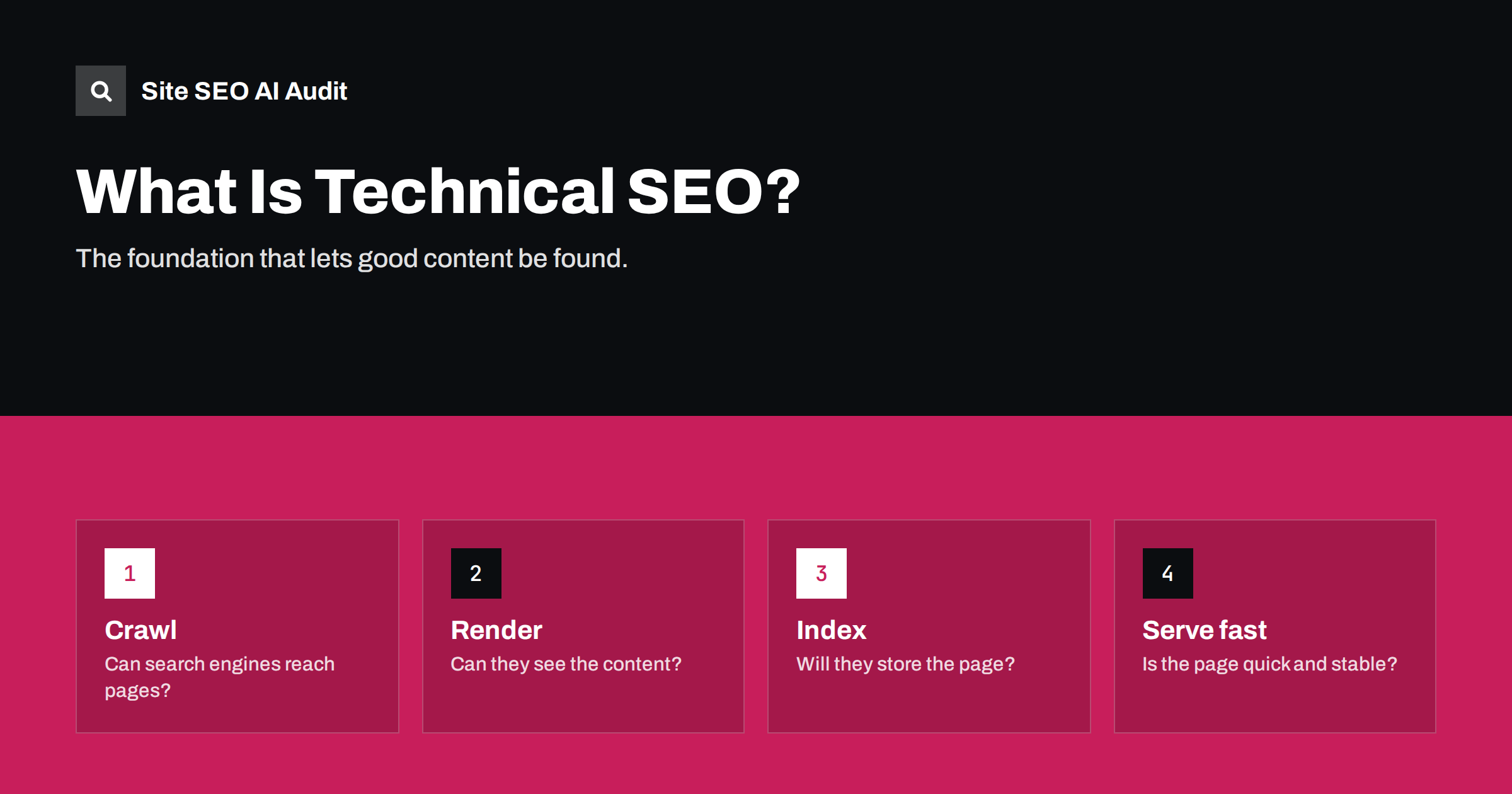
Short answer: technical SEO is the work that makes a website easy for search engines to crawl, render, index and serve quickly. It covers things like robots.txt, sitemaps, status codes, redirects, canonical tags, site speed, mobile friendliness, structured data and site structure. It does not make weak content rank, but technical problems can stop strong content from being found at all.
Where technical SEO fits
SEO is often split into three parts:
- SEO técnico: can search engines access, understand and store your pages efficiently?
- SEO on-page: does each page clearly cover a topic, with good titles, headings and content?
- Off-page SEO: do other sites mention and link to you?
Technical SEO is the foundation. A beautifully written article that is blocked in robots.txt, marked noindex or takes ten seconds to load on mobile will underperform no matter how good the writing is. The good news is that technical problems are usually concrete and fixable: a setting, a template or a server rule.
How search engines process a page
To understand technical SEO, it helps to know the steps a search engine goes through. Google explains them in its guide to how Search works, and other engines follow a similar pattern:
- Discovery. The crawler learns about a URL, mostly from links on other pages and from XML sitemaps.
- Crawling. It checks robots.txt and, if allowed, requests the URL and downloads the HTML.
- Rendering. It runs the page’s JavaScript, much like a browser, to see the final content and links.
- Indexing. It analyses the content, decides which URL is the canonical version among duplicates, and stores the page if it qualifies.
- Serving. When someone searches, it picks the most relevant indexed pages, taking into account many signals including page experience.
Technical SEO is about removing obstacles at each of these steps.
The main areas of technical SEO
Most technical work falls into a small number of areas. Each one has its own typical problems:
| Area | What it covers | Typical problems |
|---|---|---|
| Crawlability | robots.txt, internal links, sitemaps, server availability | Blocked sections, orphan pages, server errors |
| Indexability | noindex, canonicals, duplicates, status codes | Stray noindex, wrong canonicals, soft 404s |
| Site structure | Navigation, click depth, URL structure | Important pages buried many clicks deep |
| Redirects and URLs | 301/302, HTTPS, www, trailing slash | Chains, loops, duplicate hosts |
| Speed and Core Web Vitals | Server response, images, scripts, layout stability | Slow LCP, layout shifts, heavy pages |
| Rendering | JavaScript, lazy loading, blocked resources | Content or links invisible without JavaScript |
| Dados estruturados | Schema.org JSON-LD, Open Graph | Invalid markup, missing required fields |
| International | hreflang, language versions | Missing return links, wrong codes |
Crawlability: can search engines reach your pages?
A page must be discoverable and fetchable. The main questions to ask:
- Is anything important blocked in robots.txt, including CSS and JavaScript files?
- Is every important page linked from somewhere on the site with a normal HTML link?
- Does the XML sitemap list the pages you want indexed, and only those?
- Does the server respond reliably and quickly, without 5xx errors or timeouts?
- Are there crawl traps, such as endless filter combinations or calendars, that waste crawler time?
Indexability: will search engines store your pages?
Being crawled does not guarantee being indexed. Check that:
- Pages you want in search do not carry a
noindexmeta tag orX-Robots-Tagheader. - Each indexable page has a self-referencing canonical, and duplicates point to the main version.
- Pages return the correct status code: 200 for live pages, 301 for moved pages, 404 or 410 for removed pages.
- There are no large groups of thin, empty or duplicate pages that dilute the site.
Search Console’s page indexing report is the best free view of which pages are indexed and why others are not.
Speed, rendering and page experience
Search engines want to send people to pages that load quickly and behave well. The measurable side of this is Core Web Vitals: Largest Contentful Paint for loading, Interaction to Next Paint for responsiveness and Cumulative Layout Shift for visual stability. Common technical fixes include faster server responses, page caching, compressed and properly sized images, fewer render-blocking scripts and reserved space for images and ads.
Rendering matters too. If your main content or links only appear after JavaScript runs, search engines have to render the page to see them, which is slower and can fail. Many other crawlers, including a number of AI assistants’ crawlers, do not run JavaScript at all. Content in the initial HTML is the safest choice.
Structured data and machine-readable signals
Structured data is code, usually JSON-LD, that describes what a page is about in a standard vocabulary: a product with a price, an article with an author and date, a local business with an address. It helps search engines understand the page and can make it eligible for rich results. Technically, it must be valid, match the visible content and include the required properties for the feature you are targeting. Open Graph tags do a similar job for social sharing previews.
Technical SEO myths worth dropping
A lot of outdated advice still circulates. A few ideas that cost site owners time without helping:
- “A perfect speed score is required to rank.” Speed matters for users and is part of page experience, but a lab score of 100 is not a ranking requirement. Aim for good real-user Core Web Vitals on your important templates, then move on.
- “Submitting a sitemap gets pages indexed.” A sitemap helps discovery. Whether a page is indexed depends on its quality, duplicates and signals from the rest of the site.
- “Every warning in a tool is a problem.” Audit tools report many things. What matters is how many pages an issue affects and whether those pages matter. A missing alt text on one decorative image is not an emergency.
- “Technical SEO is a one-time project.” Sites change constantly. New plugins, redesigns, product imports and content updates reintroduce problems, so regular checks matter more than one big clean-up.
- “More pages means more traffic.” Large numbers of thin, duplicate or auto-generated pages usually make a site weaker, not stronger. Fewer, better pages are easier to crawl and rank.
Where to start on your own site
Technical SEO can feel endless. A practical order of work for a typical small or mid-sized site:
- Make sure the site is indexable at all. Check that “Discourage search engines” is off on WordPress, robots.txt does not block the site and important templates have no noindex.
- Consolidate your domain. One version, HTTPS, with or without www, with every other variant redirecting in one hop.
- Fix errors on important pages. Broken links, 404s linked from navigation, redirect chains.
- Clean up the sitemap so it lists only live, canonical, indexable pages.
- Fix canonical and duplicate issues that affect many pages at once.
- Improve speed on key templates: home, category or service pages, and article or product pages.
- Add and validate structured data for the content types you have.
- Improve structure: reduce click depth and connect orphan pages.
The key is to fix issues by impact. A problem in a template that affects every page matters much more than a single forgotten page.
How Site SEO AI Audit approaches technical SEO
Site SEO AI Audit crawls your whole website the way a search engine does and scores it across seven areas: crawl and index, on-page, links, speed and Core Web Vitals, structured data, languages and AI visibility. Each issue is weighted by how many of your pages it affects, and the fix list shows how many points each fix adds, so you can start at the top. On WordPress sites, every issue comes with the exact steps in wp-admin and your SEO plugin. The first audit of each website is free; you can start one here.
Related reading
- Robots.txt for SEO: what to block and what to leave open
- Canonical tags explained: how to set them and fix errors
- Crawl budget explained: when it matters and how to save it
- What is on-page SEO? The elements that actually matter
The bottom line
Technical SEO makes sure search engines can reach, read, store and quickly serve your pages. It is not glamorous, but it is the foundation everything else stands on. Check crawlability and indexability first, then clean up redirects, duplicates and speed, and always fix the issues that affect the most pages before the rest.
FAQ
What is the difference between technical SEO and on-page SEO?
Technical SEO deals with how search engines access and process your site: crawling, indexing, speed and structure. On-page SEO deals with the content of each page: titles, headings, text and images. Both are needed, and they overlap in places like structured data.
Do small websites need technical SEO?
Yes, but usually less of it. A small site mainly needs to be indexable, use one consistent HTTPS domain, have no broken links or stray noindex tags, load quickly and have a clean sitemap. Many small sites have at least one of these problems.
Can I do technical SEO without a developer?
Much of it, yes, especially on WordPress, where SEO plugins handle sitemaps, canonicals and noindex settings. Server rules, rendering issues and deeper speed work often need a developer or a hosting provider.
How often should I check technical SEO?
Check after every major change, such as a redesign, migration, new plugin or new site section, and otherwise at least every few months. Technical problems often appear silently after updates.
Will fixing technical issues improve my rankings?
It removes obstacles, which often leads to better visibility, but it does not guarantee higher rankings. Rankings also depend on content quality, relevance and links. Technical fixes make sure your content gets a fair chance.


