ENEnglish
 LTLietuviškai
 DEDeutsch
 FRFrançais
 RUРусский
 ESEspañol
 PLPolski
 ITItaliano
 UKУкраїнська
 CSČeština
 PTPortuguês
 JA日本語
JA日本語 LVLatviešu valoda
 ETEesti
 HUMagyar
 IDBahasa Indonesia
 TRTürkçe
 HIहिन्दी
 ELΕλληνικά
 ARالعربية
 THไทย
THไทย VITiếng Việt
 RORomână
 MSBahasa Melayu
 BNবাংলা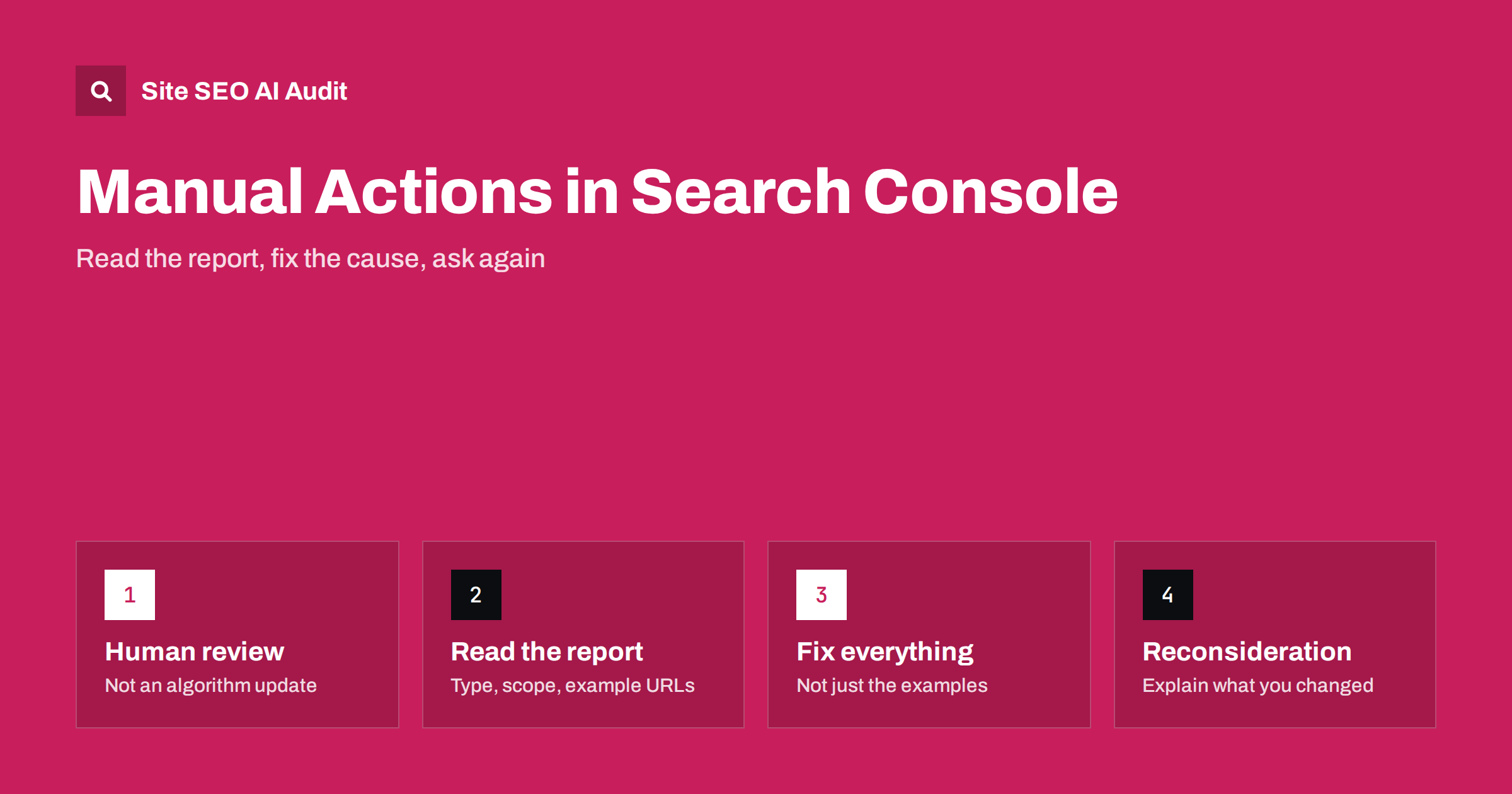
Short answer: A manual action is a penalty applied by a person at Google after they found that pages on your site break Google’s spam policies. You see it in Search Console under Security & Manual Actions, with the type of problem and whether it affects the whole site or only some pages. To recover, fix the cause on every affected page, document what you changed and submit a reconsideration request. Once the request is approved, the pages can rank again, but they do not get a bonus for having been penalised.
Most traffic drops are not manual actions. They come from algorithm updates, technical errors or competitors. A manual action is rare, specific and visible: Google tells you about it directly. That makes it one of the few ranking problems with a clear diagnosis and a clear path back. This guide explains what each type means, how to fix it properly and how to write a request that gets approved.
What a manual action is, and what it is not
Google ranks pages with automated systems, and most spam is handled by those systems too. A manual action is different: a member of Google’s team reviewed your site and decided that some pages violate the Google Search spam policies. The effect can be that affected pages rank lower, lose rich results or drop out of search completely.
A few points that often cause confusion:
- An algorithm update is not a manual action. If your traffic fell during a core update and the Manual Actions report says “No issues detected”, there is nothing to appeal. You need to improve the site instead.
- A security issue is not a manual action. Hacked content and malware appear in the separate Security Issues report, although injected spam can also trigger a manual action. Our guide to hacked site SEO spam covers that cleanup.
- Manual actions are announced. Search Console shows them, and verified owners receive a message. If you do not see one, you do not have one.
How to read the Manual Actions report
Open Search Console, select the property and go to Security & Manual Actions, then Manual actions. If there is an issue, the report lists:
- The type of action, such as “Unnatural links to your site” or “Thin content with little or no added value”.
- The scope: whether it affects the whole site or only some pages, a section or a URL pattern.
- Example URLs, when Google provides them. They show the pattern; they are not a complete list.
- A “Learn more” link to Google’s explanation of that policy and how to fix it.
Check every property that covers the site. A problem on one subdomain or protocol version can be reported only on the property where it occurs, so a domain property is the safest view. If you have not set one up, follow our Search Console setup guide.
The common types and what they mean
The labels in the report are short. This table translates the most common ones into what a reviewer actually saw and the fix that usually applies.
| Manual action | What it usually means | Typical fix |
|---|---|---|
| Unnatural links to your site | Paid, exchanged or automated links pointing at you | Remove links where possible, disavow the rest |
| Unnatural links from your site | You sell or trade links that pass ranking signals | Remove them or mark them sponsored or nofollow |
| Thin content with little added value | Scraped, doorway, auto-generated or copied pages | Remove, merge or rewrite into genuinely useful pages |
| User-generated spam | Spam comments, forum posts or profiles | Clean up, moderate, add spam filtering |
| Cloaking or sneaky redirects | Search engines and users see different content | Serve the same content to both, remove the redirects |
| Hidden text or keyword stuffing | Text hidden from users or keywords repeated unnaturally | Remove the hidden text and rewrite the pages |
| Structured data issue | Markup that does not match visible content | Fix or remove the misleading markup |
| Site reputation abuse | Third-party pages published to exploit your site’s ranking | Remove the content or keep it out of the index |
Other types exist, such as pure spam, spammy free hosts and news or Discover policy violations, but the approach is the same: understand the policy, find every page that breaks it, fix the cause.
How to fix the problem properly
The most common reason a reconsideration request is rejected is a partial fix. Reviewers check whether the problem is gone across the site, not only on the example URLs. Work through it in this order:
- Find the full scope. Use the example URLs to understand the pattern, then crawl the site to find every page that matches it: same template, same directory, same kind of content.
- Fix the cause, not the symptom. If a plugin generates thousands of thin tag pages, deleting today’s pages is not enough; change the setting that creates them.
- Decide per page. Some pages can be rewritten into something useful, some should be merged into a stronger page, and some should simply return 404 or 410. Our guide to fixing thin content shows how to choose.
- Check that the change is live. Load the pages as Google sees them with the URL Inspection tool, especially for cloaking and redirect issues.
- Keep a record. Note what you removed, what you changed and when. You will need this for the request.
Do not use noindex as a shortcut for spam you created on purpose. It can be the right choice for legitimate low-value pages, but reviewers expect to see the problem actually solved.
Link-related actions need extra care
Unnatural link actions are among the most common and the most work. For links pointing to your site, Google expects a real effort to remove them, not just a disavow file:
- Export your links from the Links report in Search Console and any other link data you have.
- Identify links that were bought, exchanged, created by a link scheme or placed in bulk on low-quality sites.
- Contact site owners and ask for removal or a nofollow attribute. Keep a log of who you contacted and when.
- Disavow what you could not remove, at domain level where the whole site is a problem.
For links from your site, the fix is in your own hands: remove paid links or mark them rel="sponsored". Our guide to nofollow, sponsored and UGC links explains which attribute fits which link.
How to write a reconsideration request
When everything is fixed, use the “Request review” button in the Manual Actions report. The request is read by a person, so write it like a short, factual report:
- Explain the cause. Say plainly what happened, for example that an earlier agency bought links, or that a plugin created thousands of empty pages.
- Describe what you changed. Give numbers: how many pages were removed or rewritten, how many link owners were contacted, how many domains were disavowed.
- Show evidence. Link to a shared document with your removal log or a list of changed URLs, if it helps.
- Say how you will prevent it. New moderation rules, a changed plugin setting, a policy for sponsored content.
Avoid arguing that the policy is unfair or that competitors do the same. It does not help, and it suggests the problem is not understood.
What happens after you submit
Search Console confirms the submission, and the result arrives as a message. Reviews often take days and can take a few weeks, especially for link issues. There are three outcomes:
- Approved: the manual action is revoked. Rankings can return as Google recrawls the pages, but only to the level the site now deserves. Pages that ranked because of bought links will not rank as before without them.
- Partially approved: some issues are resolved and others remain. The report shows what is left.
- Rejected: the reviewer still sees violations. Read the reply, look for patterns you missed and submit again only when you have done more work.
Do not submit repeated requests without new changes. Each request should describe real progress.
Keep the site clean after recovery
Many sites that recover get a second manual action later because the original cause comes back: a new comment spam wave, a new batch of auto-generated pages, another link deal. A few habits help:
- Moderate comments and user profiles, and close comments on old posts if you cannot moderate them.
- Review new plugins and templates for pages they generate automatically.
- Check the Manual Actions and Security Issues reports regularly, not only when traffic falls.
- Crawl the site after big changes to catch thin, duplicate and orphaned pages early. Our article on technical SEO monitoring describes a simple routine.
Find thin, duplicate and hidden-page problems on your own site
A manual action report shows a few examples; the full list of affected pages is something you have to find yourself. Site SEO AI Audit crawls your website like a search engine and checks every page for thin and duplicate content, noindex and canonical settings, redirects and links, then ranks the fixes by how many pages each issue affects. It works on your own pages, so link removal outside your site still has to be done by hand. The first audit of up to 200 pages is free, and larger websites get a preliminary report of the first 200 pages; paid plans crawl further and let you re-audit after each round of fixes.
Related reading
- Hacked site SEO spam: find and remove injected pages
- Index bloat: clean up unwanted indexed URLs
- Content pruning: when merging or removing pages helps
The bottom line
A manual action is a clear message from a human reviewer, and that makes it fixable. Read the report for the type and scope, find every page with the same problem, fix the cause rather than the examples, and write a factual reconsideration request that shows what changed. After approval, keep the habits that stop the problem from returning.
FAQ
How do I know if my site has a manual action?
Open Search Console and go to Security & Manual Actions, then Manual actions. If the report says “No issues detected”, there is no manual action on that property. Check a domain property so that all subdomains and protocol versions are covered.
How long does a reconsideration request take?
Reviews often take days and can take several weeks, especially for link-related actions. You receive a message in Search Console when the review is finished. Submitting the same request again does not speed it up.
Will my rankings return after the manual action is removed?
Pages can rank again once Google recrawls them, but only as well as the site now deserves. If rankings depended on bought links or spam pages that are now gone, they will not return to their old level automatically.
Is a disavow file enough to fix unnatural links?
Usually not on its own. Google expects you to try to remove unnatural links first and to disavow only those you could not remove. Describe both steps in your reconsideration request.
Can an algorithm update be appealed like a manual action?
No. Algorithmic ranking changes are not penalties and there is no review request for them. If the Manual Actions report is empty, focus on improving content quality, technical health and usefulness instead.