 ENEnglish
 LTLietuviškai
 DEDeutsch
 FRFrançais
 RUРусский
 ESEspañol
 PLPolski
 ITItaliano
 UKУкраїнська
 CSČeština
 PTPortuguês
 JA日本語
JA日本語 LVLatviešu valoda
 ETEesti
 HUMagyar
 IDBahasa Indonesia
 TRTürkçe
 HIहिन्दी
 ELΕλληνικά
 ARالعربية
 THไทย
THไทย VITiếng Việt
 RORomână
 MSBahasa Melayu
 BNবাংলা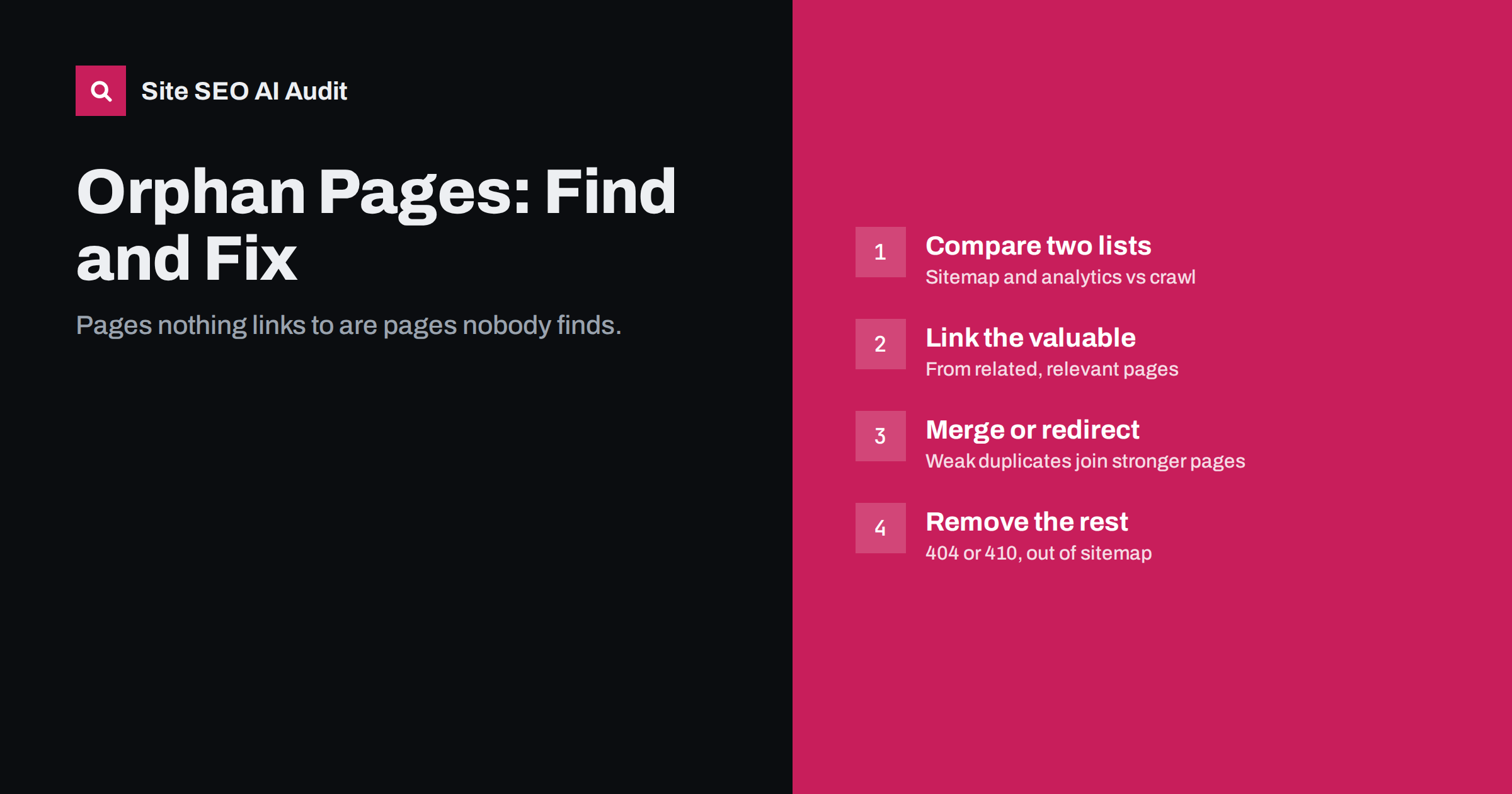
Short answer: an orphan page is a page on your site that no other page links to. Search engines can only find it through a sitemap or external links, and they tend to treat it as unimportant. Find orphans by comparing the URLs in your sitemap, analytics and server logs with the URLs a crawler reaches by following links; then link the valuable ones from relevant pages, merge or redirect weak ones, and remove the rest.
What makes a page an orphan
Crawlers and visitors move through a website by following links. A page that no internal link points to is disconnected from that network. It may still exist, return a 200 status and even appear in your sitemap, but there is no path to it from the home page or anywhere else on the site.
A related problem is the weakly linked page: technically not an orphan, but reachable only through one link buried deep in an archive. Both suffer from the same issue. Internal links are one of the main ways search engines judge which pages on a site matter, and a page with no links effectively says “this page is not important”.
How orphan pages happen
Orphans are almost always accidental. Common causes:
- Navigation changes. A redesign removes a menu item or a footer link, and the pages it pointed to lose their only link.
- Landing pages for campaigns that were built for ads or e-mail and never linked from the site.
- Old blog posts that fell off the paginated archive and were never linked from newer content.
- Products removed from categories but still published, for example seasonal items or discontinued lines.
- Migrations where the old URLs were imported but the new templates link to different ones.
- Pages created by plugins or imports, such as test pages, duplicate drafts published by accident, or auto-generated tag pages.
- Links that exist only in JavaScript, for example buttons with click handlers instead of real
<a href>links, which crawlers may not follow.
Why orphan pages are a problem
The impact depends on what the page is. For a page you care about, being orphaned means:
- Slower discovery and recrawling. A page listed only in the sitemap is typically crawled less often than a well-linked page.
- Weaker ranking signals. Without internal links, the page gets little of the authority your site has built, and search engines get no anchor text context about what it covers.
- No visitors from inside the site. People browsing your site will never reach it.
For a page you do not care about, the problem is the opposite: it is still published, maybe still indexed, and may be outdated, thin or duplicating a better page. Either way, an orphan is a page that needs a decision.
How to find orphan pages
A crawler that follows links cannot find orphans by itself, by definition. You need a second list of URLs that exist, and then compare. Useful sources for that second list:
- XML sitemaps. The CMS usually lists every published page. Any sitemap URL the crawl did not reach through links is an orphan.
- Analytics landing pages. Pages that receive visits from search or ads but are not in the crawl are likely orphans.
- Search Console performance and indexing reports. Indexed pages or pages with impressions that the crawl did not find.
- Server logs. URLs requested by search engine crawlers that are not in your link graph.
- The CMS database or export. The complete list of published posts, pages and products.
- Backlink data. Pages that other sites link to but your own site does not.
The method is the same for each source: take the list, remove URLs that redirect, return errors or are noindexed, and compare what is left with the set of URLs found by crawling from the home page. Whatever is left over is orphaned.
Where orphans hide on WordPress and in shops
Some platforms create orphans in predictable places, so they are worth checking first:
- WordPress pages (as opposed to posts) are not listed in any archive. If a page is not in a menu and no post links to it, it is orphaned the moment it is published.
- Old posts on large blogs drift to page 30 or 40 of the archive. Technically linked, but so deep that crawlers rarely reach them. Related-post blocks and topic hub pages help.
- Shop products without a category, often after an import or a category clean-up. The product page is live, listed in the product sitemap, but no category or search page links to it.
- Variant pages in shops that give each colour or size its own URL, where only the default variant is linked.
- Language versions on multilingual sites, where a translated page exists but the language switcher or menu in that language does not link to it.
- Landing page builders that publish pages outside the normal site structure.
Checking these areas by hand takes minutes and often finds the bulk of the problem before a full comparison is even needed.
Deciding what to do with each orphan
Do not just add links to every orphan. Some of them should not exist. A simple decision table:
| Type of orphan | Signs | Action |
|---|---|---|
| Valuable, current page | Useful content, gets impressions or conversions | Add contextual internal links and, if important, navigation links |
| Campaign landing page still in use | Paid traffic, not meant for search | Leave unlinked and add noindex, or link it if it should rank |
| Outdated duplicate of a better page | Similar topic, weaker content | 301 redirect to the better page, or merge content first |
| Thin or obsolete page | No traffic, no links, no value | Remove and return 404 or 410 |
| Discontinued product | No stock, no replacement | 410, or redirect to the closest category if there is a clear equivalent |
| Test, draft or accidental page | Placeholder text, duplicates | Unpublish or delete, remove from sitemap |
Whatever you decide, update the sitemap so it only lists pages that are indexable and linked.
How to link orphan pages properly
A single link from a random page is better than nothing, but it rarely fixes the underlying weakness. Good internal links for rescued pages:
- Come from topically related pages. A guide to choosing hiking boots should be linked from the hiking category and related gear articles, not from the about page.
- Use descriptive anchor text that tells readers and search engines what the page covers.
- Are placed in the main content, where readers see them, not only in footers or sidebars.
- Come from pages that are themselves well linked and not buried many clicks deep.
- Are real HTML links with an
href, so crawlers can follow them.
For important pages, also check click depth. If the only route to the page is five clicks from the home page, consider adding it to a category page, a hub page or the navigation.
Preventing new orphans
Once cleaned up, a few habits keep orphans from returning:
- Link every new article or page from at least two related existing pages when you publish it, not later.
- Check menus before a redesign goes live: export the old navigation links and confirm each target is still reachable.
- Use hub pages for important topics that list and link all related content.
- Handle product removals deliberately: when a product leaves every category, decide whether it stays, redirects or is removed.
- Run a full crawl regularly and compare it with the sitemap, so new orphans are caught within weeks rather than years.
How Site SEO AI Audit finds orphan pages
SEOAuditBot reads your pages and your sitemap together. Pages that are in the sitemap but not reached by following internal links are reported as orphan pages in the crawl and index area, and pages with very few internal links show up as weakly linked in the links area. The audit also reports click depth, so you can see which important pages are buried. Each issue lists the affected pages, and WordPress sites get the steps to fix them in wp-admin. You can start with a free audit to see how your pages are connected.
Related reading
- XML sitemap best practices: what to include and leave out
- Crawl budget explained: when it matters and how to save it
- 301 vs 302 redirects: which one to use and when
The bottom line
Orphan pages are pages that no internal link reaches. Find them by comparing your sitemap, analytics and logs with a link-following crawl. Then make a decision for each one: link it properly if it has value, merge or redirect it if a better page exists, and remove it if it has no purpose.
FAQ
Can orphan pages be indexed?
Yes. Search engines can find them through the sitemap or external links, and some remain indexed. They are usually treated as less important and crawled less often than well-linked pages.
Is a page in the sitemap still an orphan?
Yes. The sitemap helps discovery, but it is not an internal link. A page is an orphan if no page on the site links to it, regardless of whether it is listed in the sitemap.
How many internal links does a page need?
There is no fixed number. Important pages should be reachable within a few clicks from the home page and linked from several relevant pages. A page with only one link from a deep archive is weakly linked even if it is not an orphan.
Should I delete orphan pages?
Only those with no value. Valuable orphans should be linked, weak duplicates redirected to a better page, and obsolete pages removed with a 404 or 410. Check traffic and backlinks before removing anything.
Why can my crawler not find orphan pages on its own?
A crawler discovers pages by following links, so a page with no links pointing to it is invisible to it. You need a second list, such as the sitemap or analytics, to compare against.


