ENEnglish
 LTLietuviškai
 DEDeutsch
 FRFrançais
 RUРусский
 ESEspañol
 PLPolski
 ITItaliano
 UKУкраїнська
 CSČeština
 PTPortuguês
 JA日本語
JA日本語 LVLatviešu valoda
 ETEesti
 HUMagyar
 IDBahasa Indonesia
 TRTürkçe
 HIहिन्दी
 ELΕλληνικά
 ARالعربية
 THไทย
THไทย VITiếng Việt
 RORomână
 MSBahasa Melayu
 BNবাংলা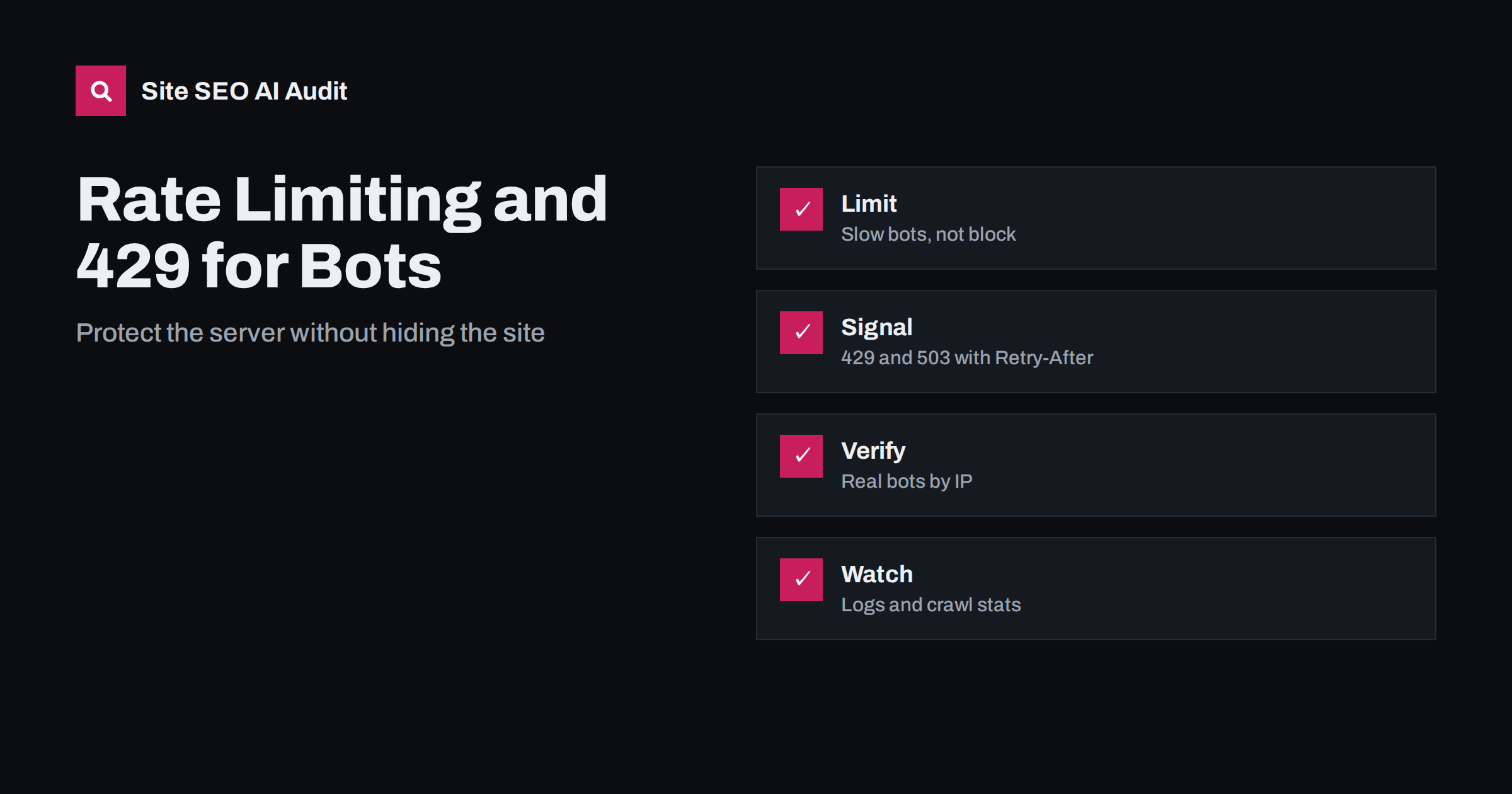
Short answer: Rate limiting protects your server from too many requests, but a limit set too low can make search and AI crawlers see errors instead of pages. Use temporary status codes such as 429 or 503 with a Retry-After header when you need crawlers to slow down, never serve a long-lasting block to legitimate bots, verify who a crawler really is before you trust its name and watch your logs and crawl reports for signs that good traffic is being refused.
Websites receive requests from visitors, search engines, AI services, monitoring tools and scrapers. A firewall, a content delivery network or a plugin often applies rate limits to keep the site stable. Done well, this protects visitors. Done badly, it quietly removes your pages from search or from AI answers. This guide explains how crawlers react to limits, which settings to choose and how to test. For the related problem of blocked crawlers, read CDN and firewall blocking of AI crawlers.
What a rate limit does
A rate limit counts requests from a source, such as an address or a group of addresses, over a short time and refuses requests above a threshold. The refusal can be a wait page, a challenge, a temporary error code or a dropped connection. For a human, a short wait is a small annoyance. For a crawler, the answer decides how it behaves: it may slow down, retry later or conclude that the site is unreliable. Because crawlers fetch many pages in a burst, they are the first to hit limits that were designed with people in mind.
How search crawlers react to 429 and 503
A 429 status means too many requests, and a 503 means the service is temporarily unavailable. Search engines treat both as a signal to slow down. If they appear briefly, the crawler lowers its rate and returns later, which is usually harmless. If they continue for days, the crawler may reduce how many pages it fetches, delay updates to the index and, for long periods, begin to drop pages. Serving a 200 status with an error page is worse, because the crawler may index the error text. Always use a real status code for a real problem, as explained in the guide to status codes.
Use Retry-After and keep outages short
When you must slow crawlers, send a 429 or 503 with a Retry-After header that states how long to wait. This helps well-behaved bots plan their return. Keep these periods short, in minutes or hours, not days. For planned maintenance, use a 503 for the shortest time possible and restore normal responses afterwards. Do not use 404 or 403 for temporary conditions, as they suggest that the page is gone or forbidden. Check that your cache or content delivery network does not store the error and serve it to everyone after the problem is over.
Do not trust crawler names alone
Any program can claim to be Googlebot in its request. If you whitelist by name, scrapers will use that name. If you block by name without care, you may block the real one. Verify crawlers by checking the address against the ranges and reverse lookup methods published by the operator, and keep the list up to date. Do the same for AI crawlers that publish their address ranges. Apply stricter limits to unverified traffic and gentler ones to verified search and AI bots you want to welcome. Decisions about which AI crawlers to allow are covered in the AI crawlers and robots.txt guide.
Set limits that fit how crawlers work
Choose thresholds based on real traffic, not guesses. Look at your logs to see how many requests per minute a verified crawler normally makes, add a margin and set the limit above it. Apply stricter rules to expensive pages, such as search results and filter pages, and relaxed rules to static files. Consider limiting by behaviour, for example rapid requests for pages that do not exist, rather than by volume alone. Test the rules from a verified address and from a normal address, and review them after traffic changes, for example before a promotion.
Reduce the load instead of refusing the visitor
Often the better answer is to make the site cheaper to serve. Cache pages and files, compress responses, fix slow database queries and make sure that crawl traps such as endless filter combinations do not exist. Use robots.txt to keep crawlers away from addresses that have no value. A fast, light site needs fewer limits. The guides to server response time and crawl budget explain how load and crawling are linked, and how to find the biggest sources of waste.
Monitor logs and crawl reports
Check your server logs for 429, 403 and 5xx responses sent to verified crawlers, and compare them with normal traffic. In Search Console, the crawl statistics show response codes and average response time; a rising share of server errors or timeouts is a warning. Set an alert for sudden changes. After you change a rule, look at the logs of the next days to confirm that the problem has gone. The method is described in the log file analysis guide and, for AI bots, in reading AI crawler logs.
Be careful with automatic protection tools and security plugins. Many ship with aggressive defaults that treat any fast visitor as an attack. They may challenge crawlers with a script or a test they cannot pass, and the crawler sees a page that has no content. After you install or update such a tool, request a few important pages with a header check and with a crawler-like tool, and compare the text you receive with what a visitor sees. If the two differ, adjust the rules or add verified crawlers to an allow list.
Finally, document what you decide. Write down which crawlers you allow, which limits apply, who can change them and how to test them. Include contact details in your user agent policy, so that crawler operators who have a problem can reach you. When something goes wrong, the first question is usually what changed, and a short log of changes to rules, plugins and hosting settings answers it quickly. Share the document with developers, hosting support and whoever manages your content delivery network.
A worked scenario
Take a news site that publishes a large archive and sees Googlebot make thousands of requests during a busy morning. The security plugin sees a single address making far more requests than any visitor and begins to answer with a 429 after the first few hundred. Googlebot slows down, as designed, but the plugin also starts to challenge it with a test page that returns a 200 status and a short text. The crawler stores the text of the test page for some addresses. A week later, the editor notices that new articles take days to appear in search and that some old pages show strange snippets. The cause was not the 429 itself but the challenge page that looked like a real page.
The fix had four parts. The team added verified search crawlers to an allow list based on published ranges. They set a higher limit for those crawlers on article pages and a lower one on search and filter pages. They replaced the challenge page with a proper 503 status and a Retry-After header for the rare times when the load was too high. And they added an alert on the share of error responses to verified crawlers, so the next problem would be seen in hours, not weeks. Within a few weeks, the crawl statistics returned to normal and the delay in indexing new articles disappeared.
Plan for peaks and launches
Rate limits matter most when traffic changes: a sale, a campaign, a product launch, a migration or a viral post. Visitors, crawlers and scrapers all rise together, and limits that worked on an average day may fail on a peak day. Before a known event, review the limits, warm the cache for important pages, check that your hosting plan has room to grow and agree who can change a rule quickly if something goes wrong. After a site move, expect crawlers to make many more requests than usual for some time, because they must recrawl every address; be generous with the limits for verified crawlers during that period.
Avoid the temptation to solve load problems by blocking all unfamiliar bots. New AI services appear often, and some of them could become sources of useful traffic and citations. Decide on a policy, publish it in your robots.txt file where appropriate and review it a few times a year. Rate limiting is a tool for keeping the site healthy, not a way to decide who may read it.
Site SEO AI Audit crawls your site and checks status codes, server response times, robots.txt rules and AI crawler access, so you can see whether pages return errors or are blocked when requested by a crawler. It does not set your firewall rules or read your server logs. The first audit of up to 200 pages is free; larger sites can see the pricing page.
Related reading
The bottom line
Slow bots with short, honest 429 or 503 responses, verify who they are, set limits from real log data and monitor the result, so protection never hides your pages.
FAQ
Is a 429 response bad for SEO?
Occasional ones are harmless. Long runs of them can reduce crawling and delay updates in the index.
Should I use 429 or 503?
Both tell crawlers to slow down. 429 fits too many requests; 503 fits temporary unavailability. Add a Retry-After header.
Can I block fake Googlebots?
Yes. Verify the address with the published ranges or reverse lookup, and block or limit requests that fail the check.
Do AI crawlers respect rate limits?
Well-behaved ones slow down on 429 and 503. Others may not, so protect expensive pages and monitor logs.
How do I know if I am blocking good bots?
Look for 403, 429 and 5xx responses to verified crawlers in your logs and in the Search Console crawl statistics.