ENEnglish
 LTLietuviškai
 DEDeutsch
 FRFrançais
 RUРусский
 ESEspañol
 PLPolski
 ITItaliano
 UKУкраїнська
 CSČeština
 PTPortuguês
 JA日本語
JA日本語 LVLatviešu valoda
 ETEesti
 HUMagyar
 IDBahasa Indonesia
 TRTürkçe
 HIहिन्दी
 ELΕλληνικά
 ARالعربية
 THไทย
THไทย VITiếng Việt
 RORomână
 MSBahasa Melayu
 BNবাংলা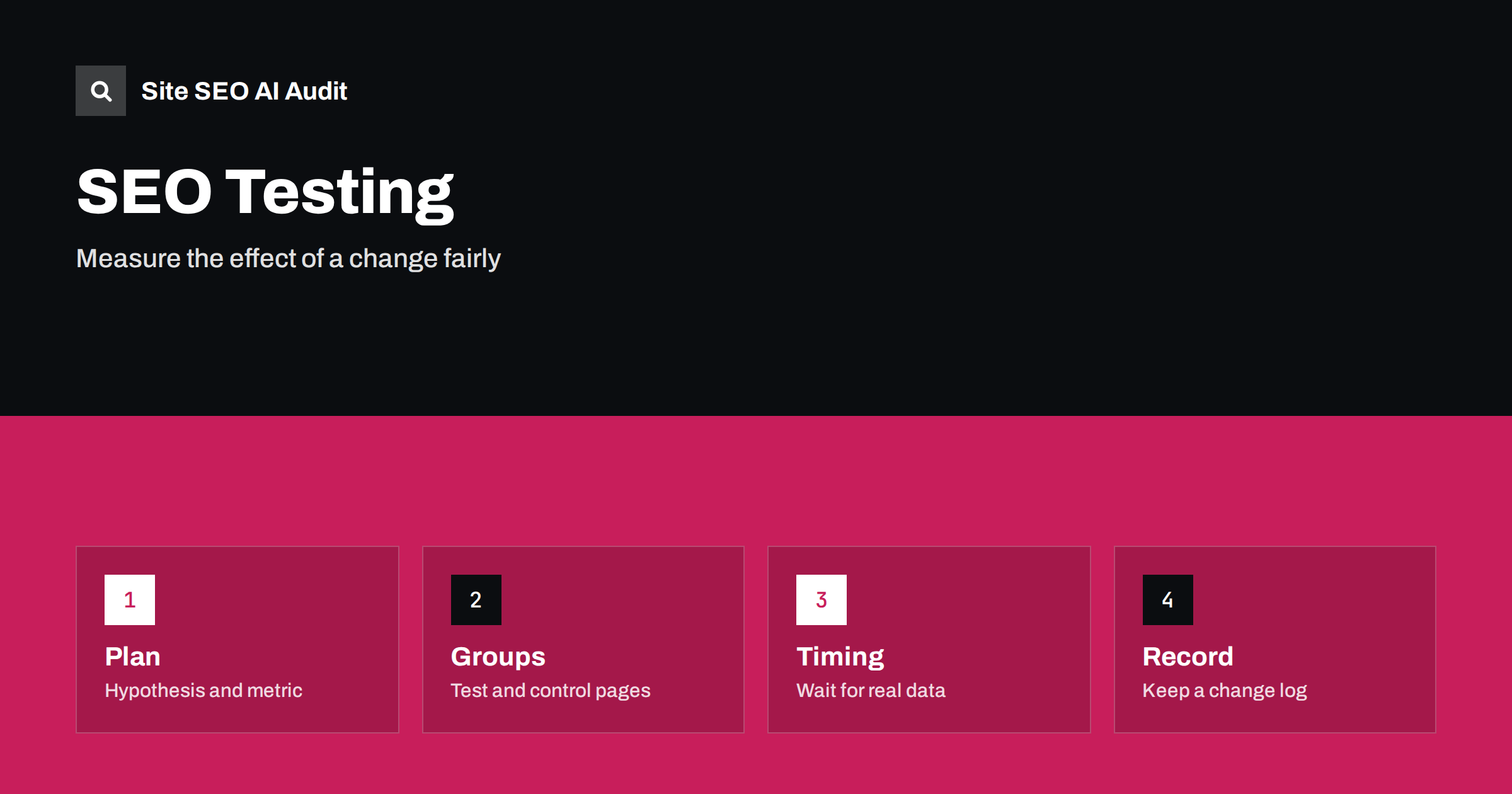
Short answer: To test an SEO change, write down what you expect to happen and which metric will show it, apply the change to a group of similar pages, keep a comparable group unchanged, and compare them over enough time to see past normal ups and downs. Record the date, the pages and the result. Because search results move for many reasons, treat a single before-and-after comparison with caution.
SEO work is full of ideas that sound right: shorter titles, more internal links, a new layout, faster pages, a different heading structure. Some of them help, some do nothing and some quietly hurt. Without a test, you cannot tell which is which, and you may repeat a bad change across the whole site. Unlike a button colour on a landing page, SEO changes cannot be split between two groups of visitors at random, because search engines see one version of each page. That makes testing harder, but not impossible. This guide shows practical methods, from simple to advanced, and explains how to avoid common errors.
Why SEO testing is different
A normal website test sends half the visitors to version A and half to version B at the same time. Search engines do not work like that. They crawl a page, process it and update results over days or weeks, and then show one version to everyone. Meanwhile many other things change: the season, competitors, search engine updates, news, your own links and even how people phrase queries. A rise in clicks the week after you edit a title may be caused by any of these.
Because of this, a good SEO test has two features. It compares pages that changed with similar pages that did not, over the same period. And it allows enough time and enough pages to separate a real effect from noise. Where that is impossible, for example on a small site with ten important pages, you can still learn by combining careful records with common sense.
Start with a clear hypothesis
Write one sentence that states the change, the expected result and the metric. For example: “If we add the product type to the title tags of 40 category pages, the click-through rate for those pages will rise, because the titles will match searches more closely.” This sentence prevents two common problems: changing too many things at once, and choosing the success measure after you see the data.
Choose a primary metric that fits the change:
- Title and description changes: click-through rate and clicks for the same queries and average position.
- Content updates: impressions, clicks and positions for the target queries.
- Internal links and architecture: crawl frequency, indexing status and rankings of the linked pages.
- Speed improvements: field data for loading and interaction, then behaviour metrics such as bounce and conversions.
- Structured data: rich result appearance, impressions and click-through rate.
Pick a guard metric too, such as overall clicks or conversions, so that you notice if a gain on one metric comes with a loss elsewhere. See performance report in Search Console for the data you need.
Pick test and control groups
The strongest method for sites with many similar pages is a split test by page group. Divide a set of similar pages, such as product pages or articles of the same type, into two groups. Apply the change to one group and leave the other unchanged. Make the groups as alike as possible in traffic, topic, age and template. Randomly assigning pages to groups avoids hidden bias, such as choosing your best pages for the change.
Then compare the trend of each group over the same days. What matters is the difference between the groups, not the raw change. If both groups rise by ten per cent in a seasonal peak and the test group rises by twelve, the effect is small. If the test group rises by thirty while the control stays flat, the signal is stronger. Tools and statistical models can estimate what the test group would have done without the change, but even a simple chart of two lines can show a lot.
This needs enough pages and enough traffic. A handful of pages with a few clicks a day will produce random swings. In that case, group more pages or extend the test period.
Use before-and-after tests carefully
On smaller sites, you often have to compare before and after. It is a weak method, but you can make it better:
- Compare equal periods, such as the four weeks before and the four weeks after, and also the same weeks a year earlier if you have the data.
- Exclude the days when the change was being rolled out and when indexing was catching up.
- Check whether a search engine update, a holiday, a campaign or a news event took place in either period.
- Look at the pages you did not change as a rough control. If they also moved, the change may not be the cause.
- Prefer changes made on one date to changes spread over weeks.
Search engine updates are a frequent confusion. If you have a drop after a known update, read the core update recovery guide before blaming your last edit.
Give the test enough time
After a change, search engines must recrawl and reprocess the pages. That takes days for popular pages and longer for rarely visited ones. Use the URL inspection tool to confirm that the new version has been fetched; see the URL inspection guide. Then collect data for at least a few weeks, longer when queries have low volume. Avoid making new changes to the same pages during the test, because you will not know which one caused the effect.
Weekly patterns also matter. Many sites have different traffic on weekdays and weekends, so use full weeks in your comparisons. Do not stop the test on a lucky day. Decide the length in advance, and write it in the plan.
Test things you can control
Some changes are easier to test than others. Good candidates are title and description patterns on groups of similar pages, internal link blocks, FAQ sections, heading structures, new content modules, structured data and image formats. Harder candidates are site-wide redesigns, migrations and changes that affect the whole domain, because there is no control group. For those, use a careful before-and-after plan with monitoring; see website redesign and SEO and the site migration checklist.
Be careful with changes that may confuse search engines, such as testing two versions of a page at the same address with scripts. Showing crawlers something different from users can break search engine guidelines. If you run conversion tests on a page, make sure they do not hide or remove the main content from search engines.
Watch for false wins and false losses
Several traps catch beginners:
- Regression to the mean. You change the pages that dropped most, and they recover partly on their own. The change gets credit it did not earn.
- Seasonality. A page about gifts rises in November whatever you do.
- Tracking changes. A new analytics setup or consent banner changes the number of visits recorded.
- Query changes. If you add a new phrase to a title, impressions may rise for a new group of queries while click-through rate seems to fall. Compare the same queries where possible.
- Several changes at once. You cannot tell which one worked.
When a result is unclear, it is acceptable to say so. An unclear test still teaches you what is too small to matter, which saves time later.
Keep a change log and share the result
Every SEO team needs a simple log. For each change, record the date, the pages or page group, what changed, the reason, the metric and the result. Add notes about outside events. The log helps you answer the question “what happened to traffic in March?” months later, and it protects the team from repeating failed experiments. It also helps technical monitoring, because many sudden drops trace back to a release; see technical SEO monitoring.
A site audit before and after a release is a simple safety net. It shows whether the change broke something else, such as canonical tags, redirects or structured data. Site SEO AI Audit gives a score and a fix list across seven areas, and the first audit of up to 200 pages is free. For re-checks after each change, see the plans on the pricing page.
Related reading
- Performance report in Search Console
- How to prioritise SEO fixes
- Why Google rewrites title tags
- Low click-through rate despite many impressions
The bottom line
SEO testing is about fair comparisons and honest records. State your hypothesis, choose test and control groups, wait long enough, watch for outside causes and log the result. You will not remove all uncertainty, but you will make better decisions than if you rely on a single before-and-after chart.
FAQ
How long should an SEO test run?
Plan for several weeks after the pages have been recrawled, and longer for pages with little traffic. Decide the length before you start.
Can I test SEO changes on a small site?
Yes, but with limits. Use before-and-after comparisons with equal periods, keep unchanged pages as a rough control, and keep a careful log.
Which metric shows whether a title change worked?
Click-through rate for the same queries, together with clicks and average position. Check that impressions did not fall for the main queries.
Should I change many things at once?
Not if you want to learn. Change one thing per group of pages, so you know what caused the effect.
What if the test shows no difference?
That is a useful result. It tells you the change is not worth rolling out widely, and you can spend the effort on something with more impact.