 ENEnglish
 LTLietuviškai
 DEDeutsch
 FRFrançais
 RUРусский
 ESEspañol
 PLPolski
 ITItaliano
 UKУкраїнська
 CSČeština
 PTPortuguês
 JA日本語
JA日本語 LVLatviešu valoda
 ETEesti
 HUMagyar
 IDBahasa Indonesia
 TRTürkçe
 HIहिन्दी
 ELΕλληνικά
 ARالعربية
 THไทย
THไทย VITiếng Việt
 RORomână
 MSBahasa Melayu
 BNবাংলা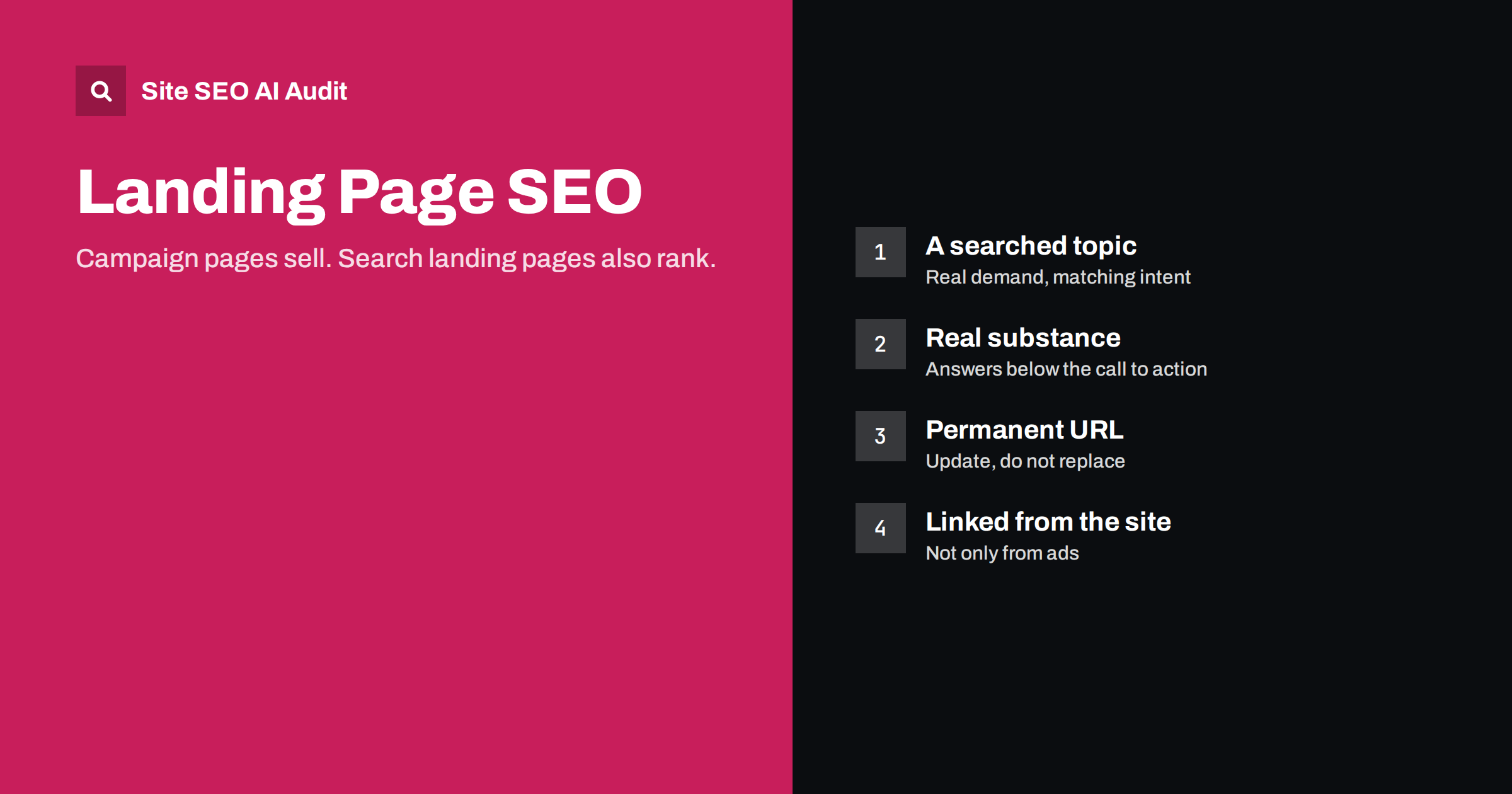
Short answer: A landing page can rank in search if it is built like a real page, not just an advert: one clear topic that people search for, a descriptive title and H1, enough useful content to answer a buyer’s questions, crawlable text instead of images, a permanent URL, links from the rest of your site, and no noindex tag. Campaign pages built for paid ads often lack these, which is why they rarely rank. Decide at the start whether a landing page should also earn organic traffic.
Two kinds of landing pages
“Landing page” means different things to different teams. It helps to separate two kinds:
- Campaign landing pages are built for a specific advert, email or promotion. They are often short, focused on one action, stripped of navigation, and sometimes live only for a few weeks. They are usually not meant to rank, and many are deliberately kept out of the index.
- Search landing pages are permanent pages designed to be found through organic search for a particular need, such as “accounting software for freelancers” or “emergency plumber Leeds”. They are part of the site’s structure and are built to answer searchers as well as convert them.
Problems arise when a page designed as the first kind is expected to perform as the second. A thin, image-heavy campaign page with no navigation and a URL like /lp/q3-promo-v2/ is unlikely to rank for anything, however much the team wants it to.
Why campaign pages rarely rank
Campaign pages are usually optimized for a visitor who has already clicked an advert and knows roughly what to expect. That leads to design choices that work against search:
- Very little text, often only a headline, a few bullet points and a form.
- Key messages inside images or videos, invisible to search engines as text.
- No internal links pointing to the page, because it is reached only from ads.
- Temporary URLs with campaign codes, replaced every quarter.
- Many near-identical variants for A/B tests, all indexable.
- Noindex tags or robots.txt blocks copied from a template.
None of these are mistakes for a paid campaign. A visitor who clicked an advert already knows what they were promised, and every extra paragraph is a chance to lose them. Search visitors are different: they are comparing options and need reasons to choose you.
So none of these choices are wrong in themselves. They only become problems if you also want the page to rank.
Building a landing page that can rank
Choose a topic people search for
A search landing page needs a search behind it. Check that people actually search for the need the page addresses, in the words you plan to use. “Invoice software for freelancers” may be searched; “Q3 productivity bundle” is not.
Match the intent
Look at the pages that rank for your target phrase. If they are product and service pages, a focused landing page fits. If they are long guides, a short sales page will struggle; you may need a guide that links to the landing page instead.
Write a descriptive title and H1
The title tag should name the offer in searchers’ words, with a specific angle: “Invoicing Software for Freelancers: Send Invoices in Minutes | Brandname”. The H1 should state the same thing in visible text.
Give it substance
A ranking landing page usually needs more content than a campaign page: what the offer is, who it is for, how it works, what it costs or where to find prices, proof such as reviews and examples, and answers to common questions. This can be structured so the main call to action stays prominent, with details further down for those who want them.
Use real text
Put headings, benefits and key facts in HTML text, not inside images. Images and video can support the message, but search engines need the words.
Give it a permanent URL
Use a clean, lasting address such as /invoicing-for-freelancers/. If the offer changes, update the page instead of replacing it with a new URL each season.
Link to it from your site
Add the page to navigation, a relevant category or services page, and related blog posts, with descriptive anchor text. A page reachable only from ads has no internal signals of importance.
Campaign pages vs search landing pages
| Campaign landing page | Search landing page | |
|---|---|---|
| Traffic source | Ads, email, social | Organic search, plus other channels |
| Lifespan | Weeks or months | Years, updated over time |
| Content | Short, focused on one action | Complete answer plus a clear action |
| Navigation | Often removed | Usually kept |
| URL | Often temporary | Permanent and descriptive |
| Indexing | Often noindex | Indexable |
| Internal links | Few or none | From related pages |
Handling variants and duplicates
Landing pages often exist in several versions: one per ad group, one per test variant, one per audience. If all of them are indexable and nearly identical, they compete with each other and with your main pages.
- A/B test variants: keep tests short, and point variants to the original with a canonical tag, or run tests on the same URL.
- Ad-specific copies: keep them out of the index if they duplicate a permanent page, and send paid traffic to the permanent page where possible.
- Audience-specific versions: make them indexable only if they are genuinely different and target distinct searches, such as “invoicing for photographers” with specific content for that audience.
Conversion and SEO are not in conflict
A common worry is that adding content for search will hurt conversion. In practice, a well-structured page does both. Keep the headline, main benefit and call to action at the top, where campaign visitors need them. Place the supporting detail below: features, process, pricing information, proof and FAQs. Visitors who are ready act immediately; those who are not scroll down and find the answers that persuade them. That extra content is usually exactly what search engines need to understand and rank the page.
An example structure
Here is how a search landing page for “invoicing software for freelancers” might be laid out, keeping conversion and search in balance:
- Hero: H1 “Invoicing software for freelancers”, one sentence on the main benefit, a sign-up button and a short line on the free trial terms if there is one.
- Who it is for: designers, developers, writers and consultants who bill clients, with one line on the typical problem each has.
- What it does: four to six features described as outcomes, each with a short explanation and a screenshot.
- How it works: three steps from sign-up to the first paid invoice.
- Pricing: a summary with a link to the full pricing page.
- Proof: genuine customer quotes used with permission, and any relevant facts about the product.
- FAQ: taxes, currencies, payment methods, switching from spreadsheets.
- Final call to action.
A visitor from an advert sees the offer and the button immediately. A visitor from search finds the answers they came to research. Both are served by the same URL.
Measuring search performance
Once a search landing page is live, track it separately from paid traffic. In Google Search Console, check which queries the page appears for, its average position and click-through rate. In analytics, compare conversion rates from organic and paid visitors; they often differ, and the organic visitors may need more of the detail lower down. If the page appears for queries you did not expect, that tells you how search engines understand it, and whether the content or title needs refocusing.
Checking your landing pages
Common technical problems on landing pages are easy to miss because nobody browses to them: noindex tags left from a template, missing or duplicate titles, H1s inside images, no internal links, and heavy media that makes the page slow. A crawl only finds pages that are linked, so an unlinked landing page is itself a warning sign. Site SEO AI Audit checks titles, H1s, thin and duplicate content, noindex, orphan pages and speed across your site, with fixes ranked by impact; see the plans or start with a free first audit.
Related reading
- Service Page SEO: How to Build Pages That Rank and Convert
- Search Intent: How to Match Your Page to What Searchers Want
- Orphan Pages: How to Find Them and What to Do With Each
The bottom line
Campaign landing pages and search landing pages have different jobs. If a landing page should rank, build it like a permanent page: a searched topic, matching intent, a descriptive title and H1, substantial text-based content, a lasting URL, internal links and no noindex. Keep test variants and ad copies from competing with it, and structure the page so the call to action stays at the top while the detail that search needs sits below.
SSS
Can a landing page rank on Google?
Yes, if it targets a topic people search for, matches the intent, has enough useful text content, a permanent URL and internal links, and is indexable. Short campaign pages built only for ads rarely meet those conditions.
Should campaign landing pages be noindexed?
Often, yes, especially short-lived pages and near-duplicate variants of permanent pages. Keeping them out of the index prevents them from competing with your main pages.
Does adding content to a landing page hurt conversions?
Not if the page is structured well. Keep the headline and call to action at the top and put supporting detail below. Many visitors need that detail before they act.
Should landing pages have navigation?
Campaign pages often remove it to focus attention. Pages meant to rank usually keep it, since it links them into the site and helps visitors who arrive from search and want to explore.
How do I handle A/B test versions?
Run tests for a limited time, and point variant URLs to the original with a canonical tag, or test on a single URL. Remove or redirect losing variants when the test ends.


