ENEnglish
 LTLietuviškai
 DEDeutsch
 FRFrançais
 RUРусский
 ESEspañol
 PLPolski
 ITItaliano
 UKУкраїнська
 CSČeština
 PTPortuguês
 JA日本語
JA日本語 LVLatviešu valoda
 ETEesti
 HUMagyar
 IDBahasa Indonesia
 TRTürkçe
 HIहिन्दी
 ELΕλληνικά
 ARالعربية
 THไทย
THไทย VITiếng Việt
 RORomână
 MSBahasa Melayu
 BNবাংলা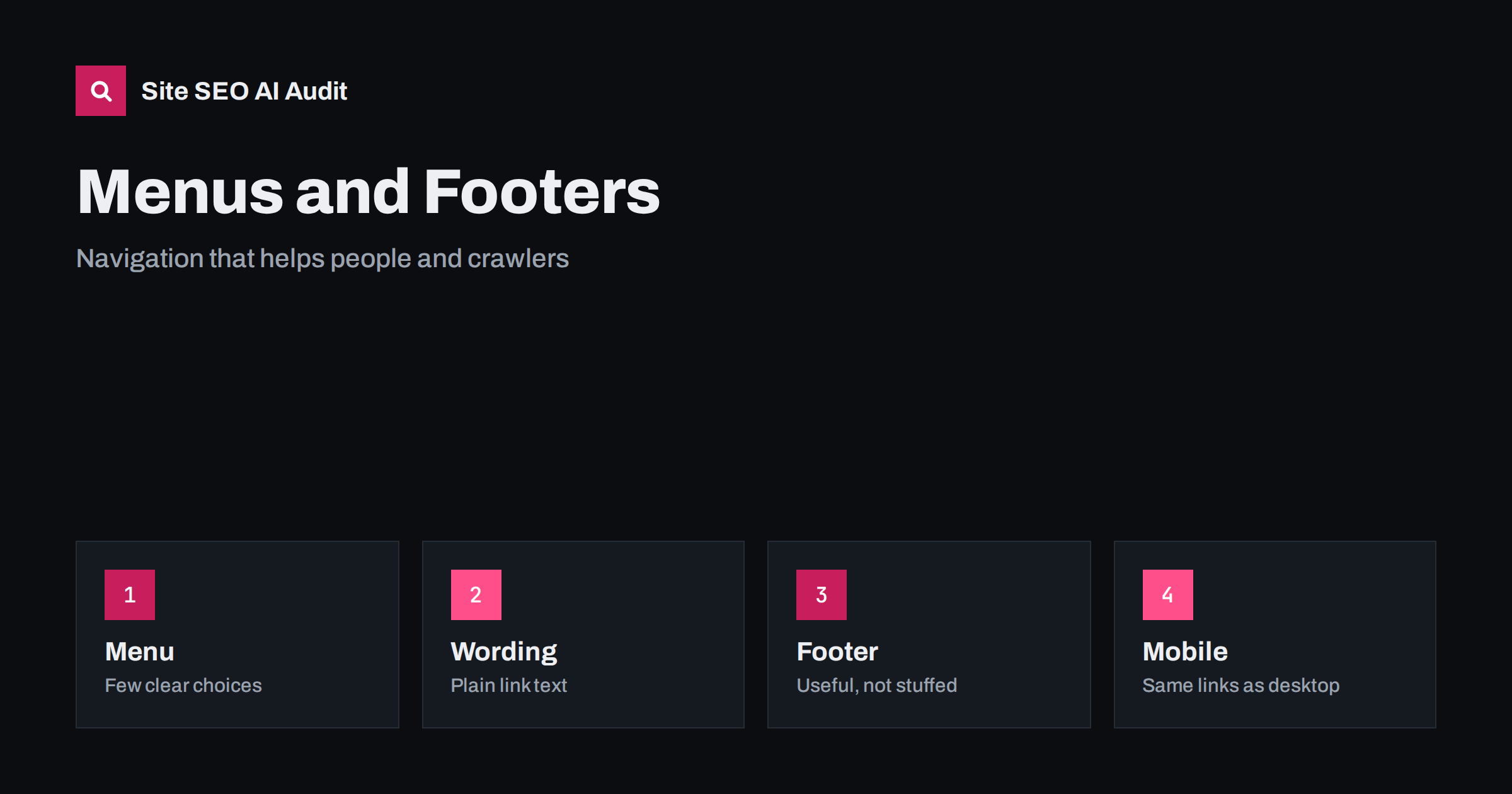
Short answer: Your main menu and footer appear on every page, so they carry more internal link weight than almost any other element. Keep the main menu short and focused on your key sections, use plain descriptive link text, make links real HTML links that crawlers can follow, give the footer practical links rather than long keyword lists, and make sure the mobile menu contains the same important links as the desktop one.
Visitors use navigation to answer a simple question: where do I go next? Search engines use the same links to discover pages and to judge which ones matter most. Because menus and footers repeat across the entire site, a decision that you make once is multiplied across hundreds or thousands of pages. A good menu makes the site feel clear and helps important pages get found and crawled. A poor one hides key pages behind scripts, buries them in huge lists or sends signals that do not match your priorities. This guide explains how to plan, word and build navigation that serves people first and works for search engines as well.
What menus and footers do for SEO
Navigation does three jobs. First, it shows crawlers the main parts of your site, which helps them find pages quickly. Second, it passes internal link value from every page to the pages in the menu, so pages in the menu tend to be treated as important. Third, it gives context: link text such as “Plumbing services” tells people and machines what the destination is about. Search engines also learn about your site structure from the way sections and subsections are grouped.
The effect on click depth is also large. Pages that are linked from the main menu are one click from every page, while pages that can only be reached through several steps are harder to find and often rank less well; see click depth and site architecture. Planning navigation is therefore a part of planning your whole structure, not just a design task.
Keep the main menu short and focused
The main menu should contain the sections that matter most to visitors and to your business. For a small company this might be five to seven items: services or products, about, resources or blog, pricing, and contact. Large sites will need more, but even then a clear top level with a handful of groups is better than a long list of equal choices. Too many items dilute the weight of each one and force visitors to read a lot before choosing.
Decide what belongs by looking at real behaviour. Which pages do visitors use most? Which pages lead to enquiries and sales? Which questions do they ask before buying? Put those in the menu. Pages that matter less, such as legal documents, old campaigns or rarely used tools, belong in the footer or on other pages. Avoid using the menu as an archive of everything you have ever made.
Use plain, descriptive link text
Menu labels should be short, familiar and specific. “Services” is clear; “What we do” is acceptable; “Solutions” is vague unless your audience uses that word. Where several services exist, use names that match what people search for, such as “Boiler repair” instead of “Heating excellence”. Do not pack keywords into every item or repeat the same phrase with different suffixes; menus that look like keyword lists reduce trust and are poor for users. Write labels in the same language as the page, and keep them consistent: do not call a page “Contact” in the menu and “Get in touch” in the title unless there is a reason.
The same principles apply as for other internal links, which are explained in anchor text best practices. Icons without text, such as a magnifying glass or a bag, need accessible labels so that screen readers and crawlers understand them; see web accessibility and SEO.
Build links that crawlers can follow
Search engines follow standard links with an address in the link element. They do not reliably follow items that depend on clicks handled by scripts, buttons without addresses, or menus that load their content only after the user interacts. If your menu is created by a script, test it: view the rendered page and confirm that the links appear as real links in the code. A mega menu that appears only when the mouse moves may hide dozens of links from crawlers on some setups. For more on this subject, read JavaScript SEO basics.
Also check that menu links point to the final addresses, not to redirected or old versions, and that they use one version of each address (with or without a trailing slash, with or without a language folder). Menu links that lead through redirects waste crawling effort and slow visitors.
Mega menus and dropdowns
Dropdowns and mega menus can help on large sites by grouping many pages under a few headings. Use them with care. Every extra link in a mega menu repeats on every page and splits link weight. Include only categories and the most important subpages, not every product. Keep the groups logical, with headings that make sense on their own. Make sure the top-level item itself leads to a real page that lists and explains its section, because a heading that only opens a list is a missed opportunity. Test the menu with a keyboard and on a touch screen, as hover-only menus fail for many users.
Plan the footer
The footer is the place for useful secondary links: contact details, opening hours, the legal pages, the privacy policy, shipping and returns, careers, press, a sitemap link and social profiles. It is also reasonable to link to a few key services or categories. What to avoid is the footer packed with dozens or hundreds of keyword-rich links, or hidden text. These links add noise, look manipulative and do not help visitors. If a page deserves a link, it usually deserves it in context, within the content.
Keep business details in the footer consistent with those on your contact page and in your structured data. See contact page SEO and about page SEO for what to include on the target pages. If you operate in several languages, include the language switcher in a predictable place; see language switcher best practices.
Mobile menus must match
Search engines primarily use the mobile version of your pages for indexing. If your mobile menu removes links that are present on desktop, those pages may lose internal links in the version that matters. Check that the collapsed mobile menu, often called a hamburger menu, contains the same important links, with the same text and addresses. Hidden menu items are fine as long as the links are in the page code and accessible to users. See what must match on mobile and desktop. Make tap targets large enough and test the menu on a real phone.
Breadcrumbs, related links and search
Menus work best together with other navigation. Breadcrumbs show where a page sits in the hierarchy and add helpful links to parent sections; read breadcrumbs for SEO. Related links at the end of an article lead readers to the next step, and they connect pages that the menu cannot cover. A site search box helps visitors find specific items, but keep the result pages out of the index; see the internal linking strategy guide for a wider plan.
How to review your navigation
Follow a simple checklist once or twice a year:
- List all links in the main menu and the footer, and note the destination and status of each.
- Check that every important page can be reached from the menu or from a page linked in it.
- Remove links to redirected, broken or outdated pages.
- Compare desktop and mobile menus in the rendered page.
- Check link text for clarity, duplicates and keyword stuffing.
- Look at your analytics to see which items get used, and test changes with a small group of visitors where you can.
A crawl does much of the checking for you. It finds broken links, redirected links, orphan pages and pages that sit too deep. Site SEO AI Audit covers these as part of its link and crawl areas, scores your site across seven areas and gives a fix list ranked by points. The first audit of up to 200 pages is free, and the pricing page shows how to re-check after changes.
Related reading
- Internal Linking Strategy: A Step-by-Step Guide for SEO
- Home Page SEO: What Your Home Page Must Say and Link To
- Orphan Pages: How to Find Them and What to Do With Each
- HTML Sitemap Pages: When They Still Help SEO and Visitors
The bottom line
Navigation is the most repeated set of links on your site, so it deserves care. Keep the main menu short, name links plainly, build them as real links, give the footer practical content, and make mobile match desktop. Review it regularly, and let real behaviour guide your choices.
FAQ
How many links should the main menu have?
There is no fixed number. For small sites, five to seven items is typical. Include only the sections that matter most to visitors and your business.
Do footer links help SEO?
Useful footer links help visitors and crawlers find practical pages. Long lists of keyword links add noise and can look manipulative, so avoid them.
Can search engines follow a dropdown or mega menu?
Yes, if the items are real links in the page code. Check the rendered page, because menus that rely on scripts can hide links.
Should the mobile menu have the same links as desktop?
Yes. Search engines mainly index the mobile version, so removing important links there can weaken those pages.
Should I put every service in the main menu?
Not necessarily. Put main service categories in the menu and link to specific services from category pages and relevant content.