ENEnglish
 LTLietuviškai
 DEDeutsch
 FRFrançais
 RUРусский
 ESEspañol
 PLPolski
 ITItaliano
 UKУкраїнська
 CSČeština
 PTPortuguês
 JA日本語
JA日本語 LVLatviešu valoda
 ETEesti
 HUMagyar
 IDBahasa Indonesia
 TRTürkçe
 HIहिन्दी
 ELΕλληνικά
 ARالعربية
 THไทย
THไทย VITiếng Việt
 RORomână
 MSBahasa Melayu
 BNবাংলা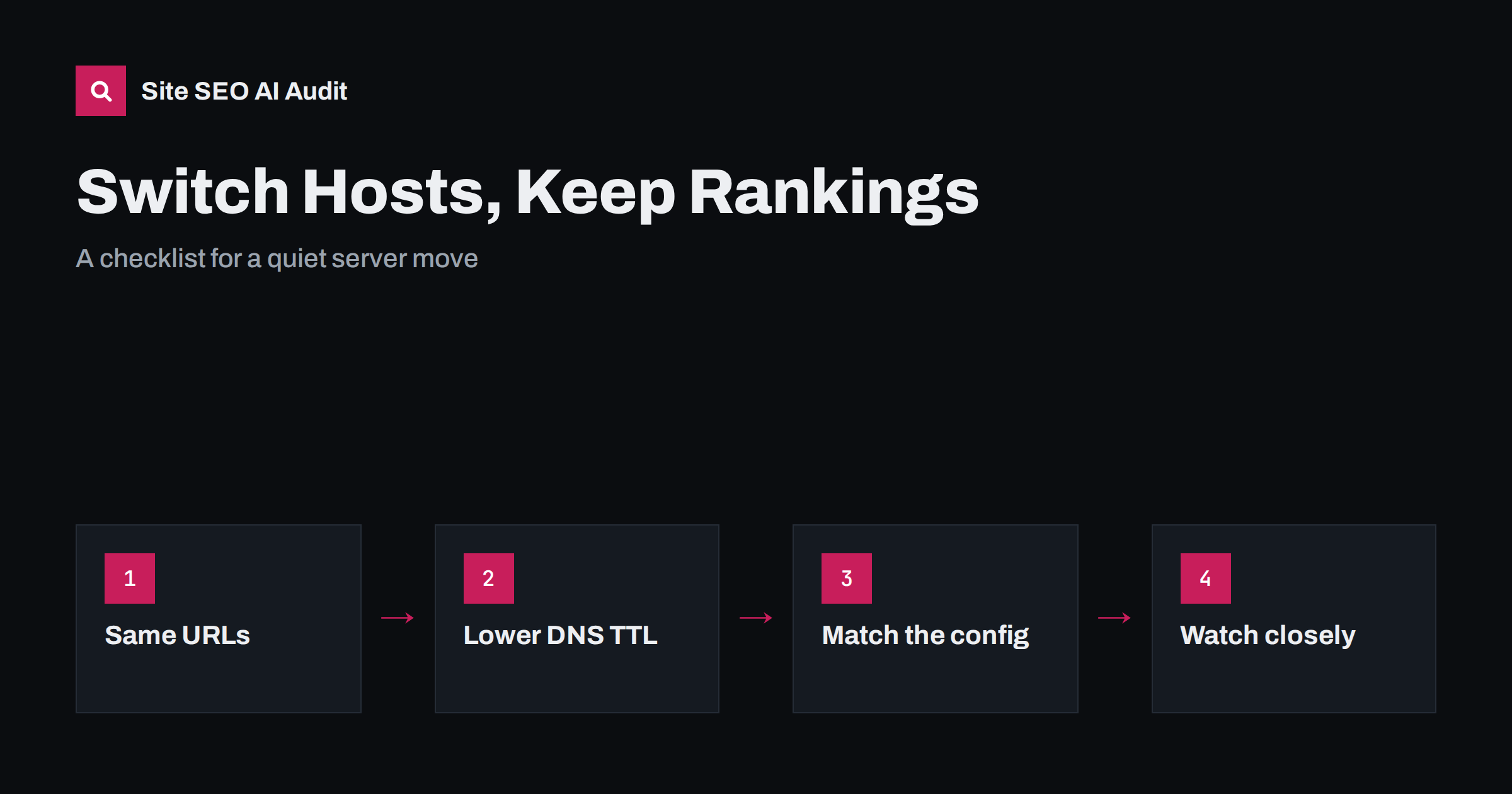
Short answer: Changing web hosts does not hurt rankings by itself, as long as visitors and crawlers see the same site at the same URLs with no long outage. Problems come from what changes by accident: missing redirects, a different HTTPS or www setup, server errors, a slower server, a staging copy left open, or a robots.txt that blocks everything. Copy the site completely, recreate the server configuration, test the new server before switching DNS, lower the DNS TTL in advance, keep the old host running for a while and watch logs, errors and Search Console closely for two weeks.
Most host changes are motivated by speed, price or support, and they should be invisible to search engines. A pure server move, where domain, URLs and content stay the same, is the simplest kind of migration. It still goes wrong surprisingly often, usually because something that worked on the old server was configured there years ago and nobody remembers it. This checklist helps you catch those details.
What changes in a host move, and what should not
To search engines, your site is defined by its URLs, the content and status codes they return, and how reliably and quickly they respond. In a host move, only the last part should change, ideally for the better. Everything else should stay exactly as it was:
- the same domain and protocol, including www or non-www;
- the same URLs, with the same trailing-slash and case behaviour;
- the same content, titles, meta tags, canonicals and structured data;
- the same redirects, robots.txt, XML sitemaps and HTTP headers.
If you also plan a redesign, a new CMS or a domain change, do them separately. Changing several things at once makes it impossible to tell what caused a problem. Our website migration checklist covers the larger kinds of migration.
Before the move: inventory and preparation
- Crawl the current site and save the list of URLs with their status codes, titles and canonicals. This is your baseline.
- Export the redirects. They may live in an .htaccess file, the server configuration, a CMS plugin, the CDN or all four.
- Note the server settings: PHP or runtime version, HTTPS certificate, HTTP/2 or HTTP/3, compression, caching headers, security headers, custom error pages.
- Record performance: server response time for a few key pages, measured from several locations; our guide to server response time and TTFB explains how.
- Back up everything: files, database, email settings and DNS records.
- Lower the DNS TTL of the records you will change to a few minutes, at least a day or two before the move, so the switch spreads quickly.
- Pick a quiet time for the switch, when traffic and sales are lowest.
Set up and test the new server
Copy the files and database to the new host and recreate the configuration. Then test the new server before any visitor reaches it:
- access it through a temporary address, or by pointing your own computer to the new IP address with a hosts-file entry, so you see the real domain on the new server;
- crawl the site on the new server and compare status codes, titles and canonicals with the baseline;
- test a sample of old redirects, including redirects from previous migrations;
- check that HTTPS works on every hostname you use, including www and non-www, and that HTTP redirects to HTTPS in one hop;
- check forms, search, checkout, logins and any feature that depends on server modules or scheduled tasks;
- compare robots.txt and the XML sitemaps byte for byte with the old ones.
Protect the temporary address from indexing. If the new host gives you a preview URL, make sure it requires a password or sends noindex, and that it does not stay public after the move; our guide to staging sites in Google explains what happens otherwise. Remember to remove any temporary noindex or password protection from the real site before switching.
Configuration details that are easy to miss
| Setting | What goes wrong after a move | How to check |
|---|---|---|
| Redirect rules | Old URLs return 404 because rules lived in the old server config | Test a list of old URLs on the new server |
| Canonical host | Both www and non-www, or HTTP and HTTPS, return 200 | Request all four combinations |
| Trailing slashes and case | Different behaviour creates duplicates | Request key URLs with and without slash |
| Error pages | Missing pages return 200 instead of 404 | Request a URL that does not exist |
| Compression and caching | Pages are heavier or not cached | Check response headers |
| Character set header | Garbled characters in titles | Check Content-Type for charset=utf-8 |
| Bot protection | Search engine crawlers are challenged or blocked | Watch logs for crawler status codes |
| Scheduled tasks | Sitemaps or scheduled posts stop updating | Confirm cron jobs run on the new host |
Our guide to www, trailing slashes and case explains why one URL version matters, and our HTTP status codes guide covers the codes to look for.
The switch itself
- Freeze content changes for a short window, or plan to sync the database again just before switching, so nothing published on the old server is lost.
- Do a final sync of files and database.
- Update the DNS records to point to the new server. With a low TTL, most visitors and crawlers will reach the new server within minutes to hours.
- Keep the old server running with the same content for at least several days, because some resolvers ignore low TTLs and keep sending traffic to the old IP for a while.
- Check from outside: load key pages from different networks and confirm that the new server answers.
Avoid a maintenance page that returns 200 for every URL. If you must take the site offline briefly, return a 503 status with a Retry-After header, which tells crawlers the outage is temporary. Our article on website downtime and SEO explains why short 503 periods are harmless and long ones are not.
After the move: the first two weeks
- Watch server logs for search engine crawlers and the status codes they receive. A sudden rise in 5xx errors or blocked requests needs immediate attention.
- Check the Crawl Stats report in Search Console. Googlebot may crawl a little more slowly at first after an IP change and then adjust to the new server’s capacity; our crawl stats guide shows what to look for.
- Watch the Page indexing report for new server errors, redirect errors or not-found pages.
- Re-crawl the site and compare it with your baseline.
- Measure server response time again from the same locations as before.
- Check email, forms and integrations, which often depend on DNS records and server settings that are easy to forget.
Keep a simple log of everything you check and when, together with the numbers from your baseline. If something does go wrong later, a log that says “server response time 180 ms before, 420 ms after” or “old redirects tested: 50 of 50 working” saves hours of guessing. It also helps the hosting provider’s support team, who will ask for exactly these details. Share the log with anyone else who works on the site, such as developers or an agency, so that nobody changes server settings during the first weeks without knowing the context.
A small fluctuation in rankings during the first days is normal and usually settles. A steady decline points to a real problem, most often errors, blocked crawlers or missing redirects.
When the new host is in another country
Server location is a weak signal for search engines today; they rely much more on the domain, content language, hreflang and other signals. What server location does affect is speed for distant visitors. If your audience is far from the new data centre, a CDN can serve static files and cached pages closer to them. Our guide to server location and CDNs for international SEO covers the trade-offs.
Compare the site before and after the move
The most reliable way to confirm a quiet host move is to crawl the site before and after and compare. Site SEO AI Audit crawls your site like a search engine and checks status codes, redirect chains, canonicals, robots.txt, sitemaps, server response and compression on every page. Paid plans let you re-check and compare audits over time, which makes before-and-after checks simple. The first audit of up to 200 pages is free; see the plans for larger sites.
Related reading
The bottom line
A host change is safe when only the server changes. Record a baseline, recreate redirects and server settings, test the new server under the real domain before switching, lower the DNS TTL in advance, keep the old server running for a few days and watch logs and Search Console closely afterwards. Do redesigns and domain changes separately.
FAQ
Does changing web hosts affect SEO?
Not by itself. If the domain, URLs, content and server behaviour stay the same and there is no long outage, rankings should be unaffected. Problems come from missing redirects, server errors, blocked crawlers or a slower server.
Do I need to tell Google that I changed hosts?
No. There is no notification for a host change, and the Change of Address tool is only for moving to a different domain. Google discovers the new IP address through DNS and adjusts its crawling automatically.
How long should I keep the old hosting account?
Keep the old server running with the same content for at least several days after the DNS change, because some networks keep using old DNS records for a while. Keep backups from the old host much longer.
Will a new IP address affect rankings?
Generally no. Search engines do not rank sites by IP address. Googlebot may adjust its crawl rate for a short time while it learns the new server’s capacity, which is normal.
Should I change hosts and redesign at the same time?
It is better not to. If rankings change, you will not know whether the host move or the redesign caused it. Move the site first, confirm that everything is stable, then start the redesign.