 ENEnglish
 LTLietuviškai
 DEDeutsch
 FRFrançais
 RUРусский
 ESEspañol
 PLPolski
 ITItaliano
 UKУкраїнська
 CSČeština
 PTPortuguês
 JA日本語
JA日本語 LVLatviešu valoda
 ETEesti
 HUMagyar
 IDBahasa Indonesia
 TRTürkçe
 HIहिन्दी
 ELΕλληνικά
 ARالعربية
 THไทย
THไทย VITiếng Việt
 RORomână
 MSBahasa Melayu
 BNবাংলা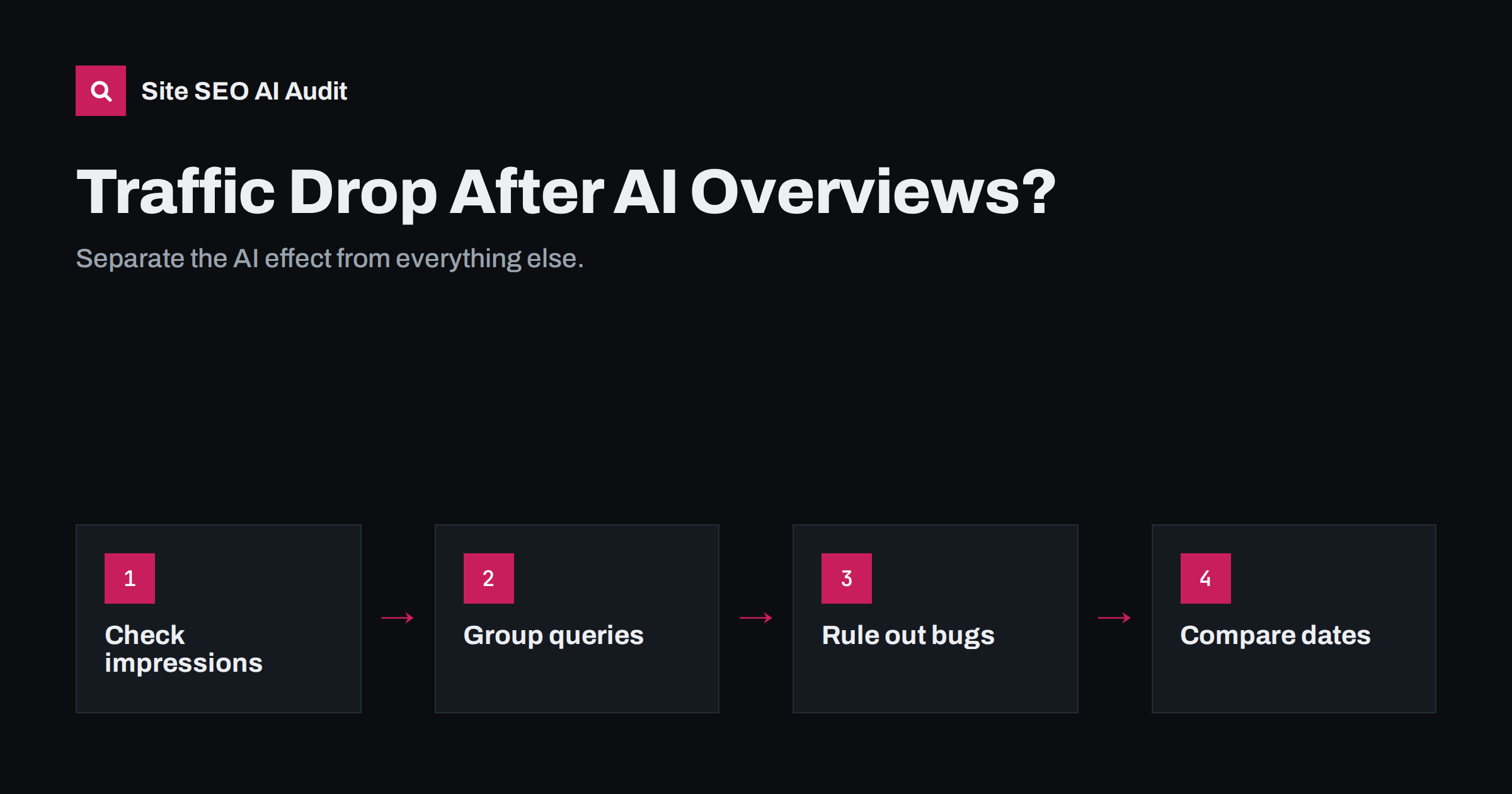
Short answer: To tell whether AI Overviews caused a traffic drop, compare impressions, clicks and average position in Search Console for the affected queries. If impressions and positions are stable but click-through has fallen, mainly on informational queries, AI Overviews or other results-page features are the likely cause. If impressions or positions fell, look instead at algorithm updates, technical problems, lost pages or competition. Many drops have several causes, so separate them before deciding what to change.
Why diagnosis matters
When organic traffic falls, it is tempting to blame the most talked-about change. Since AI Overviews launched widely, many site owners assume every drop is caused by them. Sometimes that is right. But the same months also bring core algorithm updates, seasonal patterns, site migrations, plugin updates, competitors improving their pages and tracking changes. Each cause needs a different response.
If the cause is a technical problem, rewriting content wastes months. If the cause is AI Overviews absorbing clicks for simple questions, a technical audit will not bring those clicks back. The first job is to find out which situation you are in.
A structured diagnosis also protects you from overreacting. Search traffic fluctuates for many small reasons, and a week of lower numbers is not a trend. The steps below move from the cheapest checks to the more involved ones, so you can stop as soon as the cause is clear.
Step 1: confirm the drop is real
Before analysing search behaviour, rule out measurement problems:
- Compare analytics with Search Console. If analytics shows a drop but Search Console clicks are stable, the problem is probably tracking: a missing tag, a consent banner change or a new analytics setup.
- Check for tracking changes around the date of the drop, such as a theme update that removed the analytics code or a new cookie banner.
- Look at year-on-year data, not just the previous month, to account for seasonality.
- Check other channels. If direct, referral and email traffic fell at the same time, the cause may be tracking or a site outage rather than search.
Also check the date range carefully. Comparing a period that includes a public holiday, a sale or a product launch with one that does not can create an apparent drop out of nothing. Align days of the week and known events before drawing conclusions.
Step 2: read the four Search Console metrics together
Search Console’s Performance report shows clicks, impressions, average click-through rate and average position. Reading them together points to different causes:
| Pattern | Most likely cause |
|---|---|
| Impressions stable, position stable, clicks down, CTR down | Results-page changes such as AI Overviews, more ads or other features |
| Impressions down, position down | Ranking loss from an algorithm update, competition or content quality |
| Impressions down, position stable | Lower search demand, seasonality, or pages dropping out of the index |
| Everything down sharply on one date | Technical problem, migration error, noindex, robots.txt or penalty |
| Clicks down only on some pages | Page-specific issues: lost rankings, cannibalisation, outdated content |
AI Overview impressions and clicks are included in the Web search data without a separate filter, so you must infer their effect from patterns rather than read it directly.
Step 3: group queries by intent
AI Overviews appear mostly on informational and complex queries, and much less on navigational and many transactional ones. Grouping your queries reveals whether the drop follows that pattern:
- Export queries from Search Console for the period before and after the drop.
- Label them by type: brand, informational (“what is”, “how to”, “why”), commercial (“best”, “vs”, “review”), transactional (“buy”, “price”, product names) and local.
- Compare click-through rate changes per group at similar positions.
- Check a sample of the informational queries manually to see whether an AI Overview now appears.
If informational queries lost click-through while brand and transactional queries held steady, AI Overviews are a strong suspect. If all groups fell equally, look elsewhere.
For larger sites, do the same analysis at page level. Pages whose traffic depends on one or two definition-style queries are usually the most exposed. Pages that rank for many long, specific queries or commercial terms are usually more resilient. Knowing which of your pages fall into each group tells you where to expect further change.
Step 4: check the calendar of updates
Google announces core updates and several other ranking updates on its Search Status Dashboard, with start and end dates. Compare the date of your drop with these announcements. A decline that starts during a core update rollout and is accompanied by position losses points to a ranking reassessment rather than AI Overviews.
Also record your own changes: redesigns, migrations, new plugins, content deletions, URL changes, hosting moves. A surprising number of “algorithm” drops coincide with a site change that nobody linked to search.
Keep a simple change log for the site going forward, with the date, what changed and who changed it. It takes seconds per entry and turns the next diagnosis from guesswork into a quick comparison.
Step 5: rule out technical problems
Technical issues can mimic both ranking losses and click losses. Check:
- Indexing: has the number of indexed pages fallen? Are key pages marked noindex or excluded?
- Robots.txt: has a change blocked important sections?
- Redirects: did a migration leave old URLs without redirects or create chains?
- Canonicals: do important pages still point to themselves?
- Speed and stability: did a new theme or plugin slow the site significantly?
- Snippets: did a plugin add nosnippet or max-snippet, making results less attractive?
- Titles and descriptions: did a template change strip or duplicate them?
A full crawl is the fastest way to answer these questions across the whole site.
If you find a technical cause, fix it before doing anything else, even if AI Overviews also seem to play a part. Technical problems are the only cause fully within your control, and fixing them first makes the remaining effects easier to measure.
Step 6: respond to the actual cause
Once you know the cause, the response becomes clearer:
- AI Overviews reducing clicks: make sure your pages are among the cited sources by answering directly and specifically; get your brand into quotable passages; shift some effort to decision, tool and transactional content; measure impressions and conversions, not only clicks.
- Ranking loss after a core update: review content quality honestly, improve or consolidate weak pages, strengthen first-hand experience and expertise, and give changes time, since recovery often shows only after later updates.
- Technical problem: fix it, request recrawling of key pages and monitor indexing.
- Seasonality or demand: nothing to fix; adjust expectations and plan content ahead of seasonal peaks.
- Competition: compare the pages now ranking above you and close genuine gaps in depth, accuracy or usability.
Whatever the cause, avoid drastic reactions such as deleting large amounts of content, blocking crawlers or changing every title at once. Big simultaneous changes make it impossible to learn what worked. Make focused changes, note them and review the effect over several weeks.
Communicating the findings
Whether you report to a manager, a client or yourself, separate the causes in plain terms. A useful format lists each query group with its change in impressions, clicks, click-through rate and conversions, followed by the identified cause and the planned action. This prevents the common mistake of treating a structural change in click behaviour as a failure of the SEO work, and it keeps attention on the pages and queries that actually drive business.
It also helps to set new benchmarks. If informational click-through has permanently shifted, compare future performance with the new baseline rather than with pre-AI Overview figures.
How Site SEO AI Audit helps
Step 5 is where Site SEO AI Audit saves the most time. It crawls every page and checks status codes, robots.txt, noindex, canonicals, sitemaps, redirect chains, titles, descriptions, speed and structured data, plus AI crawler access and JavaScript-dependent content. Pro plans add weekly audits, e-mail alerts and audit comparisons, described on the pricing page, so technical changes that coincide with a traffic drop are easy to spot.
Related reading
- Google AI Overviews: How Sources Are Chosen and How to Be One
- Zero-Click Search: How to Get Value When Nobody Clicks
- Redirect Chains and Loops: How to Find and Fix Them
The bottom line
Not every traffic drop is caused by AI Overviews. Confirm the drop is real, read impressions, clicks, CTR and position together, group queries by intent, compare dates with updates and your own changes, and rule out technical problems. Then respond to the cause you actually found, and measure success with metrics that reflect how search now works.
الأسئلة الشائعة
Can I see AI Overview traffic separately in Search Console?
No. Clicks and impressions from AI Overviews are included in Web search data without a dedicated filter. You infer their effect from patterns such as stable impressions with lower click-through.
What pattern suggests AI Overviews caused my drop?
Stable impressions and positions with falling clicks and click-through rate, concentrated on informational queries, while brand and transactional queries stay steady.
How can I tell a core update from an AI Overview effect?
Core updates usually change positions and impressions, and they align with dates on Google’s Search Status Dashboard. AI Overview effects mainly change click-through at similar positions.
Should I rewrite content after a drop?
Only after diagnosis. Rewriting helps when quality or relevance is the problem, but it will not fix tracking errors, technical issues or seasonal demand changes.
How long should I wait before reacting?
Look at at least two to four weeks of data, and longer during a core update rollout. Short-term fluctuations are common and can lead to changes that are not needed.


