ENEnglish
 LTLietuviškai
 DEDeutsch
 FRFrançais
 RUРусский
 ESEspañol
 PLPolski
 ITItaliano
 UKУкраїнська
 CSČeština
 PTPortuguês
 JA日本語
 LVLatviešu valoda
 ETEesti
 HUMagyar
 IDBahasa Indonesia
 TRTürkçe
 HIहिन्दी
 ELΕλληνικά
 ARالعربية
 THไทย
 VITiếng Việt
 RORomână
 MSBahasa Melayu
 BNবাংলা
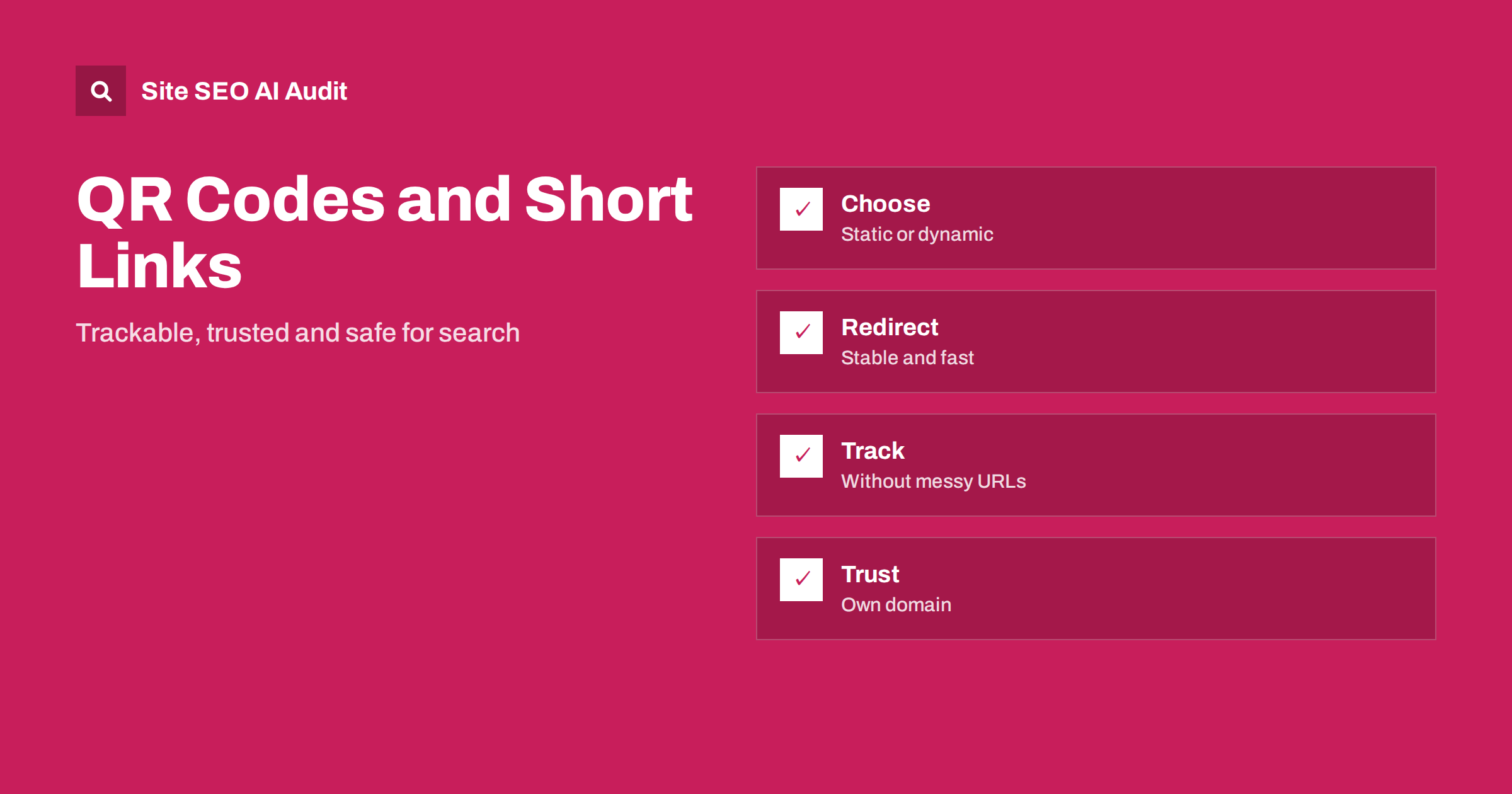
Short answer: QR codes and short links do not harm SEO by themselves, because they are just doors to a normal page. The risks come from how they are built. Use a short link on a domain you control, make it a clean 301 or 302 redirect to the final page, avoid long redirect chains, tag it for tracking carefully and keep it working for as long as the code or link circulates. Dynamic codes let you fix a destination later without reprinting.
QR codes appear on packaging, menus, posters, business cards and shop windows, and short links appear in social profiles, messages and printed material. They send people to a page, usually on a phone. For search, three questions matter: where the link actually goes, whether the route to the page is clean and whether the destination is measured correctly. This guide explains how to set them up and what to avoid. For redirects in general, see the guide to 301 and 302 redirects.
What a QR code contains
A QR code is a way to encode text, most often an address, in a pattern that a camera can read. A static code holds the final address directly. If the address changes, the code is useless, and the only fix is to print a new one. A dynamic code holds a short address that points to a service, and that service redirects to the real page. You can change the destination later without changing the printed code.
For anything printed in large numbers, a dynamic approach is safer, since it gives you control. But it adds a dependency: if the service that runs the short address disappears, stops paying or changes its terms, all printed codes break. The best of both worlds is to run the short address on your own domain, so that the redirect lives under your control.
Why the domain matters
Short links on someone else’s domain, such as a public shortener, bring several risks. The service may add an interstitial page or advertisements, delete links after a time, be blocked by some networks or be flagged as unsafe by mail filters, since short links are often used in spam. People are also wary of clicking on unknown domains. A short link on your own domain, such as a short path under your main address or a small branded domain, is recognisable and trusted.
It also keeps the benefit of links. When other websites or social profiles share your short address, a clean permanent redirect passes the signal to the destination in most cases, and you keep ownership. If the shortener belongs to a third party, you depend on it. See also the guide to reclaiming lost backlinks for what happens when old addresses stop working.
Choose the redirect type
A 301 redirect says that the move is permanent, while a 302 says it is temporary. For a short link that will always point to the same page, 301 is natural. For a code that you may re-point, for example a poster that links to the current campaign page, 302 or 307 is more honest, because the destination will change. Search engines treat both as redirects and follow them, and they handle the signals sensibly in either case, but it is best to match the type to the intention. The differences are explained in the redirect guide.
Avoid chains. A QR code that points to a shortener, which redirects to a tracking domain, which redirects to a language selector, which redirects to the page, adds delay on a phone with a weak signal and increases the chance of failure. Aim for a single hop from the short address to the final page. The problem is described in the guide to redirect chains and loops.
Point to the right destination
Send people to a page that makes sense on a phone. A code on a product package should lead to a mobile-friendly page about that product, not to the home page and not to a large desktop-only document. A code on a poster should lead to the campaign page. Make sure the page loads fast, since people scanning codes are in the middle of doing something. If your site serves several languages, decide how the visitor reaches the right one: either with separate codes per language or with a page that picks the language from the browser, taking care not to trap crawlers, as discussed in the guide to language redirects.
Keep the destination stable. If the page is retired, redirect it to a good replacement, because printed material stays in circulation long after a campaign ends. The question of how long redirects should remain is covered in the guide to keeping 301 redirects.
Tracking without damage
Many teams want to know how many people scan a code. Two methods are common: the dynamic service counts requests, or the destination address carries campaign tags that analytics reads. The first method does not change the page address. The second adds parameters, which is fine on external links if the page has a clean canonical, as described in the guide to UTM parameters and SEO. Do not give the same code different tags on every printing unless you need to, since many variants make reports hard to read.
Respect privacy. Do not put personal data in the address or the tags, and avoid collecting more data than you need. A code printed on a letter should not carry the recipient’s name in the web address, since addresses end up in logs and browser history.
Keep tagged addresses out of the index
Short links and QR destinations should not create new indexed pages. If a dedicated landing page exists only for a code, decide whether it should appear in search. A page for offline traffic only can carry a noindex tag, or can be linked only from the code, but if it duplicates an existing page it should use a canonical tag to the main page instead. Use the approach that fits the purpose: a campaign page that is useful on its own can be indexed, and a thin page that exists only to count scans should not. The difference between the tools is explained in the guide to noindex and disallow.
Check that the short address itself returns a clean response. A short path that returns an error on some devices, or shows a blank page before redirecting by script, is a poor experience. Use a server redirect, not a script or a meta refresh, because the latter are slower and less reliable, as described in the guide to meta refresh and JavaScript redirects.
Design and testing
A code needs enough contrast and size to scan, a quiet margin around it and a short address so the pattern is simple. Test it on several phones and from realistic distances and lighting before printing. Add a few words that tell people what they will get, for example scan to see the menu, because unexplained codes are scanned less and can feel risky. Show the short address in text under the code as a fallback, so that people without a camera can type it.
Test the full route: scan the code, see where it lands, check the time on a slow connection and verify the result in analytics. Repeat the test on both major phone systems. Keep a list of all codes in circulation with the date, the place and the destination, so that you know what to preserve when you restructure the site. This kind of record belongs in the same place as your list of changes.
Here is a short example. A restaurant printed menu codes that pointed directly to a long address on a website builder. When it moved to a new site, the old address vanished and the codes led to errors in dozens of tables. Reprinting cost money and trust. A better plan would have been a short path on its own domain, redirecting to the menu page, which could have been re-pointed in minutes. The lesson is that the address printed on something physical should be the one address you intend to keep.
A second example comes from a product brand that used a public shortener on its packaging. Years later, the service started showing advertising before the redirect and some mail filters flagged the domain. The brand moved to a short address on its own domain for new packaging but still depends on the old links for existing stock. It would have been simpler to start with its own domain.
Site SEO AI Audit crawls your pages and reports status codes, redirect chains, links to redirects, canonical tags, noindex and broken links, so you can check that the destinations behind your codes are healthy. It does not generate QR codes or count scans. The first audit of up to 200 pages is free, and larger sites can see the pricing page.
Related reading
The bottom line
Use QR codes and short links on a domain you control, with one clean redirect to a fast mobile page, careful tracking and a promise to keep them working.
FAQ
Do QR codes affect SEO?
Not directly. They send visitors to pages, so what matters is the redirect, the destination and the tracking.
Should I use a public link shortener?
It is safer to use a short address on your own domain, which you control and which visitors trust.
301 or 302 for a short link?
Use 301 for a fixed destination and 302 for one you may re-point. Avoid chains in either case.
Should the landing page be indexed?
If it is useful on its own, yes. A thin page that exists only to count scans can use noindex or a canonical tag.
How long must a code keep working?
For as long as the printed material circulates, which may be years after a campaign ends.