ENEnglish
 LTLietuviškai
 DEDeutsch
 FRFrançais
 RUРусский
 ESEspañol
 PLPolski
 ITItaliano
 UKУкраїнська
 CSČeština
 PTPortuguês
 JA日本語
JA日本語 LVLatviešu valoda
 ETEesti
 HUMagyar
 IDBahasa Indonesia
 TRTürkçe
 HIहिन्दी
 ELΕλληνικά
 ARالعربية
 THไทย
THไทย VITiếng Việt
 RORomână
 MSBahasa Melayu
 BNবাংলা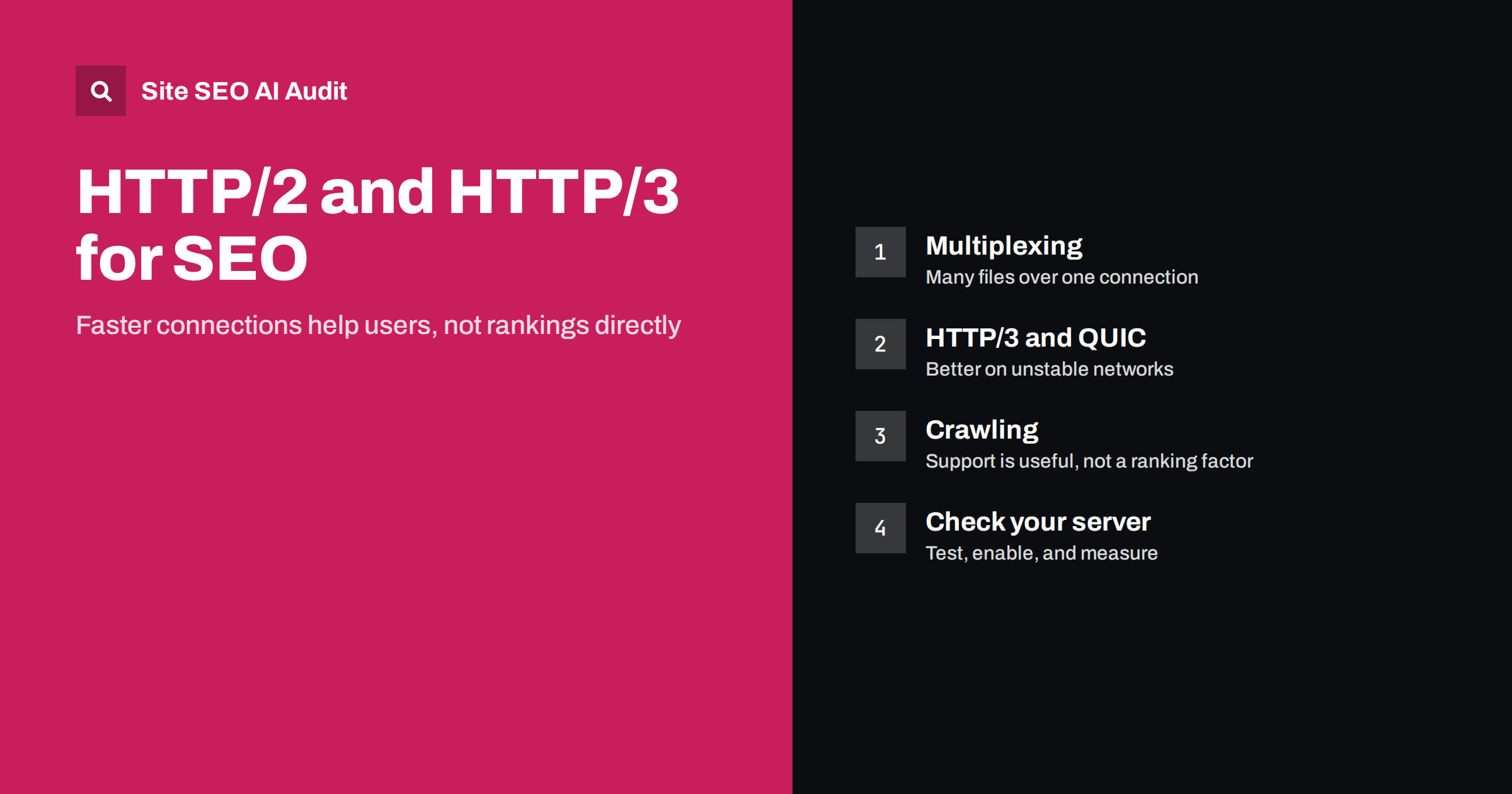
Short answer: HTTP/2 and HTTP/3 are newer versions of the protocol that browsers use to fetch pages. They can make sites load faster by sending many files over one connection and handling poor networks better. They are not ranking factors on their own, and search engines do not reward a site just for using them. The benefit comes through speed: faster pages improve user experience and may improve Core Web Vitals. Most good hosts and CDNs already support them, so the job is usually to check, enable and measure.
Every time a browser opens a page, it speaks a protocol to the server. For a long time that protocol was HTTP/1.1. Newer versions arrived to remove its biggest inefficiencies. As a result, SEO checklists often include “use HTTP/2” or “enable HTTP/3” among their recommendations. Are they worth your time? The honest answer is that they are worth checking, but they are rarely the biggest fix on a slow site.
What changed between the versions
A short comparison of the three generations helps to see what each one solves:
- HTTP/1.1 handles requests in a limited way: browsers open several connections and each carries one request at a time, so many small files cause queues.
- HTTP/2 adds multiplexing, which lets many requests and responses share a single connection at the same time. It also compresses headers and works over encrypted connections in practice.
- HTTP/3 runs on a different transport called QUIC instead of TCP. It reduces delays when a connection starts and copes better when packets are lost, which is common on mobile networks.
The most noticeable benefit is on pages that load many files and on visitors with slower or less stable connections. On a very small site with only a few files, the difference may be hard to see.
Do they affect rankings?
Search engines have not said that the protocol version is a ranking signal. What counts is how fast and stable the page feels to users, which is measured by metrics such as Largest Contentful Paint. A newer protocol can help those numbers, but only when the protocol is the bottleneck. If a page is slow because of a huge hero image, a slow server or many blocking scripts, switching protocols will not rescue it.
For Core Web Vitals, see our guides to Core Web Vitals and fixing Largest Contentful Paint. The protocol is a small piece of a larger puzzle.
What about crawling?
Search crawlers can fetch pages over HTTP/2 where the server supports it, and this can make crawling more efficient, because several files are retrieved over fewer connections. Google has described this as a benefit to servers rather than something that influences ranking. Support for HTTP/3 in crawlers has been more limited, and you should not expect it to change how often your site is crawled.
Whatever the protocol, the main factors for crawling remain a quick and reliable server, sensible URLs and clean status codes. See crawl budget explained and server response time and TTFB. A site that returns errors under load will be crawled less, no matter which protocol it uses.
How to see what your site uses
Checking takes a minute:
- Browser developer tools. Open the Network tab, add the Protocol column and reload the page. You will see values such as h2 for HTTP/2 and h3 for HTTP/3.
- Online protocol checkers. Several free tools report which versions a domain supports.
- Command line. A tool such as curl can request a page using a chosen protocol version and show the response headers.
Test the main domain, and also the domains that serve your images, scripts and fonts. A page may use HTTP/2 itself but depend on a third-party host that does not.
How to enable them
The route depends on how you host:
- Managed hosting and website builders. HTTP/2 is usually on by default. Ask support about HTTP/3, or look for a setting in the control panel.
- A CDN. Many content delivery networks offer both protocols with a switch in the dashboard, and they handle the encryption certificates for you. See how to set up a CDN for SEO.
- Your own server. Modern versions of common web servers support HTTP/2 once HTTPS is configured. HTTP/3 needs a recent server version and open UDP traffic on the HTTPS port in the firewall.
Both protocols need HTTPS, which is a separate requirement for any current site. If your site is still not fully on HTTPS, start with the HTTPS migration checklist.
Old HTTP/1.1 tricks you may no longer need
Some optimisation habits were created to work around HTTP/1.1 limits. With HTTP/2 or HTTP/3, they matter less and sometimes get in the way:
- Combining all CSS and JavaScript into one giant file reduces requests, but forces visitors to download everything again whenever anything changes. Smaller files that are cached separately can work better.
- Image sprites were created to avoid many requests. Individual optimised images are now fine.
- Domain sharding, spreading assets across several hostnames, adds extra connections and delays under HTTP/2.
Do not rewrite a working build just for this. The point is to avoid adding new workarounds that no longer help. Resource hints such as preload and preconnect are still useful, as described in resource hints.
Measure the effect instead of guessing
If you enable a new protocol, measure before and after with real-user data where possible:
- Record Core Web Vitals field data from Search Console or your monitoring tool for a few weeks before the change.
- Enable the protocol on the CDN or server.
- Compare the same metrics a few weeks later, bearing in mind other changes you made at the same time.
- Check the server logs for errors or a rise in failed requests, particularly with HTTP/3, which some corporate networks block. Browsers fall back to an older version when this happens.
The expected result is a modest improvement, not a revolution. Bigger gains usually come from smaller images, less JavaScript and a faster server. Our guide to page weight and compression is a good next step.
Common misunderstandings
- “HTTP/3 will boost my rankings.” There is no evidence for a direct ranking boost.
- “Googlebot needs HTTP/2 to crawl my site.” It does not; it can fall back to HTTP/1.1.
- “If my page speed score is low, I just need HTTP/3.” Lab scores usually point to images, scripts and server time first.
- “A CDN automatically fixes everything.” It helps with distance and protocols, but cannot repair a heavy page.
A practical rule is to treat protocol upgrades as maintenance, not as a campaign. Ask your host or CDN what is already enabled, record the answer in your technical documentation and check it again after major hosting changes. Migrating to a new provider, adding a firewall or putting a proxy in front of the site can silently turn a newer protocol off, and nobody notices because the pages still load.
Remember also that the protocol only affects how files travel, not how many of them there are. A page that requests dozens of third-party scripts will still be slow, whichever version carries them. The most reliable order of work is therefore: reduce what the page loads, make the server respond quickly, serve files from a nearby location, and only then fine-tune the connection itself. Following that order keeps effort where the largest gains are.
Finally, document your test results. A short note stating the tool used, the date, the protocol seen for the HTML and for the main assets, and the field metrics before the change gives you evidence when someone asks months later whether the upgrade helped.
If you manage several sites, keep a small table of hosts, CDN settings and protocol results, so that a regression on one property is easy to spot. It takes minutes to maintain, and it turns a vague belief that “the server is modern” into evidence you can show to colleagues and clients whenever speed questions come up.
Lastly, ask your hosting provider about their roadmap: some plans lack HTTP/3 or limit it to higher tiers, and a move to a better plan may cost less than the engineering time spent on workarounds.
Check the whole picture
Protocol settings are one line on a long checklist. Site SEO AI Audit crawls your site like a search engine and measures speed with Google PageSpeed, LCP and CLS, server response on every page, compression and page weight, together with crawl and index checks, and ranks the fixes by points. The first audit of up to 200 pages is free.
Related reading
The bottom line
HTTP/2 and HTTP/3 are good, low-effort upgrades that make pages load more smoothly, particularly for mobile visitors. They are not a ranking trick. Check which version your site and its asset hosts use, enable the newer ones where your host or CDN allows it, and measure the result. Then put your effort into the larger causes of slowness: heavy images, scripts and a slow server.
KKK
Is HTTP/3 a Google ranking factor?
No such signal has been announced. HTTP/3 can make pages faster for users, and speed can influence experience metrics, but the protocol itself is not rewarded.
Should I switch to HTTP/3 right now?
If your host or CDN offers it with a simple setting and fallback to HTTP/2, it is reasonable to enable it. Do not rebuild your server just for it.
Does Googlebot use HTTP/2?
It can crawl over HTTP/2 when the server supports it, which can be more efficient. Sites that only support HTTP/1.1 are still crawled normally.
How do I know which protocol my site uses?
Open your browser’s developer tools, go to the Network tab, show the Protocol column and reload the page. Values such as h2 and h3 show the version for each request.
Do I need HTTPS for HTTP/2 and HTTP/3?
In practice, yes. Browsers use these protocols only over encrypted connections, so a valid HTTPS setup is the first step.