ENEnglish
 LTLietuviškai
 DEDeutsch
 FRFrançais
 RUРусский
 ESEspañol
 PLPolski
 ITItaliano
 UKУкраїнська
 CSČeština
 PTPortuguês
 JA日本語
JA日本語 LVLatviešu valoda
 ETEesti
 HUMagyar
 IDBahasa Indonesia
 TRTürkçe
 HIहिन्दी
 ELΕλληνικά
 ARالعربية
 THไทย
THไทย VITiếng Việt
 RORomână
 MSBahasa Melayu
 BNবাংলা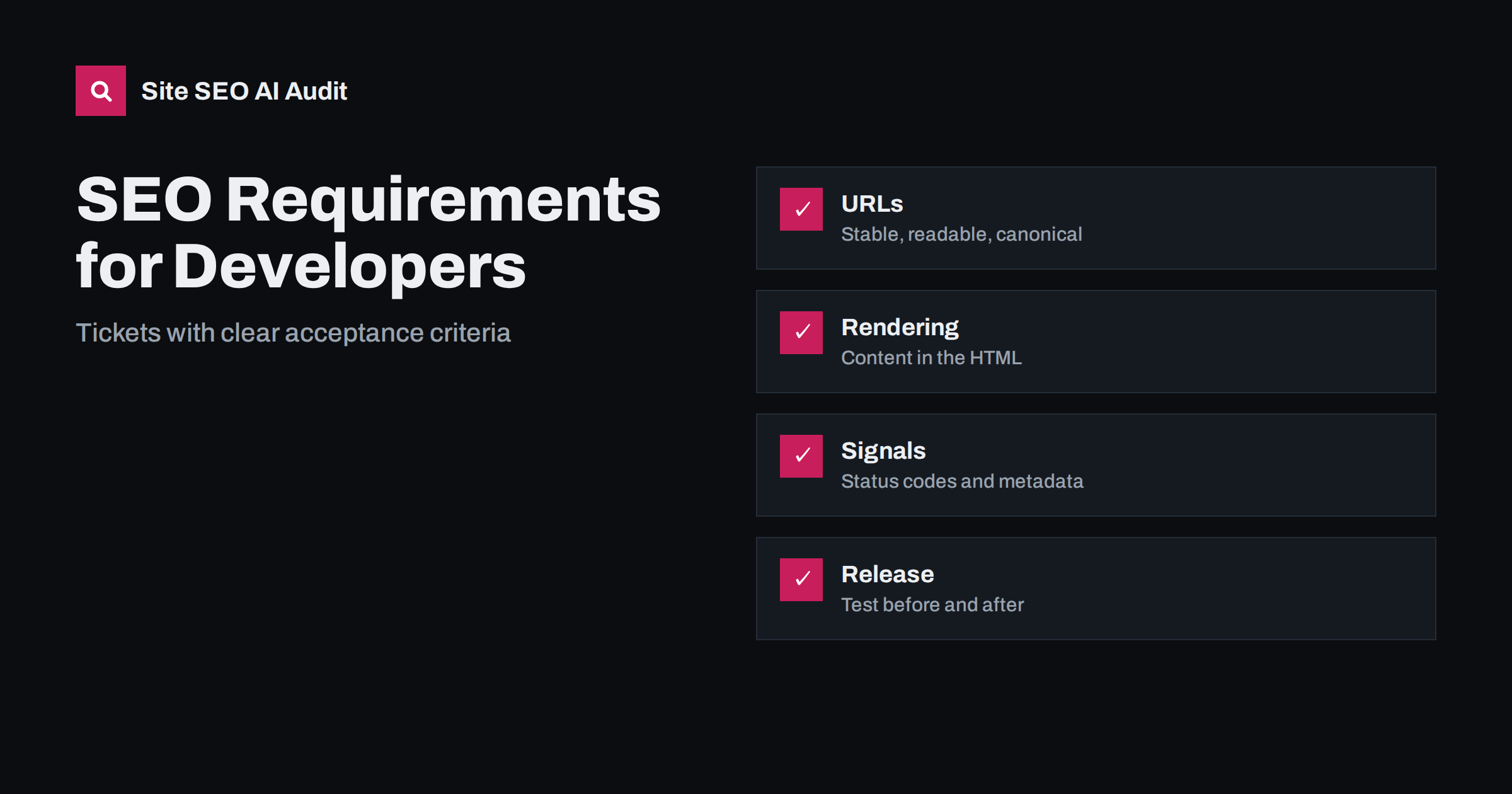
Short answer: Developers build what is specified and tested, so SEO requirements should be written as concrete tickets with acceptance criteria: one canonical address per page, correct status codes, important content and links in the rendered HTML, unique titles and headings, valid structured data, crawlable navigation, controlled indexing, fast templates and a release test that checks these things before launch. Vague requests such as make it SEO friendly lead to guesswork. Specific, testable statements prevent most technical SEO problems before they reach production.
Many SEO problems begin as ordinary development decisions: a router that creates several addresses for one page, a template that outputs the same title everywhere, a component that loads text only after a click or a release that accidentally ships a noindex tag. Fixing them later costs more than specifying them early. This guide gives marketers and SEO specialists a way to turn recommendations into requirements that developers can estimate, build and verify, and gives developers a checklist to challenge incomplete requests. For the theory behind the items, see what technical SEO is.
Write requirements as testable statements
A good SEO ticket states the behaviour, the scope and how to check it. Compare these two requests. The first says the product pages must be optimised. The second says every product page must return status 200 at one lowercase address without parameters, must contain a unique title and a single main heading in the initial HTML, must declare a self-referencing canonical tag and must be included in the product sitemap. The second version can be estimated, built, reviewed and tested. Add the reason in one sentence, because developers make better decisions when they understand the goal, and link to a reference page or a documentation source so that nobody needs to search for the standard.
- Scope: which templates, sections or page types the ticket covers.
- Behaviour: exactly what the page or response must do.
- Acceptance test: how to verify it, with a sample address and the expected result.
- Priority: blocking launch, important or nice to have.
- Owner: who confirms the result after release.
URLs and canonical addresses
Every indexable page should have one preferred address. Require lowercase paths, hyphens between words, no session identifiers and a consistent trailing slash policy. Require that other versions redirect with a permanent redirect to the preferred one: the other protocol, the other hostname, uppercase variants and the missing or extra slash. Tracking and filter parameters should not create crawlable duplicates; either keep them out of internal links or point them to the clean address with a canonical tag. Define the canonical tag rule per template: self-referencing on normal pages and pointing to the main version on variants. Avoid hash fragments for content that must be indexed. Detailed guidance is in SEO-friendly URL slugs, canonical tags explained and URL parameters and duplicate content.
Status codes and redirects
Servers should tell the truth. Require status 200 for pages that exist, a permanent redirect when a page moves, 404 or 410 for pages that are gone and a real 404 status on the error page rather than a friendly page with status 200. Redirects should go directly to the final destination, in one step, without chains or loops, and should be kept in a documented map that survives redeployment. Temporary redirects belong to temporary situations only. Add a requirement that out-of-stock, expired or draft content follows a defined rule. Check the behaviour of error states too, such as a failed database call that currently returns a blank page with status 200. See HTTP status codes for SEO and redirect chains and loops.
Rendering and content in the HTML
Search engines and answer systems read the initial HTML and sometimes render scripts, but not always, and not at the same speed. Require that the main content, the headings, the internal links and the metadata are present in the HTML that the server returns, or in a rendering setup that has been tested with the inspection tools. Use real anchor elements with an address for navigation, not click handlers on other elements. Avoid loading essential text only after user interaction, scroll or consent. Lazy-load images below the first screen but not the main image at the top of the page. For single-page applications, define how each view gets its own address, title and status code. The background is explained in JavaScript SEO basics and JavaScript content and AI crawlers.
Titles, headings and structured data
Templates should generate metadata from real fields, with a fallback rule and a defined length range. Require a unique title and meta description per page, one main heading that matches the topic, a logical order of subheadings and no empty or duplicated tags caused by missing data. Define patterns for each page type, including how the brand name is added. For structured data, require valid markup that matches visible content, generated from the same data as the page, for the types that apply, such as organisation, article, product, breadcrumb or FAQ. Add a validation step to the build or the review, and a rule that markup must never describe content that is not on the page. Useful references are the title tag guide and structured data and AI search.
Indexing controls and crawl access
Indexing rules must be explicit and safe by default. Require that the production robots.txt allows crawling of public pages and references the sitemap, that staging and preview environments are protected by authentication and not only by a noindex tag and that a deployment can never copy the staging robots rules to production. Specify which page types are noindex, such as internal search results or thank-you pages, and require that noindexed pages stay crawlable so that the tag can be seen. Generate XML sitemaps automatically from the list of canonical, indexable pages, with accurate modification dates. Add an automated check that fails the release if the home page, a sample of key templates or the sitemap contains noindex, a blocking rule or a wrong canonical. The pitfalls are in noindex vs robots disallow and staging site indexed fix.
Performance, mobile and accessibility
Set budgets that developers can test. Define targets for the main loading, interaction and layout stability metrics, for server response time and for page weight, measure them in the lab on each build and in the field after release, and treat a regression as a defect. Require responsive layouts, a viewport tag, tap targets of sensible size, images with dimensions and modern formats, text compression and caching headers, and fonts that do not cause layout shifts. Accessibility requirements overlap with SEO: alternative text, labels, heading order and readable contrast help users and crawlers alike. See Core Web Vitals explained and performance budgets for how to set and track limits.
Internationalisation and special cases
If the site has several languages or countries, specify the structure, the language attribute on each page, hreflang annotations that reference each version and themselves and a language switcher that links to equivalent pages. Do not redirect users or crawlers automatically by location without a way to reach every version. For pagination, filters and faceted navigation, define which combinations are indexable, which are blocked and which links are crawlable. For migrations, require a complete redirect map, a launch checklist and monitoring after release. These topics are covered in the hreflang tags guide, faceted navigation SEO and the site migration checklist.
Build a release checklist and monitor after launch
Turn the requirements into a short checklist that runs before every release and after it goes live. Automate what you can: a crawl of a staging or production sample, a script that fetches key addresses and checks status, redirect target, canonical, robots rules, title and heading, and a validator for structured data. Keep the checks in the pipeline so that a failure blocks the release, and keep a manual review for design and content changes. After launch, watch the indexing and crawl reports, the server logs for errors, the sitemap status and organic landing pages for sudden drops. Agree who investigates and how fast. A short runbook for rollback saves time when something slips through. Look at technical SEO monitoring for ideas on what to track.
Site SEO AI Audit crawls your site, checks status codes, titles, structured data, images, orphan pages and AI crawler rules, and lists the fixes ranked by the points they add, so you can run it before and after a release and compare the score. The first audit of up to 200 pages is free; larger sites can see the pricing page.
Related reading
- Technical SEO Audit Checklist
- Website Redesign SEO
- Semantic HTML and AI Search
- How to Prioritize SEO Fixes
The bottom line
Developers deliver reliable SEO when requirements are specific and testable. Write tickets with scope, behaviour and acceptance tests, cover addresses, status codes, rendering, metadata, indexing, speed and languages, automate checks in the release process and monitor after launch. Good requirements are cheaper than later repairs and give everyone the same definition of done.
KKK
What is the most important SEO requirement for a new site?
Make sure that every important page is reachable at one clean address, returns the correct status and has its main content and links in the HTML. Most other requirements build on that foundation.
How do I write an acceptance test for an SEO ticket?
Name a sample address and state the expected result, for example the status, the canonical tag, the title and the presence of a link. Anyone should be able to repeat it with a browser or a simple script.
Should developers use client-side rendering?
It can work, but it needs testing. Prefer server rendering or pre-rendering for pages that must be found, and verify the rendered HTML with the inspection tools.
Can a noindex tag be used on staging sites?
It helps, but authentication is safer. Also add a release check that stops noindex and blocking rules from reaching production.
How often should SEO checks run?
Run automated checks on every release and a broader audit regularly, for example monthly or after major changes, so that regressions are found quickly.