 ENEnglish
 LTLietuviškai
 DEDeutsch
 FRFrançais
 RUРусский
 ESEspañol
 PLPolski
 ITItaliano
 UKУкраїнська
 CSČeština
 PTPortuguês
 JA日本語
JA日本語 LVLatviešu valoda
 ETEesti
 HUMagyar
 IDBahasa Indonesia
 TRTürkçe
 HIहिन्दी
 ELΕλληνικά
 ARالعربية
 THไทย
THไทย VITiếng Việt
 RORomână
 MSBahasa Melayu
 BNবাংলা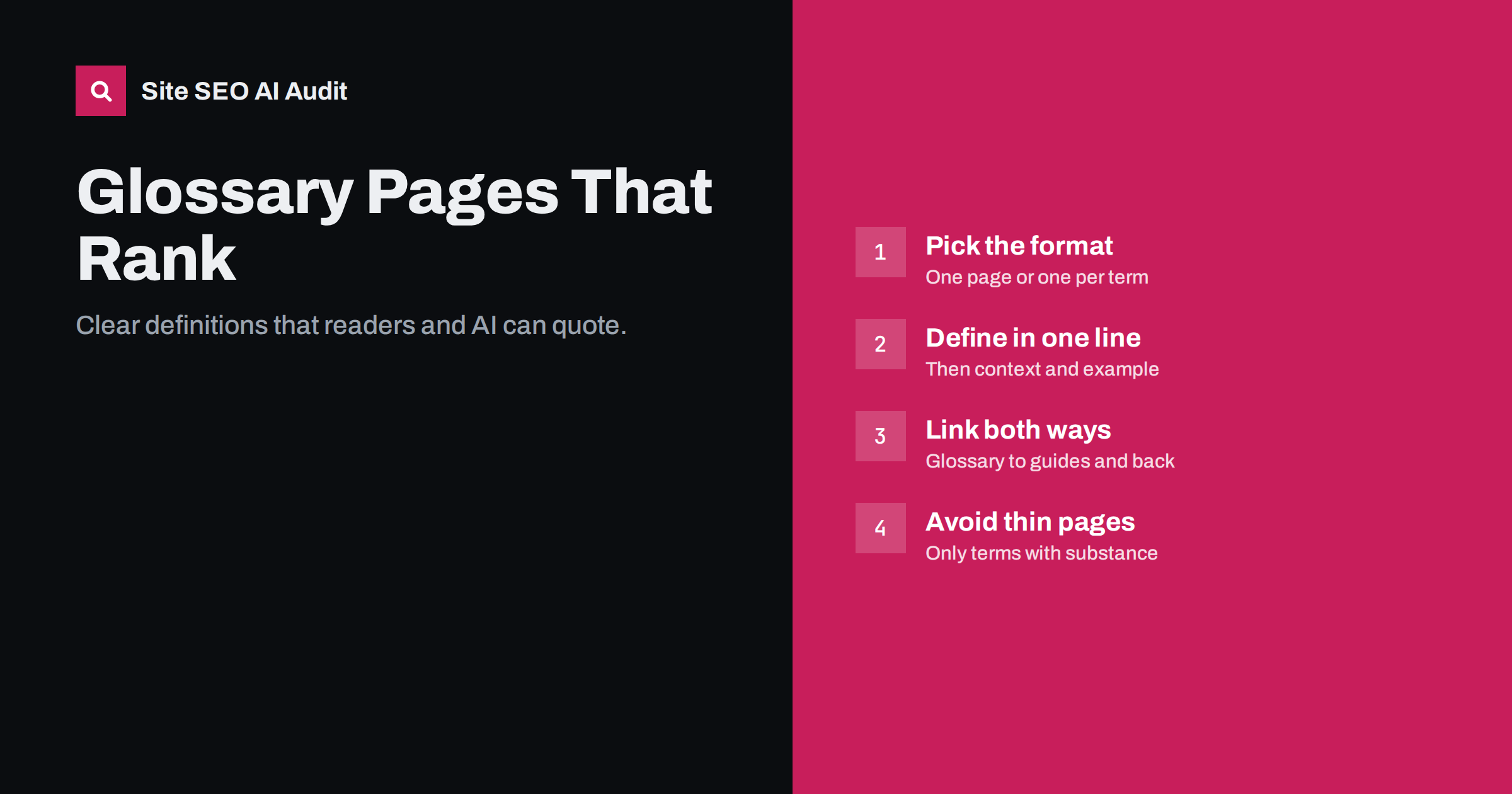
Short answer: a glossary helps SEO when it answers real “what is” questions in your field with clear, quotable definitions and connects those definitions to your deeper content. Start with a single glossary page with jump links, and give a term its own page only when people search for it and you have enough to say: a one-sentence definition, context, an example and related terms. Avoid mass-producing short term pages, which tend to be thin and rarely rank.
Why glossaries are worth building
Every field has vocabulary that newcomers need explained: accounting has accruals, SEO has canonical tags, logistics has incoterms. People search for these terms constantly, often with “what is” or “meaning” added. A good glossary serves those searchers and does several other jobs at once:
- Captures definitional searches that your long guides may not rank for directly.
- Feeds snippets and AI answers, which often quote a short, precise definition.
- Strengthens internal linking, because definitions naturally link to the guides where terms are explained in depth.
- Helps your own writers use terms consistently across the site.
- Supports beginners who land on an advanced article and need a quick explanation.
This site has examples of the single-page approach, such as the AI search glossary and the international SEO glossary, each defining terms briefly and linking to longer guides.
One glossary page or one page per term?
This is the main structural decision, and the right answer depends on how much you have to say about each term:
| Approach | Works well when | Risks |
|---|---|---|
| Single glossary page | Terms need short definitions; 20 to 100 terms; readers browse | Very long pages can become hard to navigate; individual terms rank less well |
| One page per term | Terms have real search demand and need several paragraphs, examples and context | Hundreds of thin pages with a sentence or two each |
| Hybrid | Most terms are short, but a few deserve full explanations | Needs clear rules on when a term gets its own page |
For most businesses the hybrid is the sensible path: keep a central glossary with short definitions, and link the most important terms to full guide pages. A term earns its own page when there is clear search interest, when you can write at least a few hundred useful words about it, and when no existing guide already covers it. If a guide already exists, link the glossary entry to it rather than creating a second page that competes for the same query; our article on keyword cannibalization explains why.
How to write a definition that gets quoted
Search engines and AI assistants look for a sentence that answers “what is X” on its own. Structure every entry the same way:
- The term as a heading, spelled the way people search for it, with common abbreviations. For example, “Largest Contentful Paint (LCP)”.
- A one-sentence definition that starts with the term: “Largest Contentful Paint is a Core Web Vitals metric that measures how long the largest visible element takes to render.” It should make sense if quoted without the rest of the page.
- Context in one to three sentences: why it matters, who uses it, how it relates to other ideas.
- An example where it helps understanding.
- A link to the guide that goes deeper, and to one or two related terms.
Avoid definitions that are circular (“canonicalisation is the process of canonicalising”), promotional (“our unique method”) or vague. Precision is what gets a definition quoted. Our guide to structuring content for featured snippets covers the same principle in more depth.
Organising a single glossary page
A long glossary page needs structure so both readers and crawlers can find individual terms:
- Group terms alphabetically or by theme, with each group as an H2 and each term as an H3.
- Add a list of jump links at the top, and give each term an
idso you can link directly to it, for example/glossary/#canonical-tag. - Keep entries short: two to five sentences each on a single page.
- Include an introduction that explains who the glossary is for and how to use it.
- Show a last-updated date and review it regularly, because terminology changes.
Our article on tables of contents and jump links explains how to set up in-page navigation that works for long pages.
Internal linking: the glossary’s real power
A glossary that nobody links to does little. Build links in both directions:
- From articles to the glossary: the first time a specialist term appears in a guide, link it to its glossary entry or term page. Do not link every occurrence.
- From the glossary to articles: each entry should link to the most relevant in-depth guide, passing readers from a quick answer to a full explanation.
- Between related terms: “See also” links help readers understand how concepts connect.
- From navigation: link the glossary from the resources menu or footer so it is reachable in a few clicks.
Used this way, a glossary becomes a hub within a topic cluster. Our guide to topic clusters and pillar pages explains how hubs like this support related content.
How to choose which terms to include
A glossary is only as good as its term list. Build it from evidence rather than from a brainstorm:
- Collect terms from your own content. Scan your guides, product pages and help articles for specialist words and abbreviations that a newcomer would not know.
- Add the questions customers ask. Sales and support teams hear “what does X mean?” every week. Those terms belong in the glossary even if they seem basic to you.
- Check search demand. Look for “what is” and “meaning” queries in Search Console and in your keyword tool. Terms with steady demand are candidates for their own pages.
- Include common abbreviations and synonyms. People search for “CLS” as often as “Cumulative Layout Shift”; mention both in the entry.
- Leave out trivia. Terms that are obvious to your audience, or that only exist inside your company, add length without value.
A list of 30 to 60 well-chosen terms is plenty for most businesses. You can always add more as new questions come in, and a small, accurate glossary is far more useful than a large one full of filler.
Markup for glossaries
Schema.org includes DefinedTerm and DefinedTermSet types designed for glossaries and vocabularies. They describe each term and the set it belongs to. Google does not currently offer a special rich result for them, so do not expect a visual change in search results. They can still make the structure explicit for machines, and they are low risk if they accurately match the visible content.
More important than any markup is clean HTML: real headings for terms, definitions in plain text rather than images or scripts, and content that loads without JavaScript. Glossaries built as interactive widgets, where definitions appear only on hover or click after loading, are often invisible to crawlers.
Glossary mistakes that waste effort
These are the problems that most often turn glossaries into dead weight:
- Hundreds of auto-generated term pages with one sentence each, often created by a plugin. They tend to be thin and can drag down how search engines see the site.
- Copied definitions from dictionaries or other sites, which add nothing and may raise copyright questions.
- Terms nobody searches for, especially internal jargon or product feature names that only customers know.
- No links from articles to the glossary and no links from the glossary to deeper content.
- Tooltip-only definitions that crawlers cannot read.
- Outdated entries, such as metrics or standards that have since been replaced.
If you already have many thin term pages, merge the weakest into the main glossary and redirect them, as described in our guide to fixing thin content.
Checking glossary pages across your site
Site SEO AI Audit reviews every page for thin and duplicate content, titles, descriptions and H1s, and reports weakly linked and orphan pages, which is where neglected glossary pages usually show up. On WordPress, each issue includes fix steps for wp-admin and your SEO plugin. Start with a free audit to see how your glossary and resource pages are doing.
Related reading
- Internal Linking Strategy: A Step-by-Step Guide for SEO
- Answer-First Introductions: How to Open a Page That Ranks
- Orphan Pages: How to Find Them and What to Do With Each
The bottom line
Build a glossary for your readers first: clear, precise definitions of the terms they meet, organised so they can find them, linked to the guides that explain more. Start with one well-structured page, promote only terms with real demand and substance to their own pages, and avoid thin, auto-generated term pages. Done well, a glossary captures definitional searches and strengthens your whole topic.
FAQ
Are glossary pages good for SEO?
They can be, when they answer real definitional questions clearly and link to deeper content. Glossaries made of many thin, auto-generated pages usually do more harm than good.
Should each glossary term have its own page?
Only when people search for the term and you have enough to say about it. Most terms work better as short entries on one glossary page, with links to full guides where they exist.
How long should a glossary definition be?
Start with a single sentence that defines the term on its own, then add two to four sentences of context or an example. Individual term pages need more, typically several hundred words.
Does Google show rich results for DefinedTerm markup?
Not currently. DefinedTerm and DefinedTermSet can describe a glossary for machines, but they do not produce a special search feature. Clear headings and definitions in HTML matter more.
Do glossary definitions appear in AI answers?
They can. AI answers often quote short, precise definitions. A definition that starts with the term and makes sense on its own is easier to quote than one buried in a long paragraph.


