 ENEnglish
 LTLietuviškai
 DEDeutsch
 FRFrançais
 RUРусский
 ESEspañol
 PLPolski
 ITItaliano
 UKУкраїнська
 CSČeština
 PTPortuguês
 JA日本語
JA日本語 LVLatviešu valoda
 ETEesti
 HUMagyar
 IDBahasa Indonesia
 TRTürkçe
 HIहिन्दी
 ELΕλληνικά
 ARالعربية
 THไทย
THไทย VITiếng Việt
 RORomână
 MSBahasa Melayu
 BNবাংলা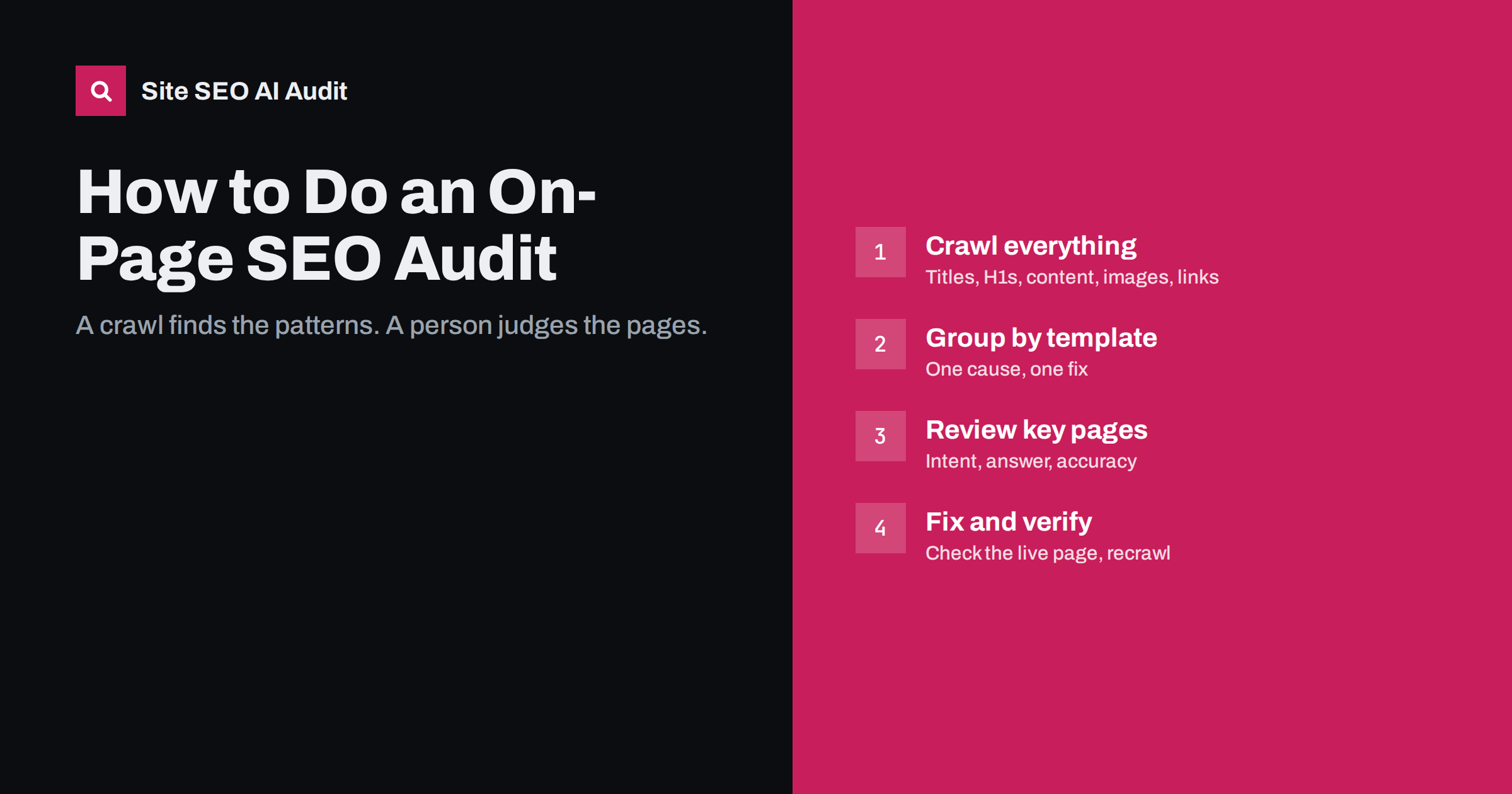
Short answer: An on-page SEO audit checks whether each important page clearly and convincingly answers the search it targets. Crawl the whole site to find repeated problems such as duplicate titles, missing H1s, thin or duplicate content and images without alt text; group them by template and fix those first. Then review your most important pages by hand for search intent, content quality and internal links, and re-check after each round of fixes.
What an on-page audit covers, and what it does not
An on-page audit looks at the content and HTML of your pages: titles, meta descriptions, headings, body content, images, internal links and URLs. It asks two questions for every page that matters: do search engines understand what this page is about, and is it a good answer for the people searching?
It overlaps with, but is not the same as, a technical audit, which focuses on crawling, indexing, redirects, speed and site architecture. In practice, the two are usually run together, because an on-page fix is pointless on a page that cannot be indexed. Before starting, confirm that your important pages are indexable: not blocked in robots.txt, not set to noindex, and returning a 200 status code.
Step 1: define the scope and your key pages
Decide what you are auditing and what matters most:
- The whole site for a mechanical crawl of every page.
- A list of key pages for a manual review: the home page, main service or category pages, top products, and the articles that bring the most search traffic or conversions.
Export your top pages by clicks and impressions from Google Search Console. That list, plus your commercially important pages, becomes the manual review set. For most sites, twenty to fifty pages is a realistic number.
It also helps to write down, before you start, what a good outcome looks like. For a store it might be “every product and category has a unique title and description, and the twenty best sellers have original descriptions”. For a service business it might be “each main service has its own page that matches search intent and is linked from related articles”. A clear goal keeps the audit from turning into an endless list of minor observations, and it tells you when you are done.
Step 2: crawl the site and collect the data
A crawler visits your pages the way a search engine does and records each page’s title, description, headings, word count, images, links and status. From that data you can spot patterns no one would see by browsing. Collect at least:
- Title tag and its length for every page.
- Meta description and its length.
- H1 text and the number of H1s.
- Word count of the main content.
- Images and whether they have alt text.
- Internal links in and out of each page, with anchor text.
- Near-duplicate content between pages.
Step 3: find site-wide patterns
Group the crawl results by problem and by page type. The goal is to find issues that repeat across many pages, because they almost always have one cause and one fix.
| Check | What to look for | Likely cause |
|---|---|---|
| Titles | Missing, duplicate, too long or too short | Template, cloned pages |
| Meta descriptions | Missing or duplicate | Never written, theme default |
| H1 | Missing, multiple, empty, same on many pages | Theme, page builder, logo as H1 |
| Thin content | Pages with very little main text | Tag archives, empty categories, stubs |
| Duplicate content | Pages sharing most of their text | Copied descriptions, location pages, variants |
| Images | Missing alt text, very large files | Uploads never described or compressed |
| Internal links | Weakly linked key pages, broken links, links to redirects, empty anchors | No linking habit, old URLs |
Count how many pages each issue affects and on which page types. “Duplicate title on 340 product pages” is a single template fix; “missing description on 3 old posts” is a minor task.
Sort page types by importance as well. The same problem matters more on product and service pages than on paginated archives or old news posts. A simple way to see this is to pivot the crawl data into a small table with page types as rows and issues as columns, each cell showing the number of affected pages. The largest numbers in the most important rows are where your fix list begins.
Step 4: review key pages by hand
Some of the most important questions cannot be answered by a crawler. For each page in your review set:
- Intent. Search the page’s main query. Is your page the same type of answer as the results that rank? If not, that is the first problem to solve.
- Answer. Does the page answer the main question near the top?
- Completeness. Does it cover the subtopics and follow-up questions that the best results cover, and something they do not?
- Accuracy and freshness. Are facts, prices, screenshots and steps up to date?
- Title and snippet. Would you click this result among the others? Is the title shown as written, or rewritten?
- Structure. Do the headings tell the story of the page? Is it easy to scan on a phone?
- Competition inside your site. Does another of your pages target the same query?
- Internal links. Do related pages link to this one with descriptive anchors?
Record findings in a simple sheet: page, issue, proposed fix, effort, expected impact.
Step 5: prioritize the fixes
An audit usually produces more tasks than anyone can do at once. Prioritize by combining reach, importance and effort:
- Reach: how many pages does the issue affect? Template fixes come first.
- Importance: does it affect pages that bring revenue, leads or most of your traffic?
- Severity: does it stop a page from being understood (missing title, wrong intent), or is it polish (a slightly long description)?
- Effort: can it be done in minutes, or does it need a developer or a rewrite?
A practical order: critical template issues, then intent and content problems on key pages, then internal linking, then the long tail of smaller page-level fixes.
Step 6: fix, then verify
Make changes in batches and verify each batch on the live site, not in the editor. Check the page source for the new title and description, confirm headings and alt text, and make sure caching is not serving the old version. Then recrawl to confirm the counts have dropped as expected.
Verify a sample from every page type, not just the page you edited. A template change meant for products can affect categories too, and a change to the theme header can alter every H1 on the site at once.
Keep a change log with dates. When you look at Search Console data weeks later, you will want to know what changed and when, especially if several fixes overlap with seasonal changes.
Step 7: repeat on a schedule
On-page problems return. New templates, plugins, content imports and editors introduce fresh issues. A full crawl every few months, plus a check after any redesign, migration or major plugin update, keeps problems small. Review your key pages by hand at least once a year, and whenever their traffic drops.
Where Site SEO AI Audit fits
Steps 2 and 3 are where a tool saves the most time. Site SEO AI Audit crawls your whole site like a search engine and checks about 50 things on every page across seven areas, including on-page (titles, descriptions, H1, thin and duplicate content, image alt texts) and links (broken links, links to redirects, weakly linked pages, nofollow, empty anchors). The score weighs each issue by how many of your pages it affects, and the fix list is ordered by how many points each fix adds, which covers much of step 5. On WordPress sites every issue comes with the steps in wp-admin and your SEO plugin. The first audit is free; re-checks after each fix are part of the paid plans. The manual review in step 4 remains yours: intent and quality need human judgment.
Related reading
- On-Page SEO Checklist: What to Check on Every Page
- 15 On-Page SEO Mistakes and How to Fix Each One
- Technical SEO Audit Checklist: 40 Checks in the Right Order
The bottom line
An on-page audit combines a machine and a person. Crawl the whole site to find patterns, group problems by template and fix those first because one change repairs many pages. Then review your key pages by hand for intent, completeness, accuracy, titles and internal links. Prioritize by reach, importance, severity and effort, verify every fix on the live site, and repeat the audit regularly.
FAQ
How long does an on-page SEO audit take?
A crawl of a small or mid-sized site takes minutes to an hour. The manual review of key pages takes longer, often ten to twenty minutes per page. Fixing what you find is the largest part of the work.
How often should I audit on-page SEO?
Every few months for a full crawl, after any redesign, migration or major plugin change, and at least yearly for a manual review of your most important pages.
What should I fix first after an audit?
Issues that affect many pages through one template, and problems on your most important pages that stop them from being understood, such as wrong intent or missing titles. Polish can wait.
Can a tool do the whole audit?
A tool can find mechanical issues across every page quickly and rank them by impact. Judging whether a page matches search intent and is genuinely the best answer still needs a person who knows the subject.
What is the difference between an on-page and a technical audit?
An on-page audit looks at content and page elements such as titles, headings, text and internal links. A technical audit looks at crawling, indexing, redirects, speed and site structure. Most full audits cover both.


